Introduction
When the Passwordless Session Token is enabled, the endpoint can generate a passwordless session token after successful authentication, which can be used to establish a secure user session without requiring a password.Prerequisites
- You must have a Tenant Admin account.
- Ensure the Windows Login application is created and configured. For more information, refer: Windows Login - How to create and configure Windows Login application in the Tenant Admin Portal
- Ensure the endpoint is paired with the Windows Login application. For more information, refer: Windows Login - How to manually pair the Supervisor App
Steps to Enable Passwordless Session Token
- Log in to the Tenant Admin Portal.
- On the home page of the portal, click Endpoints on the left menu panel.

- Click an endpoint name to edit from the listed endpoints.


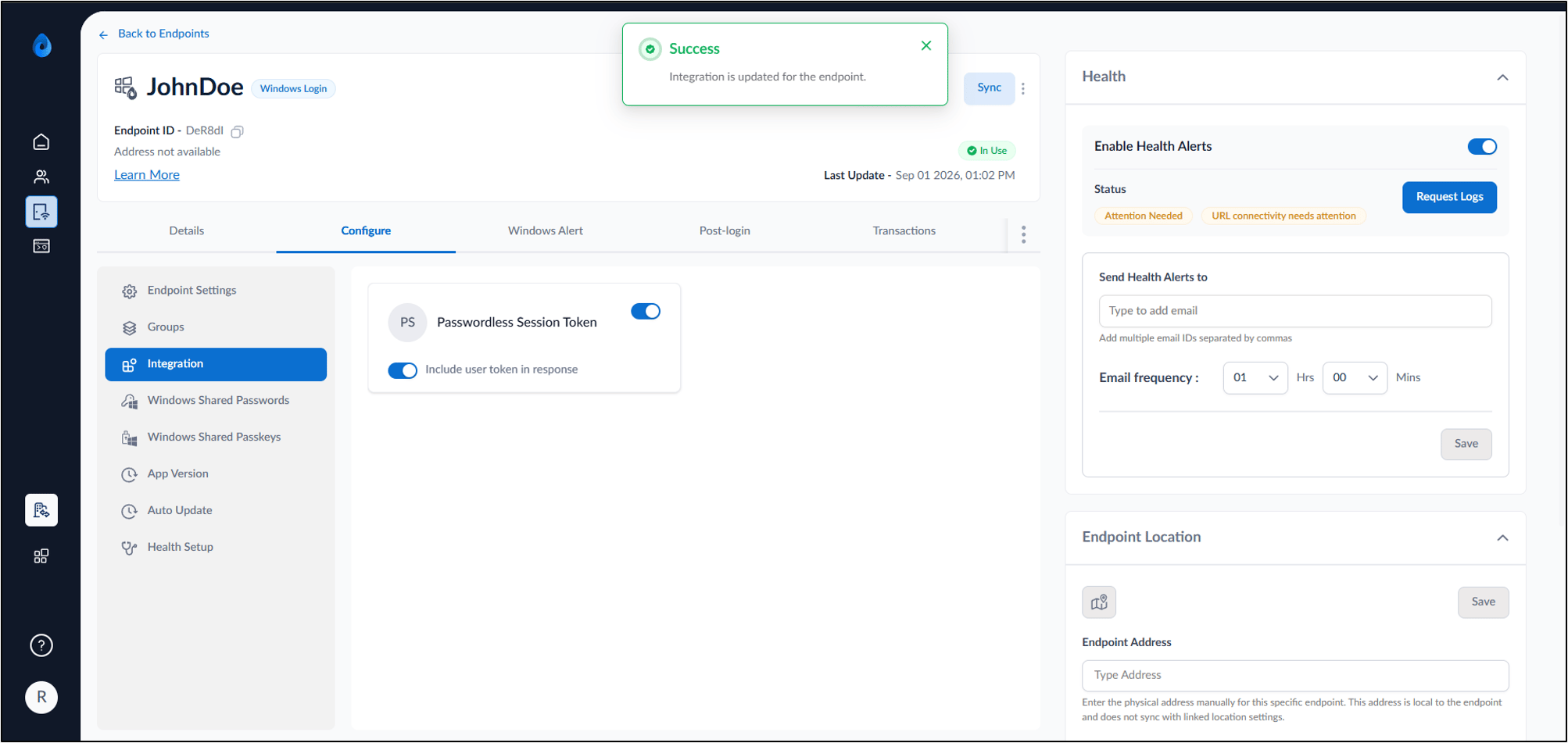
- Click Configure Tab > Click Integrations.
The Integrations tab is displayed.

- Enable the Passwordless Session Token toggle.
- Enable the Include User Token in response toggle. (Optional)

- Enable the Include User Token in response toggle. (Optional)