

- Search Services in the Start menu and select it from the corresponding result.
The Services window is displayed.

- Click on a specific service then search for OloidPasswordlessService.
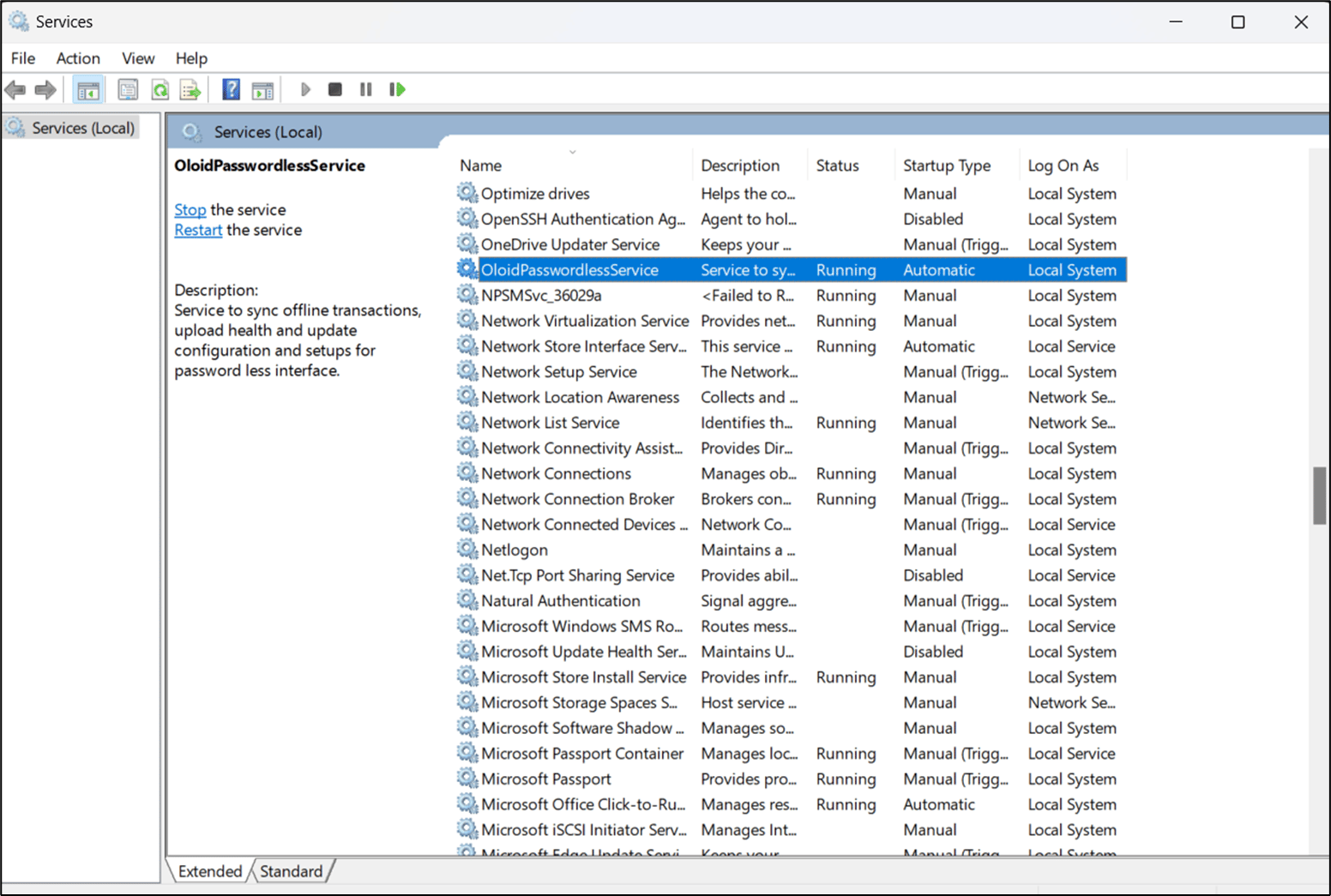
- Check the status by looking at the Status column.
- Make sure the status is Running.
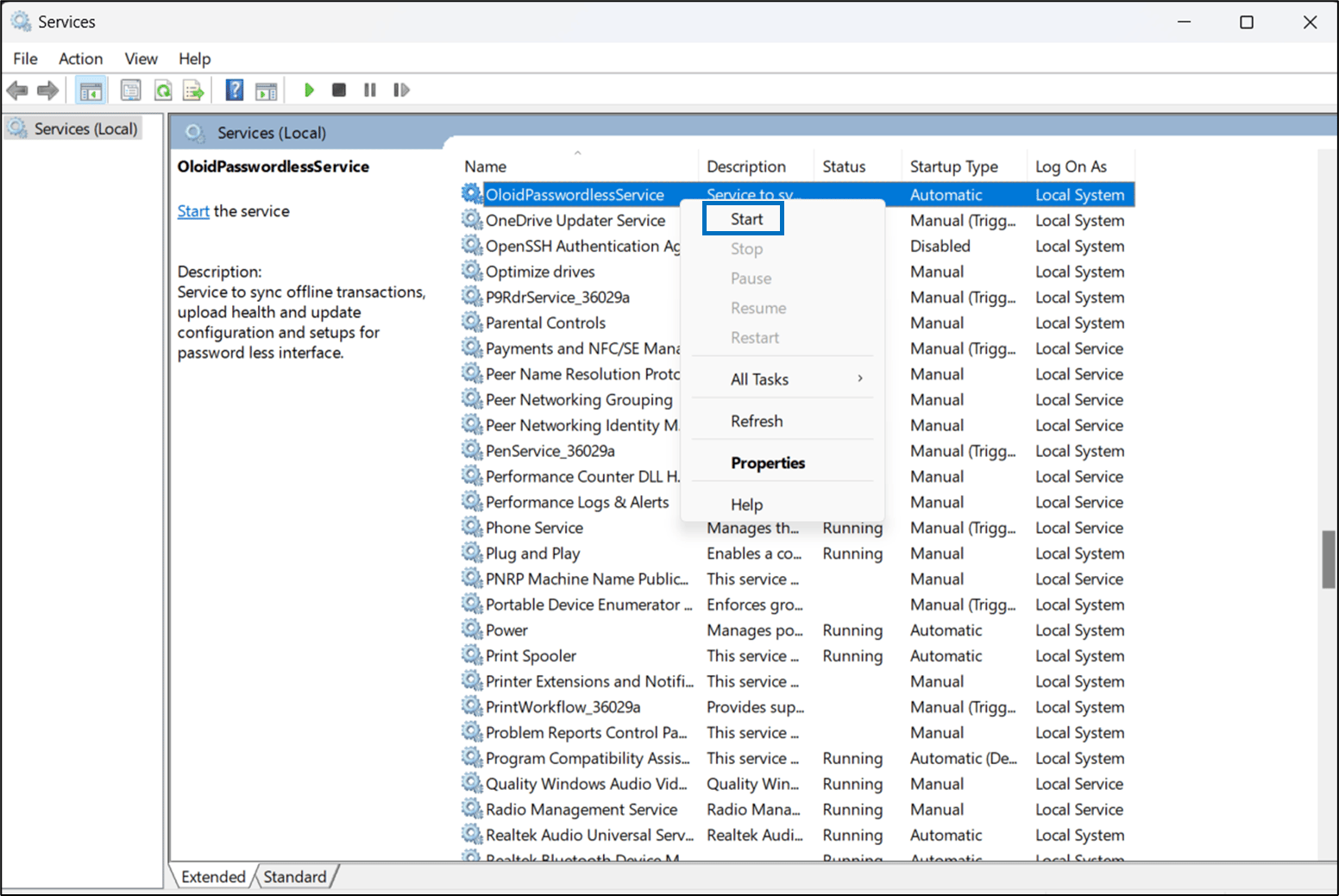
- If the service is not running, then right-click on the service, select Start, and wait for the service to restart.
Offline Processing for Windows Device App
Offline processing for Windows Device App lets you log in to your computer even without the internet.
Offline processing for Windows Device App lets you log in to your computer even without the internet.
To diagnose offline processing for Windows Device app:
⌘I