

Introduction
This guide describes the basic set up and configuration for using M-Tag.Requirements
- M-Tag Hardware
- M-Tag Admin app
- Oloid App
Set Up Process
- Install M-Tag.
- Register the M-Tag through the M-Tag Admin App.
- Configure users in Oloid Admin Portal.
- Download Oloid App and use the mobile app to unlock the door.
Step 1: Install M-Tag
Installation process of M-tag involves attaching the M-Tag on top of the existing badge reader. Oloid M-Tag Comprises of the following:- M-Tag Reader Cover
- M-Tag

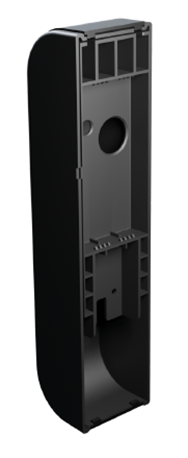
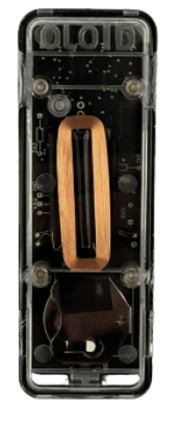
- Open the M-Tag Reader Cover. No screws are needed for Reader Cover.

- Place the M-Tag inside the reader cover and close the back cover.
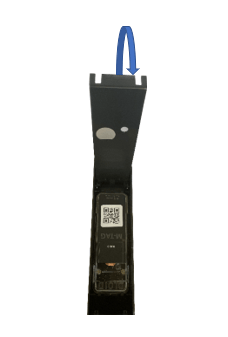
- Unscrew the cover of the existing Badge Reader.
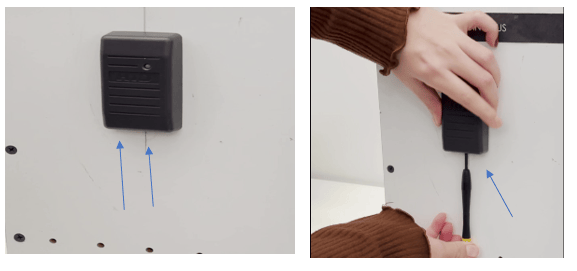
- Remove the existing badge cover.
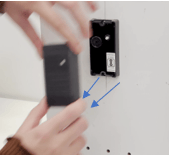
- Place the M-tag Reader over the existing Badge Reader and press to fit it.

Step 2 Register the M-Tag through the M-Tag Admin App
Registering M-Tag is performed by the customer once they receive the device. This activity must be done before the end user can use the M-Tag to access a door. Prerequisite for this activity: Customer should have an active Online Account as a Tenant (This is created by Oloid). Registering the M-Tag can be done through the Oloid’s M-Tag Admin App. Steps to Register M-Tag :- Install the Oloid M-Tag Admin App and login to the app. See M-Tag Admin App installation and login
- Register your M-tag . See How to register M-Tag
- Follow the recommended settings. See Recommended Settings.
Step 3: Configure users in Oloid Admin Portal
A tenant needs to be created by Oloid Admin to configure users in the Tenant Admin Portal.- Log into your Tenant Admin Portal.
- Import users. See, Onboarding Users Using Import Template.
Note: Once users are imported BadgeBinary is generated. Bluetooth token needs to be generated for Oloid App to function.
Step 4: Download Oloid App and use the mobile app to unlock the door.
- Download the Oloid App in your mobile. See Oloid App Installation and Login.
- You can now use the Oloid Mobile app to unlock the door, See User Instructions to Operate M-Tag.
- For detailed info on Oloid App, see Oloid App Details