1. Login to the Tenant Admin Portal.
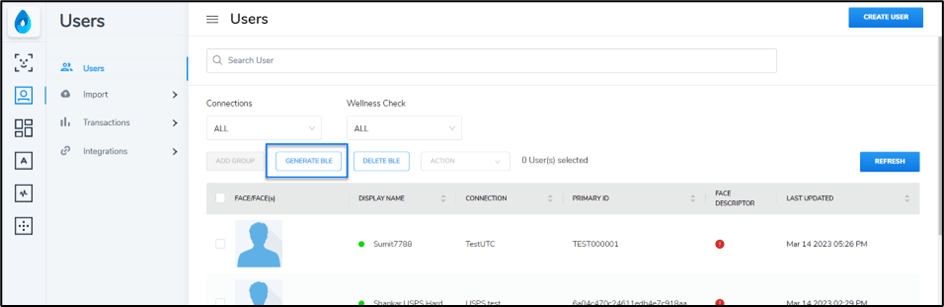
  2. On the Home page of the portal, click Users on the left panel menu.
The Users page is displayed.
  1. Click Generate BLE.
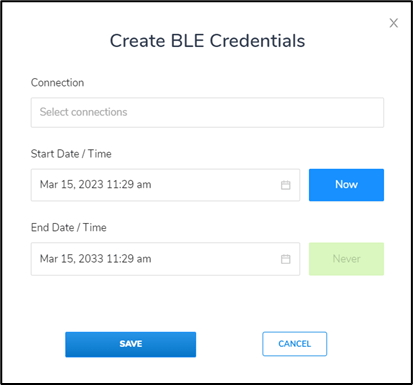
How to generate BLE token in bulk - screenshot 1 The Create BLE Connections pop-up box is displayed. How to generate BLE token in bulk - screenshot 2
  1. Select Connections.
Note: The BLE token will be created for all the users if no connection is selected.
  1. Enter Start Date. Click Now to enter the current date.
By default, the start date is set to current date and time.
  1. Enter End Date.
By default the end date is set to 10 years from start date.
  1. Click Save.
The BLE token is generated for all the users in the connection.