

- Log in to the Tenant Admin Portal.
-
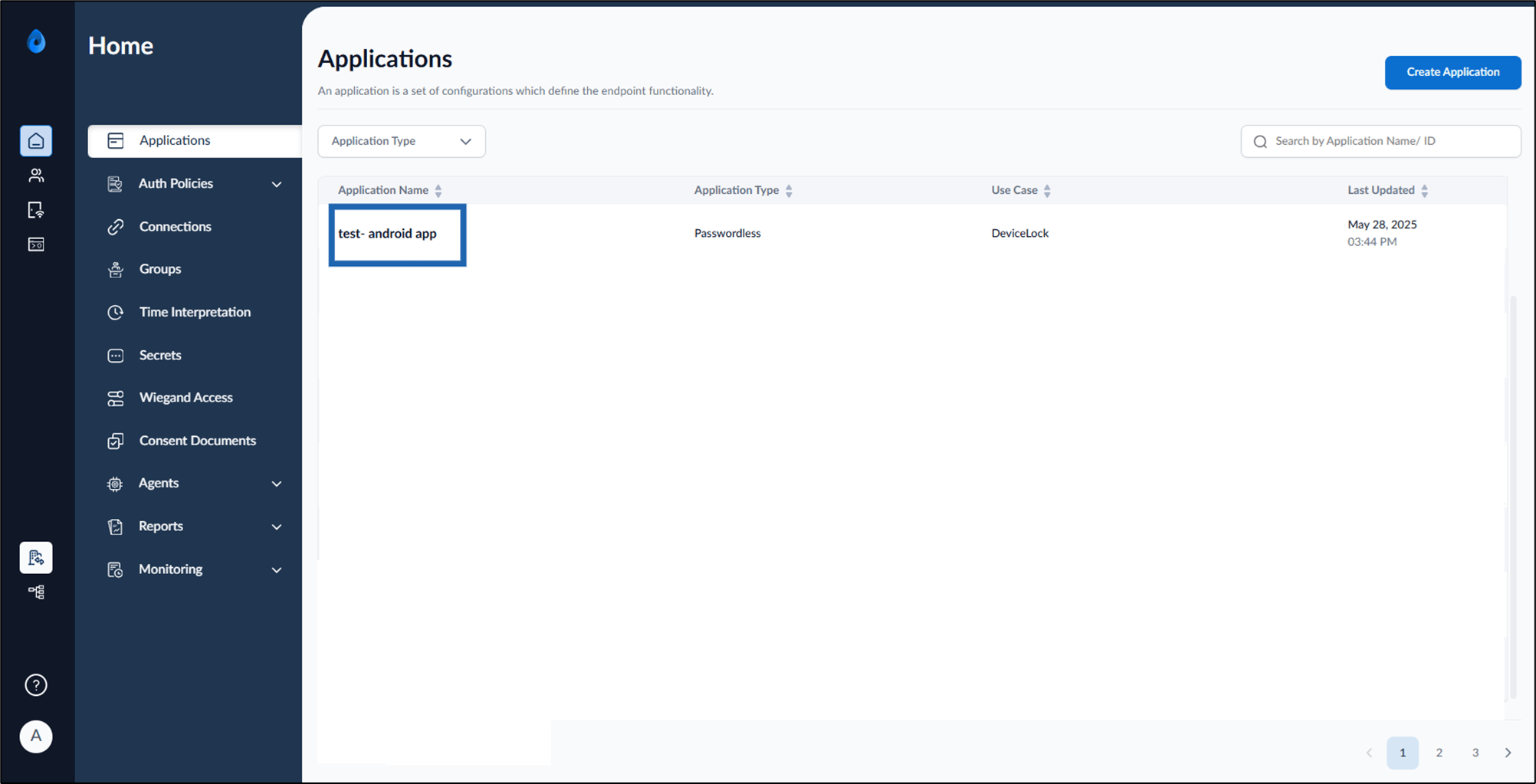
On the homepage of the portal, click the preferred application from the application list.
-
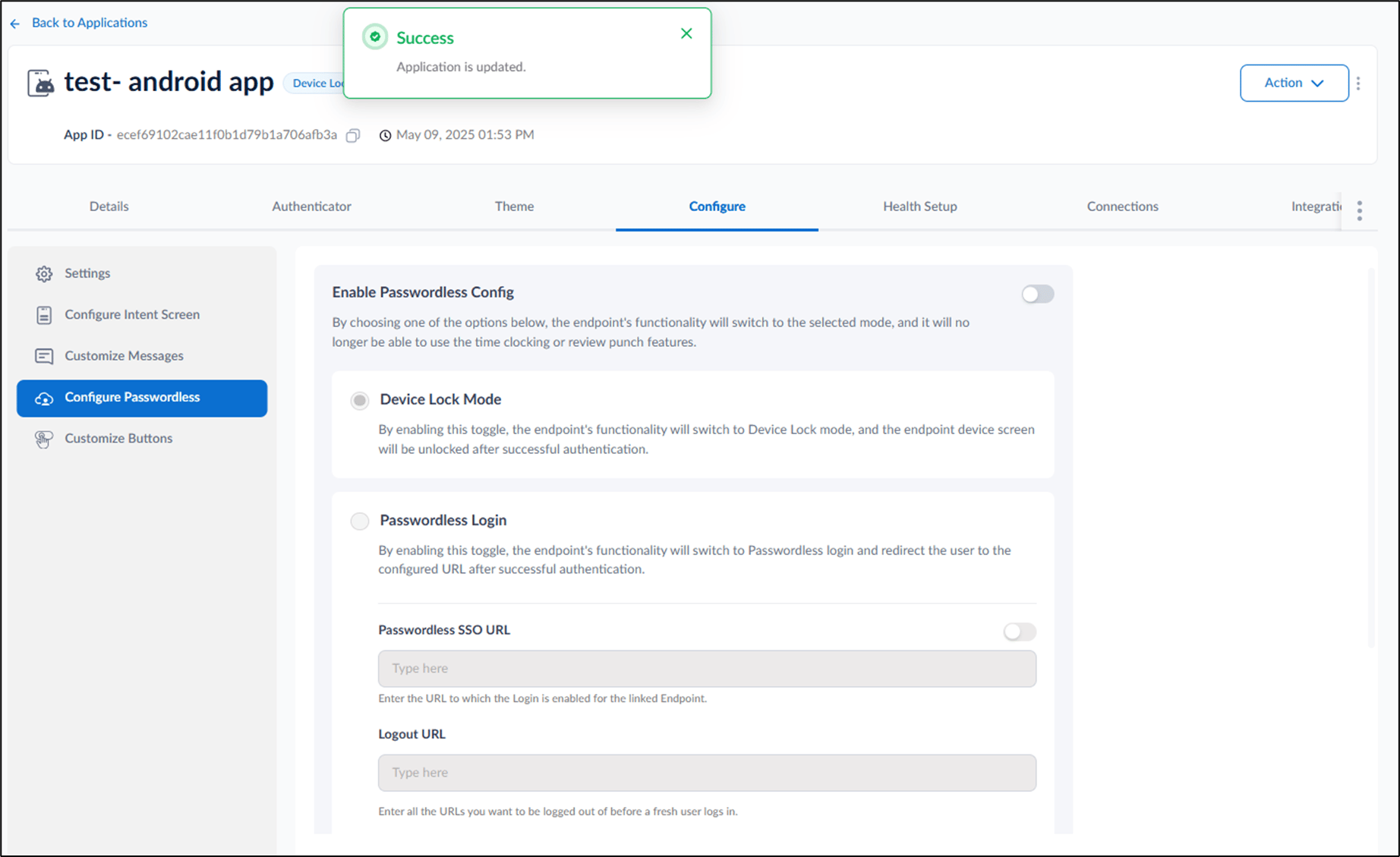
Go to Configure tab > click Configure Passwordless from the left menu panel.

-
Turn off Enable Passwordless Config toggle > click Save.
Note: Turning off this toggle will automatically enable Time Clocking mode and disable DeviceLock and Passwordless Login mode.

How to enable Time Clocking Mode for DeviceLock App in Tenant Admin Portal
This document provides step-by-step instructions to enable Time clocking mode for Devicelock in the Tenant Admin Portal
Steps to enable Time clocking mode:
⌘I