Steps to Enable Location Mandate
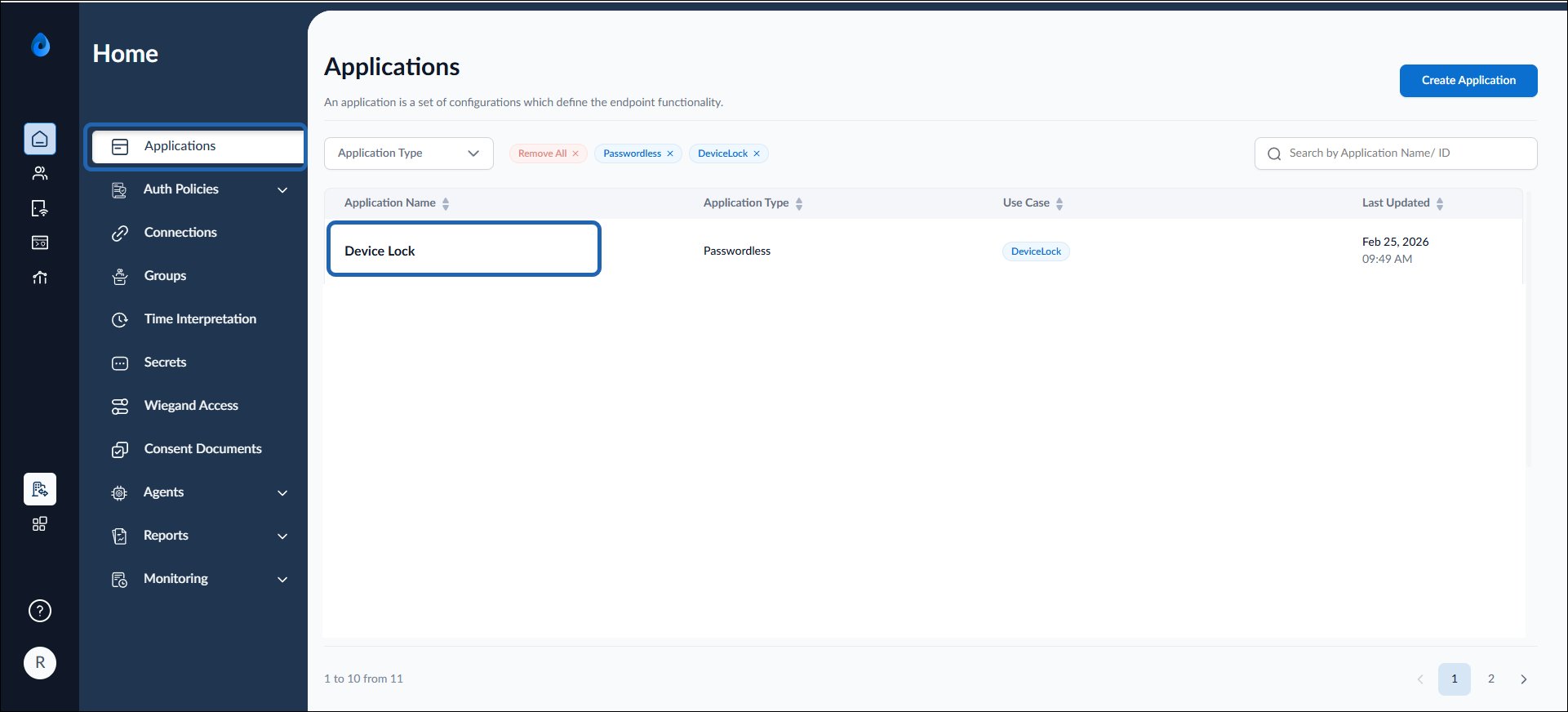
- Log in to the Tenant Admin Portal.
- On the Applications page, click on the Device Lock application.
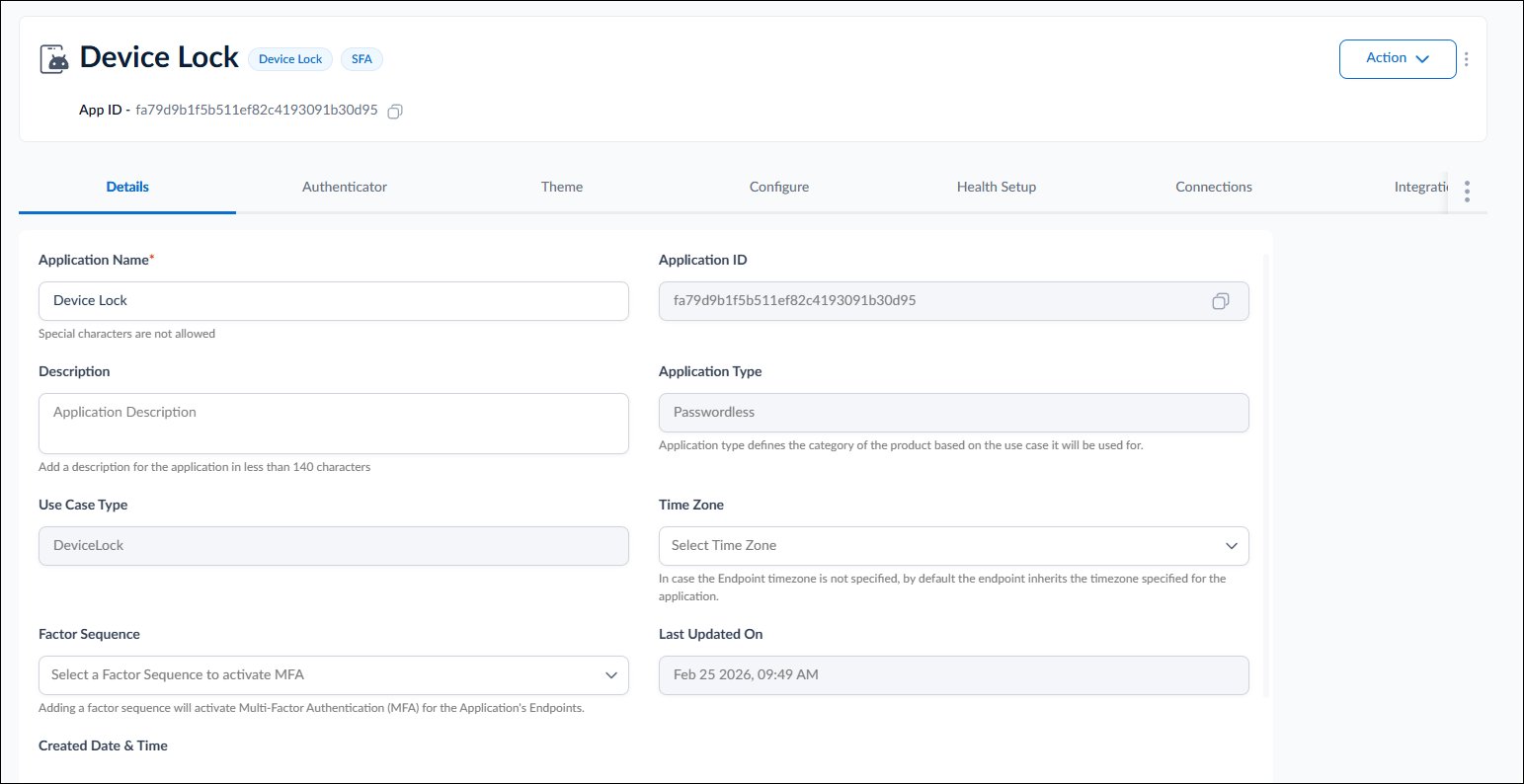
- Go to Configure tab > Settings.
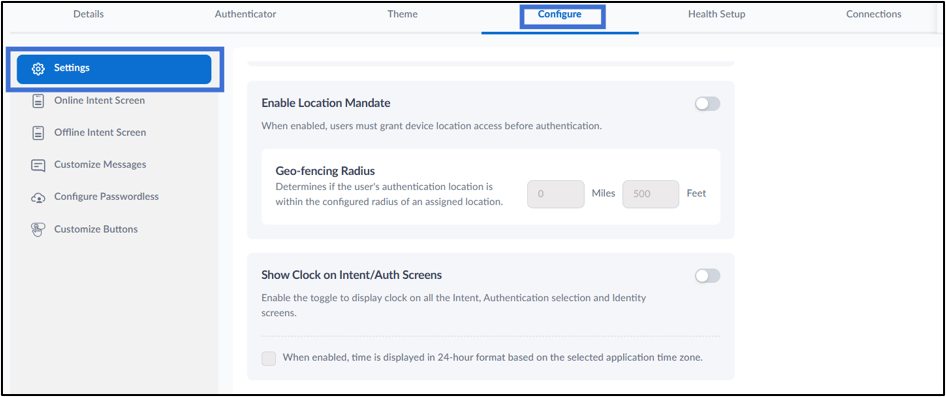
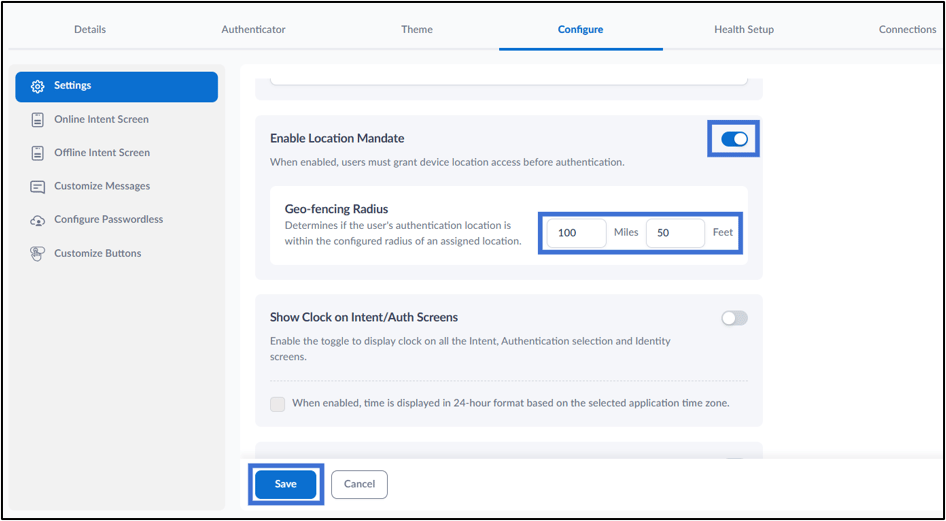
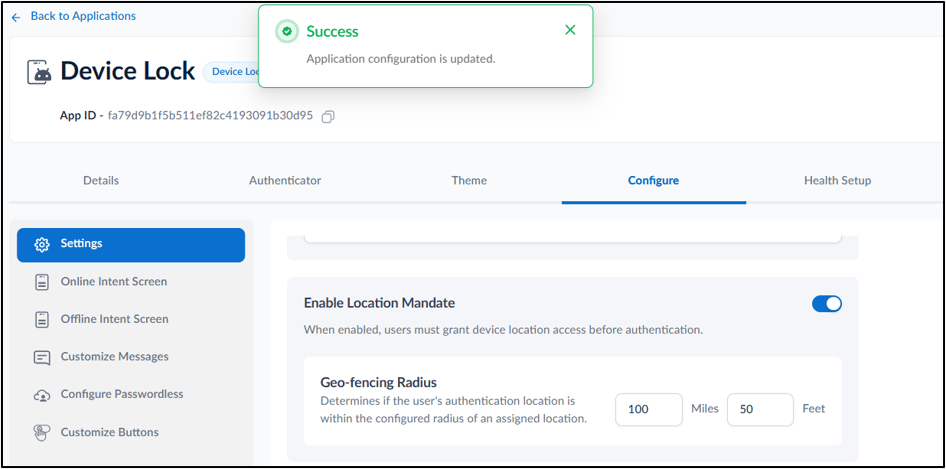
- Enable Location Mandate toggle. When enabled, users must grant device location access before authentication. For more, refer to
- In the Geo-fencing Radius section, configure the allowed authentication distance: Miles – Enter the allowed radius in miles. Feet – Enter the allowed radius in feet.
- Click Save.