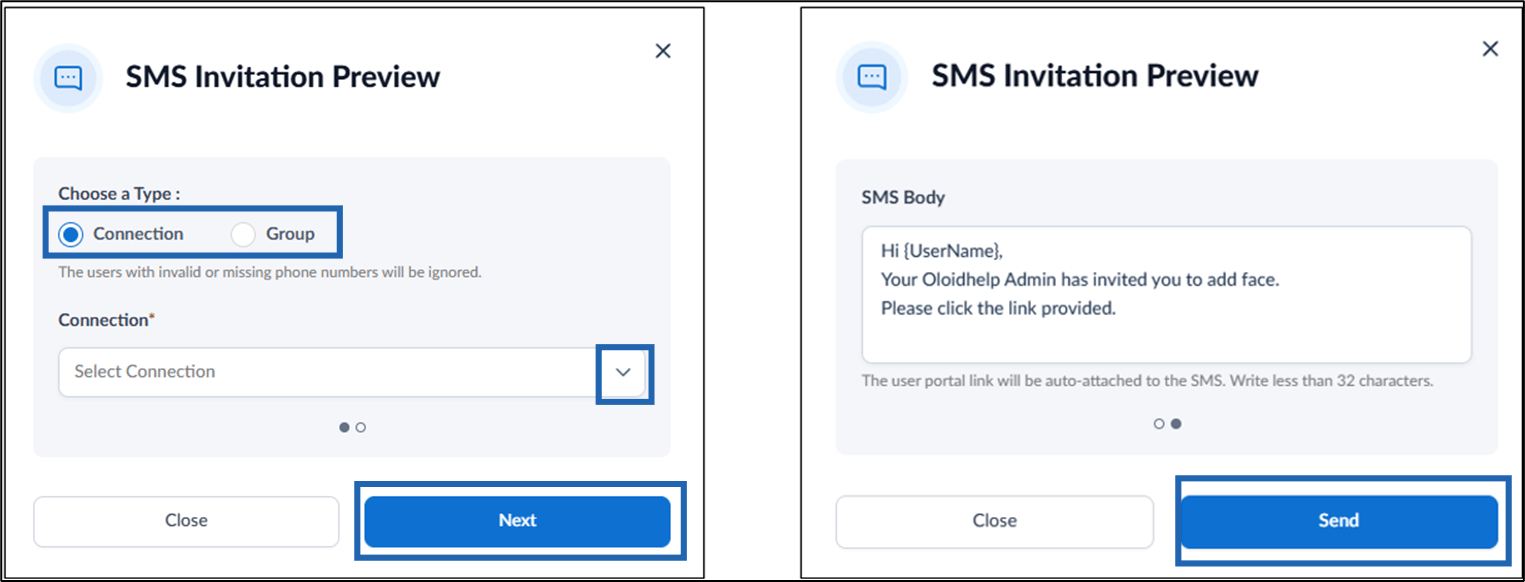
Steps to Send Face Invite via SMS
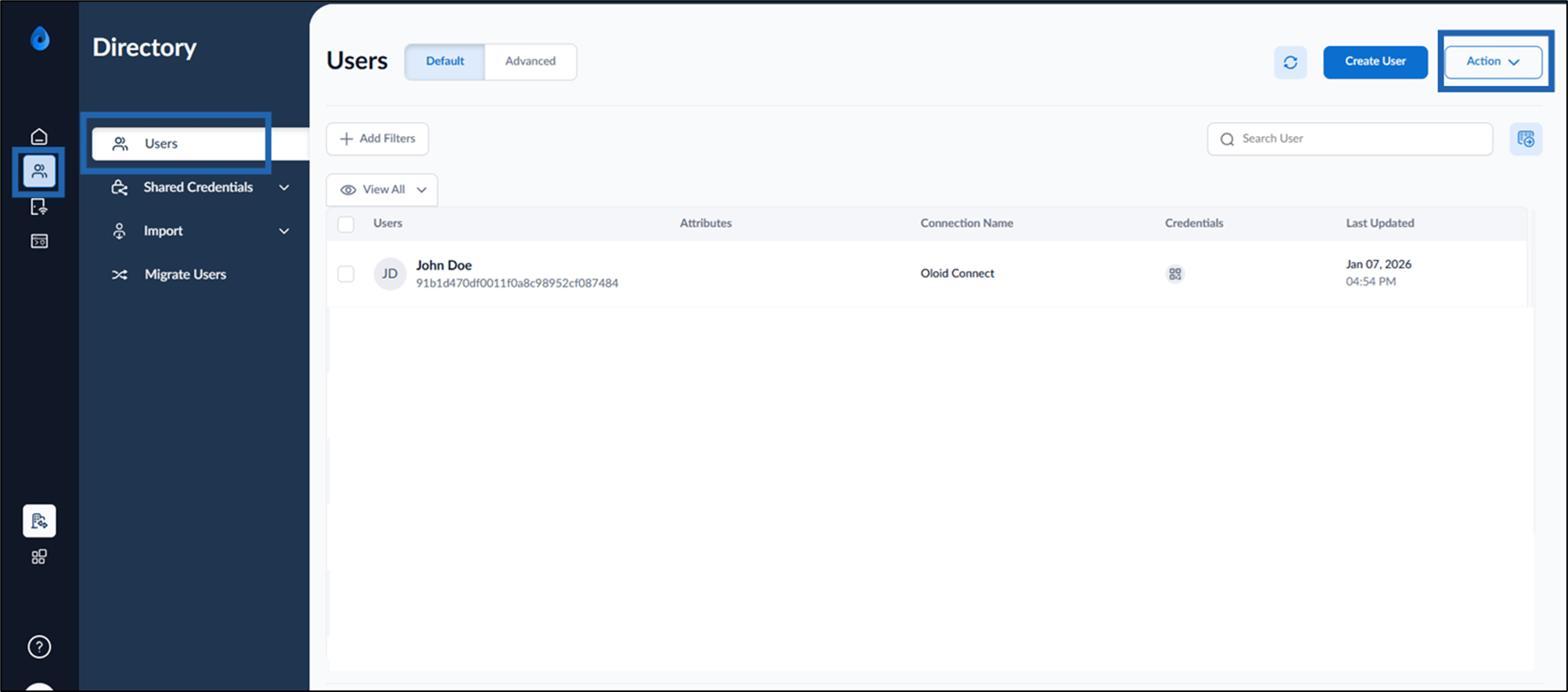
- Log in to the Tenant Admin Portal.
- Go to Directory > Users > click Action.
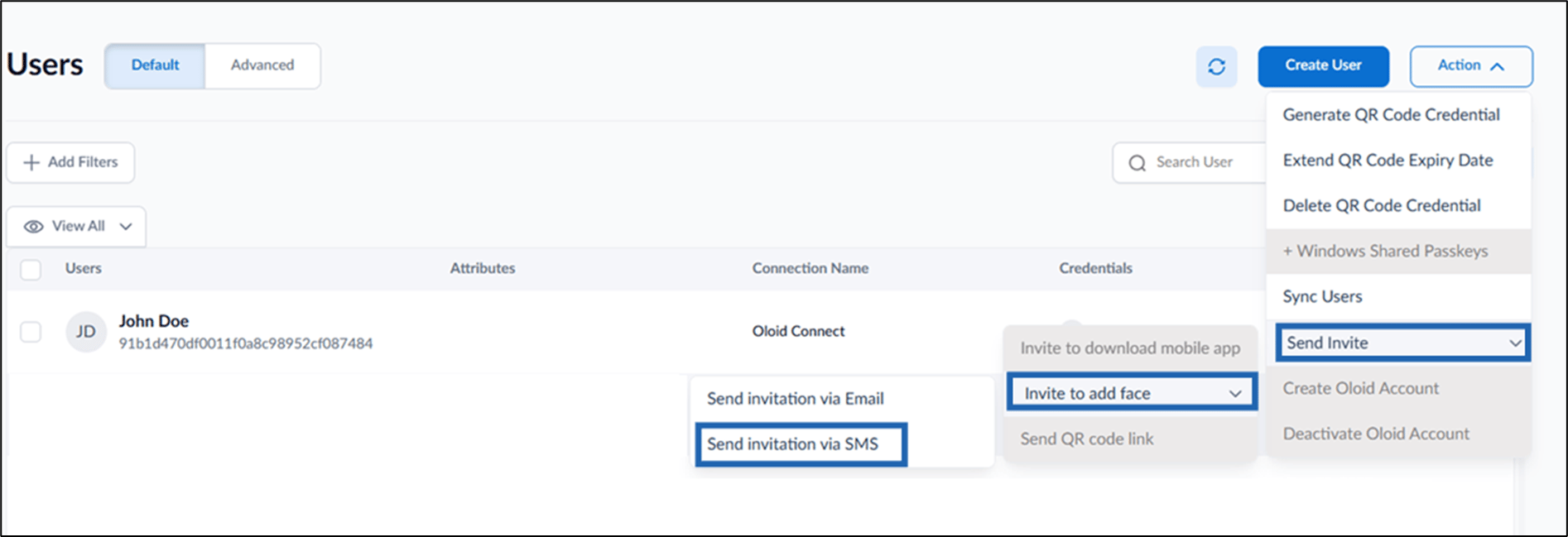
- Click Send Invite > Invite to add Face > Send invitation via SMS.
- Do the following:
- Select Connection or Group.
- Choose applicable connection/group from the drop-down list.
- Click Next.
- Update the SMS (if needed).
- Click Send.