

- The Endpoint should be paired . To know more about pairing an Endpoint, see How to pair an Oloid Connect endpoint.
- The user must be a Supervisor.
Steps to configure an endpoint for Oloid Connect
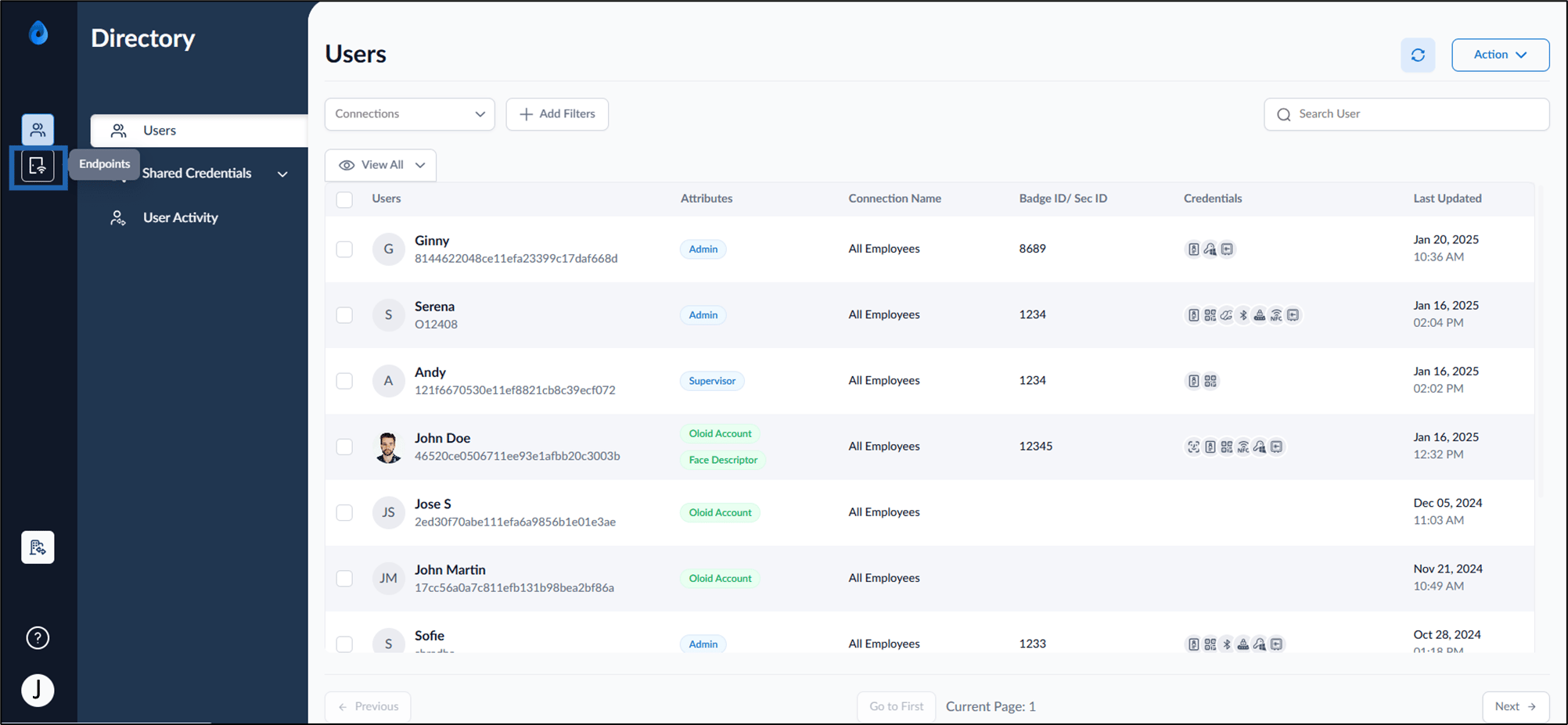
- Log in to Oloid Portal using supervisor credential. The Users page is displayed.
- Select Endpoint from the left menu panel.
- Select Endpoint Name to configure.
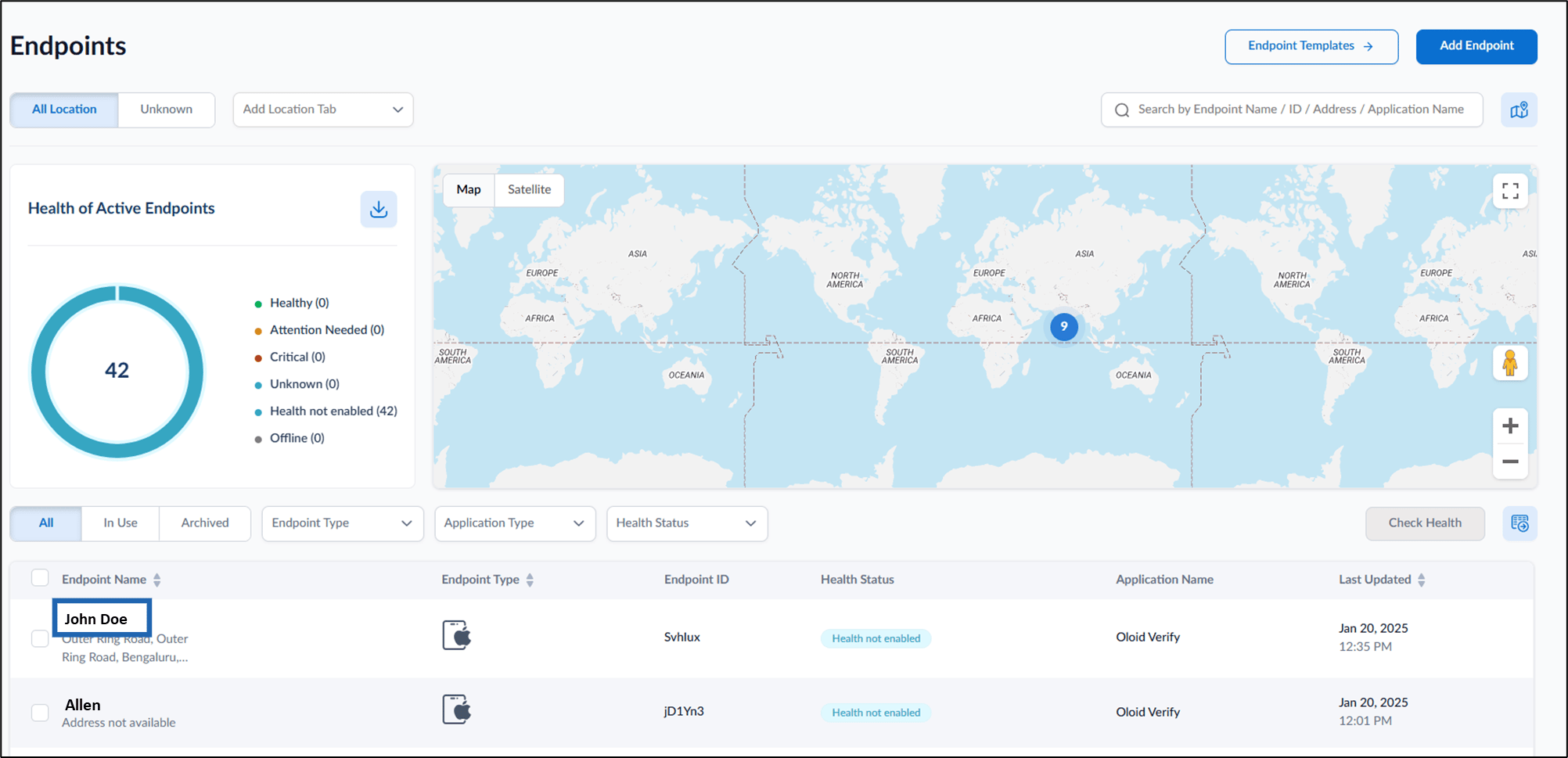

- Do the following:
- Configure Details tab
- Design Configure tab
- Configure Transaction tab
- Configure Health Response tab The Endpoint is configured successfully.
Configure Details Tab

-
Edit Endpoint Name.
Note: Endpoint name is auto populated with the name used while pairing. You can edit the name if required.
- Enter Endpoint Description. (Optional)
- Select Timezone from the dropdown list. (Optional)
- Click Save.
Design Configure Tab
You can set up the configure tab by configuring browser settings and customizing button labels.Endpoint Settings

- Enable Use Endpoint in Admin Mode Only to disable access control for Users.
-
Enable Capture Location to activate Location Capture on Endpoint for each transaction.
Note: The Location Permission of the endpoint device must be enabled.
- Enable Generate Debug Logs to activate log generation for the endpoint until disabled.
- Click Save.
Groups
Enable One Face/User (On Device FR) to ensure that only one facial image of user is stored on the device as a reference for On-device Transactions.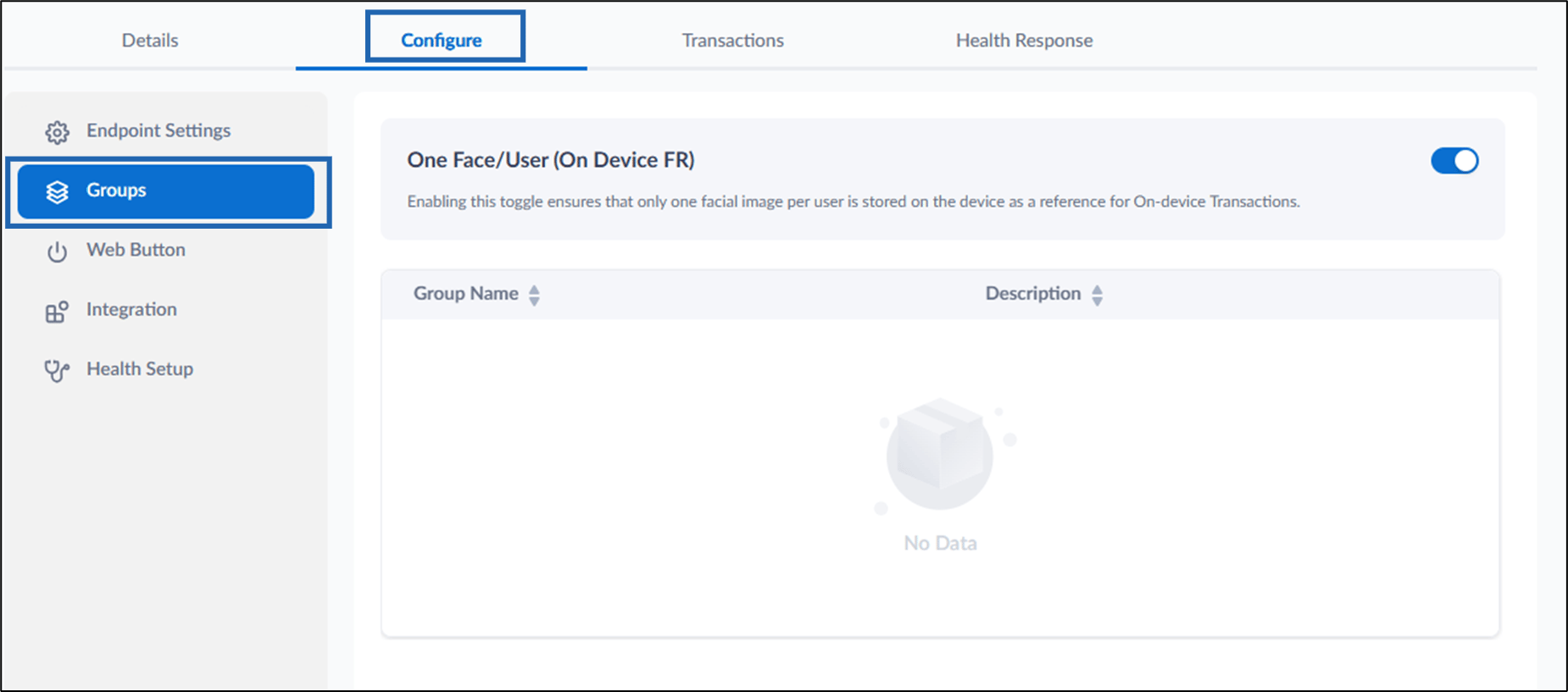
Web Button
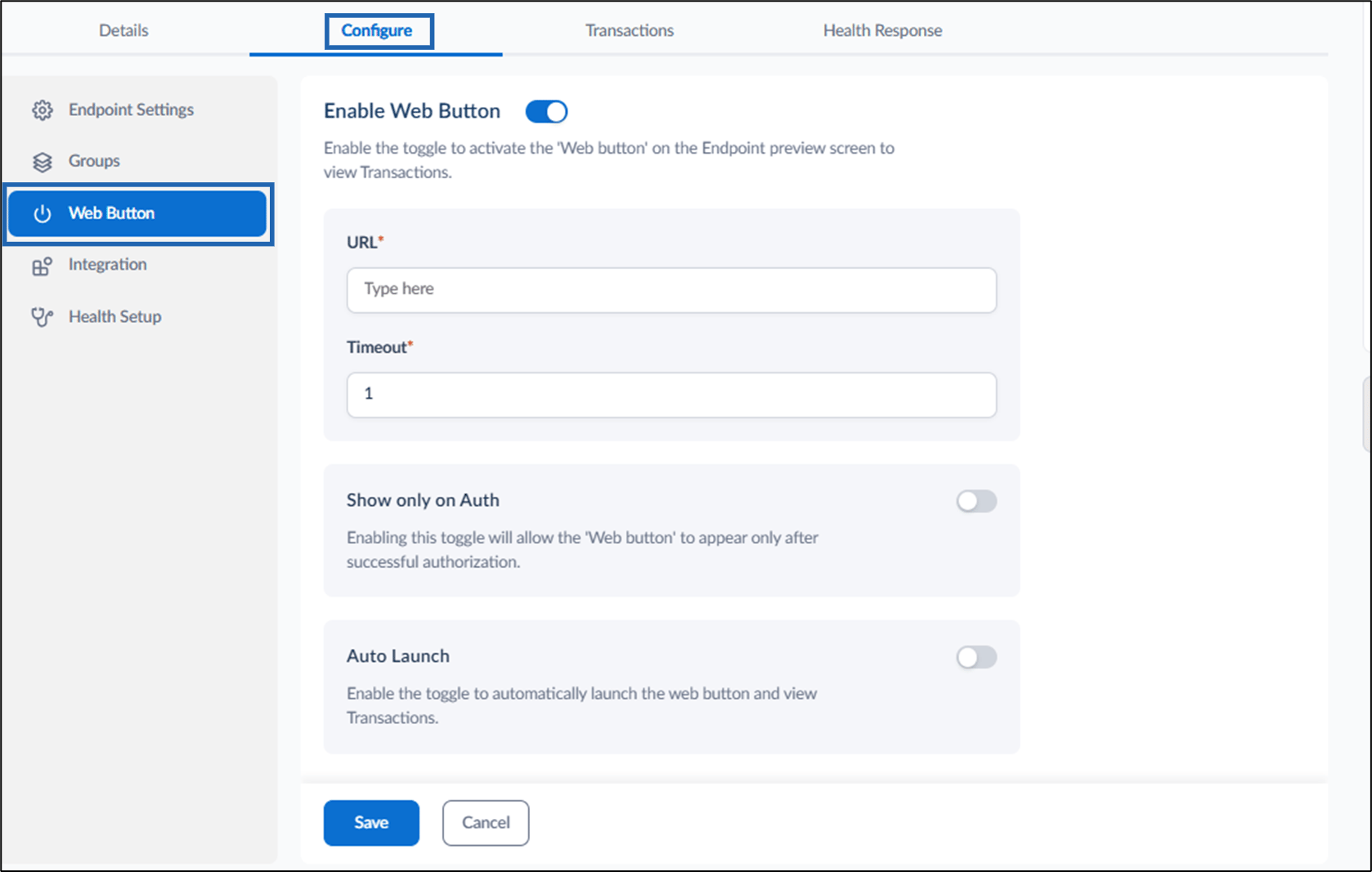
- Turn on Enable Web Button to allow the users to review punches in Oloid Connect App.
- Do the following:
-
Enter URL.
Note: Enter the URL of the website where the user can review punches.
- Enter Timeout.
- Show only on Auth - TBD.
- Enable Auto Launch to automatically launch the web button to review punches.
-
Enter URL.
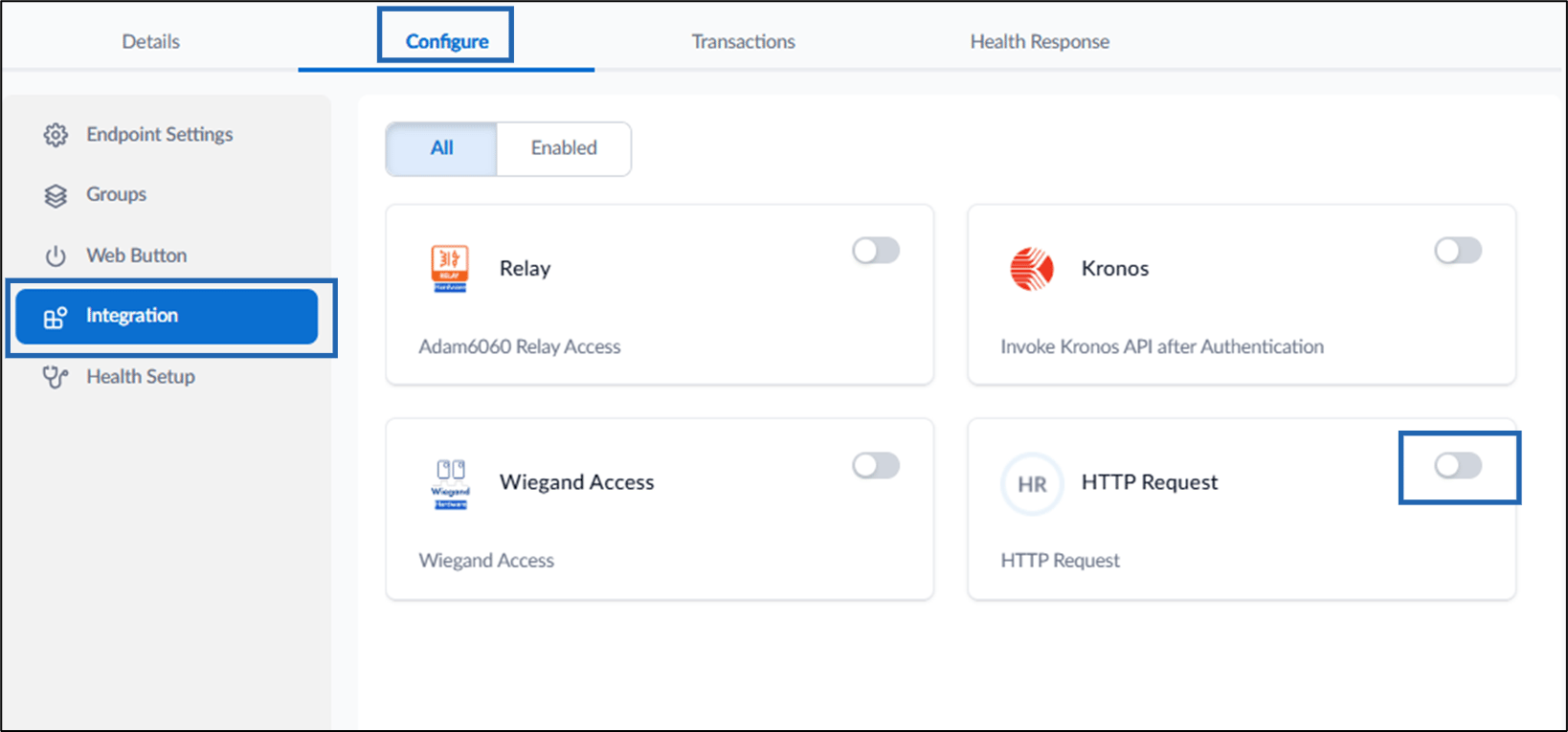
Integration
Health Setup
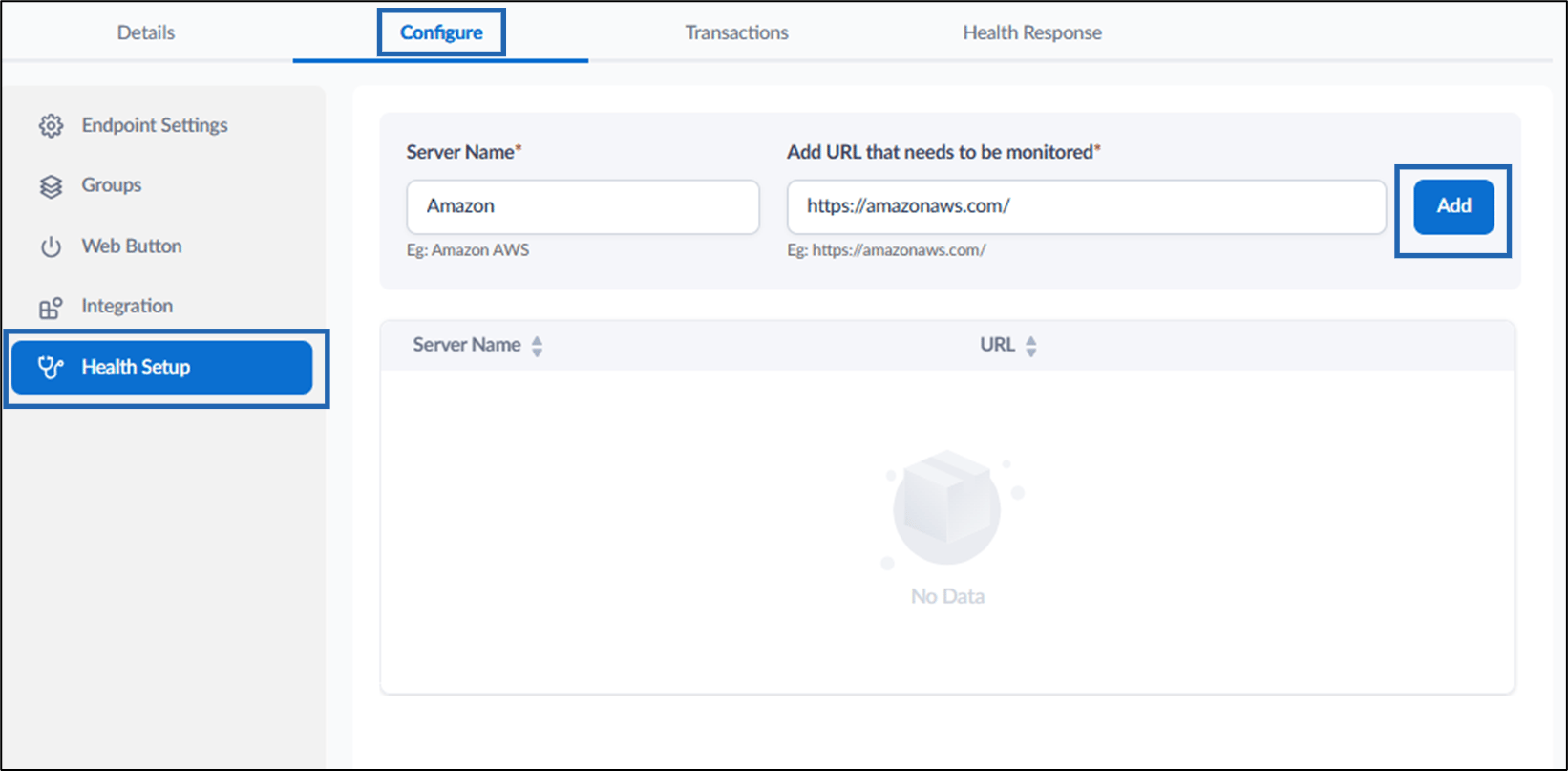
- Enter Server Name.
- Enter URL in Add URL that needs to be monitored field.
- Click Add.
View Transactions
You can view the transactions for the endpoint.
Configure Health Response
You can check the health status of the endpoint.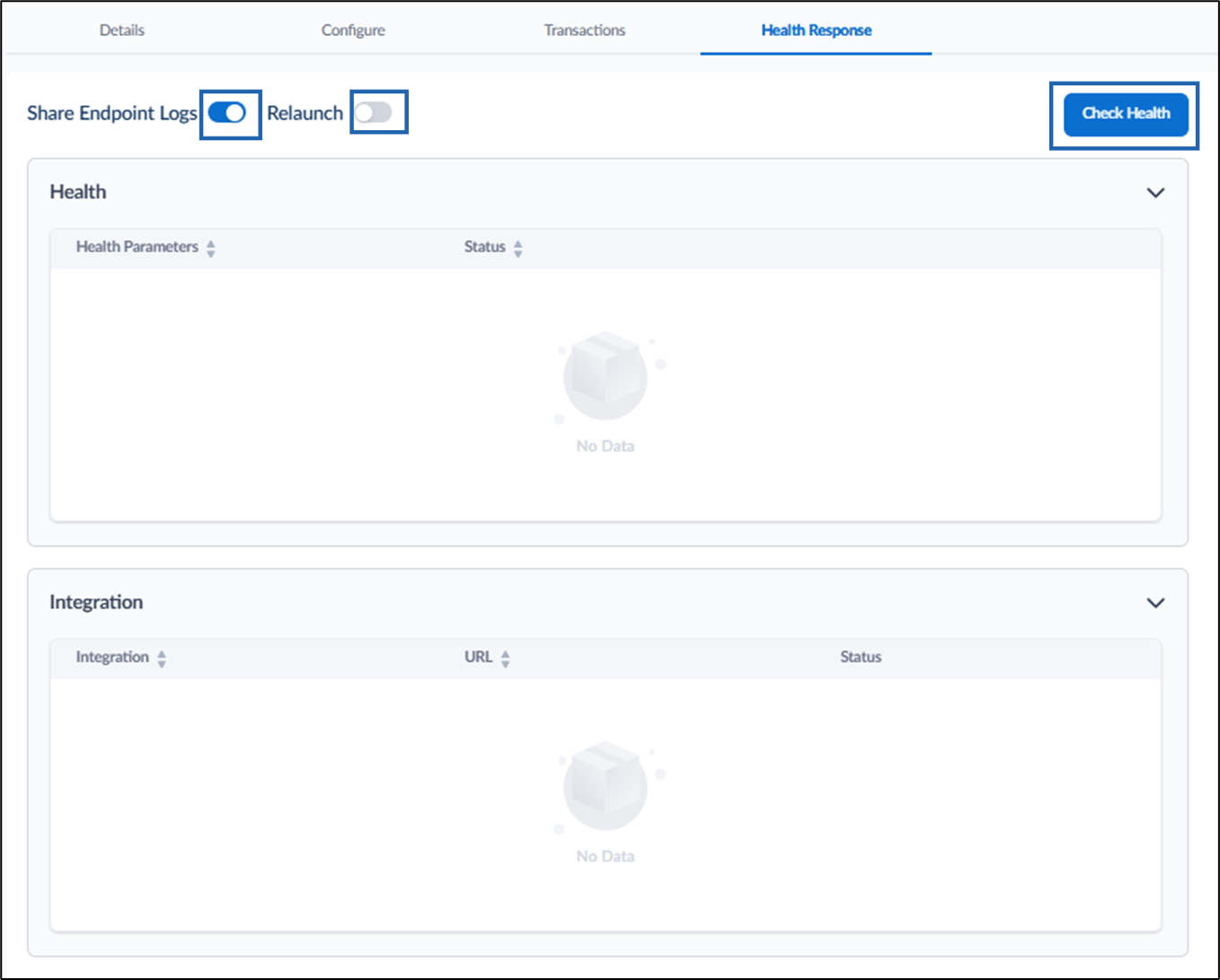
- Enable Share Endpoint Logs toggle button to share the logs.
- Enable Relaunch toggle button to relaunch the endpoint.
- Click Check Health to initiate health check successfully.
Note: To configure Health setup for the endpoint, see How to add health alerts in the endpoint.