

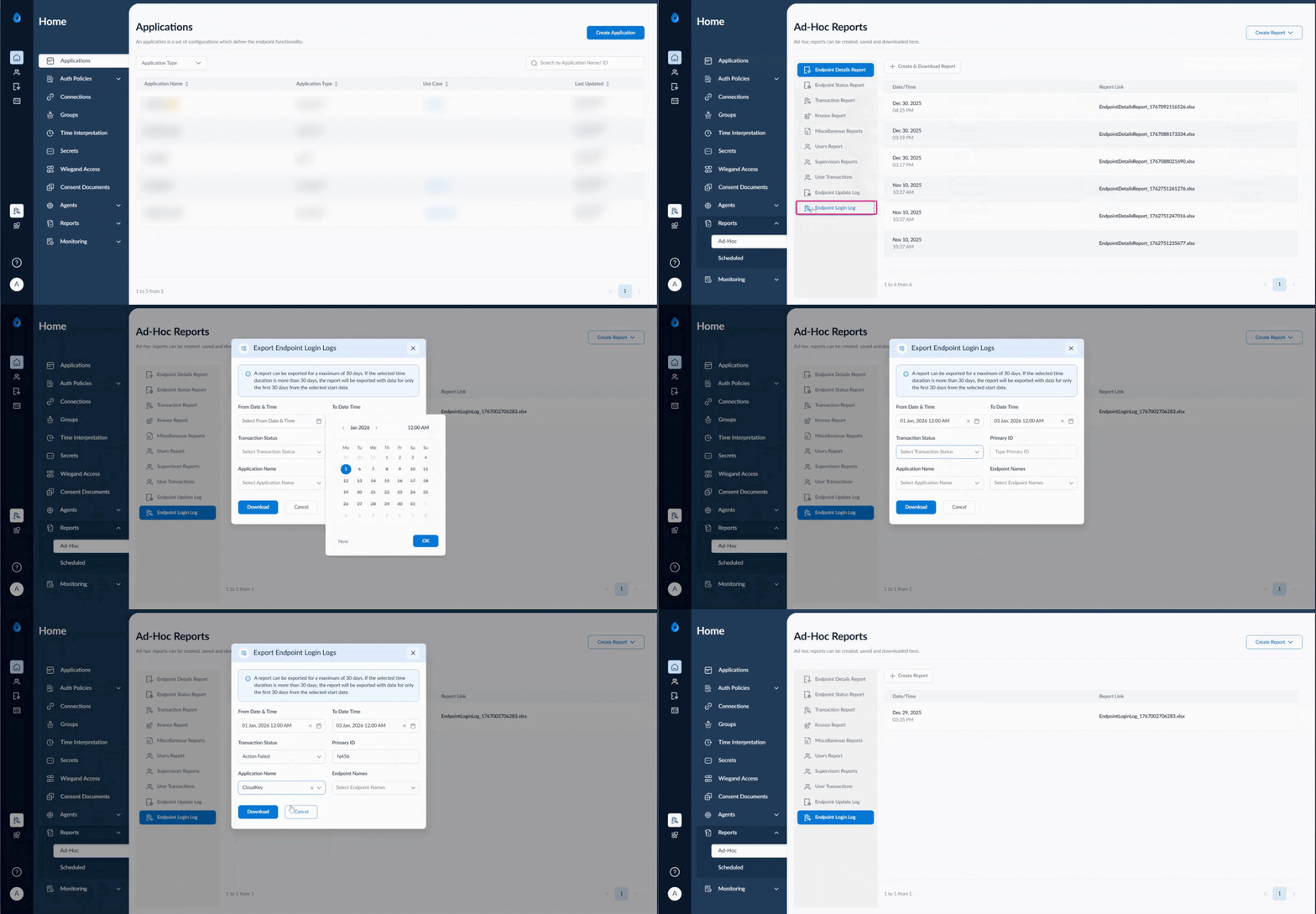
Steps to create and download endpoint login Ad-Hoc report
- Log in to the Tenant Admin Portal.
- Click Report from the left menu panel > click Ad-Hoc report.
- Click endpoint login log >click create report.
- Set from date and time and to date and time.
- Select transactions status from drop down list.
- Enter primary ID.
- Select application name from drop down list.
- Select endpoint name from drop down list.