

- Login to the Tenant Admin Portal.
- On the Home page of the portal, click Users on the left panel menu.
- Go to Import > Users on the Users menu panel.
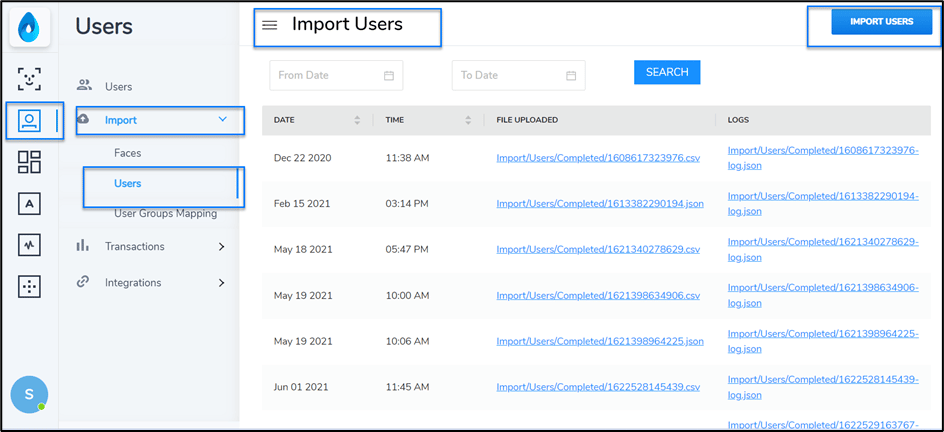
- Click IMPORT USERS button on top right corner of the page.
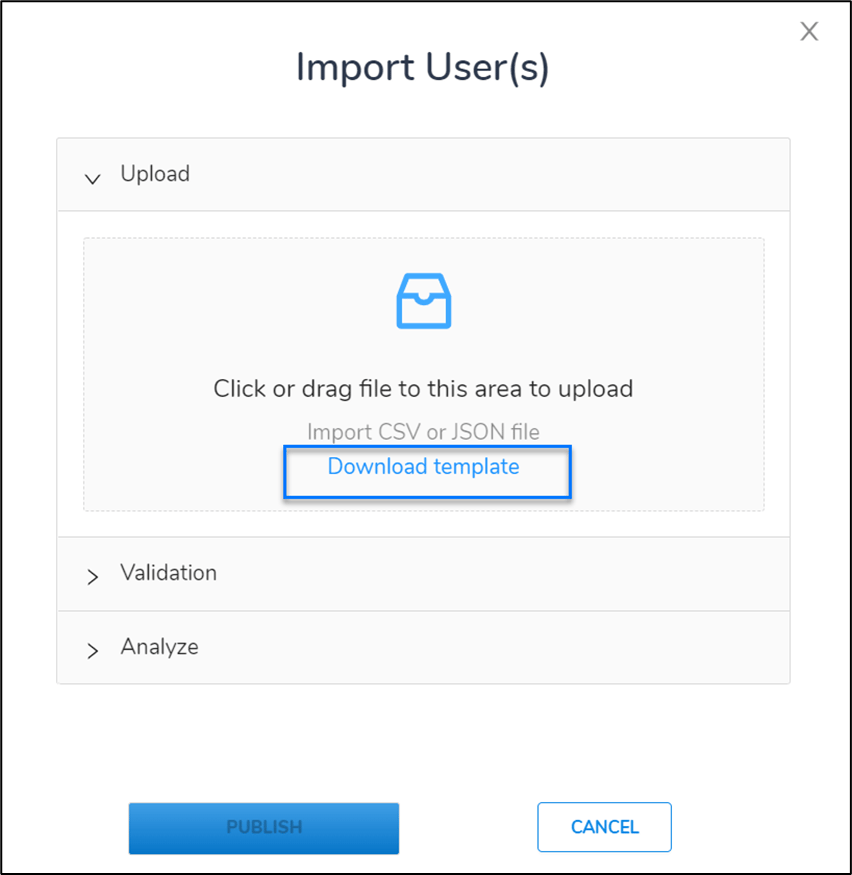
- Add values in the CSV file for respective users.
Note: You must add email address, secondary ID, Credential Format in addition to Primary ID and Name of the users in the CSV file.
- Click Publish after validating and analysing the file.