

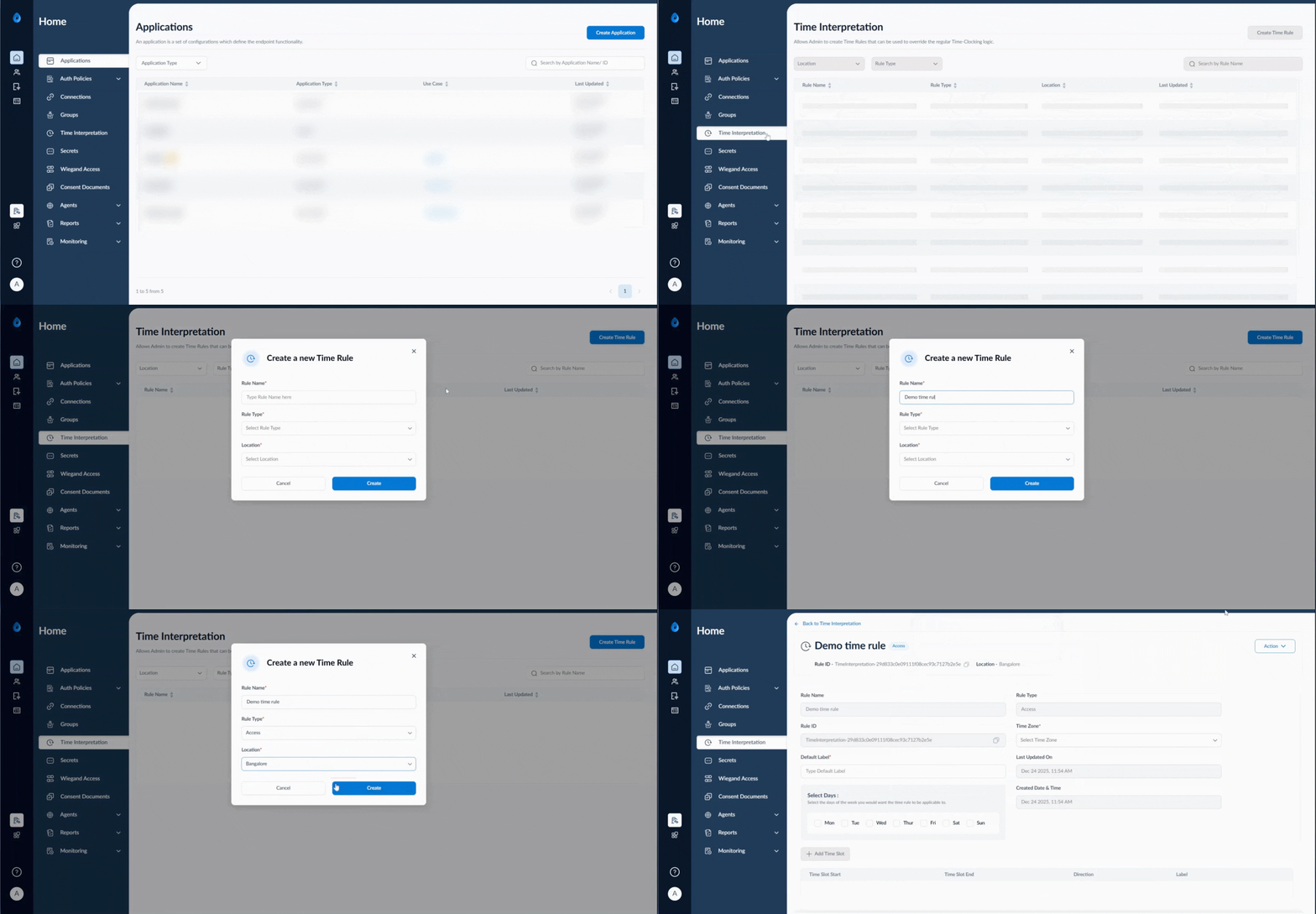
Steps toCreate Time Rule
- Log in to the Tenant Admin Portal.
- Click Time Interpretation from the left panel menu > Click Create Time Rule.
Create a new Time Rule Pop box is displayed.

- On the pop-up box, do the following:
- Enter a name in the Type Rule Name here field.
- Select a rule type from the Select Rule Type dropdown.
- Select a location from the Select Location dropdown.
- Click Create to save the time rule.