Introduction
This document explains how to deactivate an endpoint in the Tenant Admin Portal.Note: Once you pair an endpoint with Oloid Verify application, it gets saved and appears in the Tenant Admin Portal.
Prerequisite
You must pair Oloid Verify endpoint. For more, refer toHow to Pair an Oloid Verify EndpointSteps to Deactivate Endpoint
- Log in to the Tenant Admin Portal.
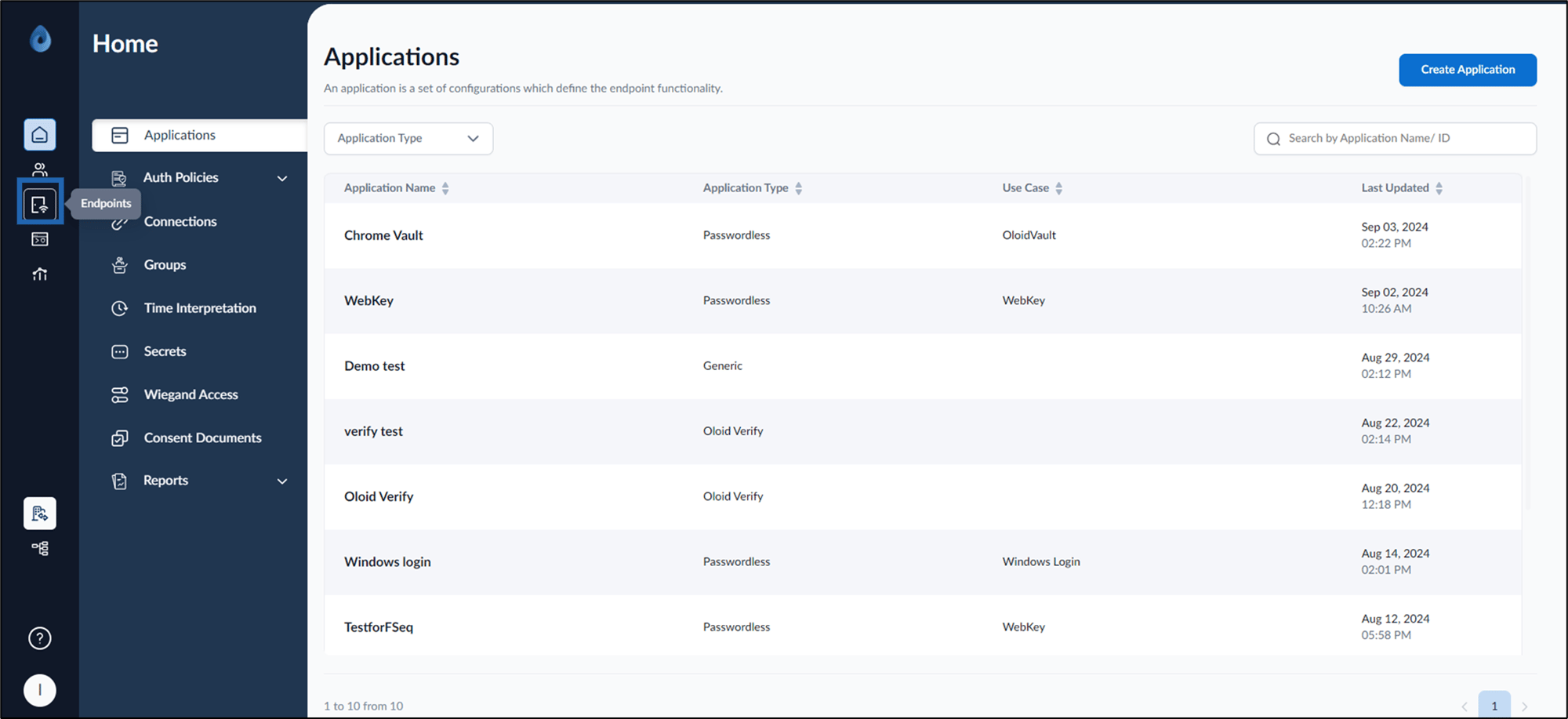
- On the home page of the portal, click Endpoints on the left menu panel.
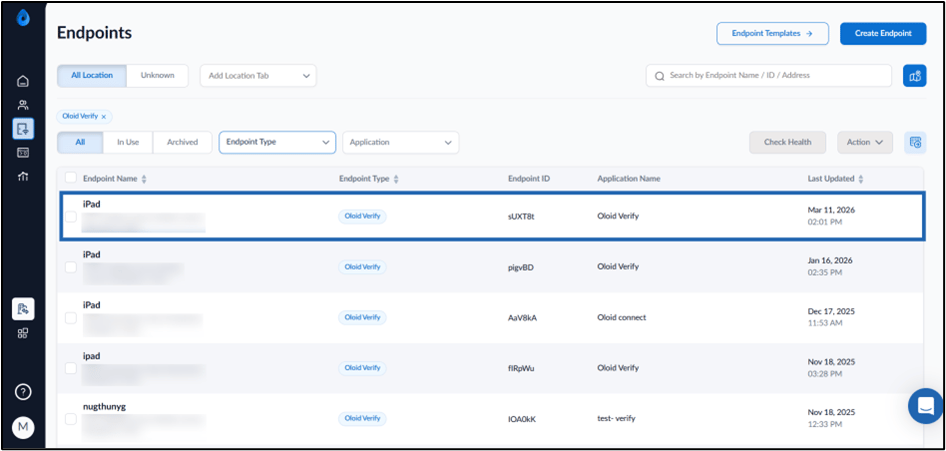
- Select the paired Oloid Verify Endpoint.
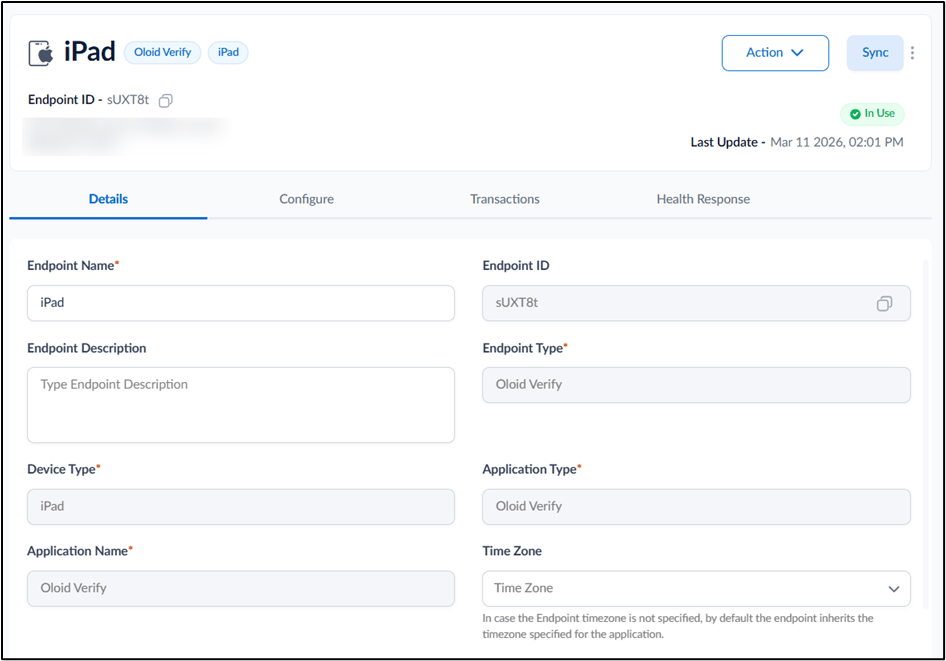
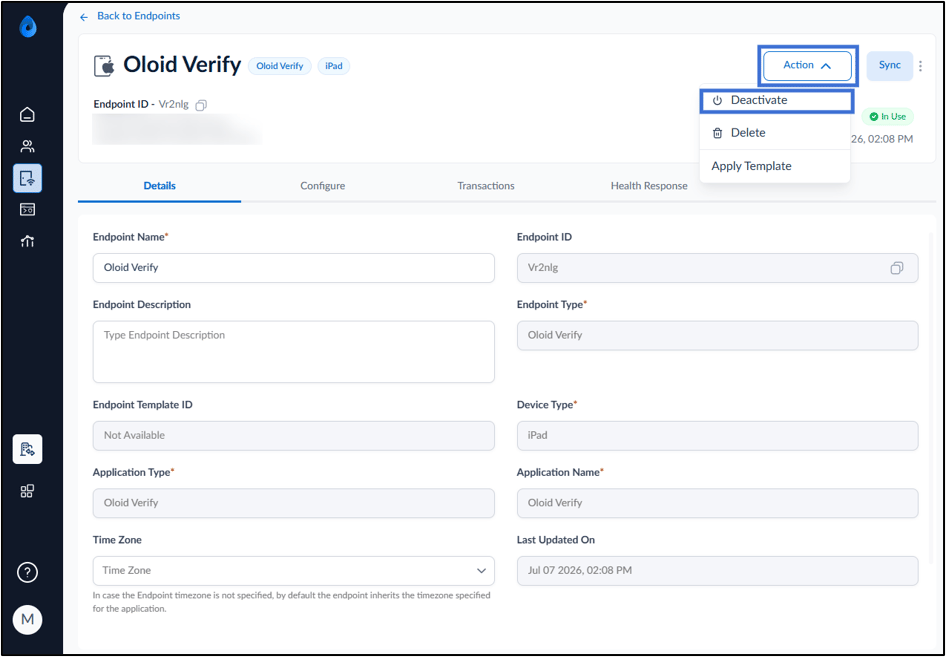
- Do the following to deactivate the endpoint:
- Click Action.
- From the drop-down menu, click Deactivate.
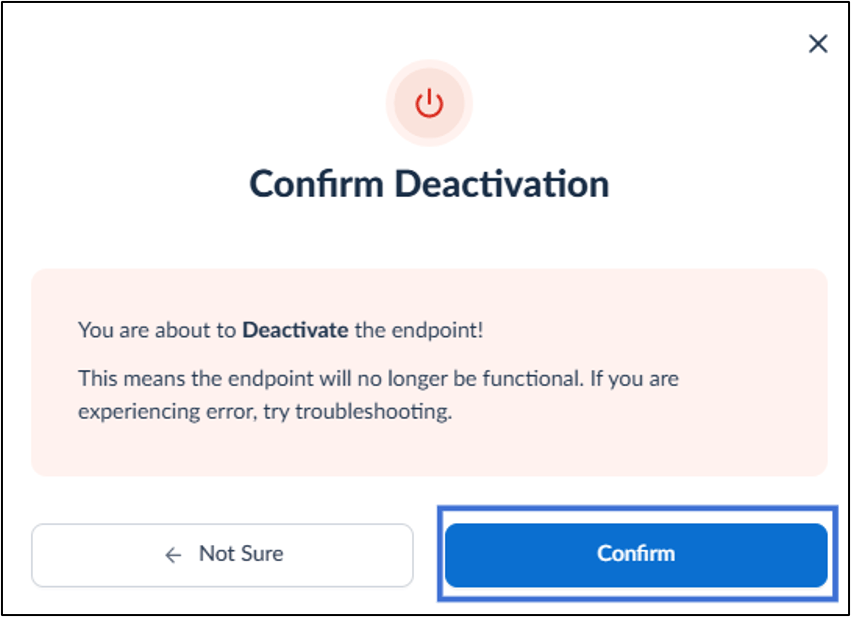
- Click Confirm.