

- Log in to the Tenant Admin Portal.
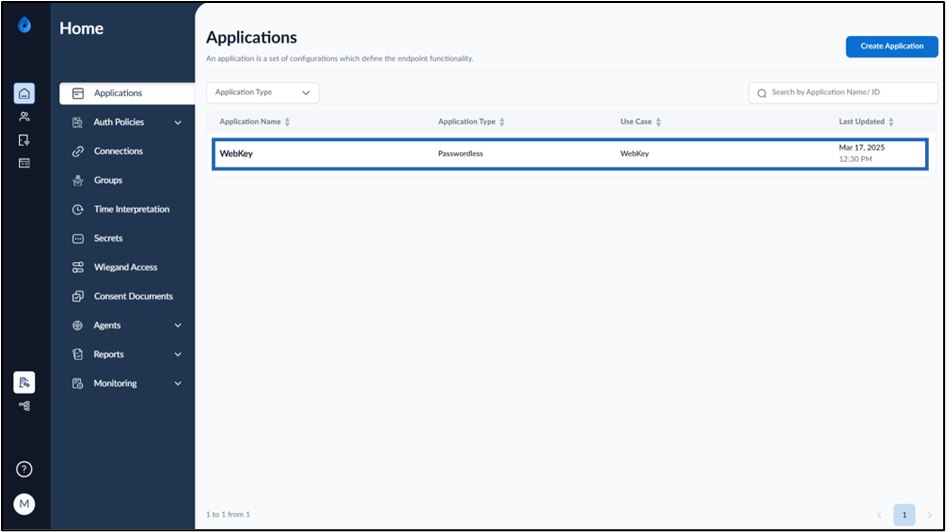
- On the Applications page, click on the Webkey application to edit.
- Do the following:
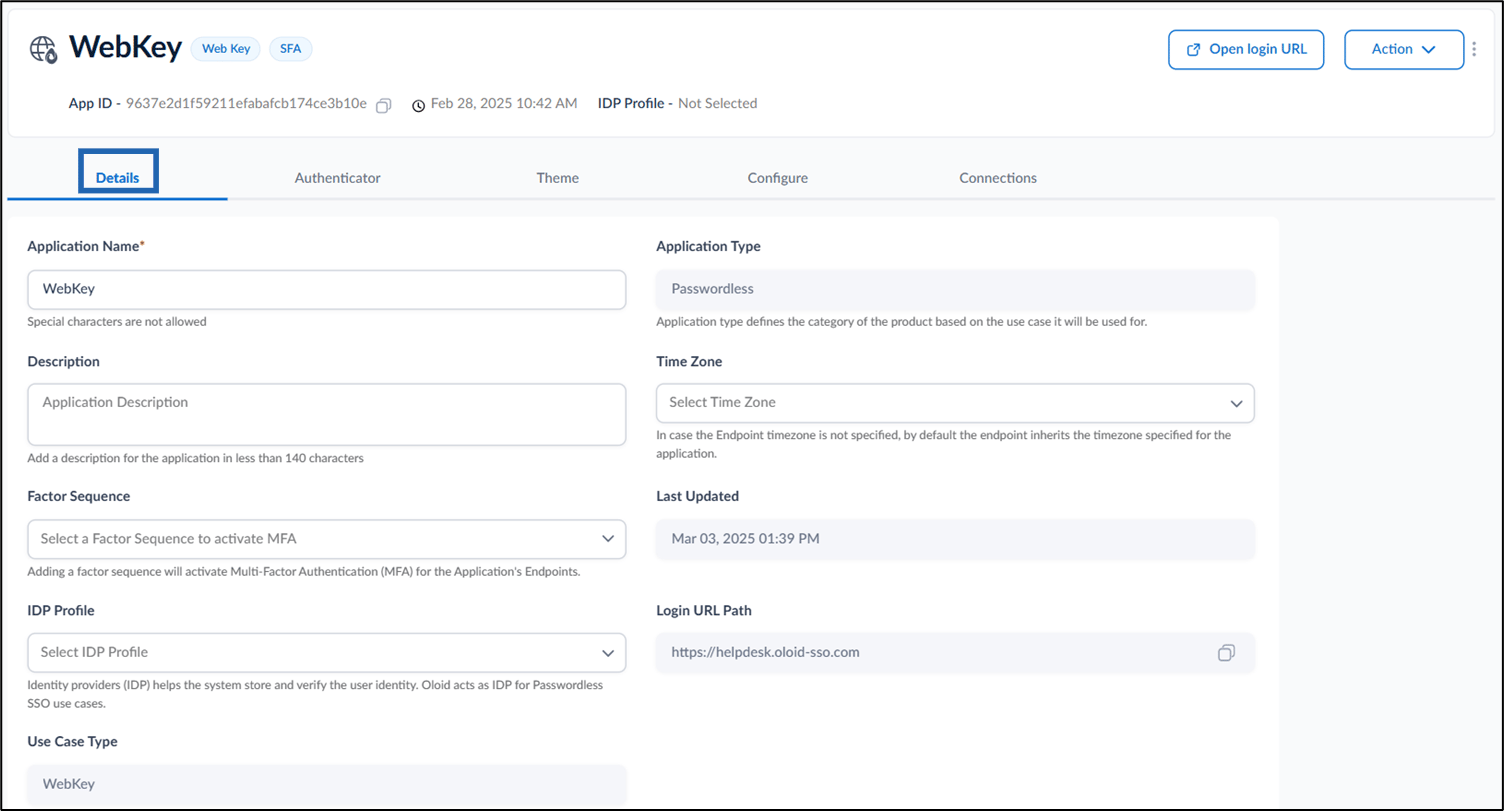
- Edit Application Name if required.
- Add Description. (Optional)
- Select Factor Sequence. (Coming Soon)
- Select IDP Profile from IDP Profile dropdown list. (Optional)
- Select Time Zone from the dropdown list. (Optional)
-
Copy Login URL Path to sign in to WebKey app.
Note: These are one-time settings and all the default settings are recommended.
How to edit Details tab in WebKey Application
This document provides step-by-step instructions to edit Details tab in WebKey Application.
Pre-requisite:
You must create a Passwordless application of type WebKey. For further details, refer How to create a WebKey application
Steps to edit Details tab:
⌘I