

Steps to configure Workday
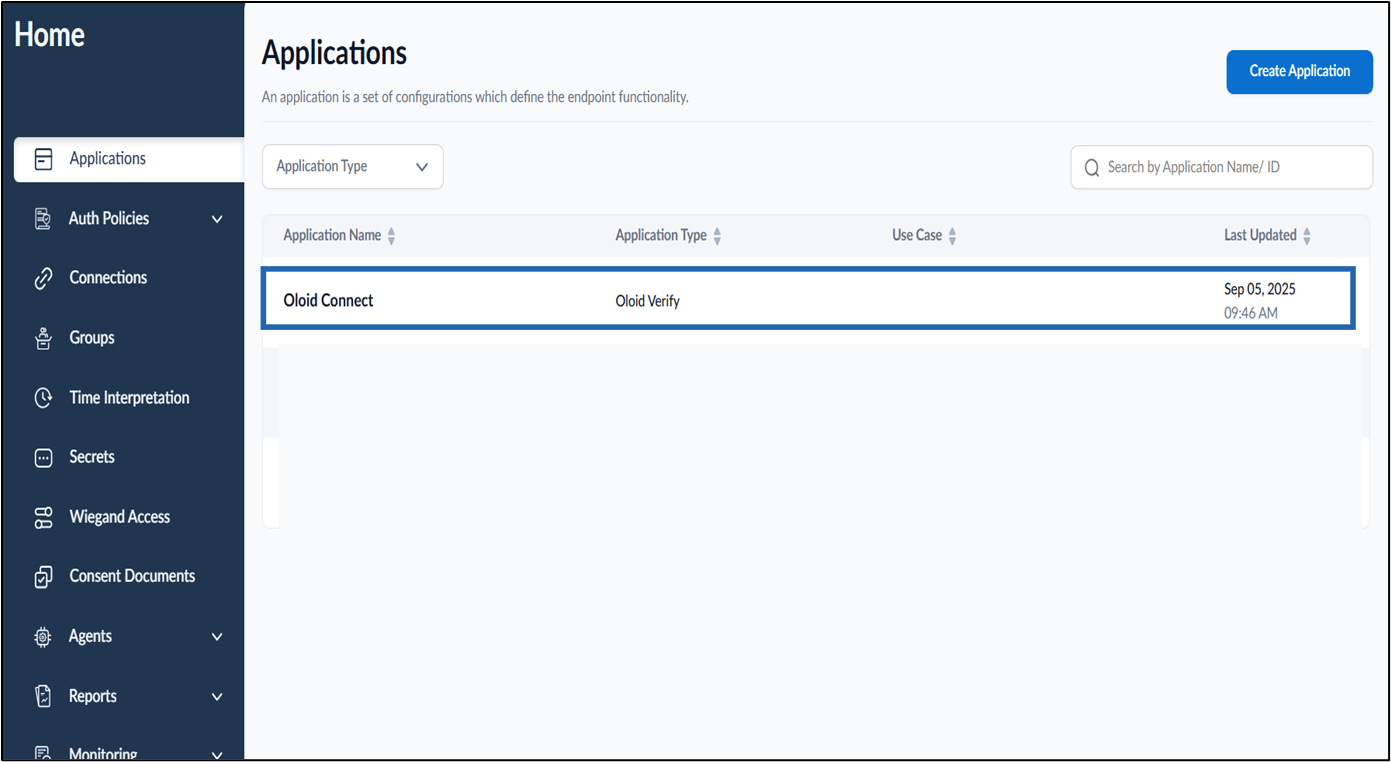
- Log in to the Tenant Admin Portal.
- On the Applications page, select the Oloid Connect application to edit.
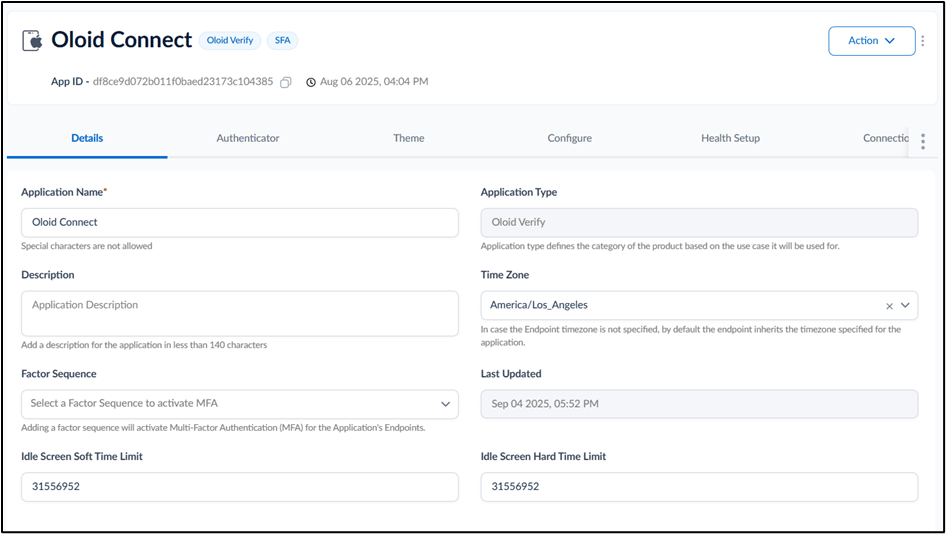
- Go to Configure tab.
- Click Configure Passwordless tab > Enable Passwordless Config toggle on.
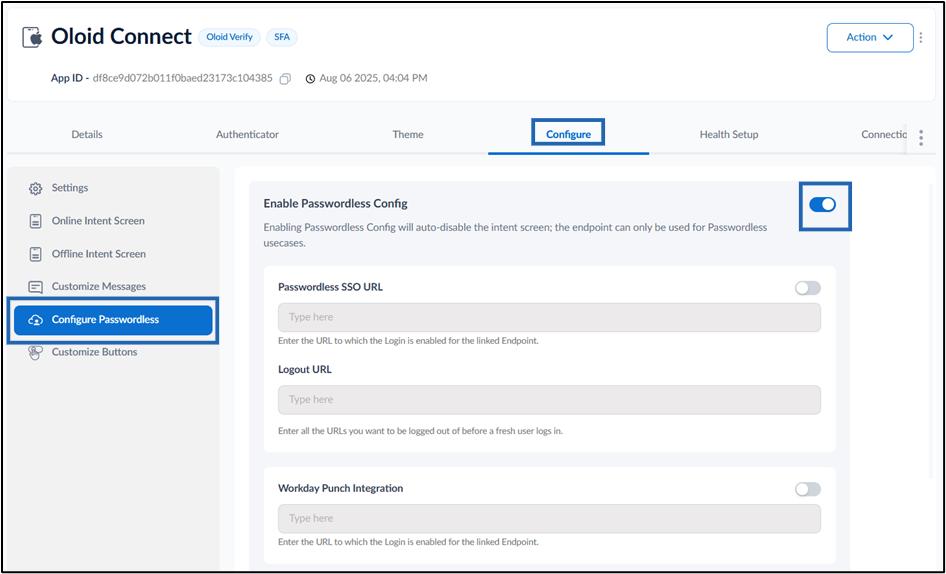
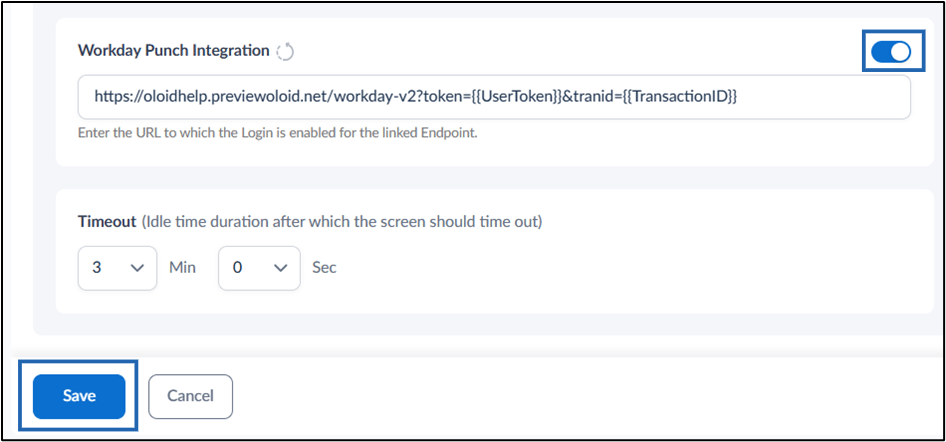
- Enable Workday Punch Integration toggle on.
-
In the URL field, enter the Workday URL in the following format.
Note: This URL is used to record punches in Workday for the linked endpoint.
- Configure the Timeout value to specify the idle duration (in minutes and seconds) after which the screen times out.
-
In the URL field, enter the Workday URL in the following format.
- Click Save to apply the changes.
Note: For Workday application to function Passwordless Session Token should be enabled in the endpoint. Go to Endpoint > Configure tab > Integration > Enable Passwordless Session Token and user token toggle.