

- Launch the M-Tag Admin app.
- Log in to the app. The details screen displays a list of MAC Ids of the available M-Tags.
-
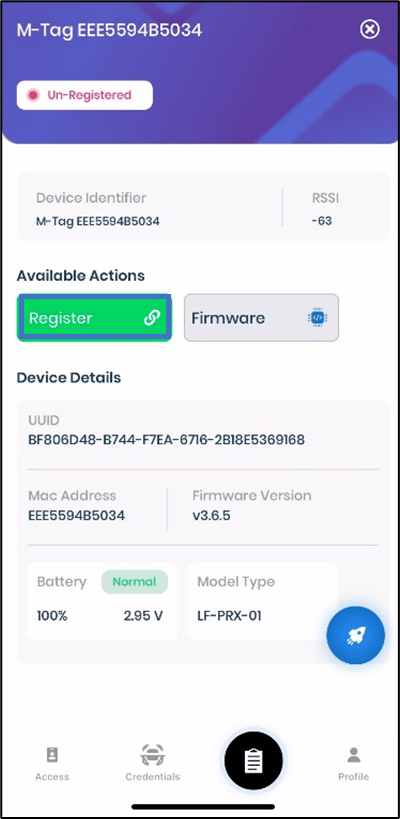
Select the M-Tag to register.

-
Tap Register.
-
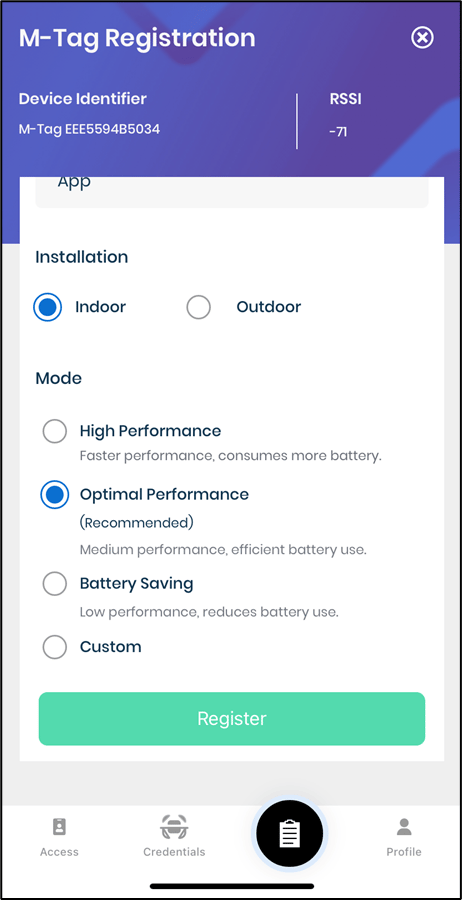
Do the following, in the M-Tag Registration screen:
- Enter Name of the M-tag
- Select Application Name.
- Select Installation- Indoor or Outdoor.
-
Select Mode.
Note: It is recommended to choose Optimal Performance.
-
Tap on Register.
-
The M-Tag is successfully registered and is listed on the details screen.
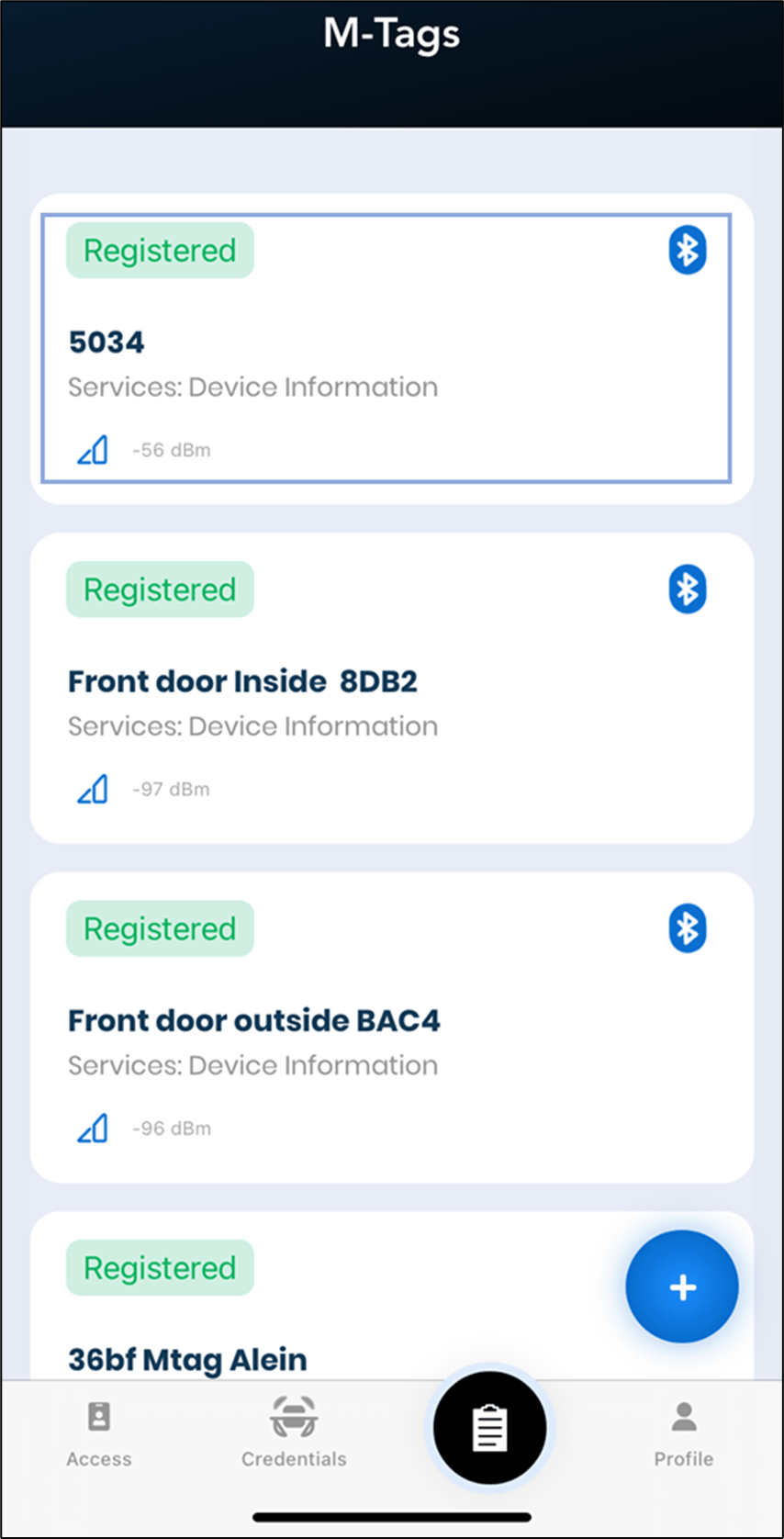
M-Tag Admin App - Register M-tag (Completed)
The details screen displays a list of MAC Ids of the available M-Tags.
Steps to register M-Tag:
⌘I