

- Log in to Supervisor Portal.
The Users page is displayed.
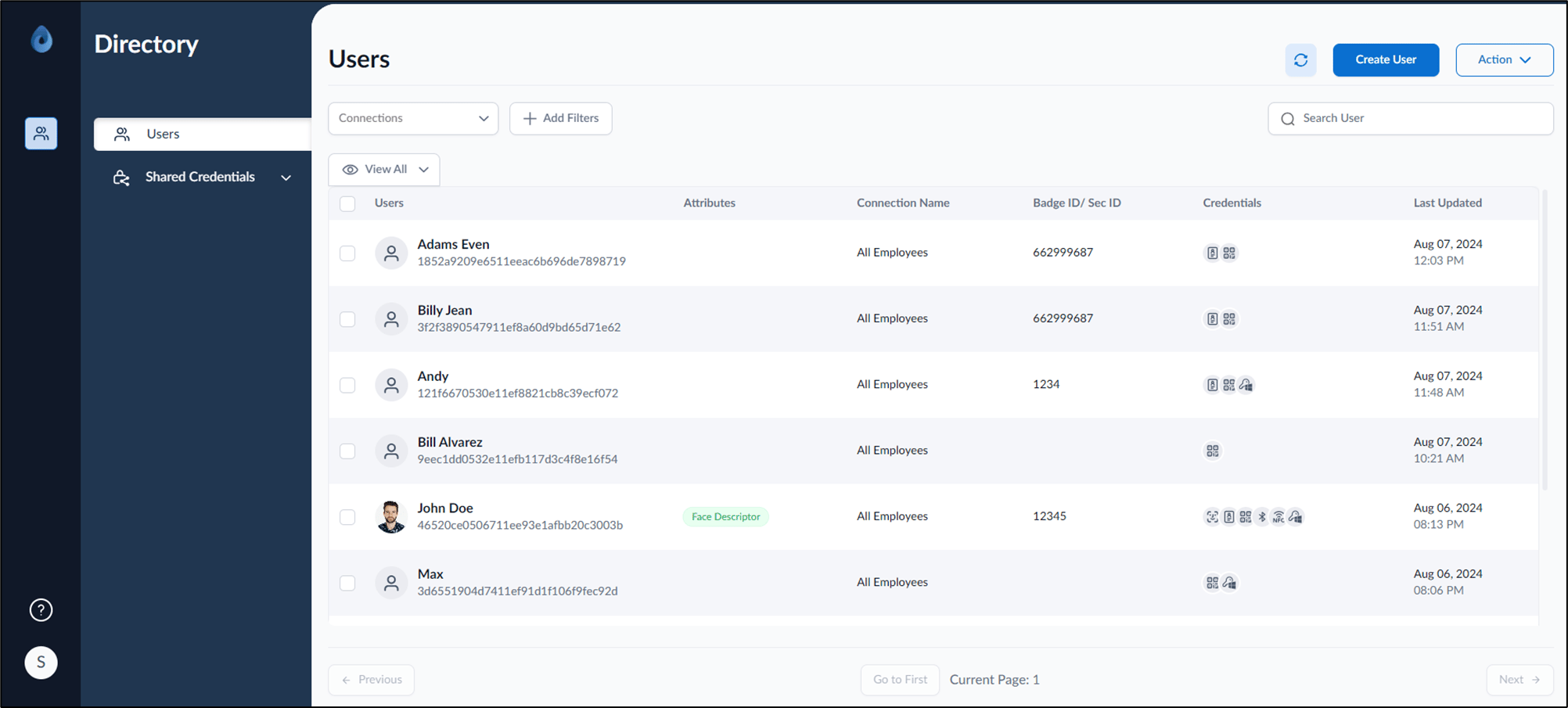
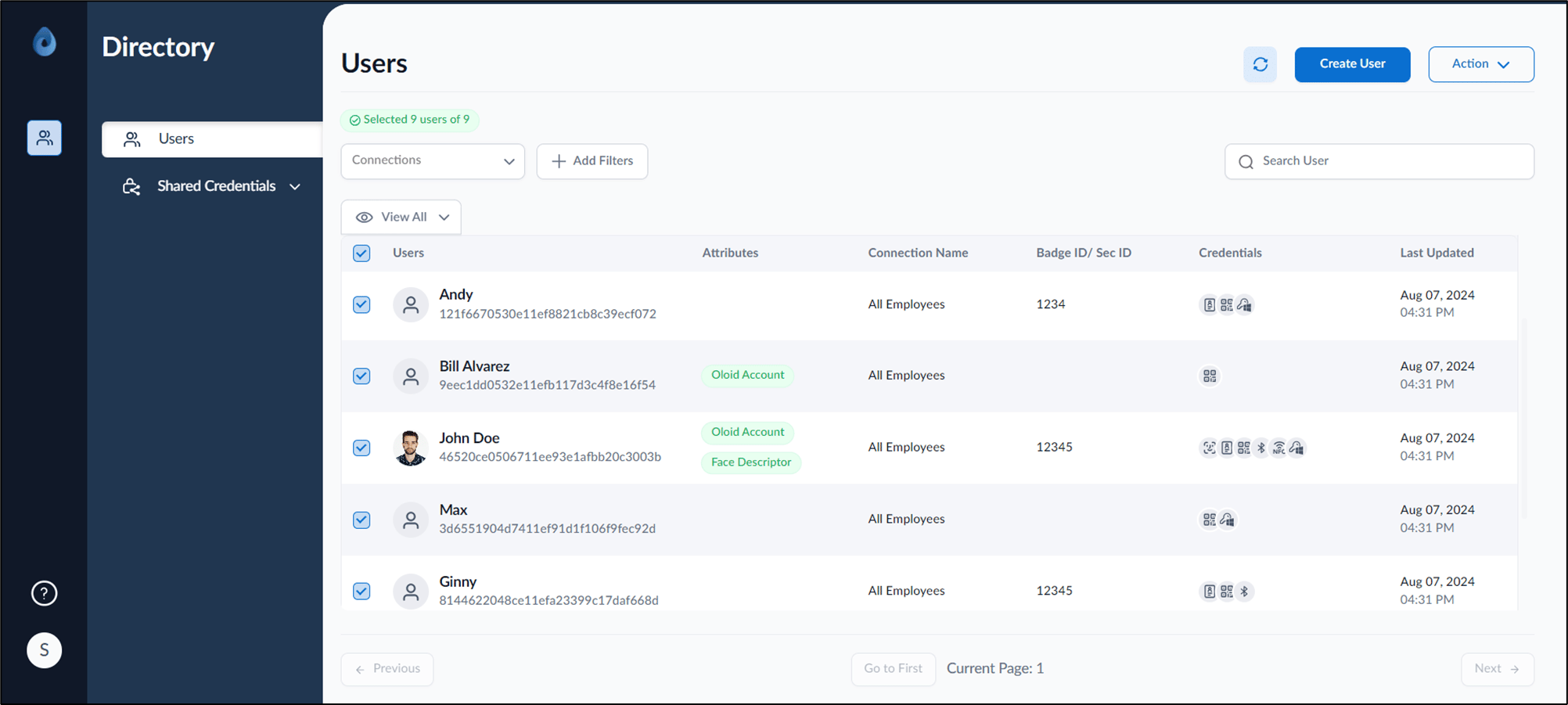
- Select user(s) to send QR code link.
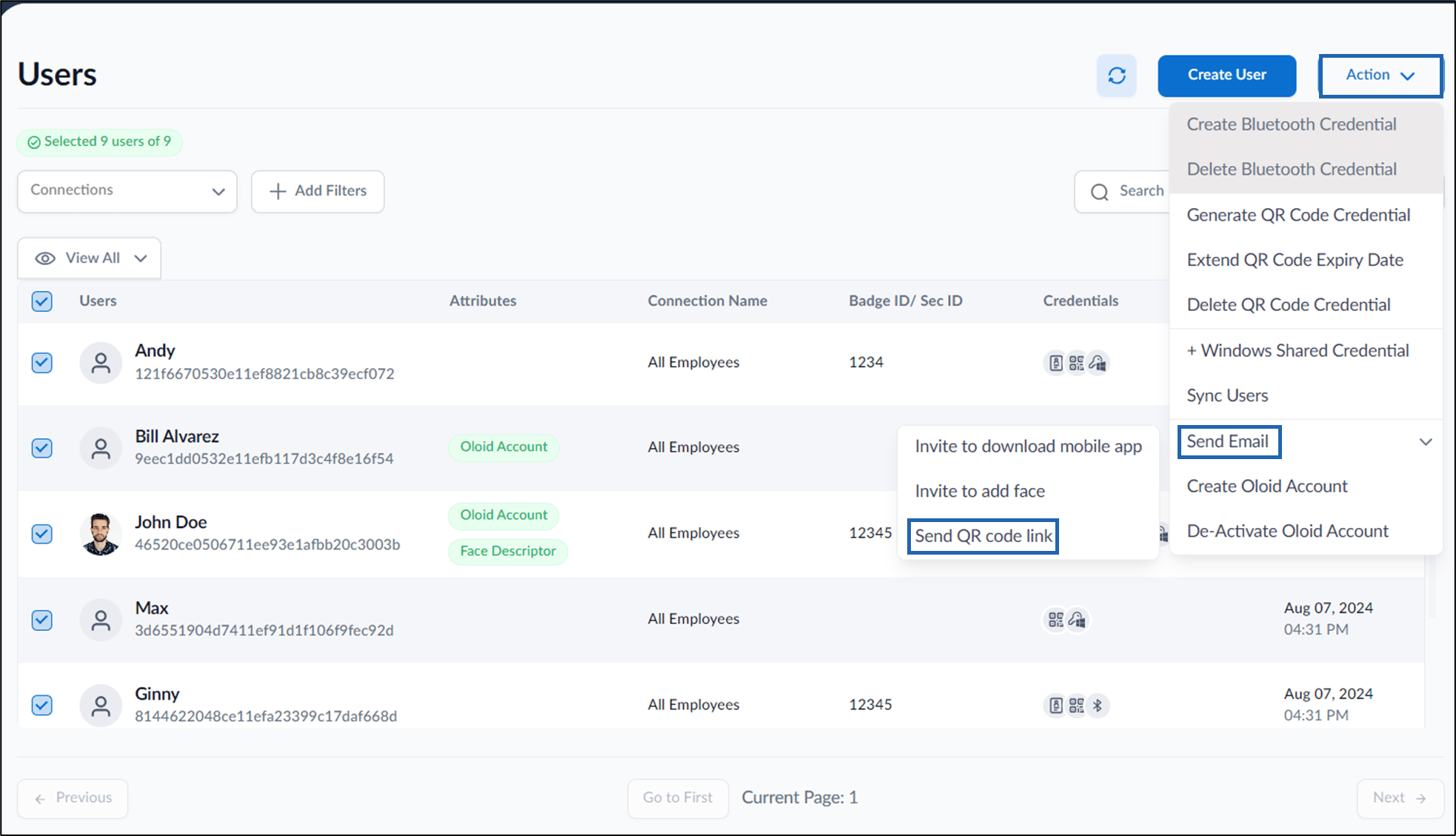
- Click Action > Send Email > Send QR code link.
Supervisor Portal - How to send QR code link for multiple users (wip)
This document provides a step-by-step instructions to invite users to send QR code link for multiple users in Supervisor Portal.
Pre-requisite:
QR Code must be created for selected users. For more details, refer here Supervisor Portal- How to generate QR Code for multiple users
Oloid account should be created(add link)
Steps to send QR Code link:
⌘I