Introduction
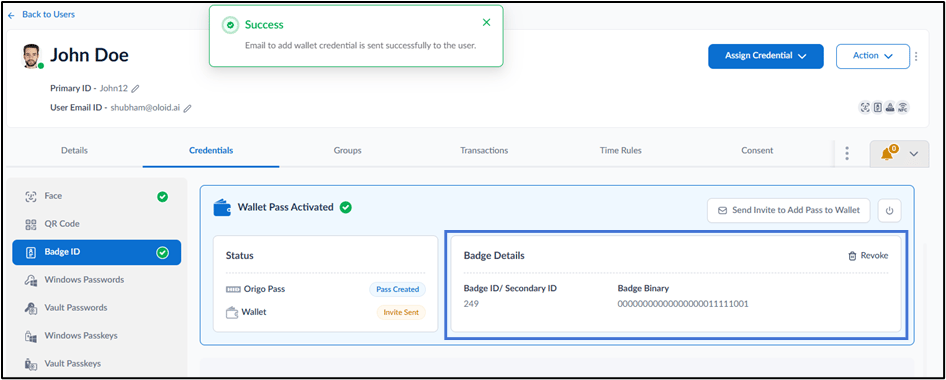
This document provides step-by-step instructions to activate Wallet Pass for a user in the Tenant Admin Portal. Activating Wallet Pass enables users to add and access badge credential in supported mobile wallet applications.Prerequisites
- You must have admin access to the Tenant Admin Portal.
- You must enable wallet pass. For more, refer to Tenant Admin Portal - How to Enable Wallet Pass
Steps toActivate and Send Wallet Pass
- Log in to the Tenant Admin Portal.
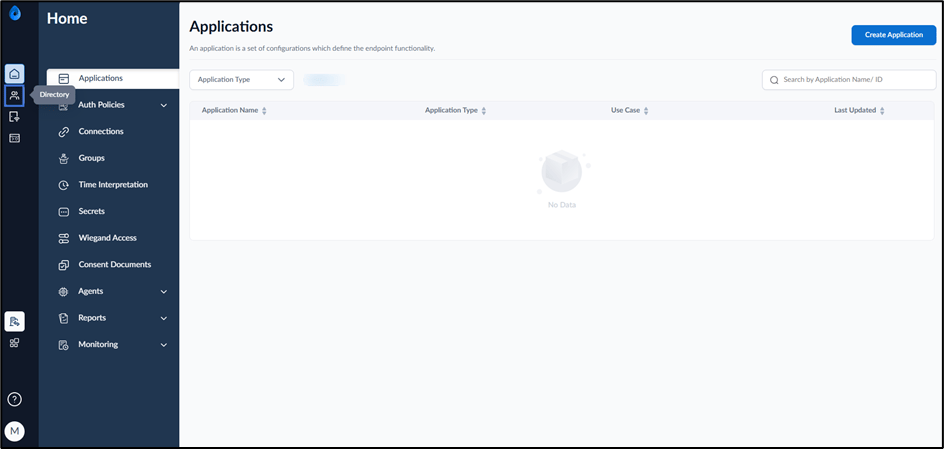
- On the homepage of the portal, click Directory on the left menu panel.
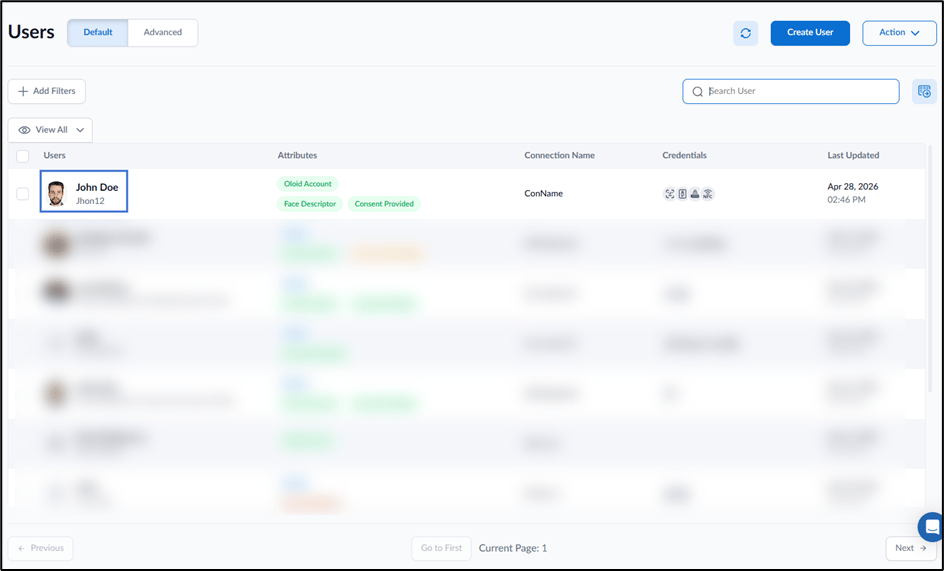
- Click user name to Activate Wallet Pass for User.
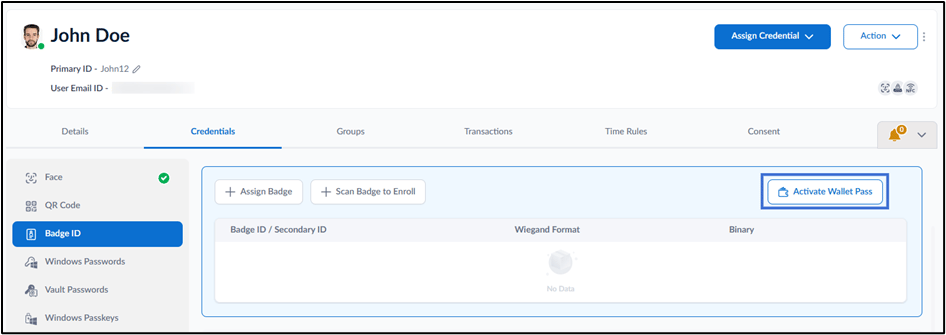
- Go to Credentials > Badge.
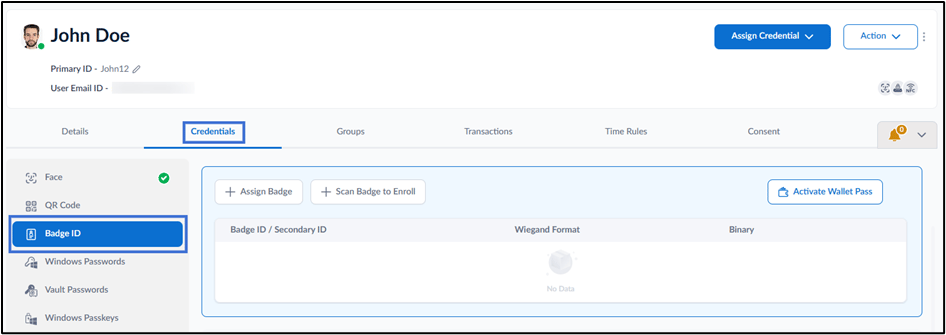
- Click Activate Wallet Pass.
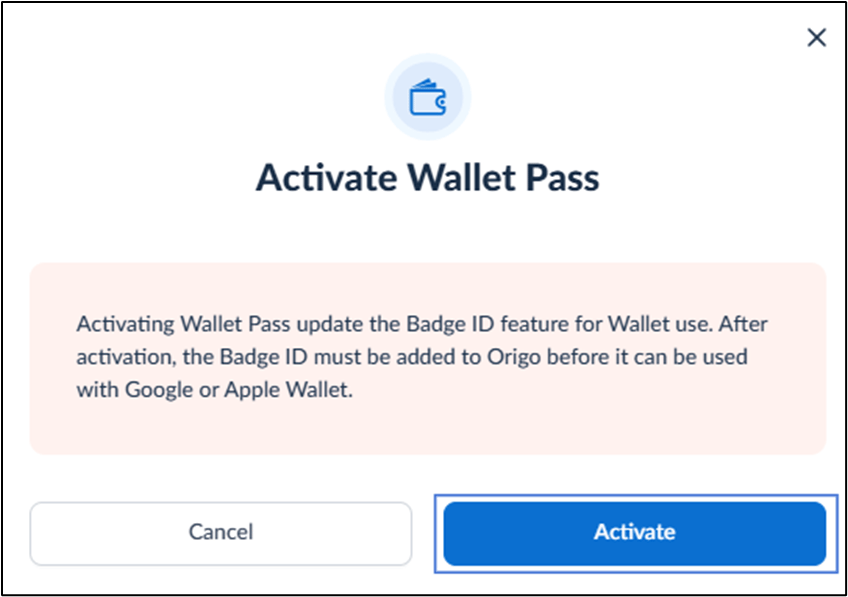
- Click Activate.
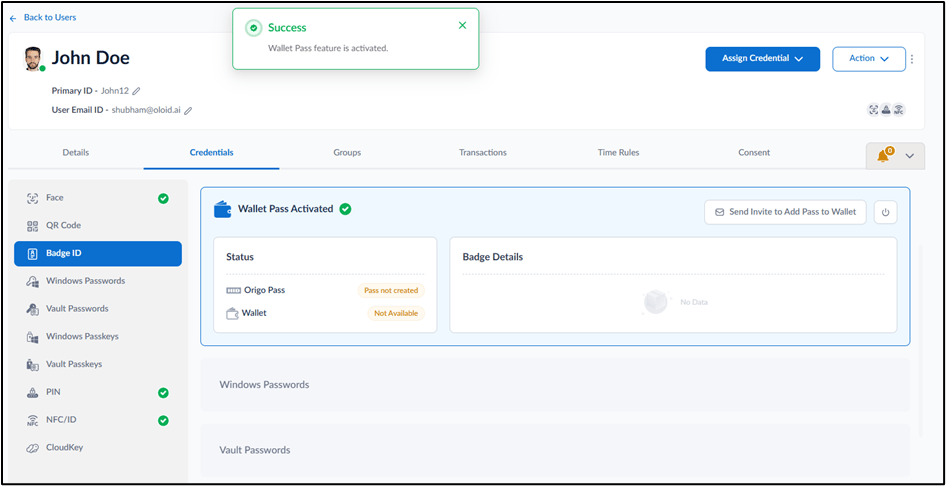
Note: Ensure that a valid email address is configured for the user before sending the wallet pass invitation.