

Steps to create a factor sequence
- Login to Admin Portal.
- Click Home > Factor Sequence.

- Click Create Factor Sequence and fill in the details in the Pop-up that appears.
All the fields here are mandatory and cannot be modified (except for the name),
once the Factor Sequence is created.
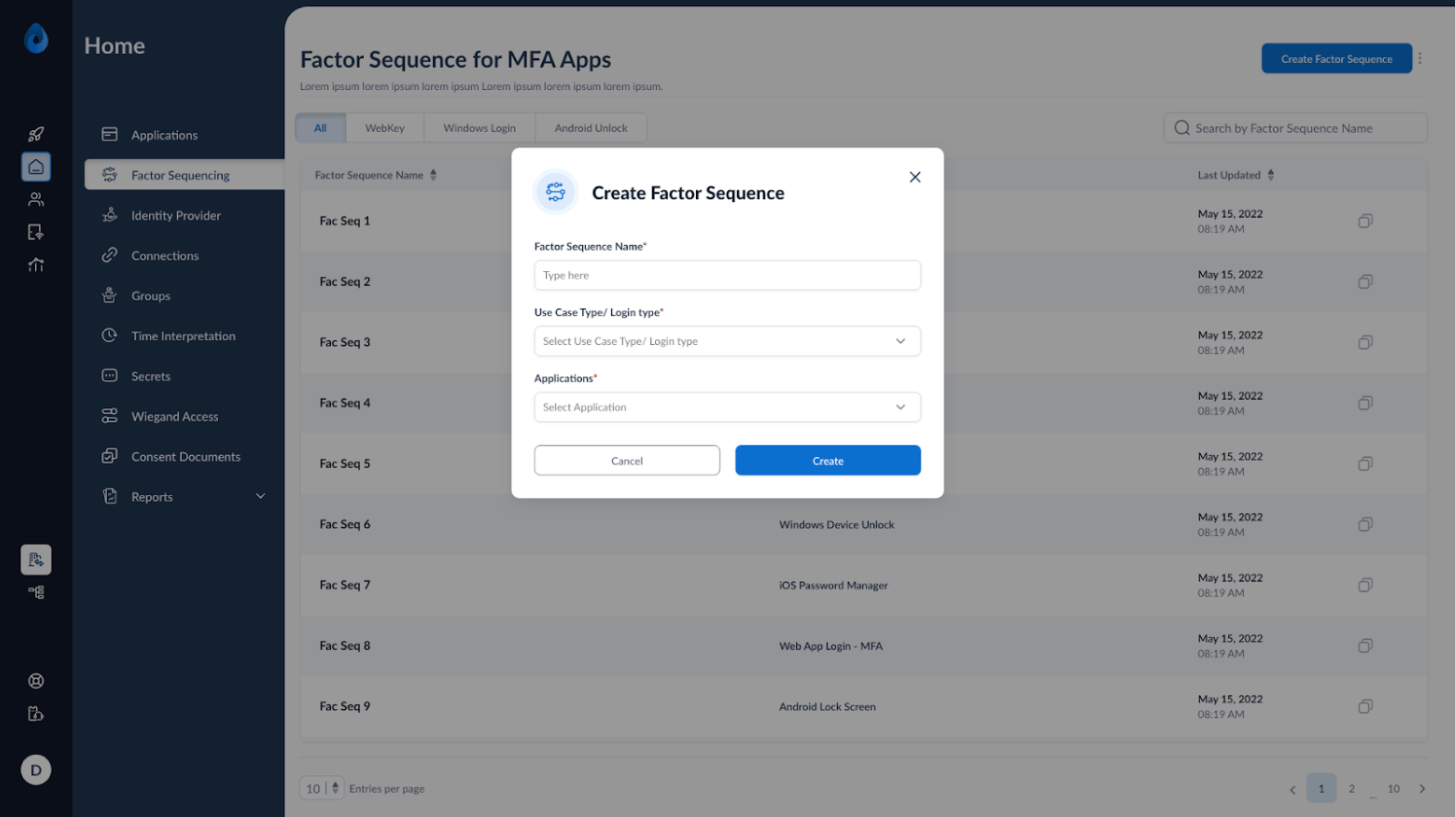

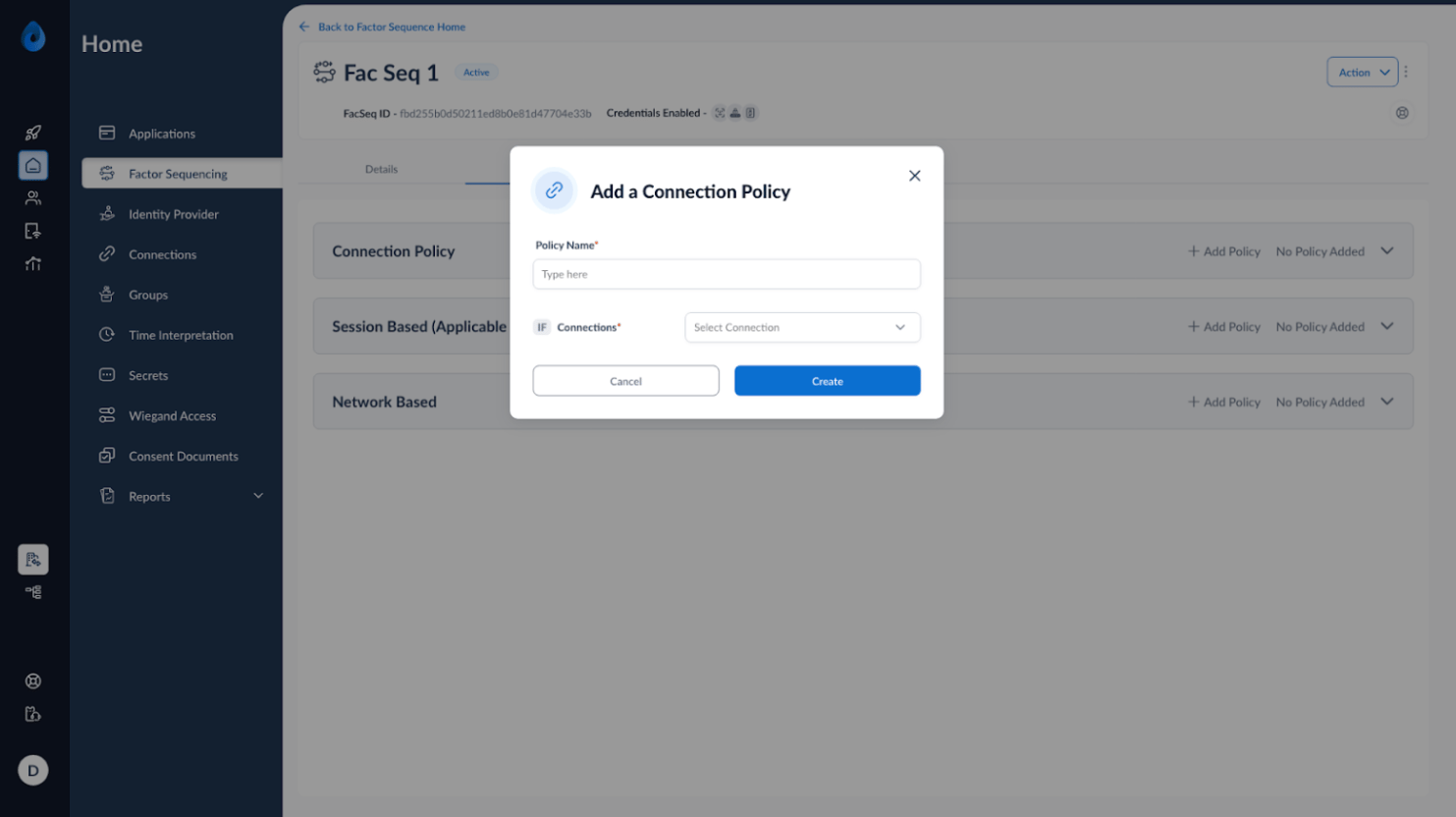
- Once the sequence is created, you may choose to add a description. Move to the
next tab, i.e., Policy. Oloid supports Connection based Policy creation. Create
policies based on user sets on which similar rules must be applied during
authentication.

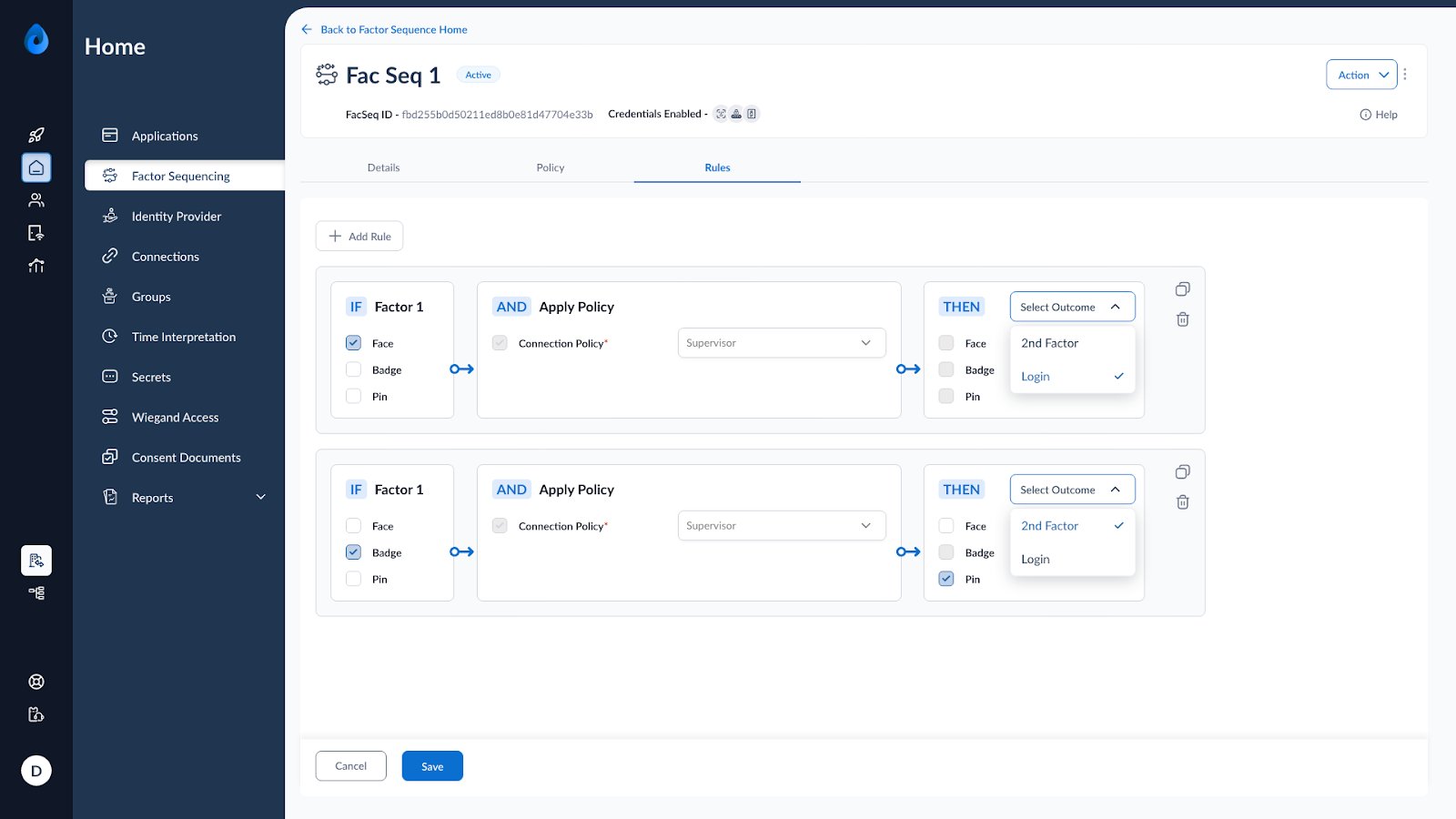
- Move on to the Rules tab.
Add rule, select at least one 1st factor, select a connection policy, and define the
outcome, which could be user set going to 2nd factor or direct login. There is no
limit on the number of policies that you can create.
- Click on Save. You have successfully created a Factor Sequence Attached to the selected MFA Application. All the Endpoints run by the attached Application will now follow the Factor Sequence Policies and Rules. Please note that if a Factor Sequence is deleted, the Application can no longer perform any MFA actions on its Endpoints.