

- Log in to the Tenant Admin Portal.
-
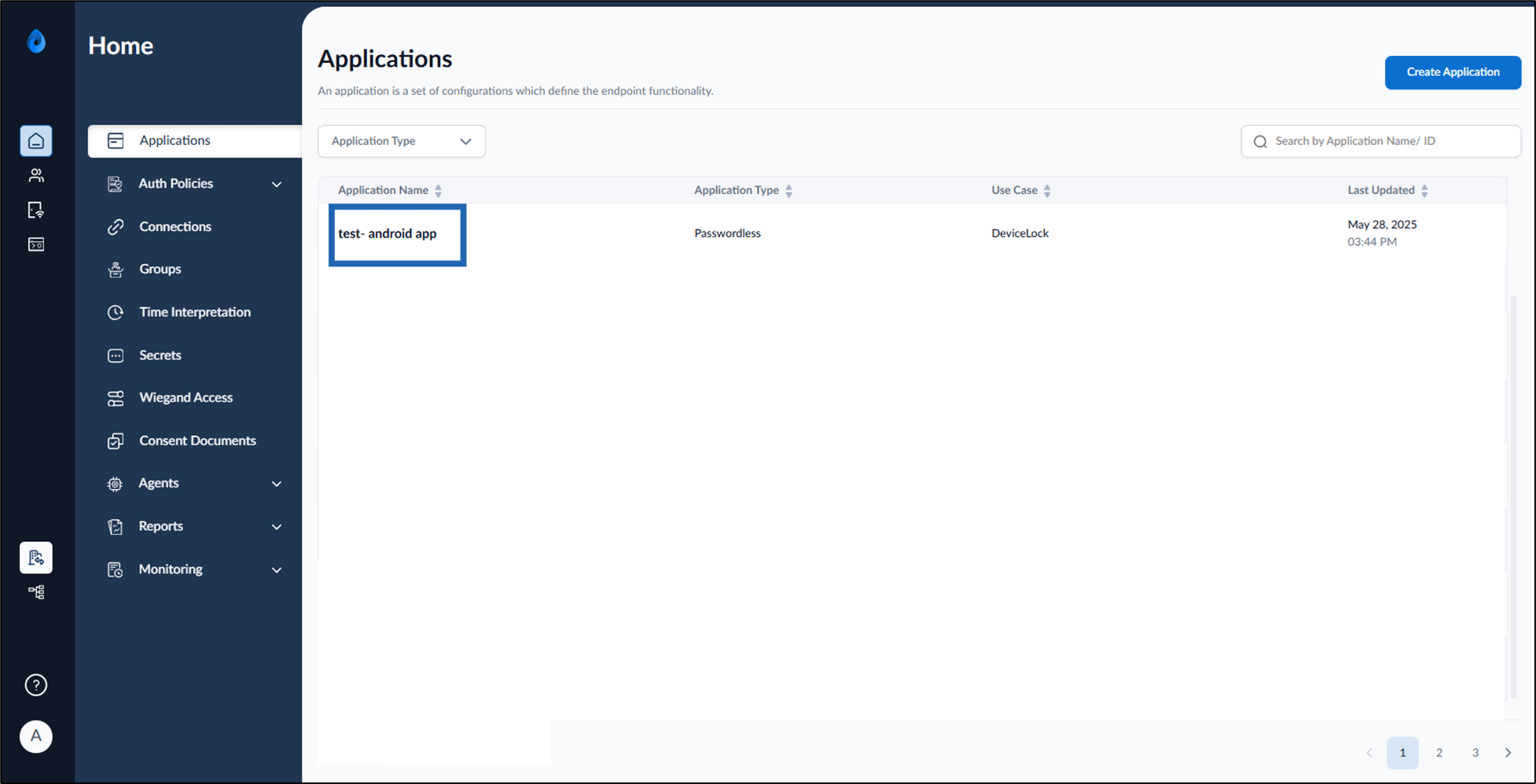
On the homepage of the portal, click the preferred application from the application list.
-
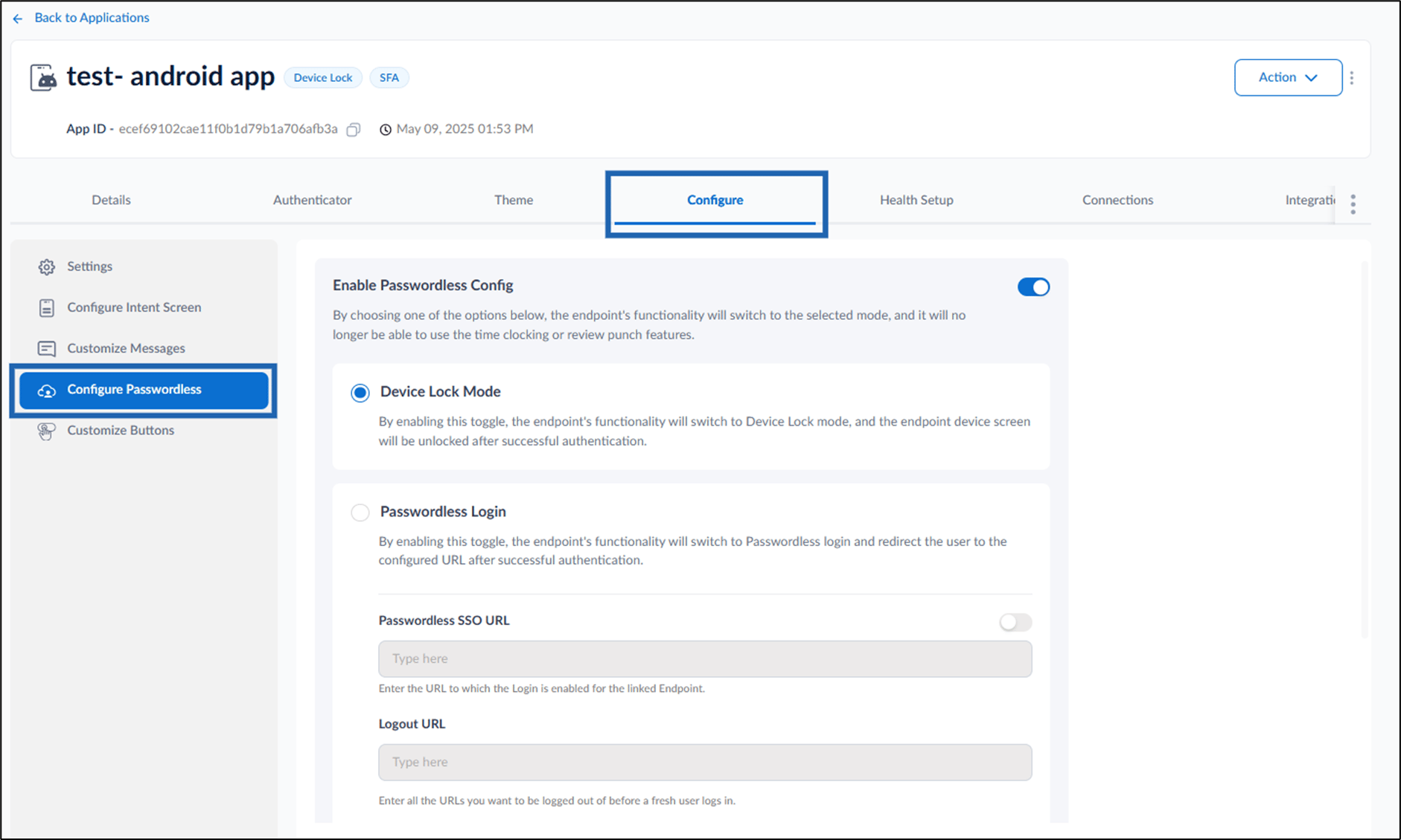
Go to Configure tab > click Configure Passwordless from the left menu panel.
-
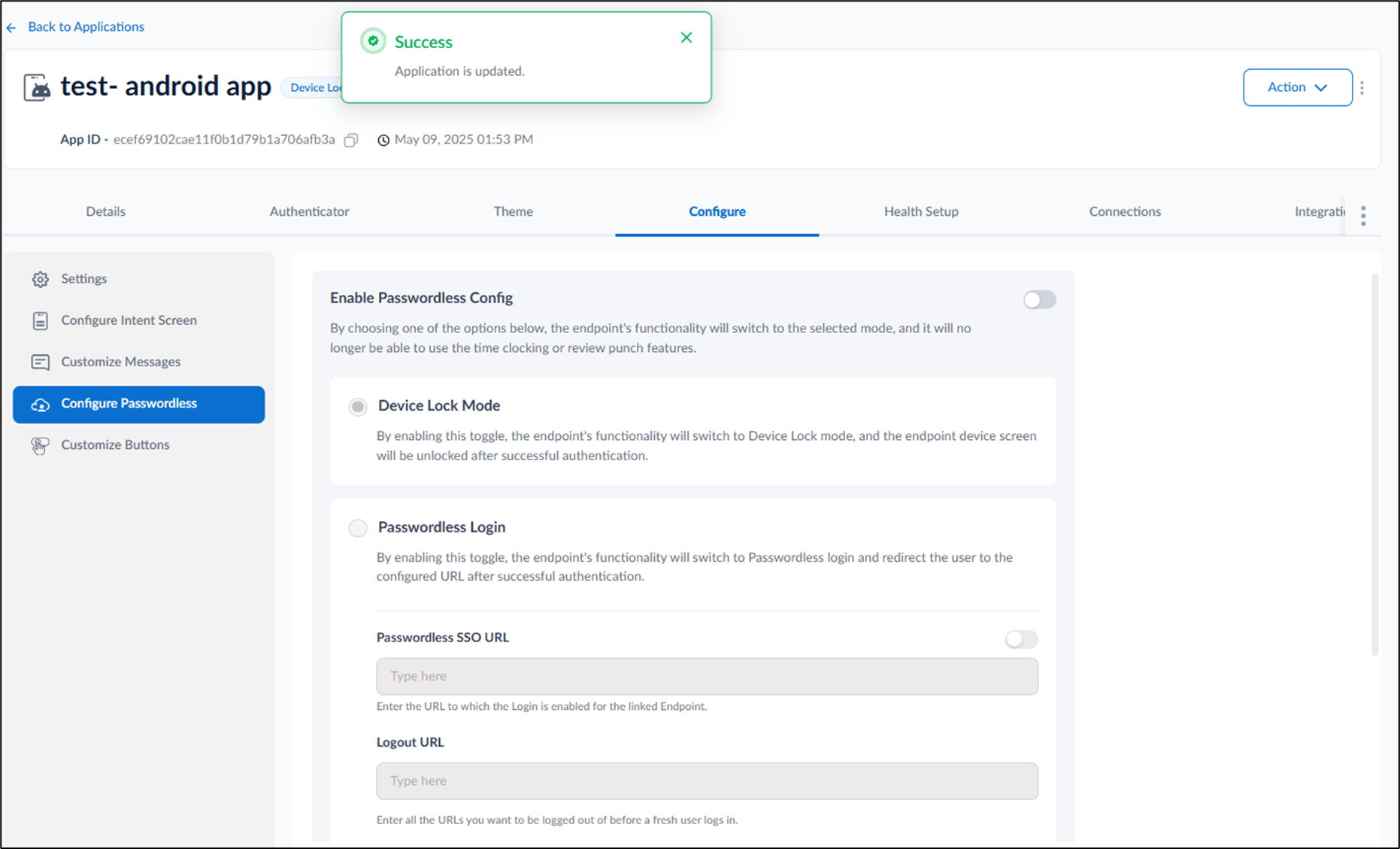
Turn off Enable Passwordless Config toggle > click Save.
Note: Turning off this toggle will disable Device Lock mode and Passwordless Login mode, and will automatically enable Clock In / Clock Out mode.

How to enable Clock In / Clock Out mode in Tenant Admin Portal
This document provides step-by-step instructions to enable clock in / clock out mode in the Tenant Admin Portal
Steps to enable clock in / clock out mode:
⌘I