

- Login to the Oloid Portal.
- On the homepage, click Endpoints from the left menu panel.

- Click Endpoint name to edit.

- Click Sync Transaction on the top right corner.

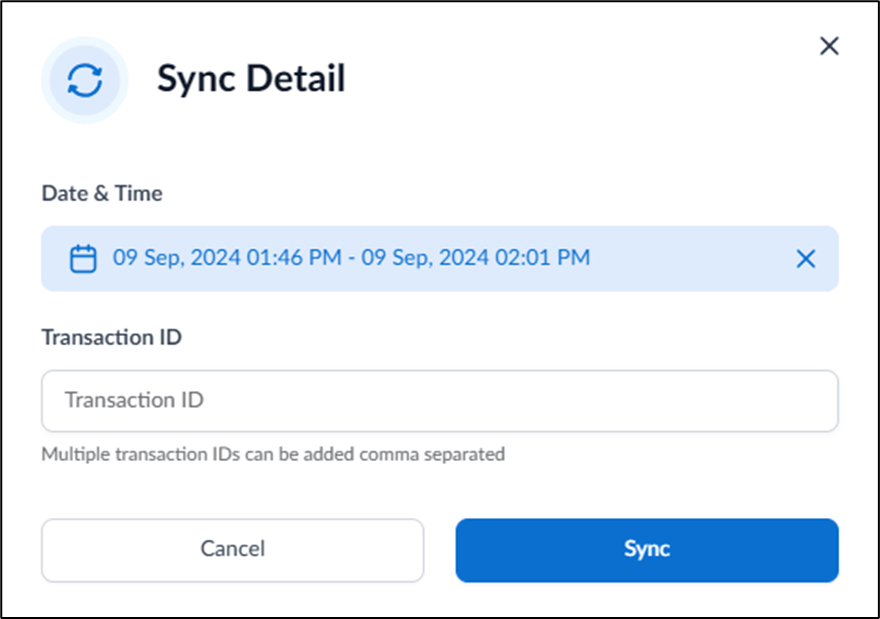
- On the pop-up box, do the following:
- Select Date & Time from the calendar.
- Enter Transaction ID.
- Click Sync.
The syncing transaction is initiated successfully.

How to sync transaction in Endpoint
This document provides step-by-step instructions to sync transactions in M-Tag Endpoint.
Steps to sync transactions:
⌘I