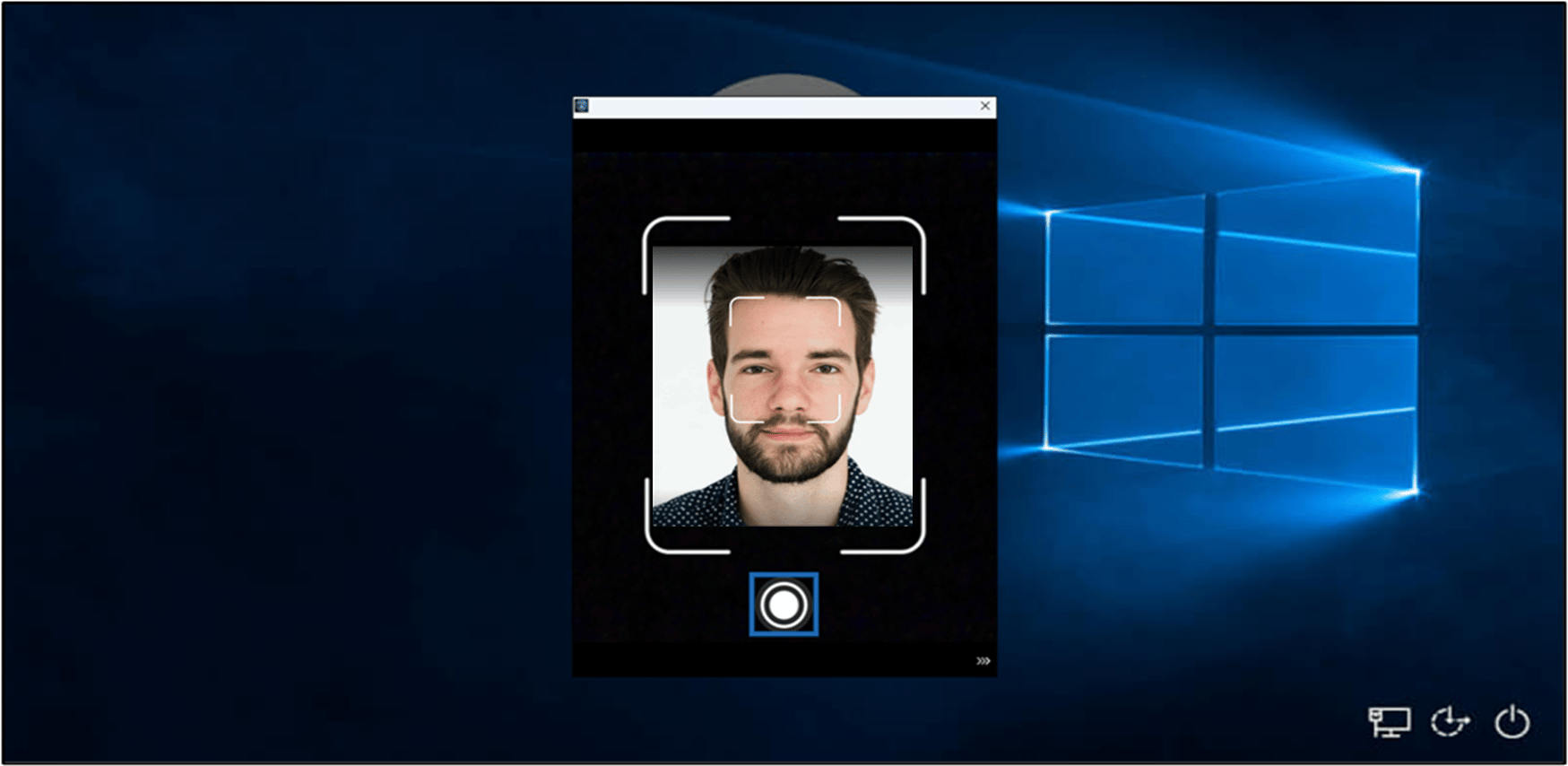
Introduction
In Oloid portal, enabling Manual Capture Accessibility feature in Windows Login application allows users to manually capture the face when using the Windows Login app.Steps to Enable Manual Capture Accessibility
- Log in to the Oloid Portal.
- On the Applications page, select the application paired in the Supervisor App (Windows Authenticator App).


- Go to Configure > Settings tab.
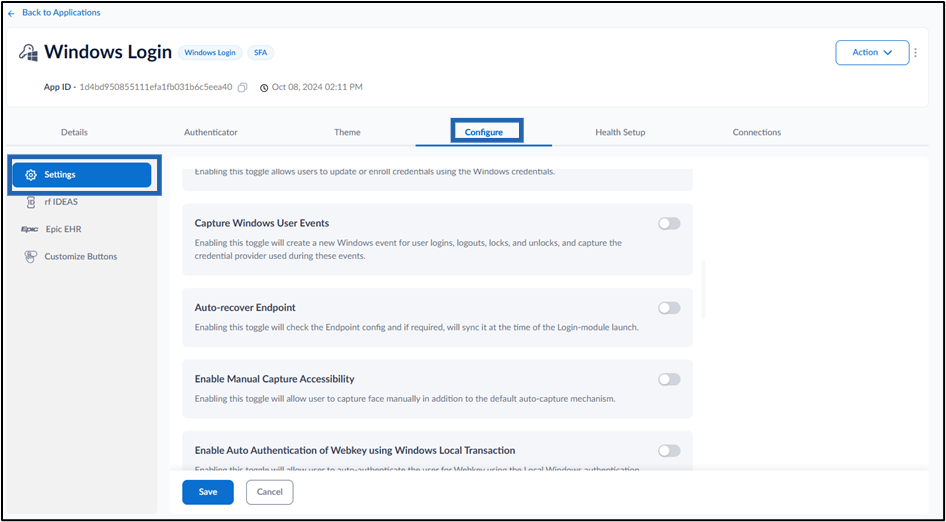
- Turn on Enable Manual Capture Accessibility toggle button to manually capture face for sign-in Windows Login app.


Note: In Windows Authenticator app, you must sync the configuration to enable Manual Capture Accessibility. For more details, refer How to sync configuration in Supervisor App