Introduction
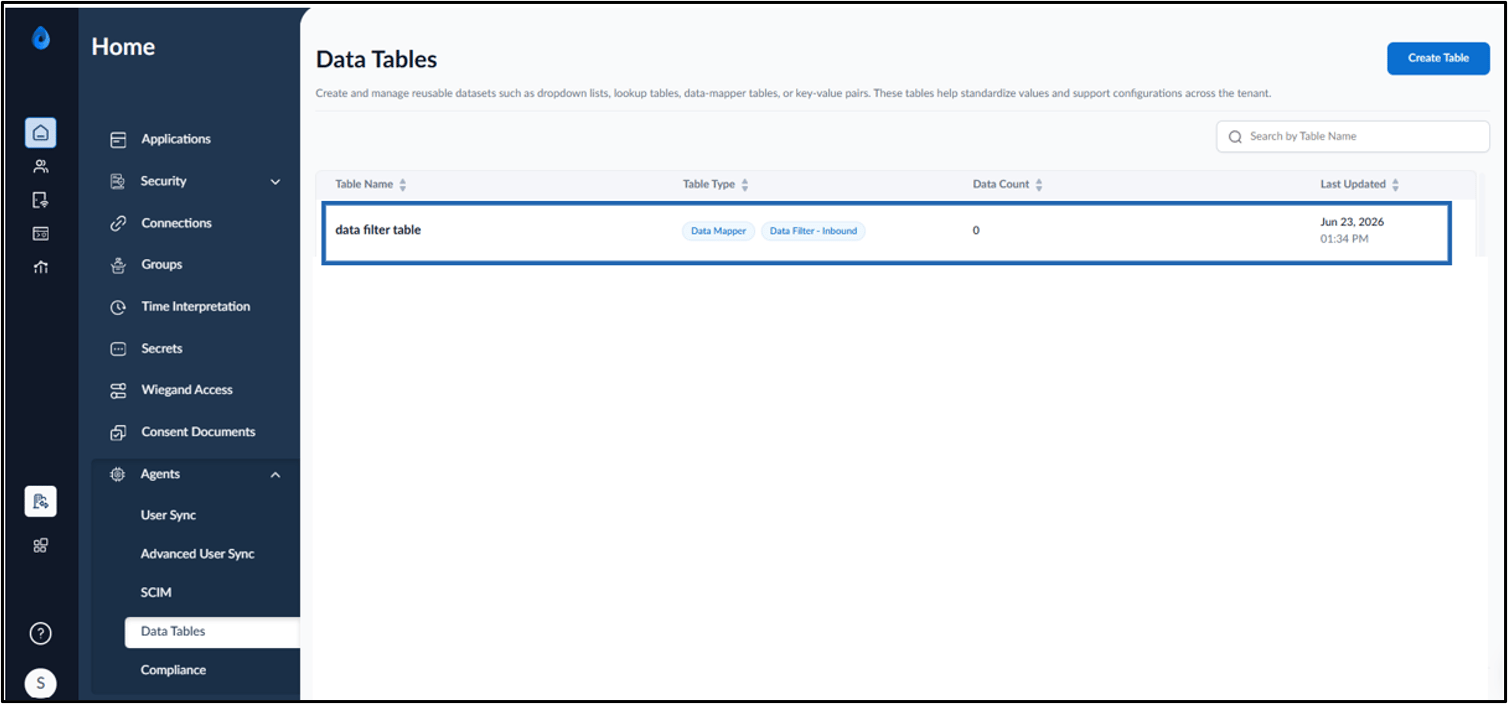
This document describes how to create a Data Filter Table in the Tenant Admin Portal. Data Filter Tables allow admin to define filtering criteria that can be used during data processing and user synchronization workflows.Prerequisite
You must have access to the Tenant Admin Portal.Steps to Create Data Filter Table
- Log in to Tenant Admin Portal.
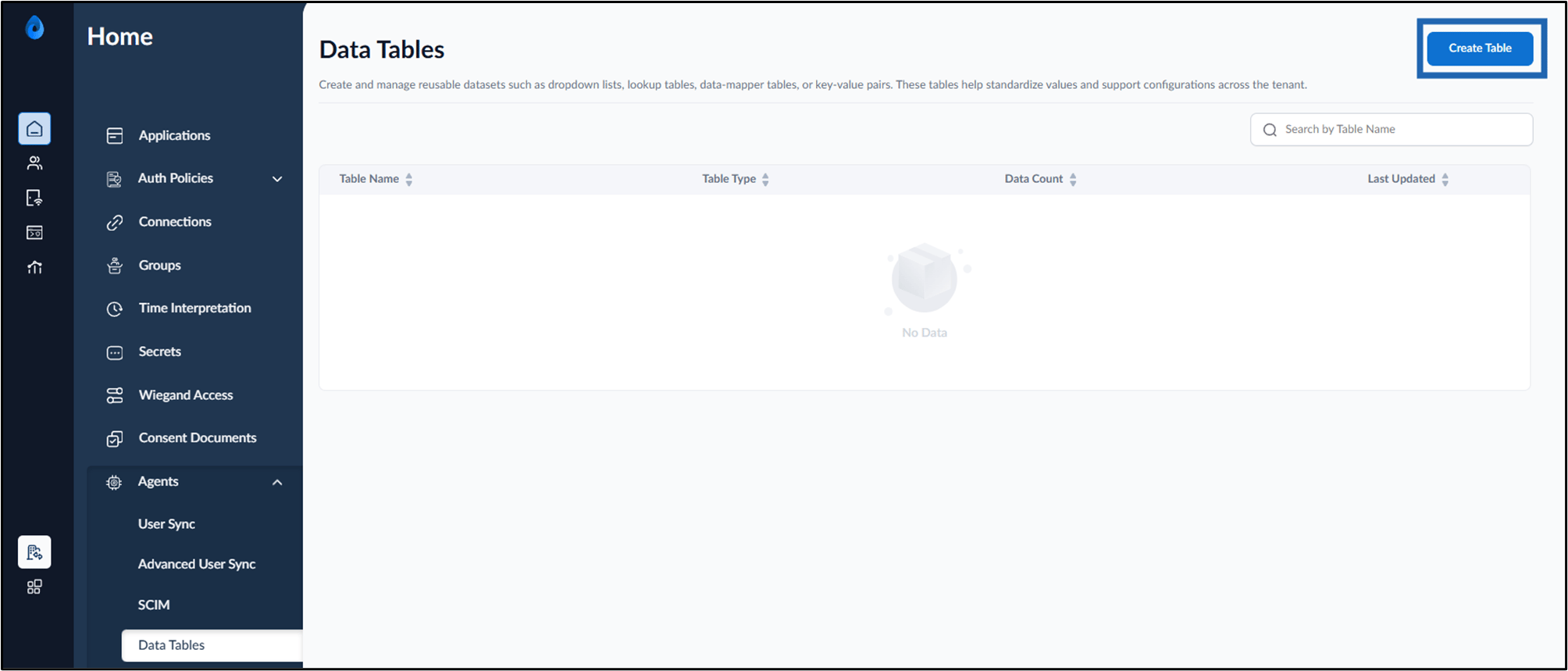
- Go to Agents tab > click Data Tables.

- Click Create Table.
- Do the following:
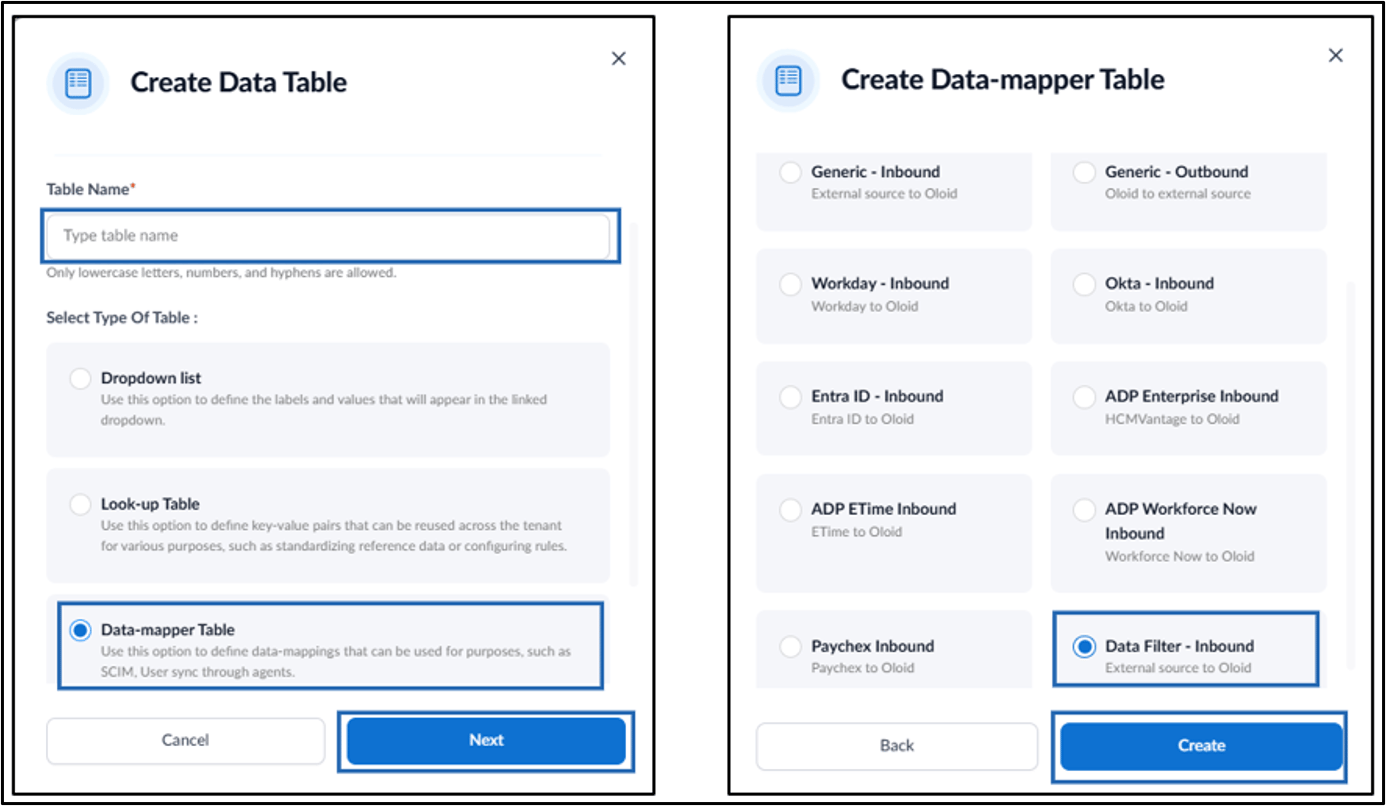
- Enter Table Name.
- Select Data-mapper Table in Type of Table.
- Click Next.
- Select Data Filter - Inbound as a Category.
- Click Create.