To install Windows Device Login you need to download and install the following from the Oloid portal:
  1. .Net SDK
  2. C++ Redistributable
  3. Oloid Windows Device Login
Steps to download the files:
  1. Log in to the Oloid Portal.
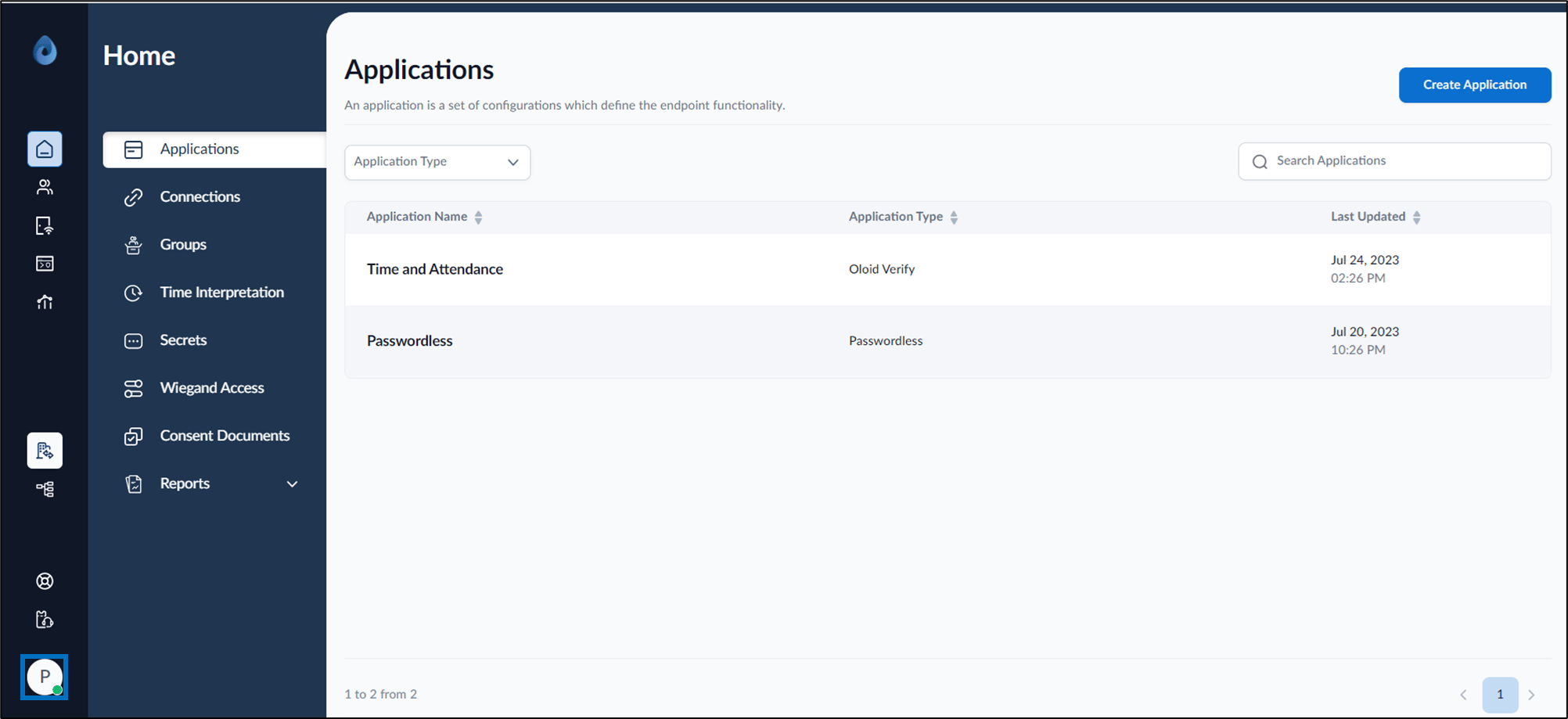
  2. On the homepage of the portal, click User profile icon on the bottom left corner of the menu panel. How to download Windows Device Login... - screenshot 1 The user profile menu is displayed.
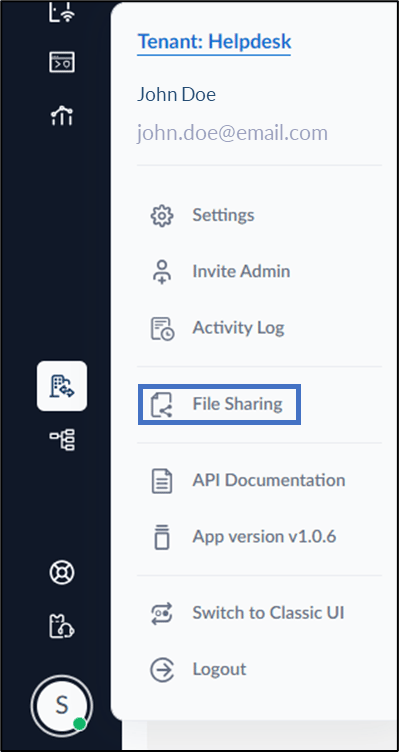
  3. Select File Sharing. How to download Windows Device Login... - screenshot 2 The File Sharing page is displayed.
  4. Do the following:
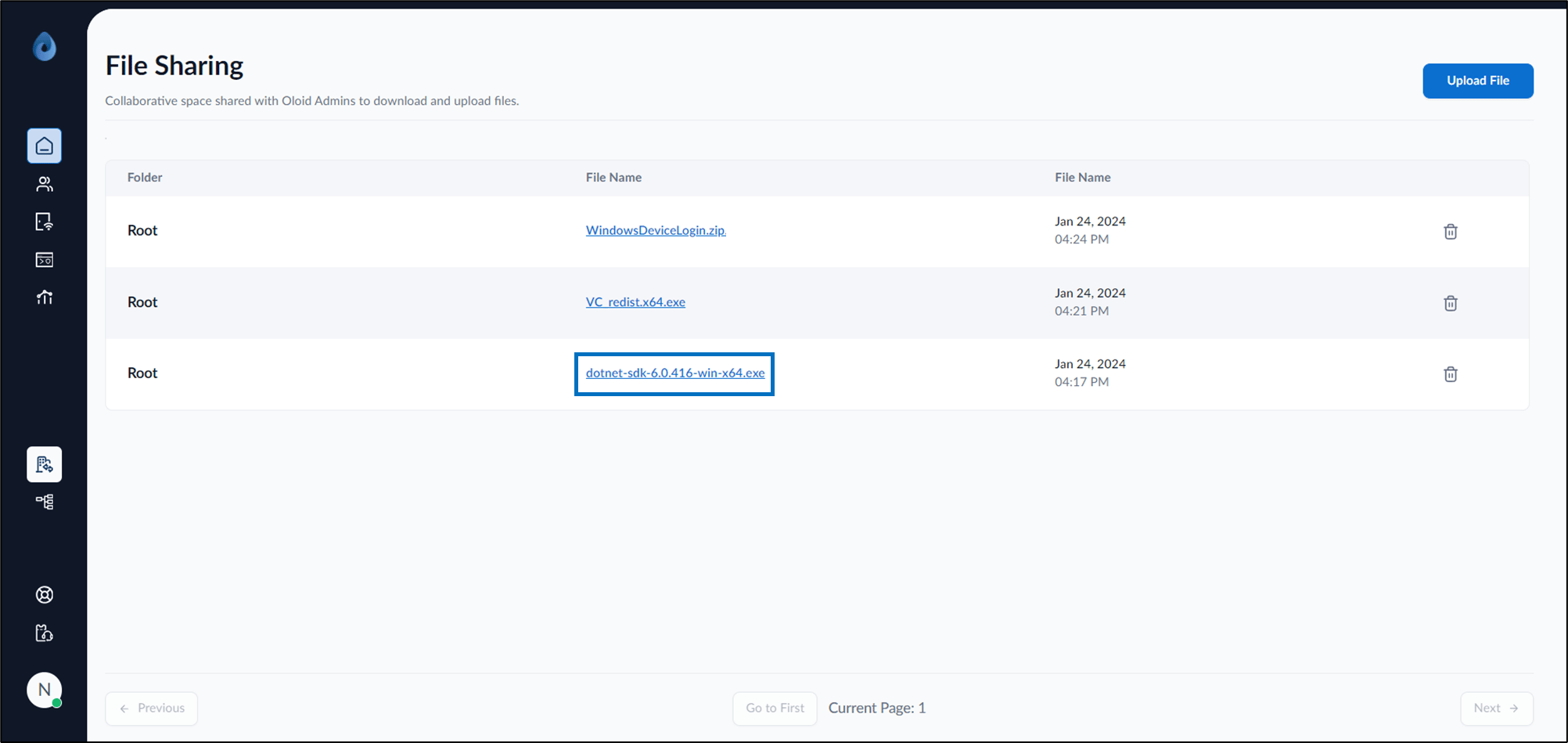
    1. Select .Net SDK file to download. How to download Windows Device Login... - screenshot 3
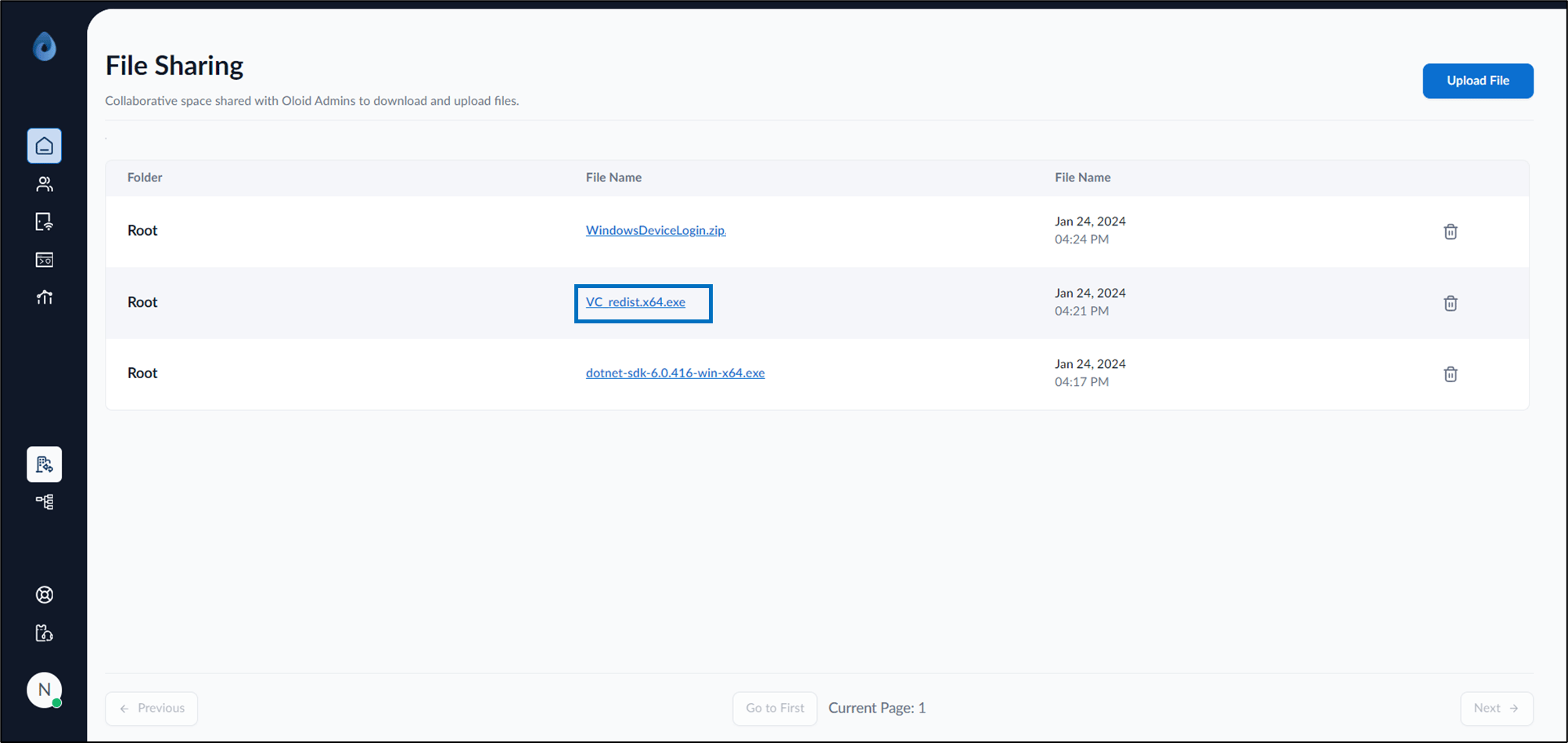
    2. Select Microsoft Visual C++ redistributable file to download. How to download Windows Device Login... - screenshot 4
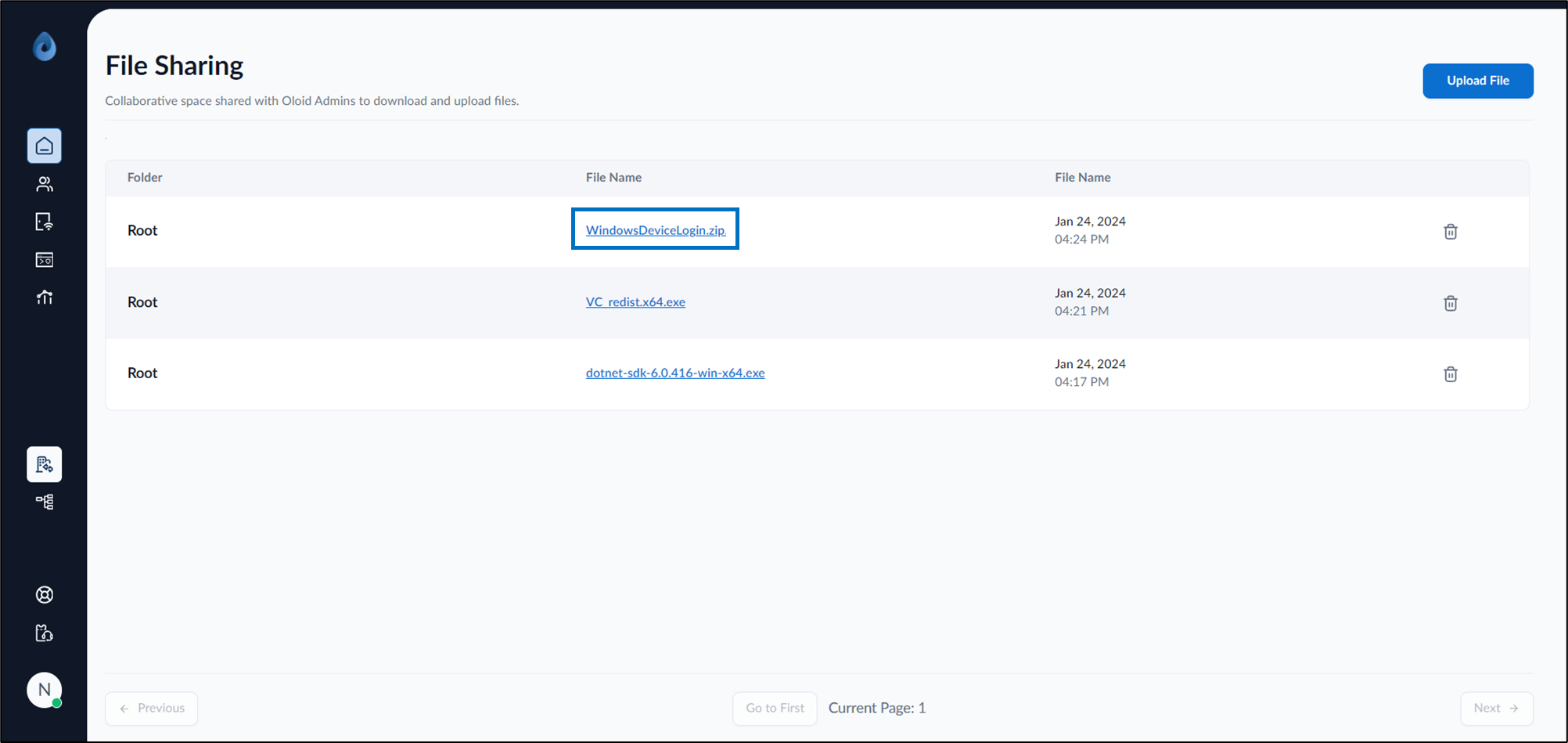
    3. Select WindowsDeviceLogin.zip to download. How to download Windows Device Login... - screenshot 5 All the files are downloaded to the system.