

Summary
Admin and Supervisor was not able to add or view the face/QR in the Admin mode of the app.Description
Applies To
Oloid ConnectCause
Config IssueSolution
- Login to Oloid Platform ( Switch to new UI).
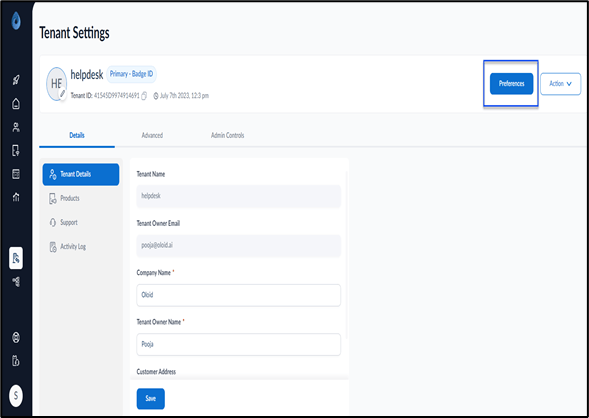
- Click Tenant Settings.
- Go to Preferences.
- Check if Face/QR checkbox is selected under Select Credentials and Select Primary Credentials tab
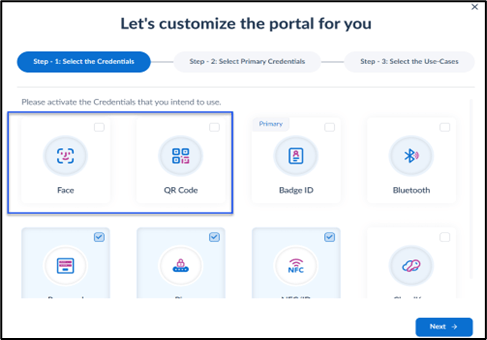
- Check the box if it is not selected. Click on Save and Next .
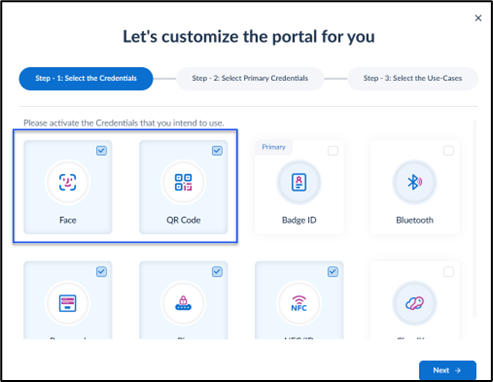
- If the box is selected ,contact Oloid Support ( hyperlinked to support@oloid.ai )