

- Launch the M-Tag admin app.
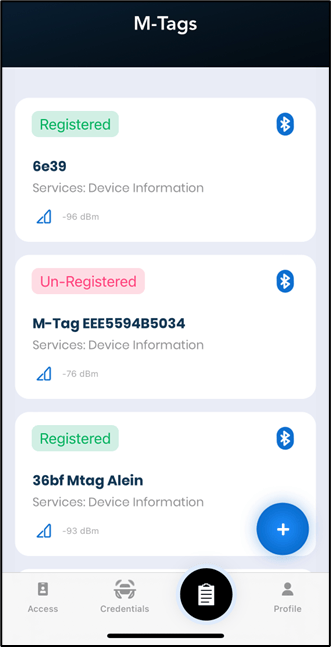
- Sign in to the app. The details screen displays a list of MAC Ids of the available M-Tags.
-
Select a registered or unregistered M-Tag.
-
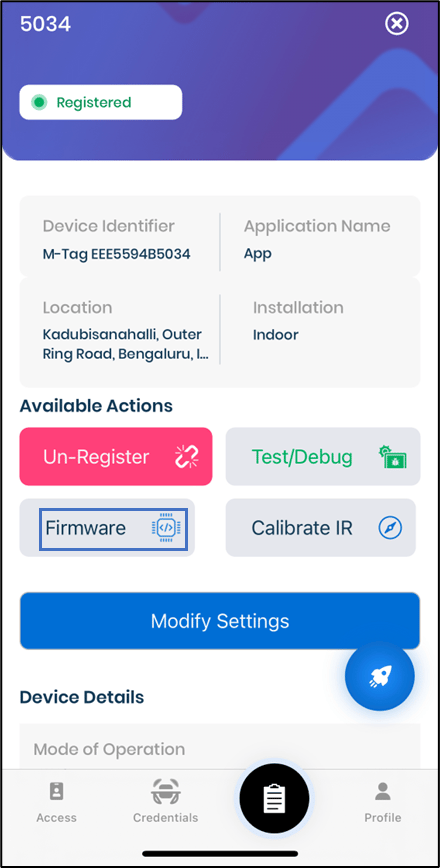
Tap on Firmware.
-
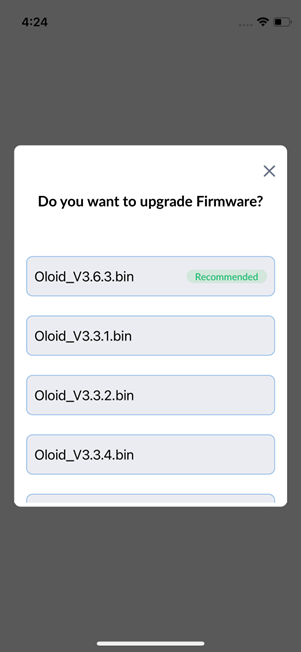
Select any of the firmware versions to upgrade.
Note: It is recommended to select the recent version of the firmware.
M-Tag Admin App - Upgrade Firmware (Completed)
The details screen displays a list of MAC Ids of the available M-Tags.
To upgrade firmware,
⌘I