

Introduction
The Other Identifiers feature in the Oloid Portal allows administrators to associate external system identifiers—such as Duo, Okta, or Ping IDs—with a user profile.Prerequisite
- You must have a Tenant Admin account.
- The user must already have other Identifier IDs created in their respective external systems.
Steps to Add Identifiers
- Login to the Tenant Admin Portal.
- Click Directory Icon > Users tab
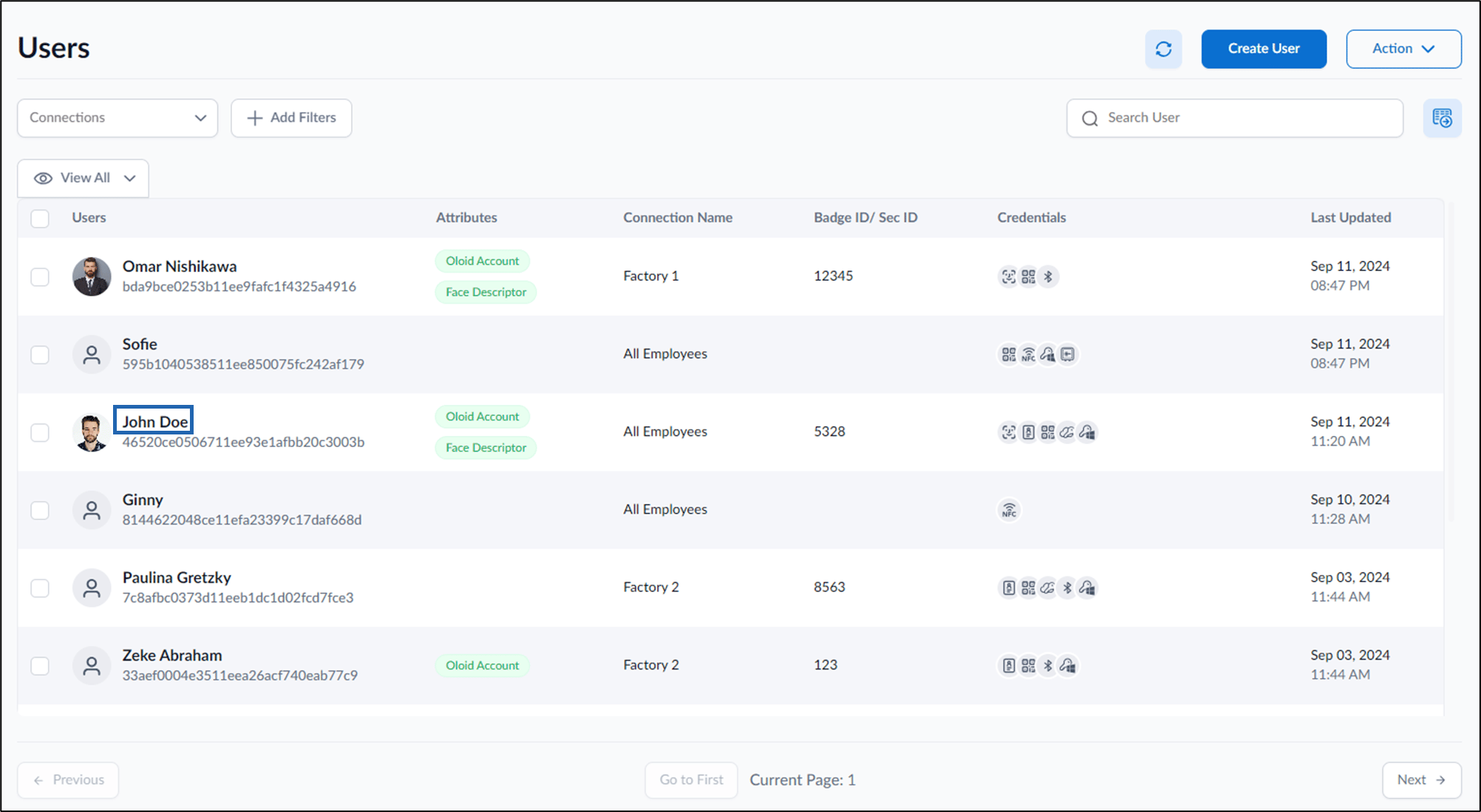
- Click user name to edit.
User details is displayed
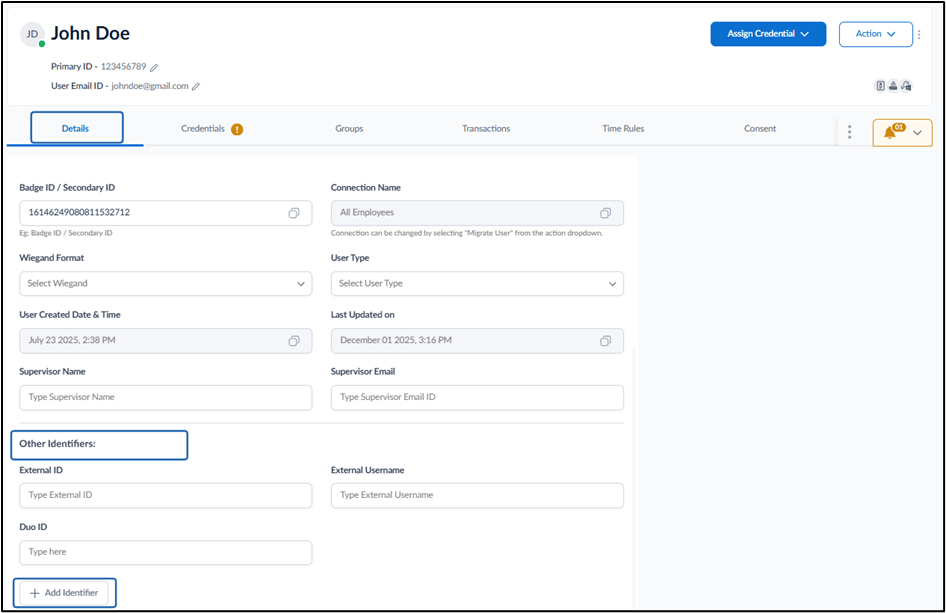
- Under the Other Identifiers section Click + Add Identifier
Add Identifier pop-up box is displayed

- Select Identifier from dropdown:
- Duo ID
- Okta ID
- Ping ID
- Click Add.
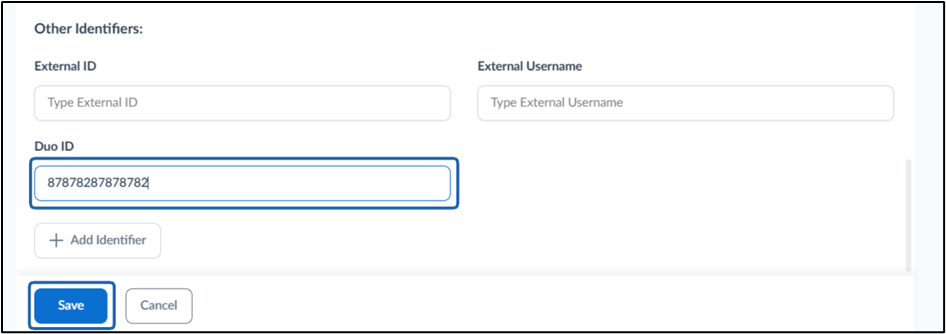
- The selected Identifier type field will appear. Enter the Identifier ID
- Click Save.