Introduction

This document explains how to create a Token ID in the Okta Admin Console. The Token ID is required to securely authenticate and authorize API access for Okta integrations.

Prerequisite

You must have admin access to the Okta Admin Console.

Steps to Create Token ID

  1. Log in to the Okta Admin Account.
  2. On the left menu panel, go to Security > API. How to Create Token ID for Windows... - screenshot 1 The API screen is displayed.
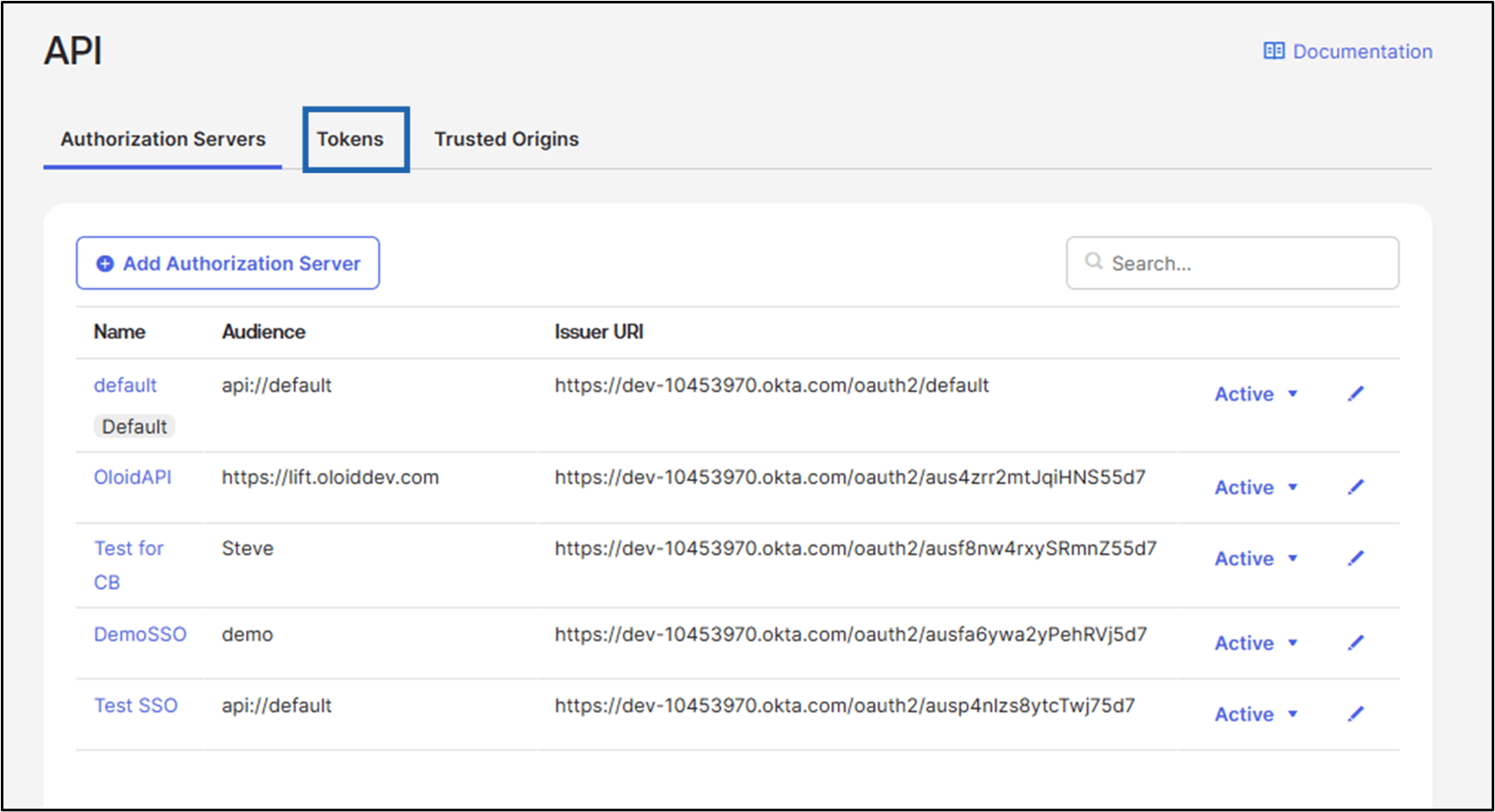
  3. Click Tokens. How to Create Token ID for Windows... - screenshot 2 The API Token page is displayed.
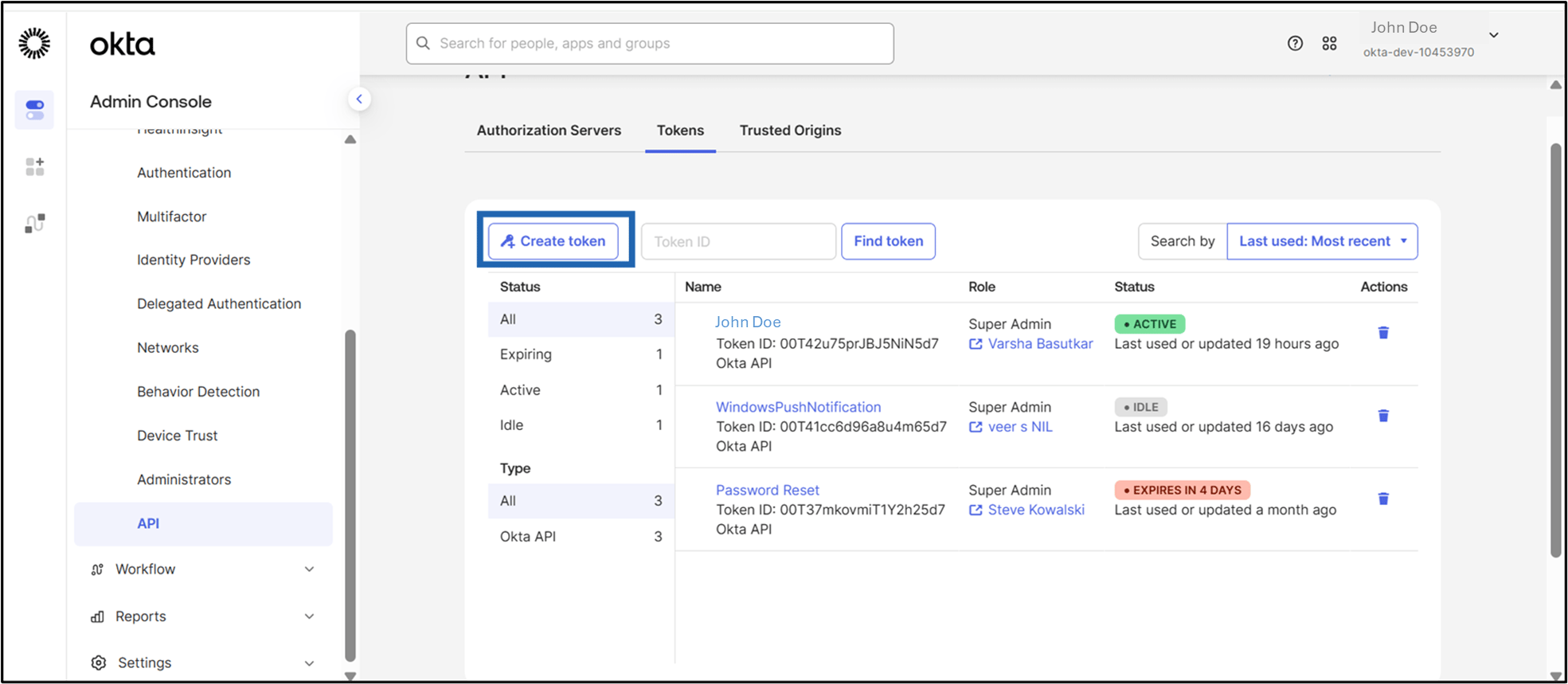
  4. Click Create token. How to Create Token ID for Windows... - screenshot 3 The Create token pop-up box is displayed.
  5. Do the following:
    1. Enter Token name.
    2. Select the API calls from the drop-down.
      Note: Select Any IP.
    3. Click Create token. How to Create Token ID for Windows... - screenshot 4 The Verify your Password screen is displayed.
  6. Enter OKTA Password and click Verify. How to Create Token ID for Windows... - screenshot 5 The Token ID is created successfully.
How to Create Token ID for Windows... - screenshot 6 How to Configure OKTA Multi Factor Authentication (MFA) for Windows Login Application in the Tenant Admin Portal