

Introduction
An Endpoint Update Log provides details of all the updates made with the endpoints that are associated with the application, including details regarding last updated, Auto-update details etc.Pre-Requisite
You must have a Tenant Admin account.Steps to create & download Endpoint Update Log
- Log in to the Oloid Portal.
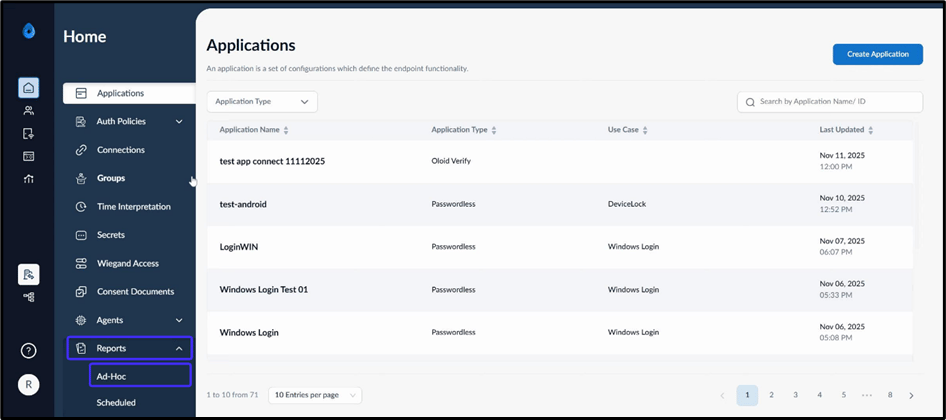
- On the homepage, click Reports > Ad-Hoc on the left menu panel.
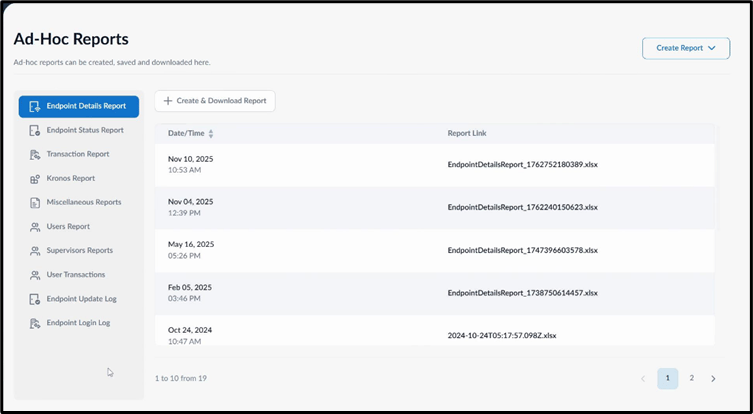
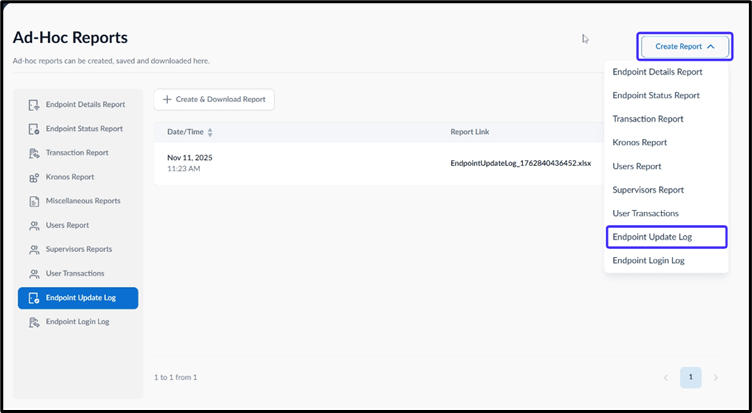
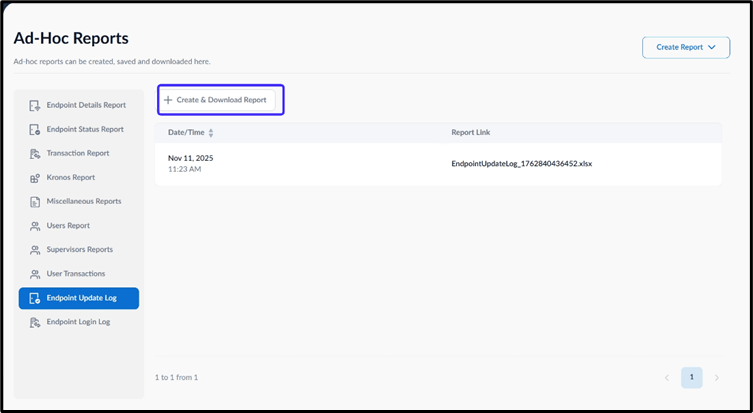
- Use one of the following methods to download the report:
- On the top right, click Create Report > Endpoint Update Log
- Select Endpoint Update Log from the left menu panel then click Create & Download Report.
- On the top right, click Create Report > Endpoint Update Log
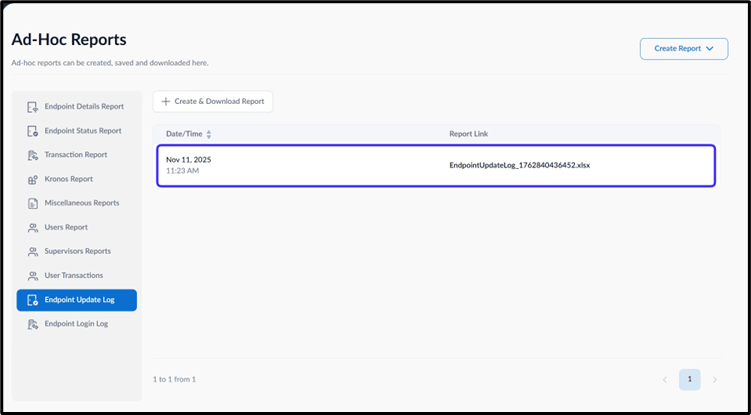
Note:
- Ensure you have sufficient permissions as a Tenant Admin before attempting to create the report.
- The downloaded file format for reports is XLSX.