Introduction
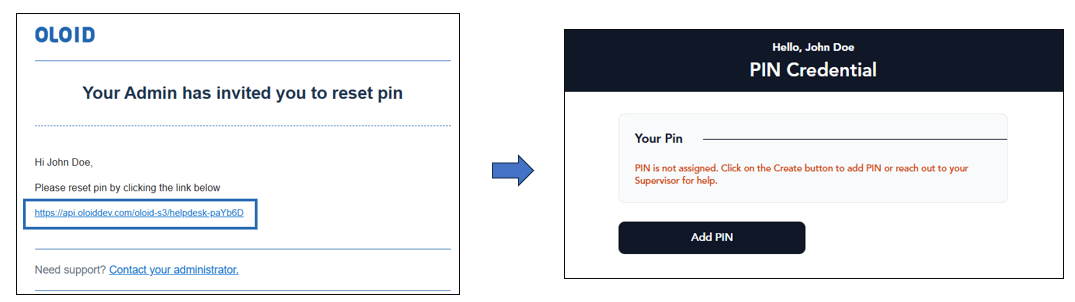
This document provides step-by-step instructions to send an email invitation that allows a user to set PIN through the Oloid Platform.Pre-requisite
The registered email ID must be added to the user’s profile on the Oloid Platform.Steps to send invite to set Pin
- Login to the Tenant Admin Portal.
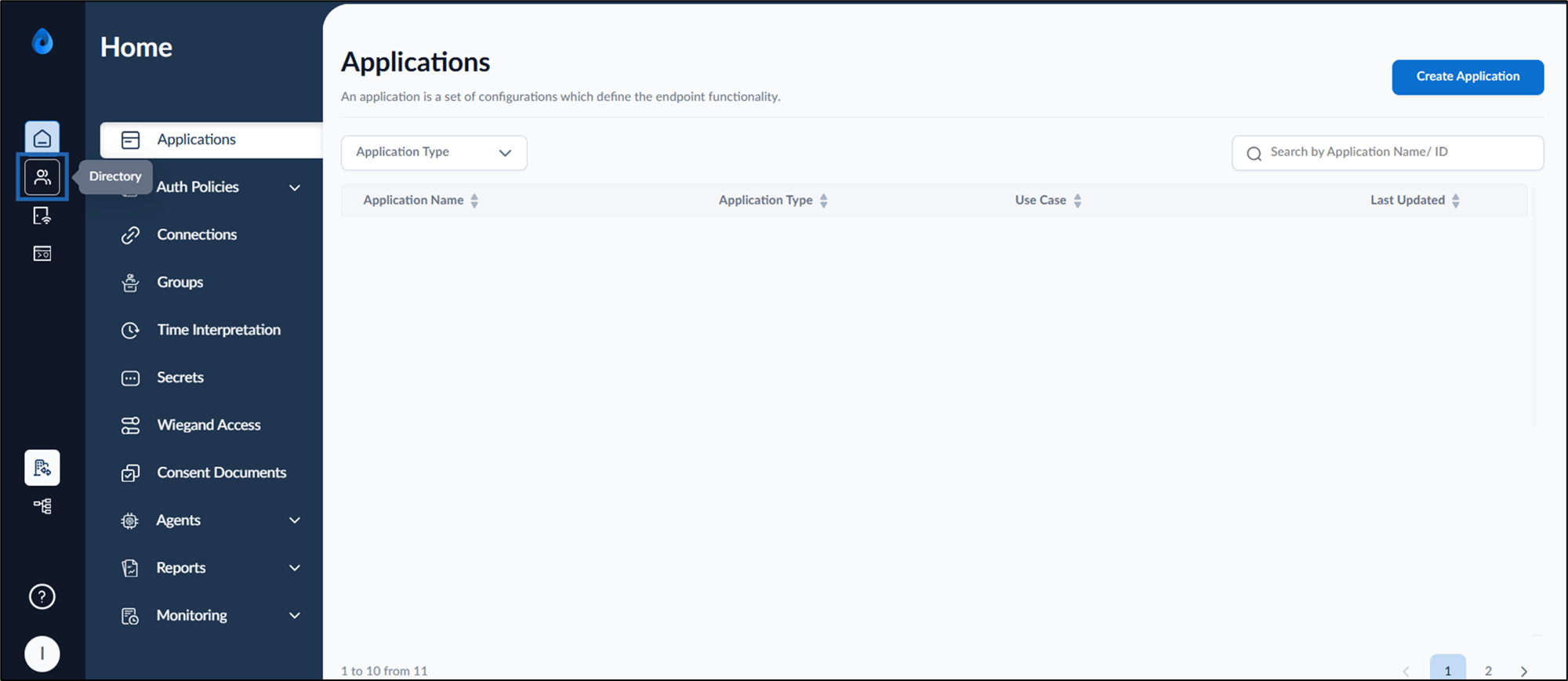
- On the homepage, click Directory, from the left menu panel.
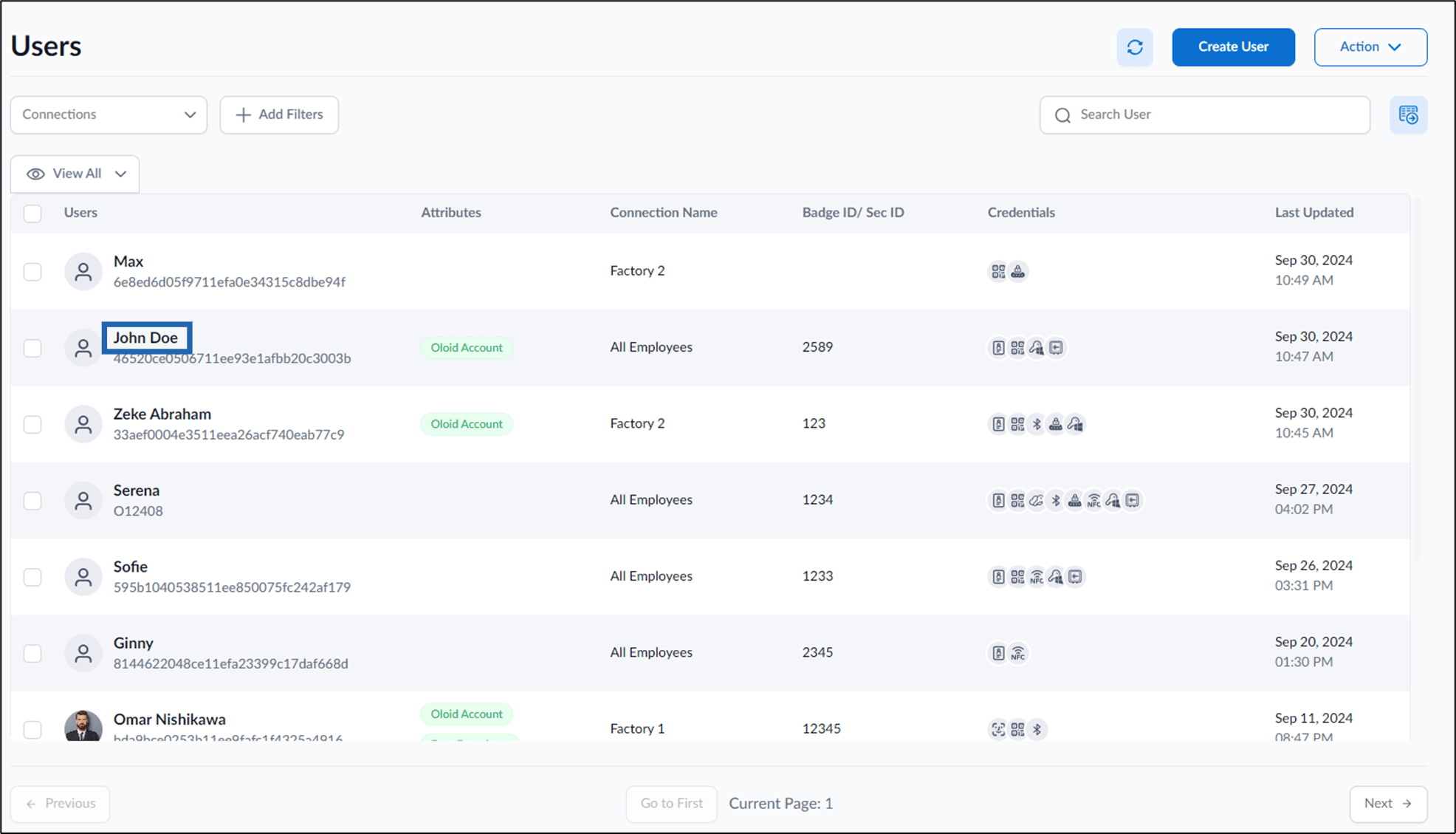
- Click username to edit.
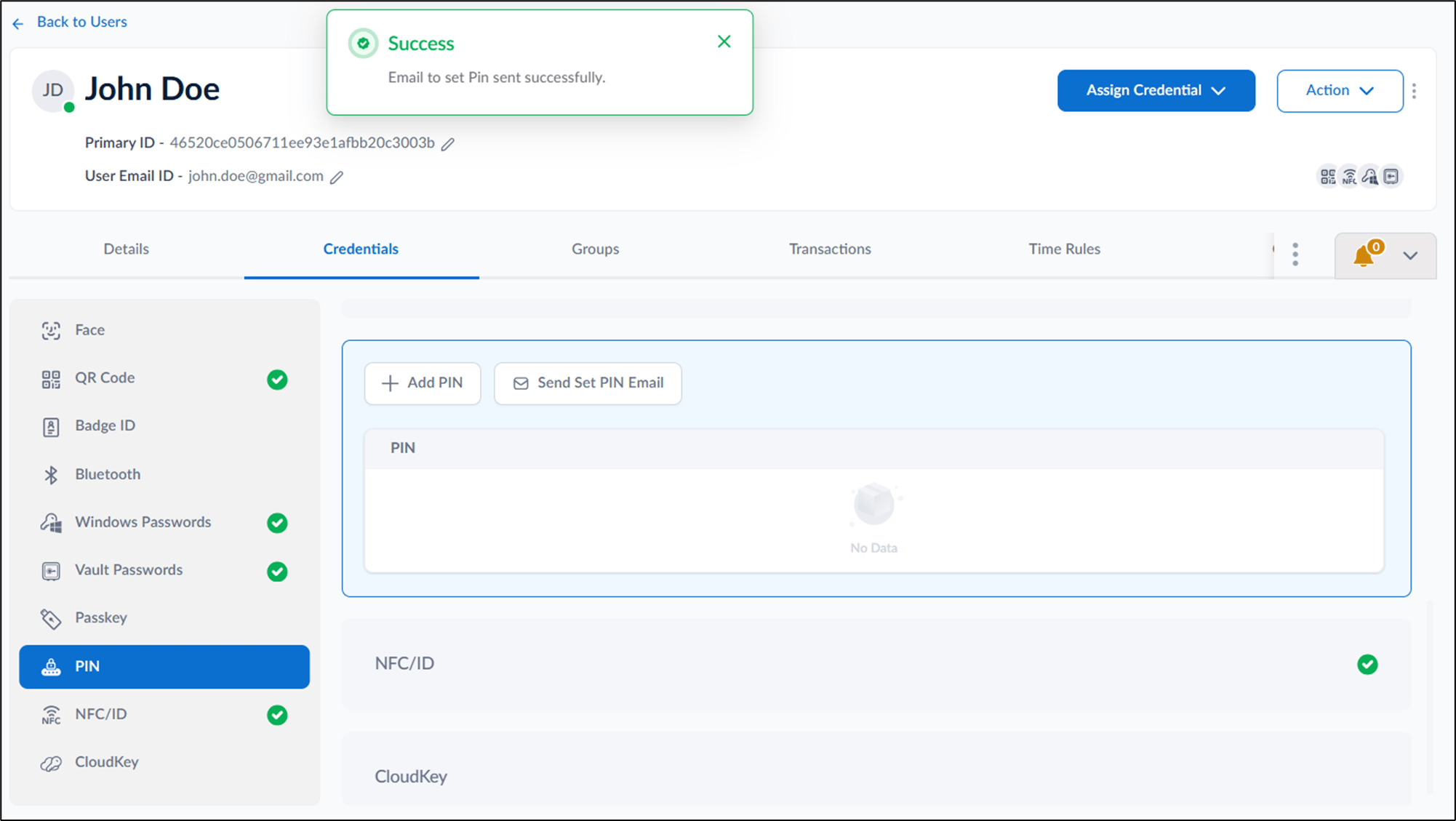
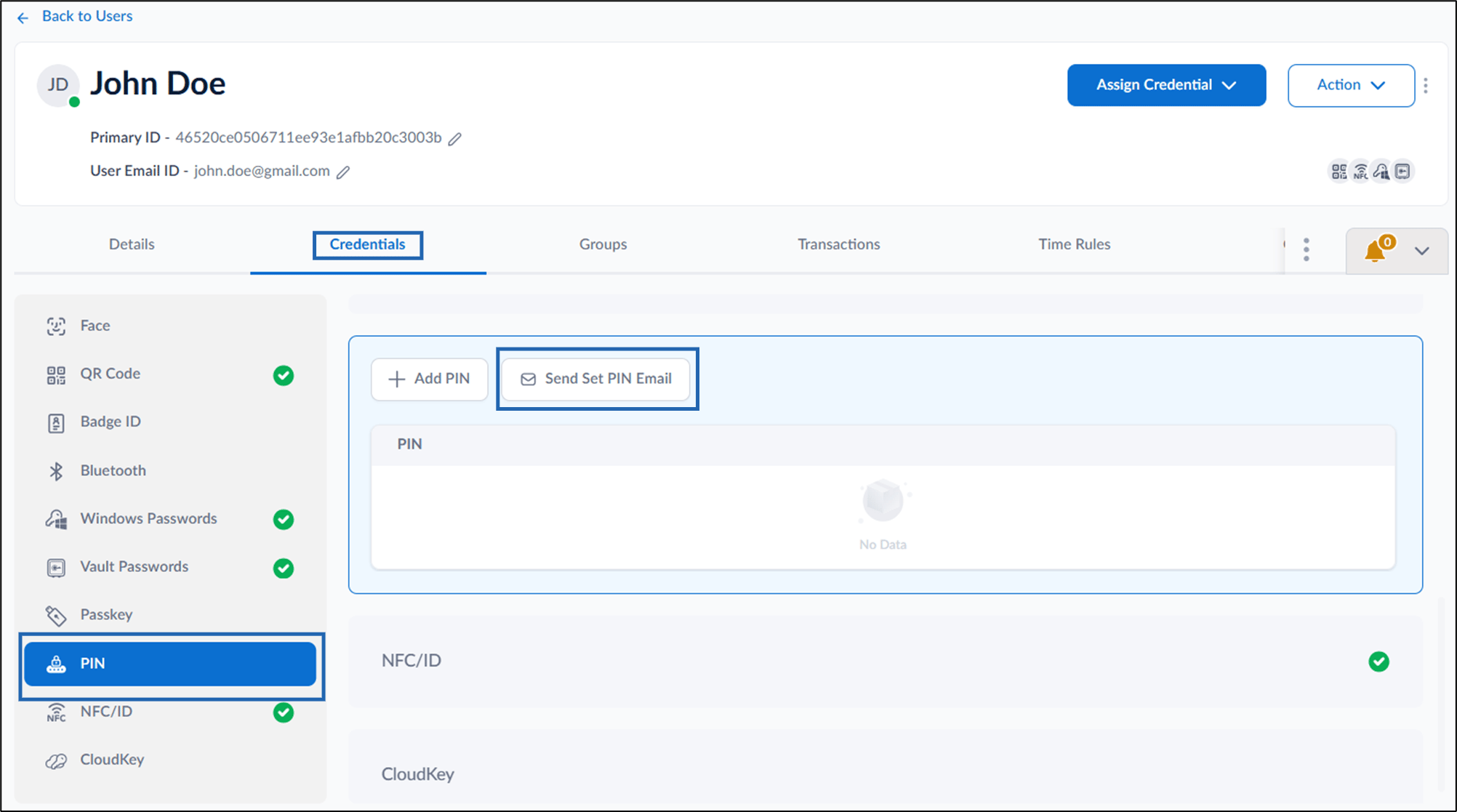
- Go to Credentials tab > PIN > Send set PIN Email.
- Do the following:
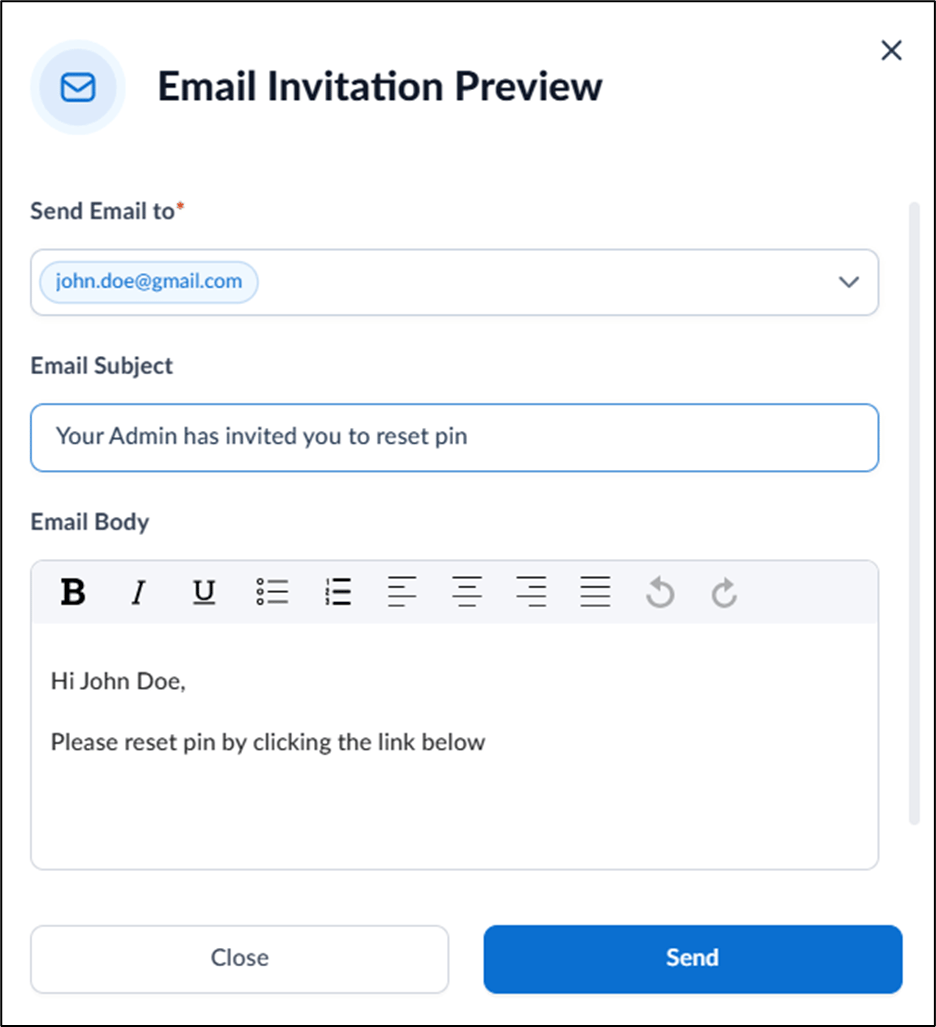
- Enter email ID(s) and select from the dropdown to whom you want to send the mail in Send Email to field.
- Enter subject in Email Subject field.
- Enter a message in the Email Body field.
- Click Send.
The invite to set PIN is sent to Email successfully.