

Introduction
The Tenant Admin Portal allows admin to enable OloID accounts for a Connection, providing users with a unique identity across Oloid applications.Note: Enable OloID accounts only for Connections used with Oloid Vault, Windows Login, the Tenant Admin Portal and the Oloid User Portal.
Prerequisites
- You must have access to the Tenant Admin Portal.
- A Connection must be created. To create connections, refer Tenant Admin Portal - How to Create Connection
Steps to Enable OloID Account in a Connection
- Log in to the Tenant Admin Portal.
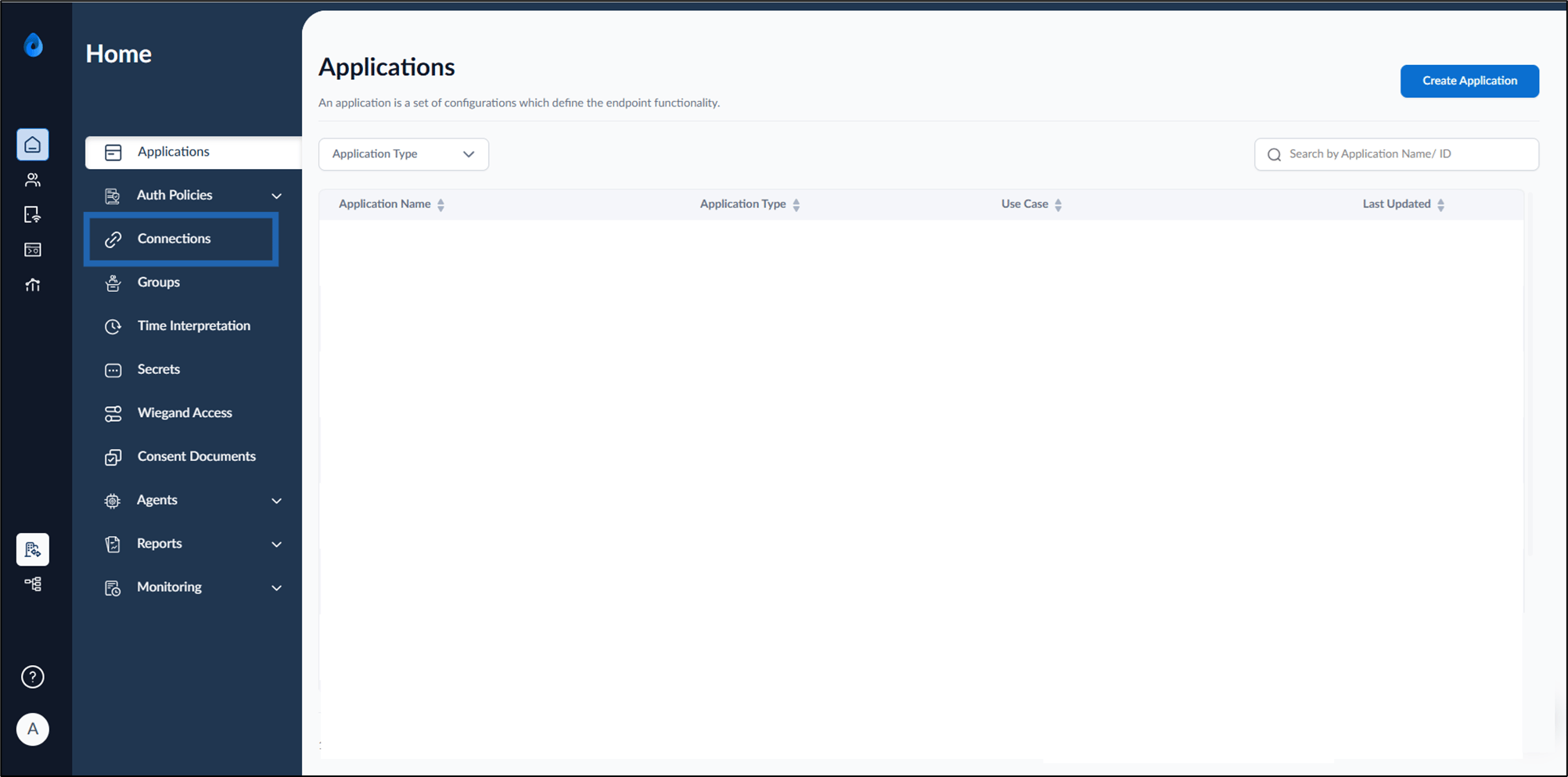
- On the home page of the portal, click Connections on the left menu panel.
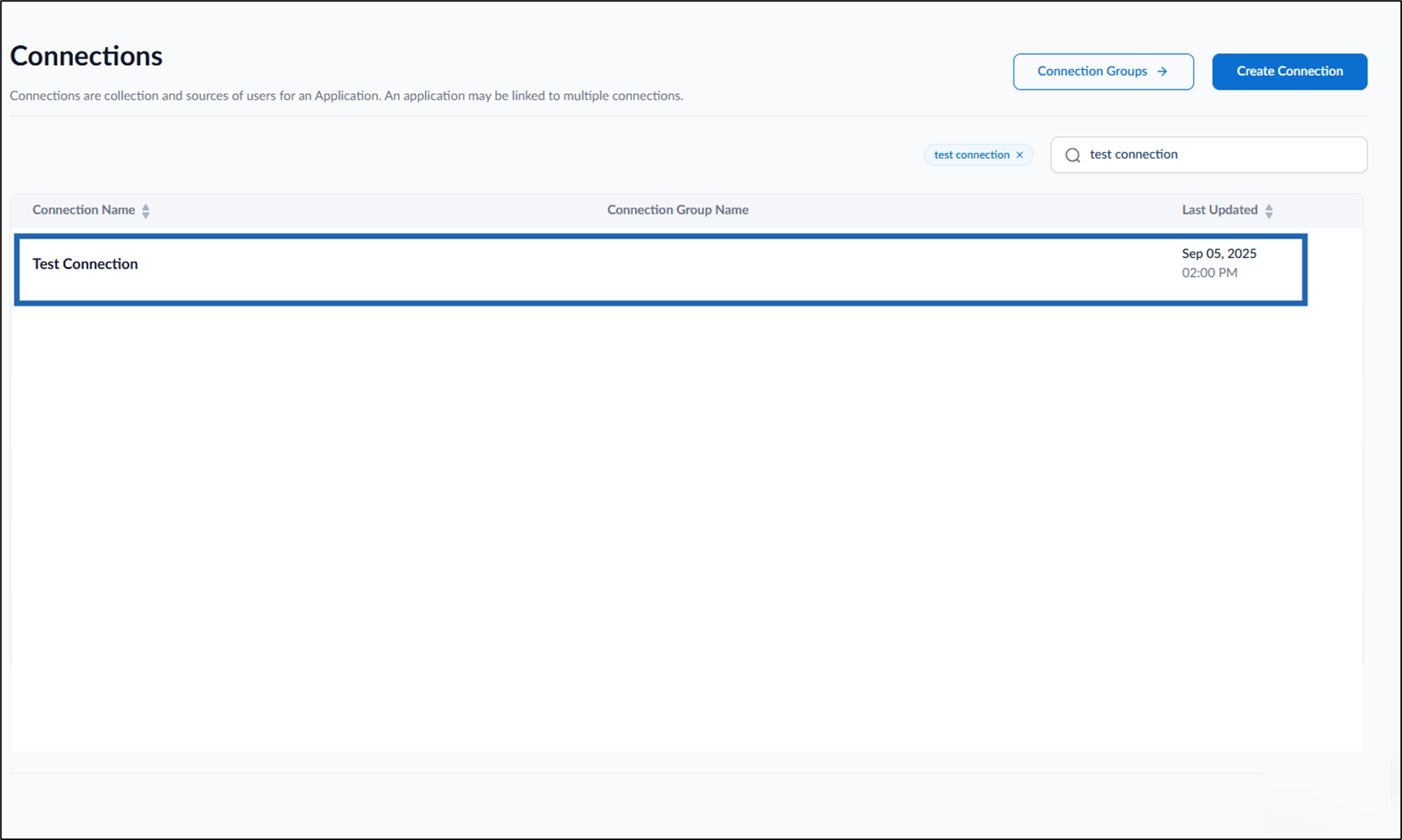
- Select a connection name to edit.
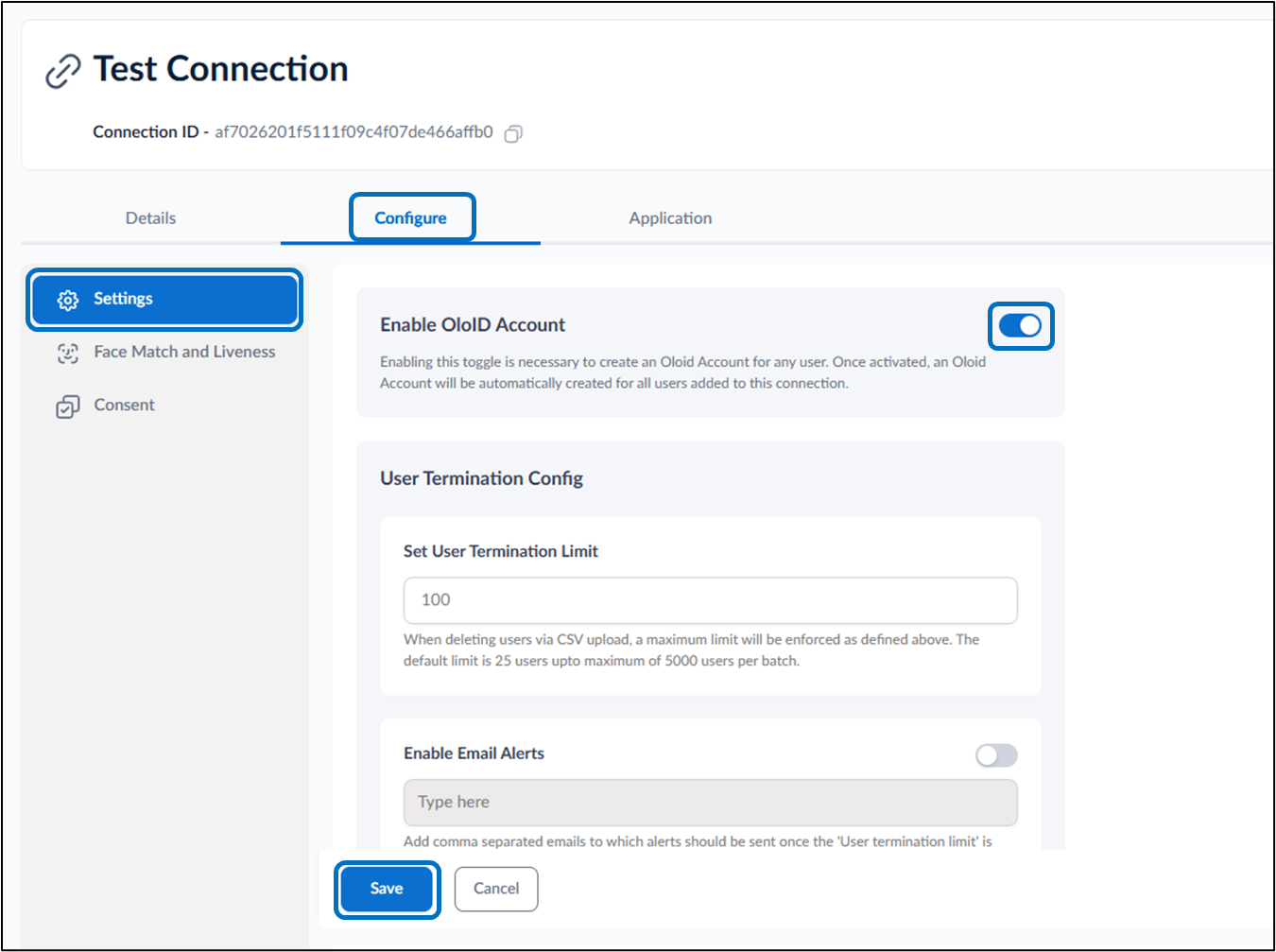
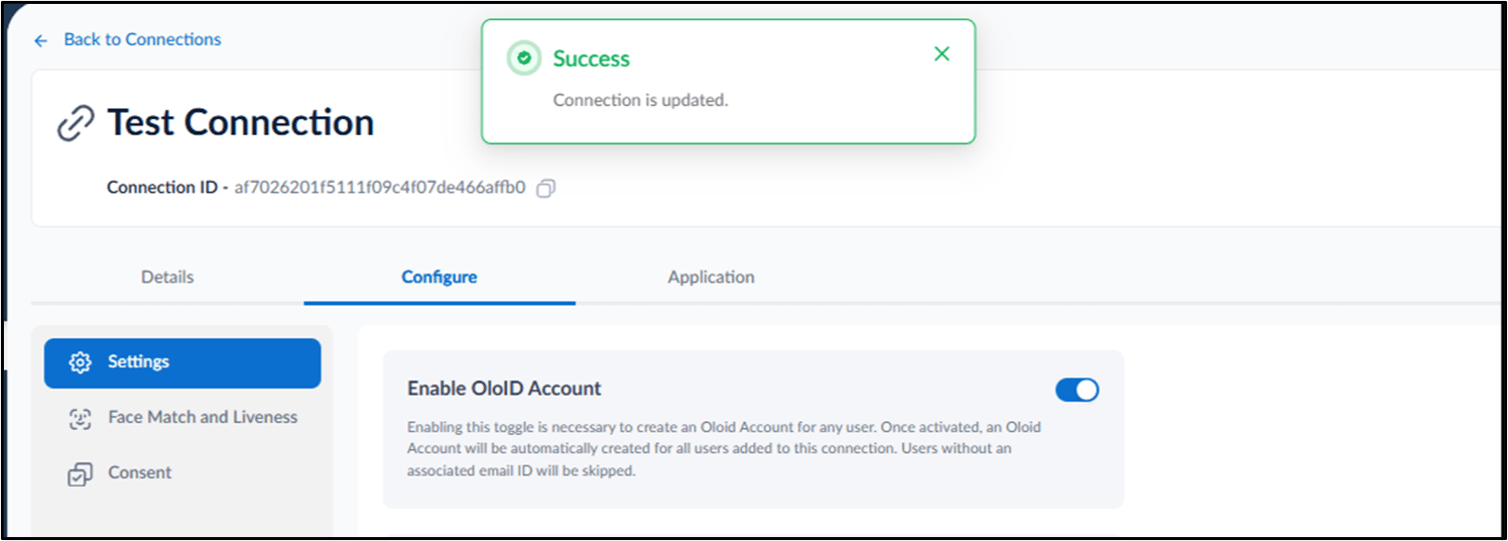
- Go to Configure tab > Settings > turn on Enable OloID Account toggle.
Note: OloID account can be created for all OloID account enabled users. To create OloID account, see How to create OloID account.