

Introduction
This report provides a list of users with Windows shared passwords.Prerequisite
- You must have Tenant Admin account.
- Shared credentials must be assigned to users.
How to Access User Report
- Log in to the Tenant Admin Portal.
- From the left navigation menu, click Insights Icon.
- Select the Reports tab > Users > Users <> Shared Cred

- Click Add Filters to narrow down the report based on specific criteria.
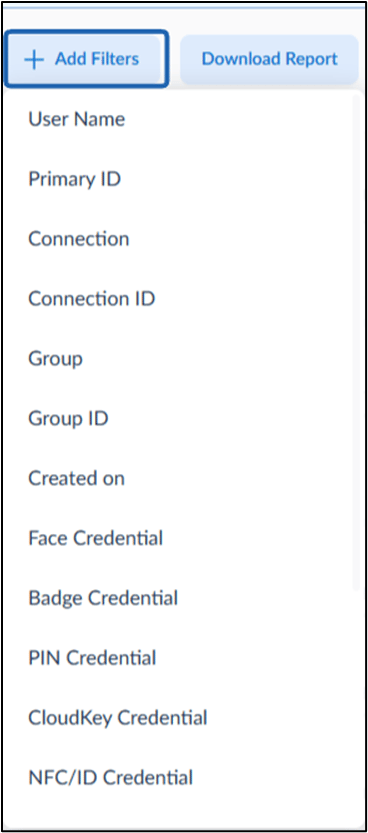
- Select filter from dropdown.

- Click Download Report to export the User Shared Cred Report.
- Enter Report Name and select the required table columns.’
- Click Download.

Note: Report Generation Details
- The report runs daily at 12:00 AM PST.
- It displays data from the last 30 days.
- The Last generated date and time is shown at the top of the page.
- Use the pagination controls at the bottom of the page to navigate through multiple pages of users.