

Pre-requisite
Location must be created on the Location Settings page. For more information on creating location, see How to create a new location and add location details.Steps to add location in bulk
- Log in to the Oloid Portal.
-
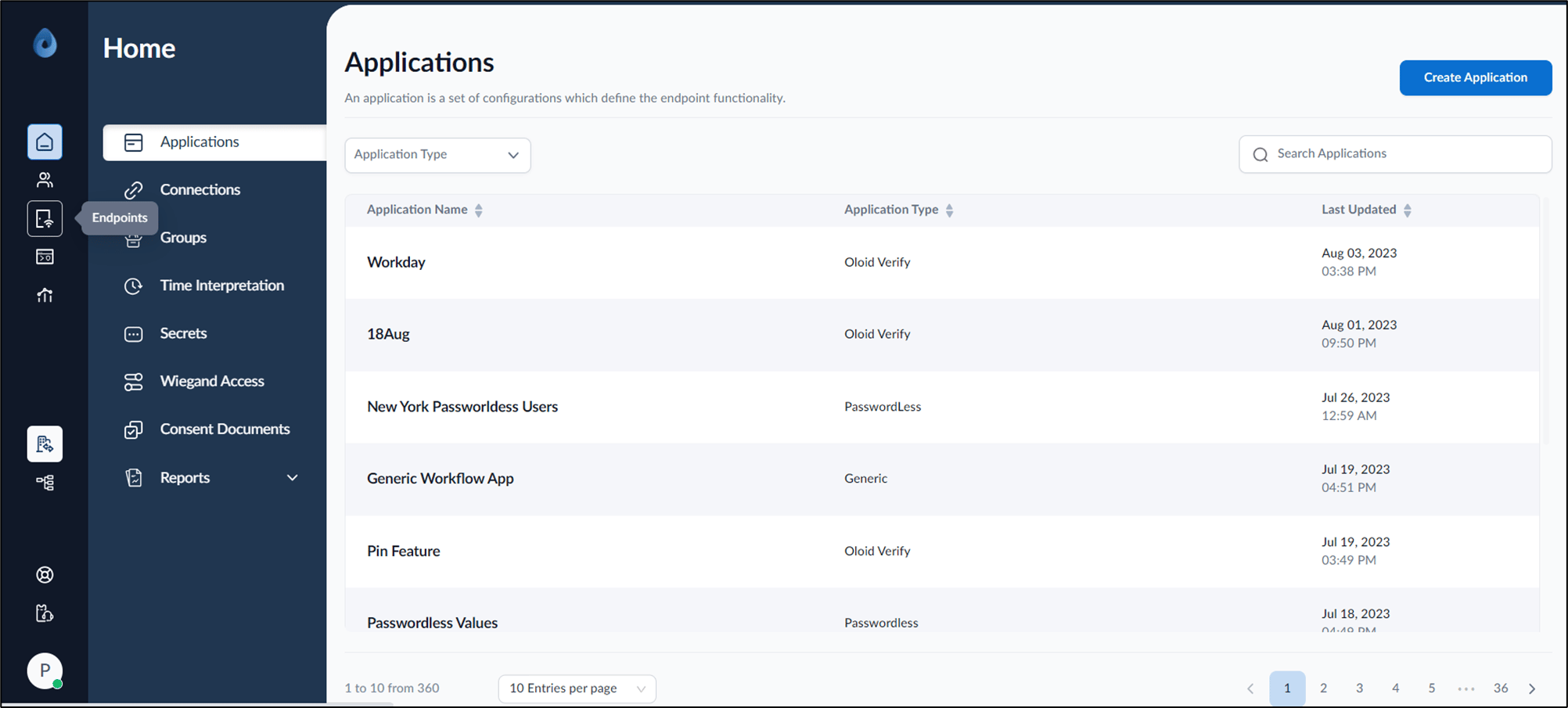
On the home page of the portal, click Endpoints on the left panel menu.
-
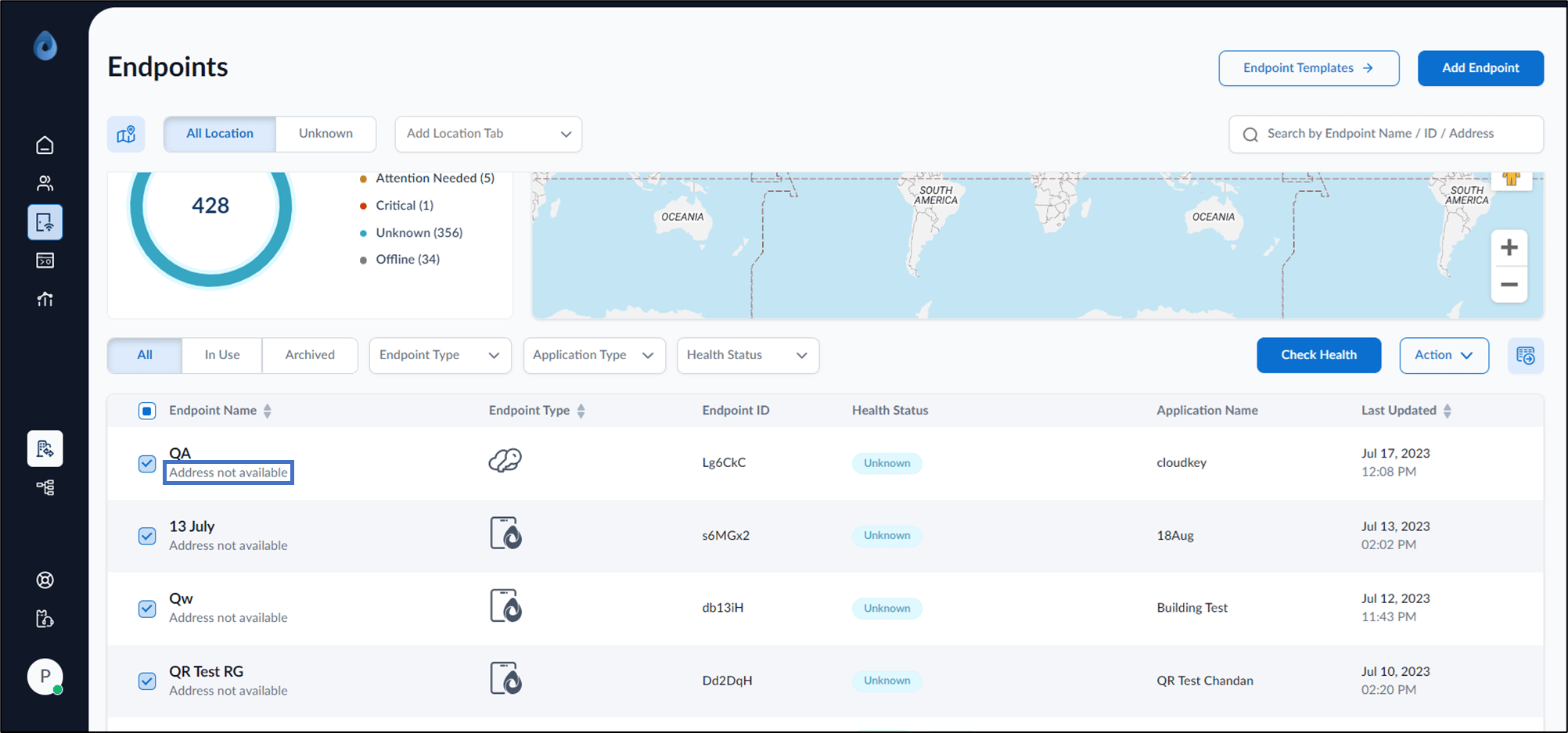
Select endpoints whose addresses are not updated.
-
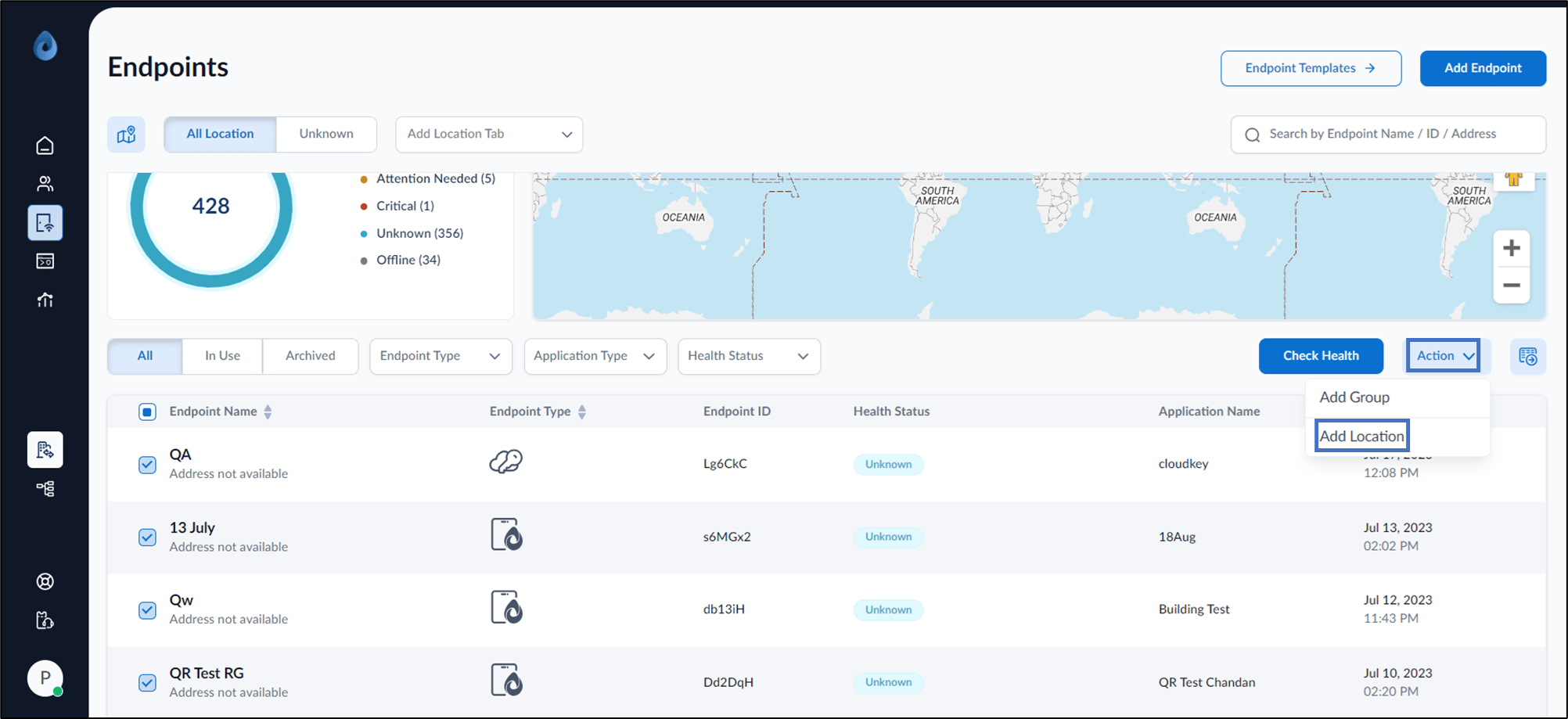
Go to Action dropdown and select Add Location.
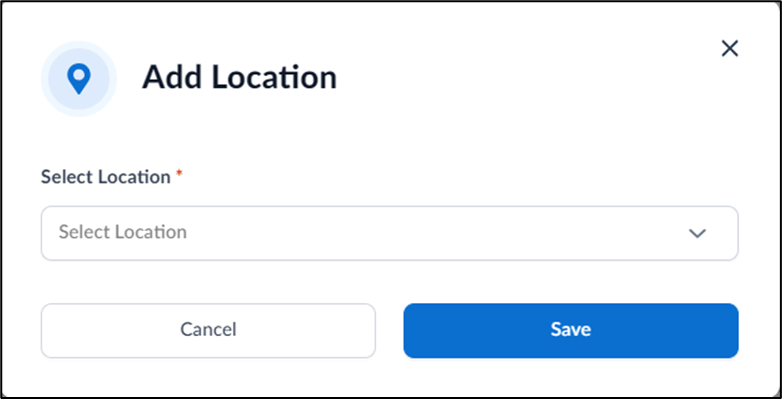
- Select appropriate location from Select Location dropdown.
-
Click Save.
The location is successfully updated for the selected endpoints.
 Note: To update the address of a specific endpoint, navigate to the endpoint details page and make the necessary change.