Steps to Migrate User to a different Connection:
  1. Log in to the Oloid Portal.
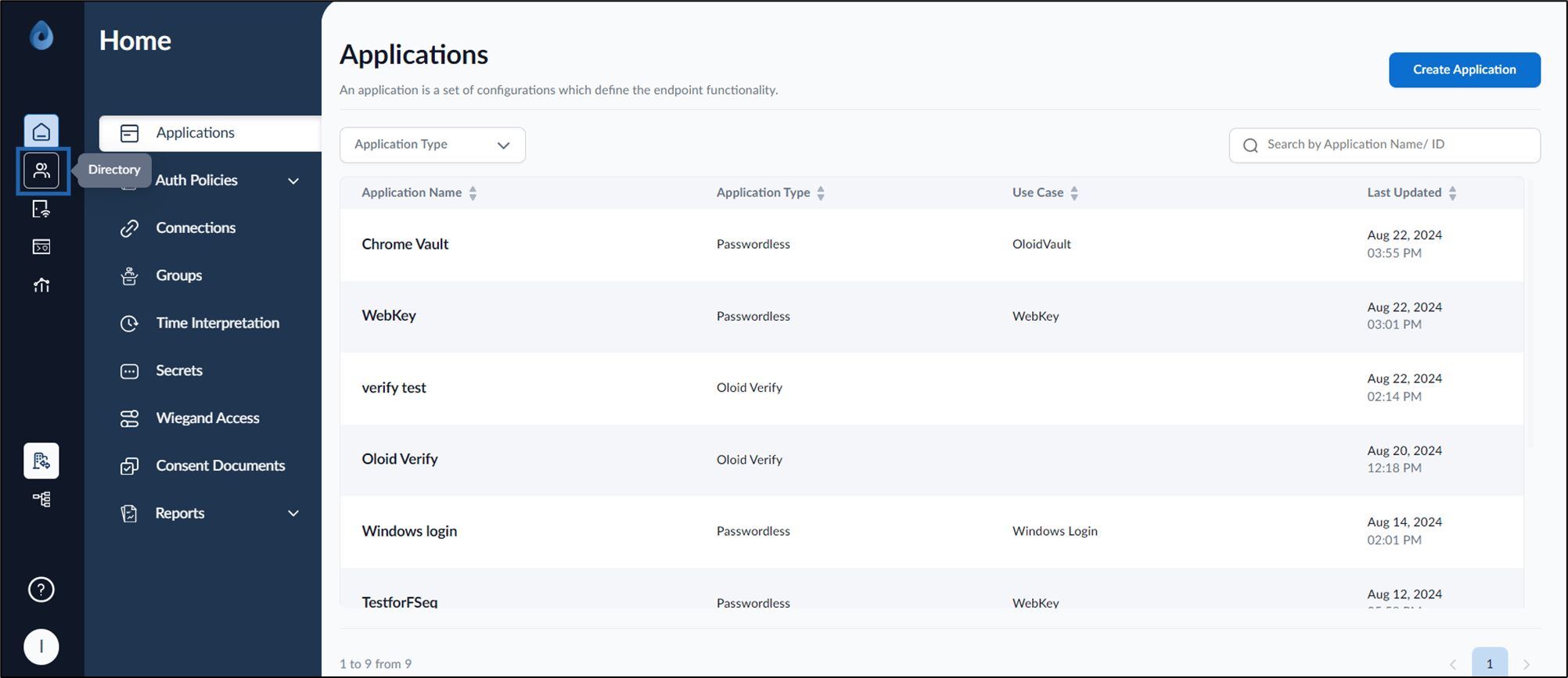
  2. On the home page of the portal, click Directory on the left menu panel. Image The Users page is displayed.
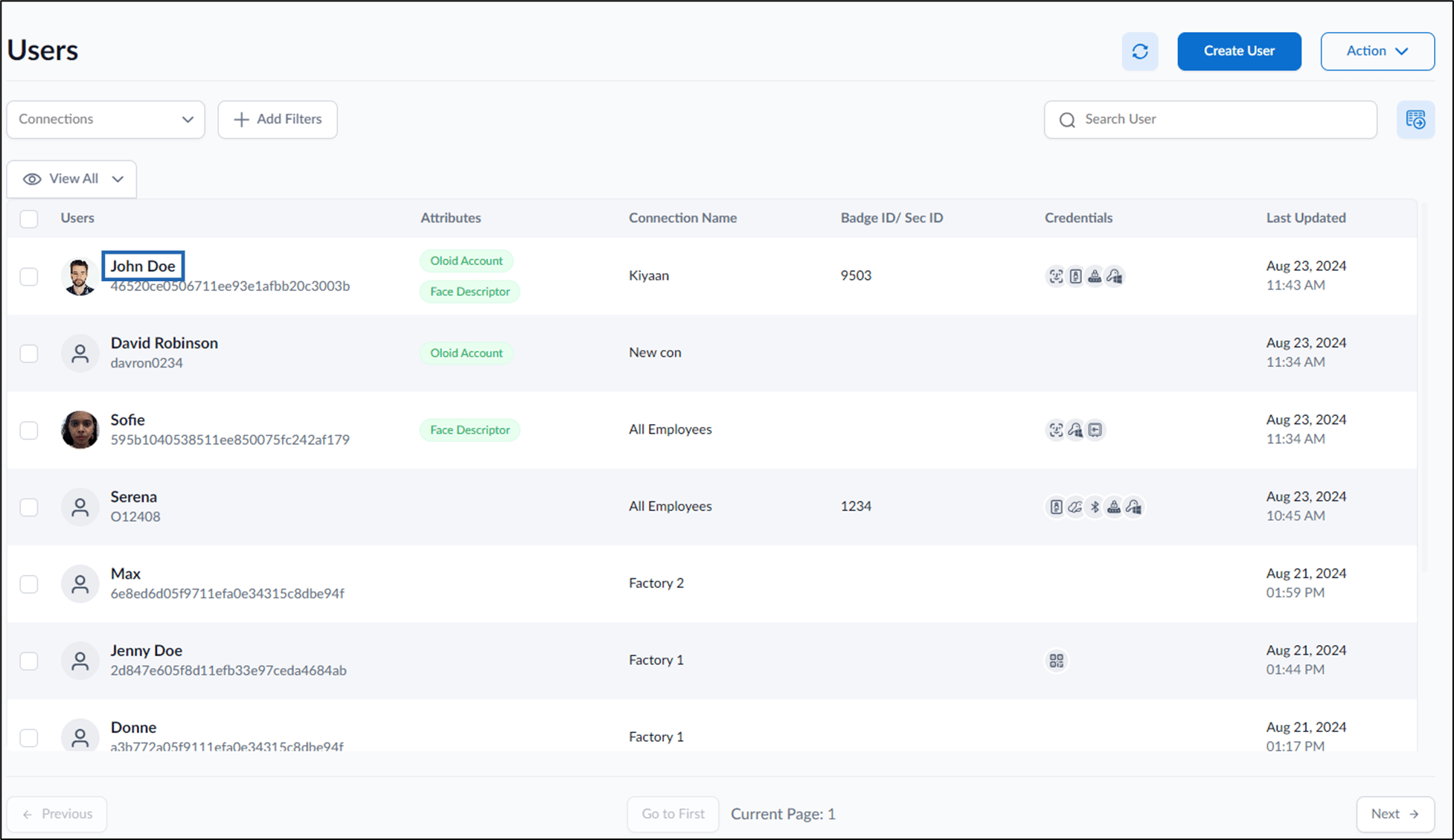
  3. Click Username to edit. Image The User details page is displayed.
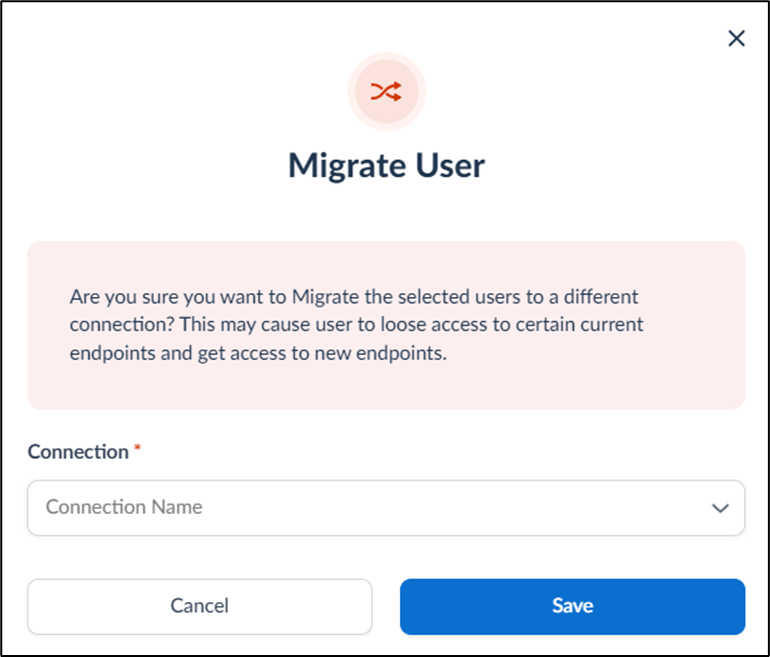
  4. Go to Action > Select Migrate User. Image The Migrate User pop-up box is displayed. How to migrate user to a different... - screenshot 1
  5. Select connection to map from Connection dropdown.
  6. Click Save.
The user is migrated and mapped to the new connection. How to migrate user to a different... - screenshot 2 The updated connection for the user is displayed on the Users page. Image