

Introduction
The Endpoint Activity section under Insights provides admin with a consolidated view of endpoint usage, endpoint health, and endpoint growth across the organization.Prerequisites
- You must have Tenant Admin account.
- Endpoints must be configured to application for endpoint data to appear.
How to Access Endpoint Activity
- Log in to Tenant Admin Portal.
- From the left navigation menu, click Insights Icon.
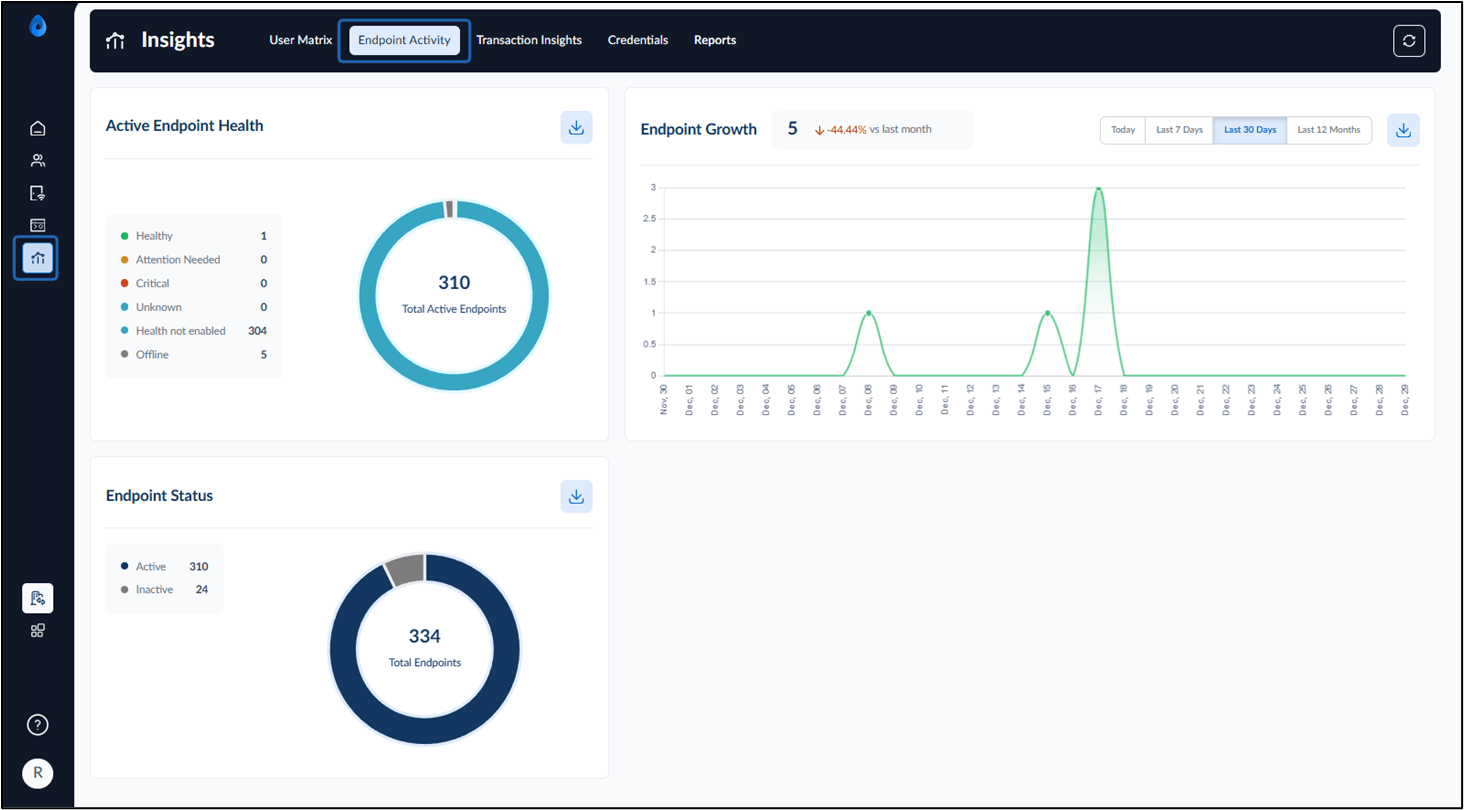
- Select the Endpoint Activity tab at the top. The Endpoint Activity dashboard is displayed. Users can download reports for the following sections.
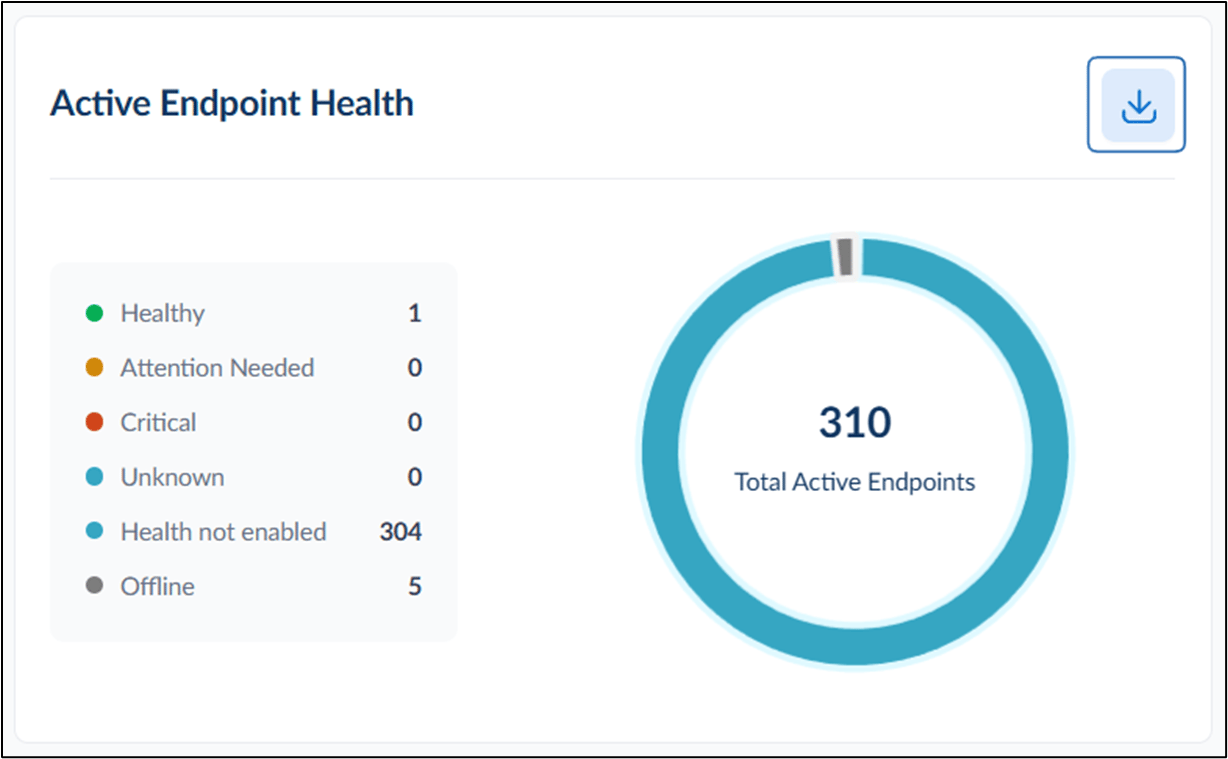
Active Endpoint Health
This section provides a real-time overview of the health status of active endpoints. Health Status Categories:- Healthy – Endpoints functioning normally.
- Attention Needed – Endpoints that require review due to warnings.
- Critical – Endpoints with serious issues that need immediate action.
- Unknown – Health status cannot be determined.
- Health Not Enabled – Endpoints where health monitoring is not configured.
- Offline – Endpoints that are currently unreachable.
Endpoint Growth
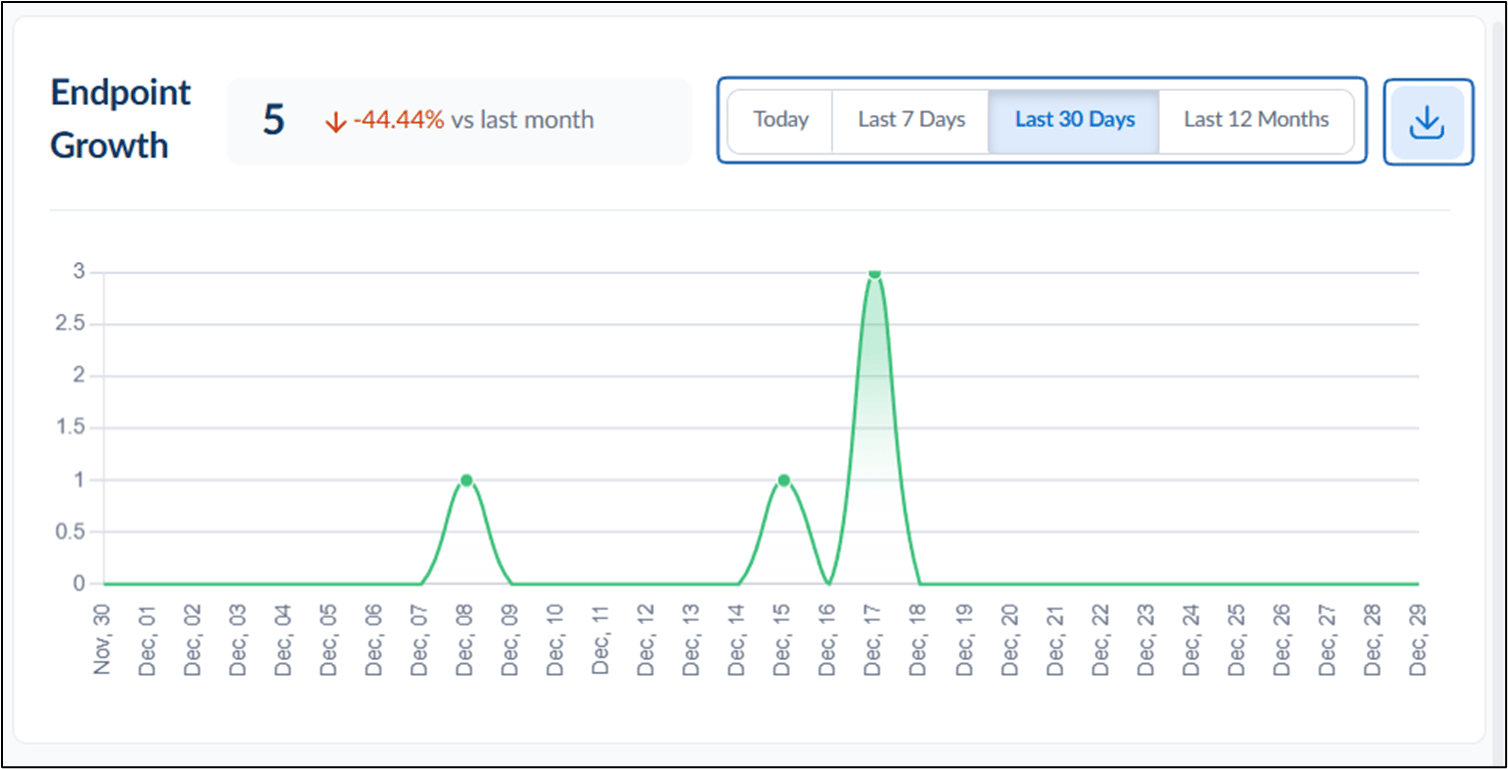
The Endpoint Growth section displays how the number of endpoints changes over time. Endpoint growth can be viewed for:- Today
- Last 7 Days
- Last 30 Days
- Last 12 Months
Note:
- Compare growth percentage with the previous period (for example, vs yesterday).
- If no data is available for the selected time range, a “No data to show yet” message is displayed.
Endpoint Status
This section shows the overall status of all endpoints in the system. Status Types:- Active – Endpoints currently in use and available.
- Inactive – Endpoints that are registered but not currently active.
