Introduction
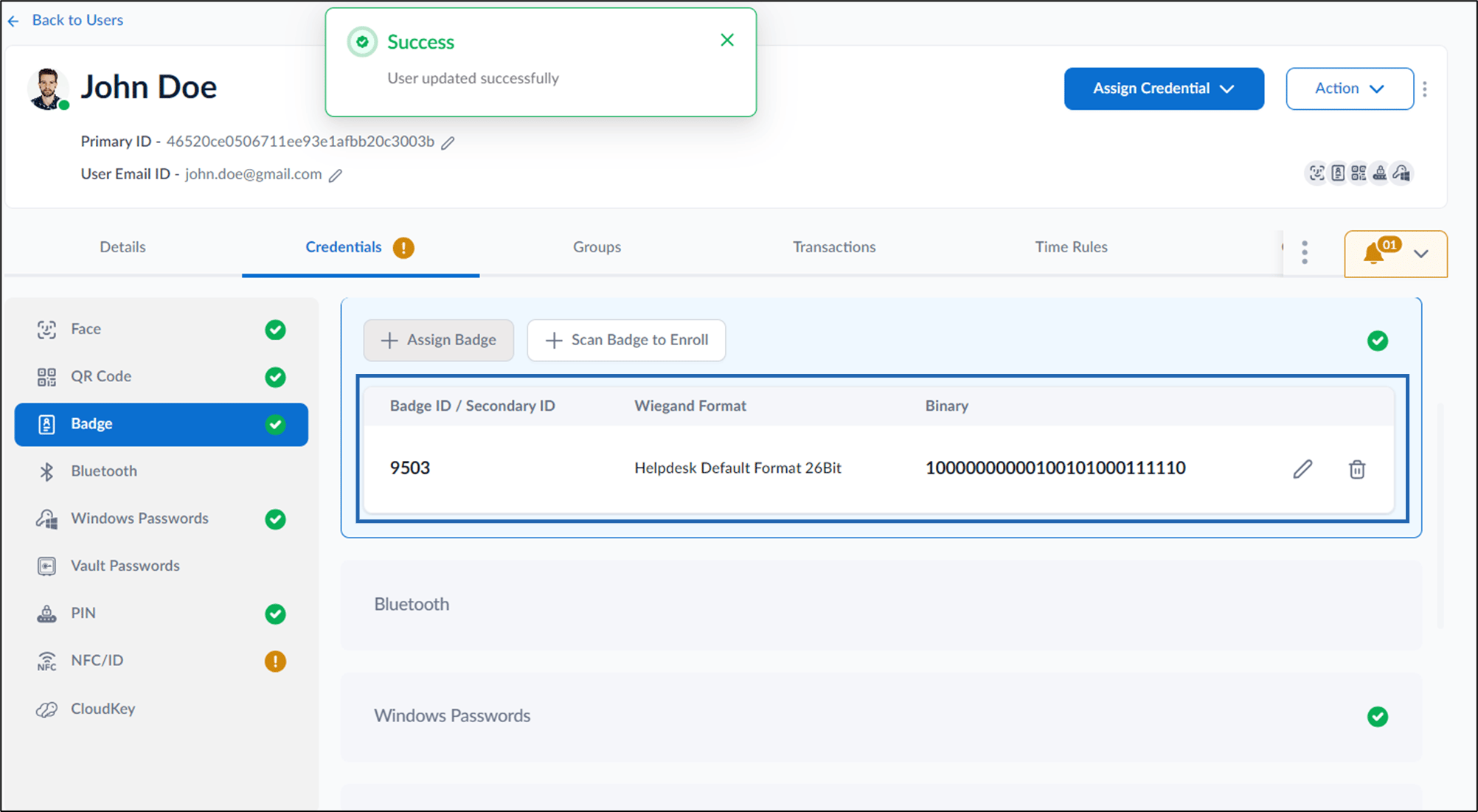
This document provides step-by-step instructions to assign Badge ID as a credential to users in the Tenant Admin Portal, including how to set the Wiegand format and link the Badge ID to a user’s profile.Steps to assign Badge
- Log in to the Tenant Admin Portal.
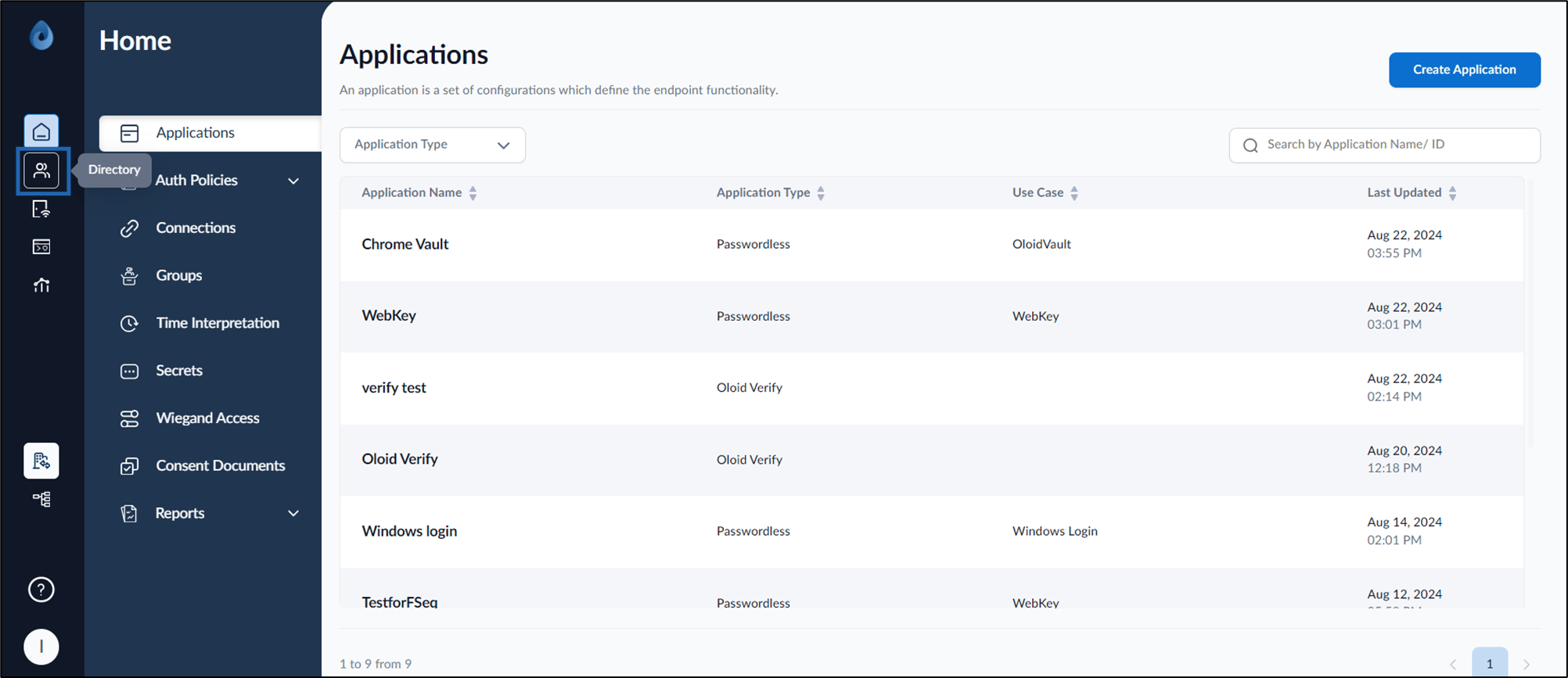
- On the home page of the portal, click Directory on the left menu panel.
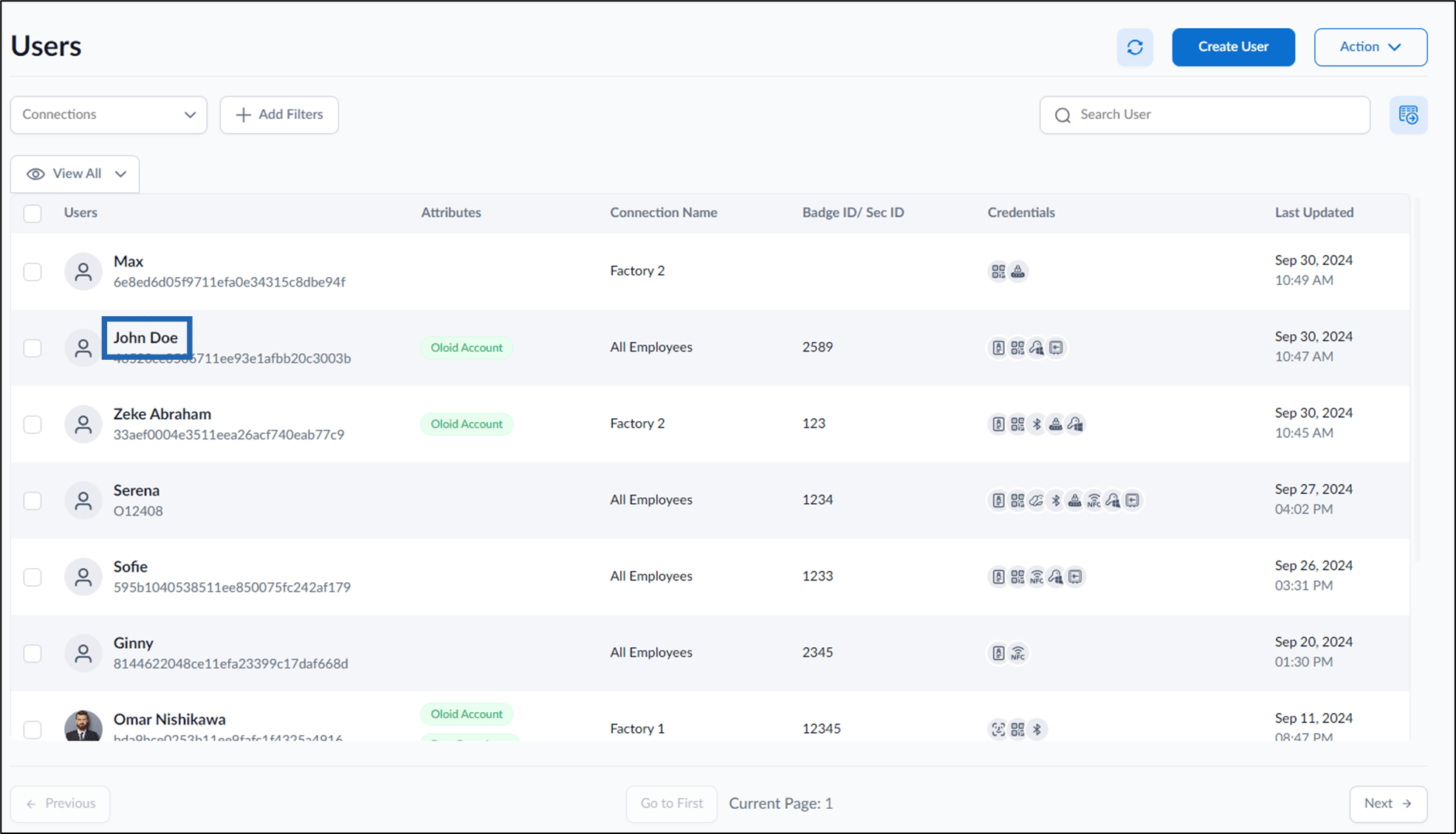
- Click user name to edit.
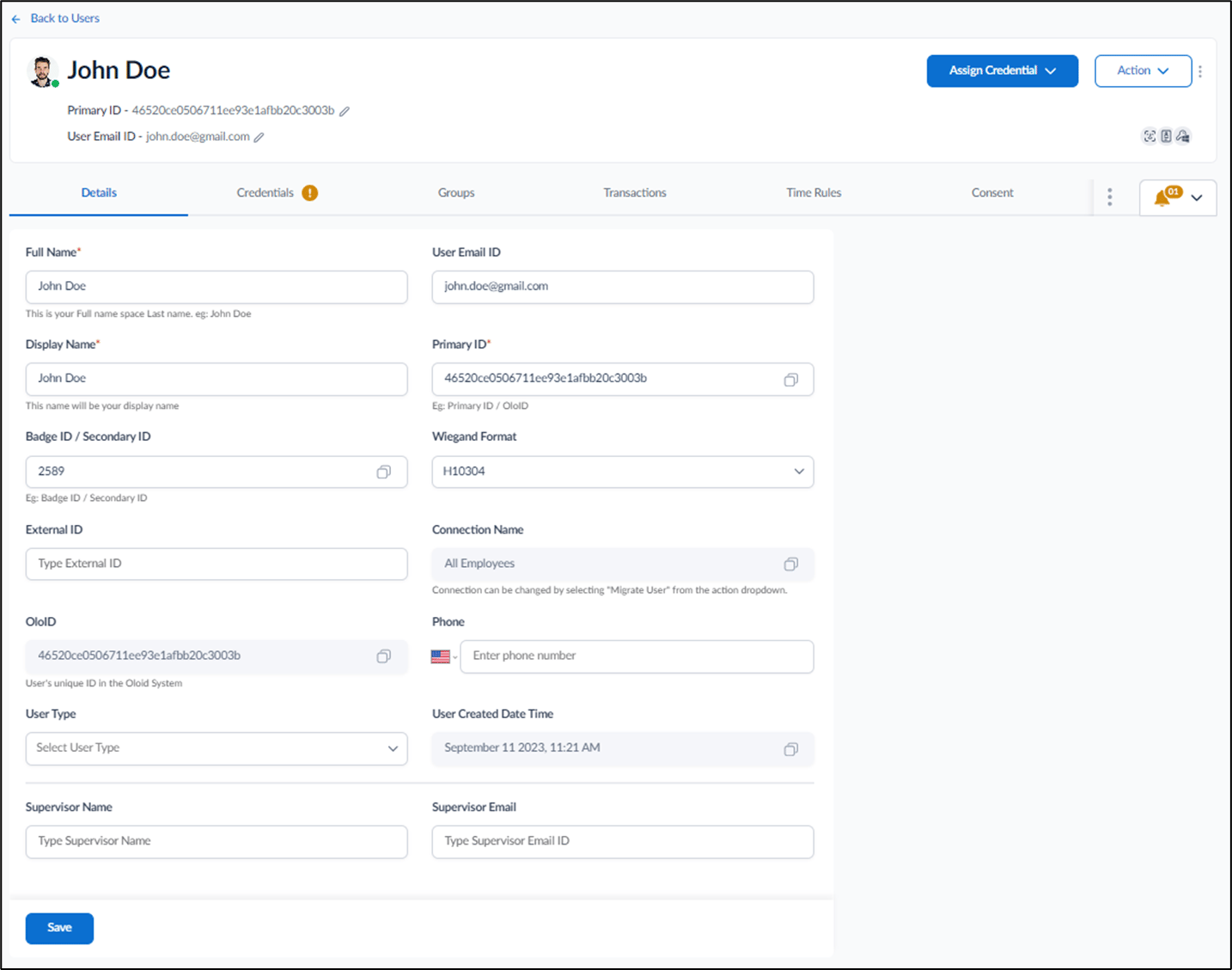
- Do one of the following:
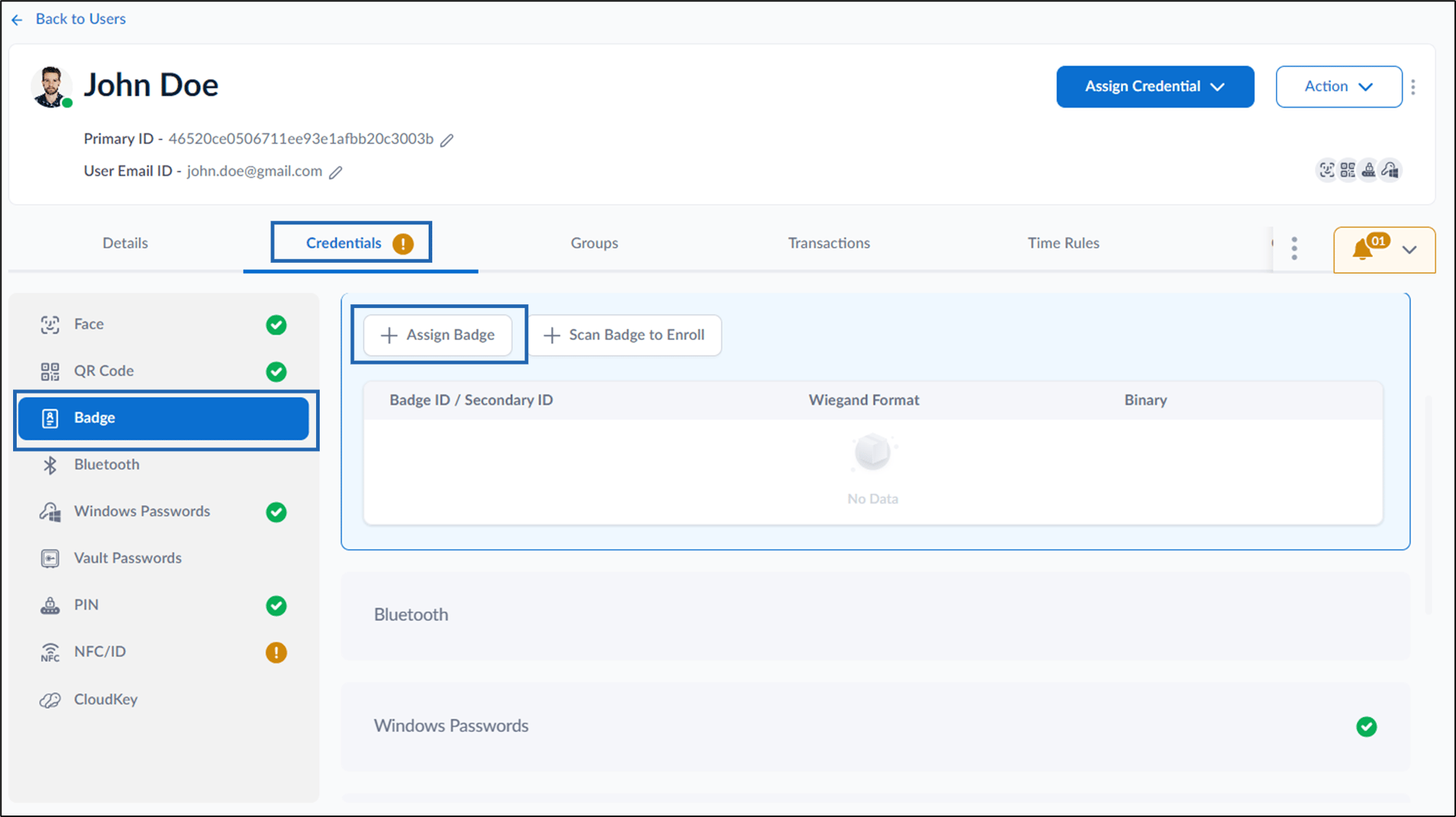
- Go to Credentials tab > Badge > + Assign Badge.
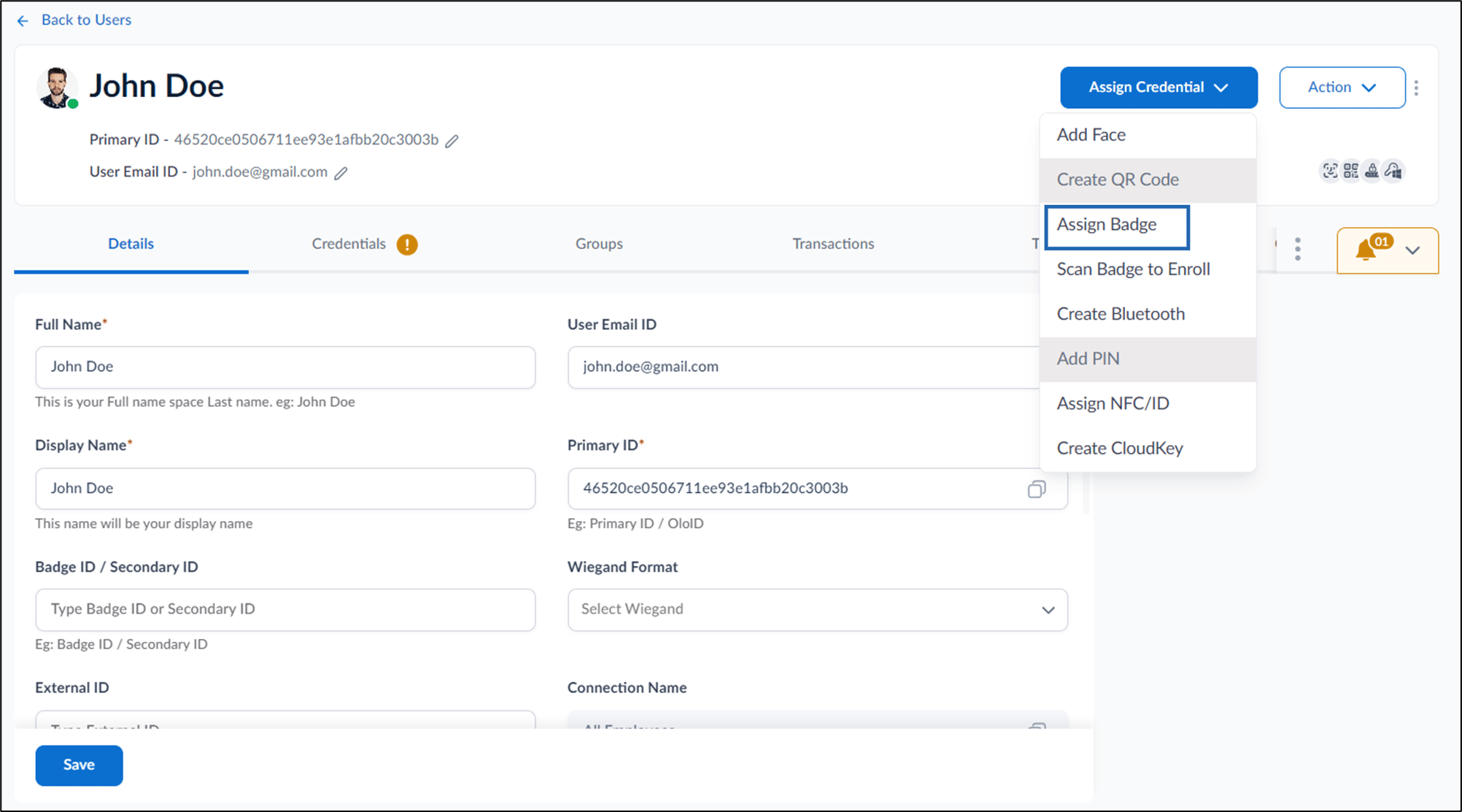
- Go to Assign Credential > Assign Badge.
- Go to Credentials tab > Badge > + Assign Badge.
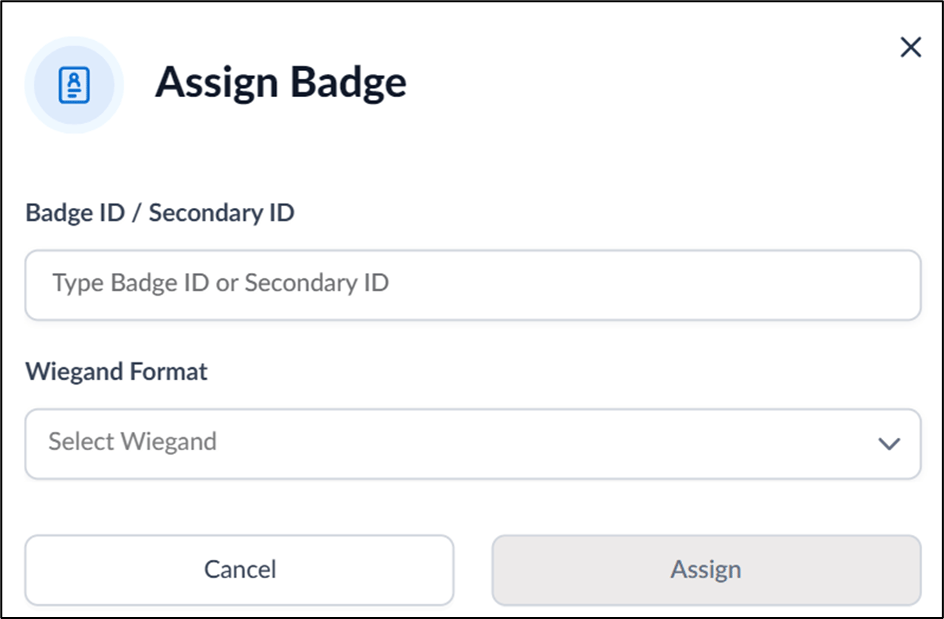
- Enter Badge ID and select Wiegand Format.
- Click Assign.
The badge ID is assigned and listed on the Badge tab.