Introduction
The Data Mapper Table in the Tenant Admin Portal allows admins to map employee data from external systems such as OKTA - Inbound to Oloid. This document provides instructions on how to create the Data Mapper table for OKTA - Inbound.Prerequisite
You must have access to the Tenant Admin Portal.Steps to Create Data Mapper Table
- Log in to Tenant Admin Portal.
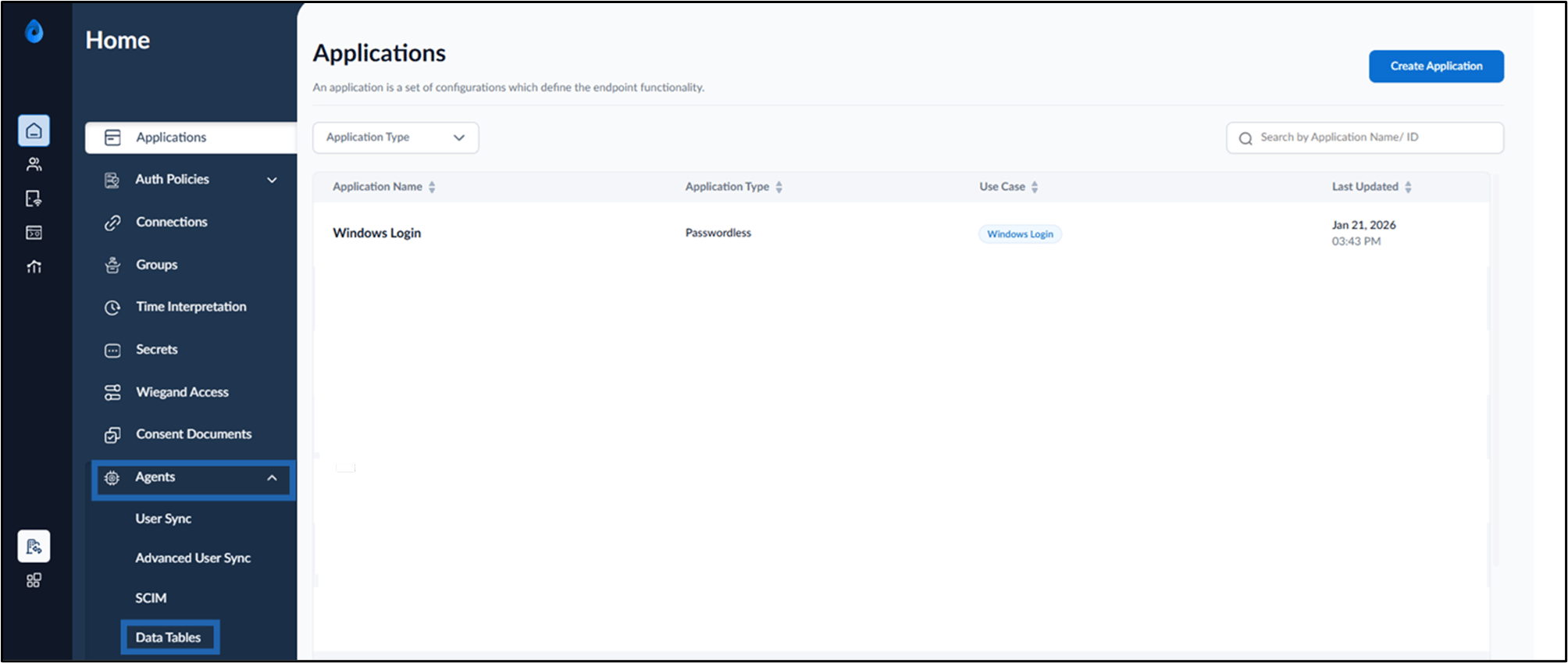
- Go to Agents tab > click Data Tables.
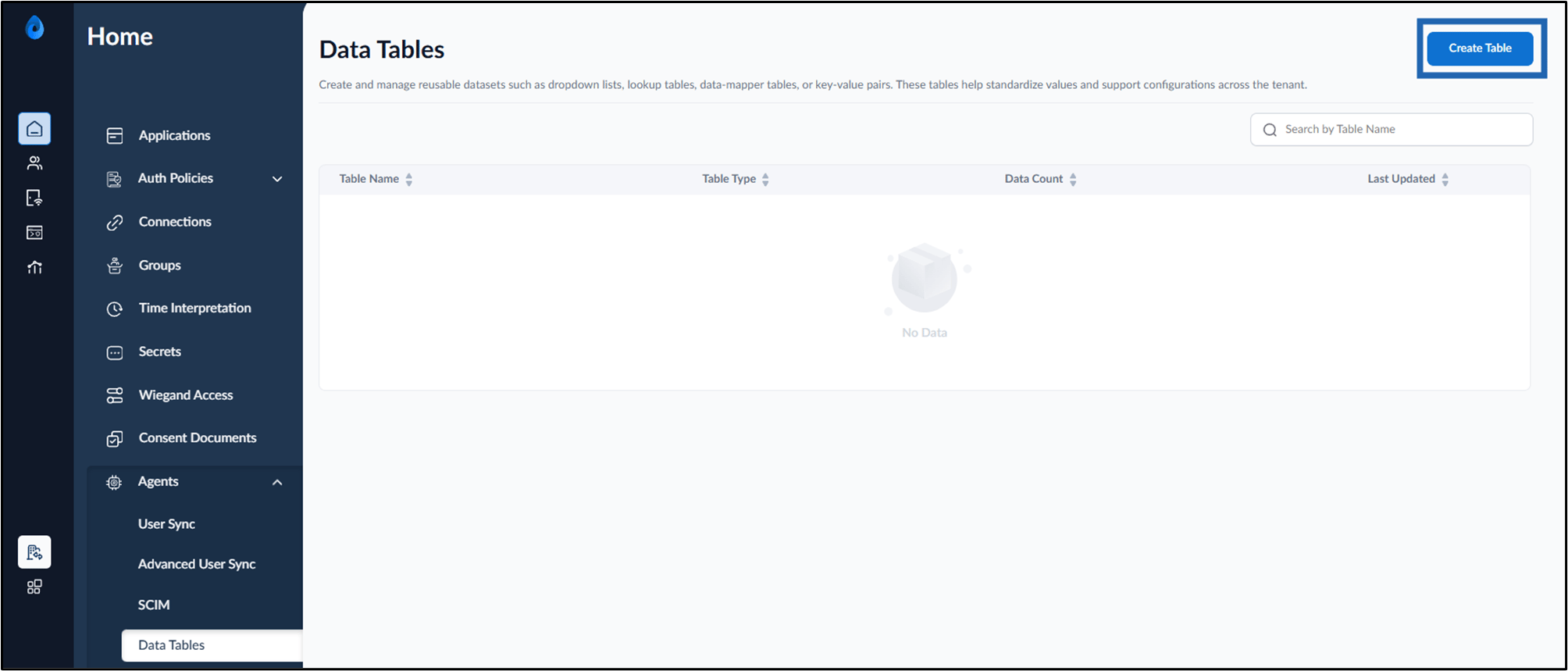
- Click Create Table.
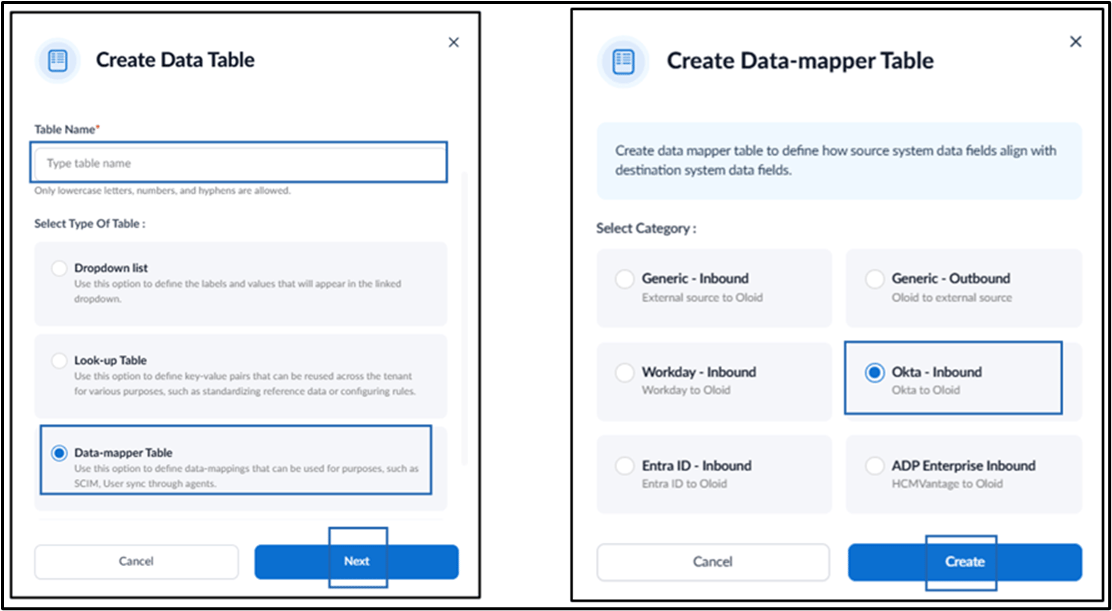
- Do the following:
- Enter Table Name.
- Select Data-mapper Table in Type of Table.
- Click Next.
- Select OKTA - Inbound as a Category.
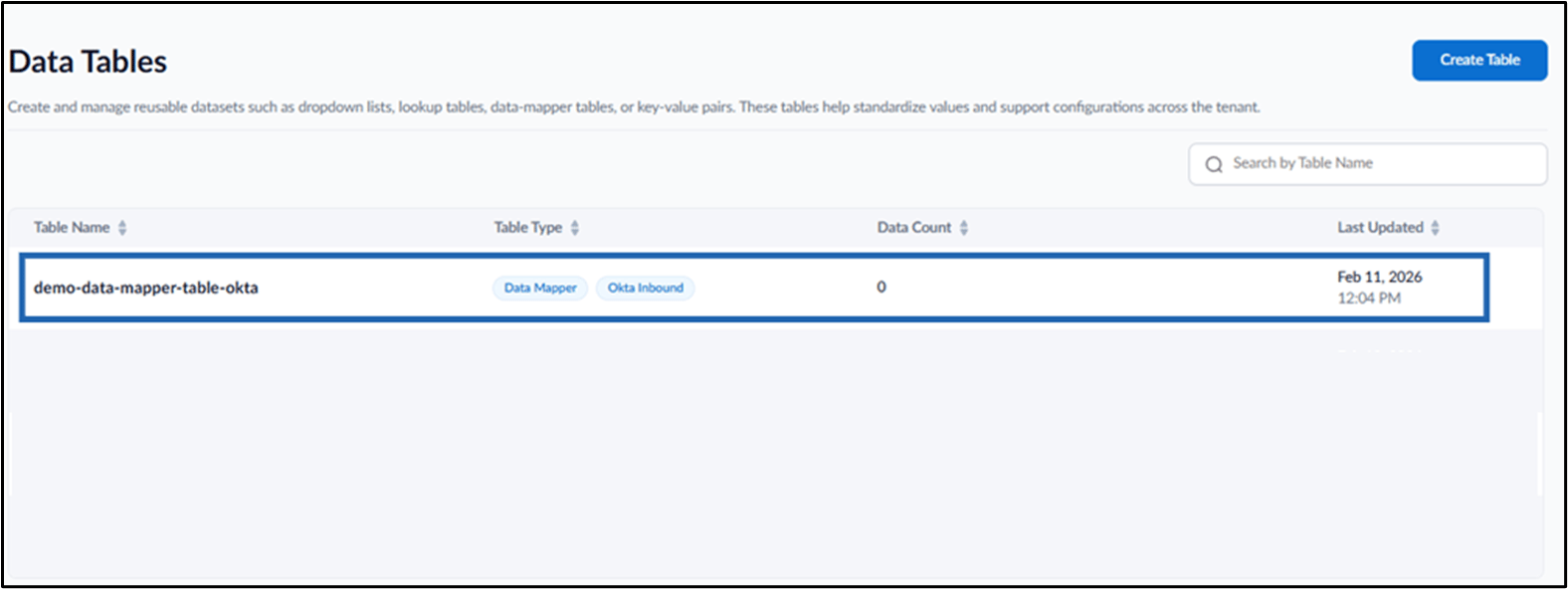
- Click Create.