

- Log in to the Tenant Admin Portal.
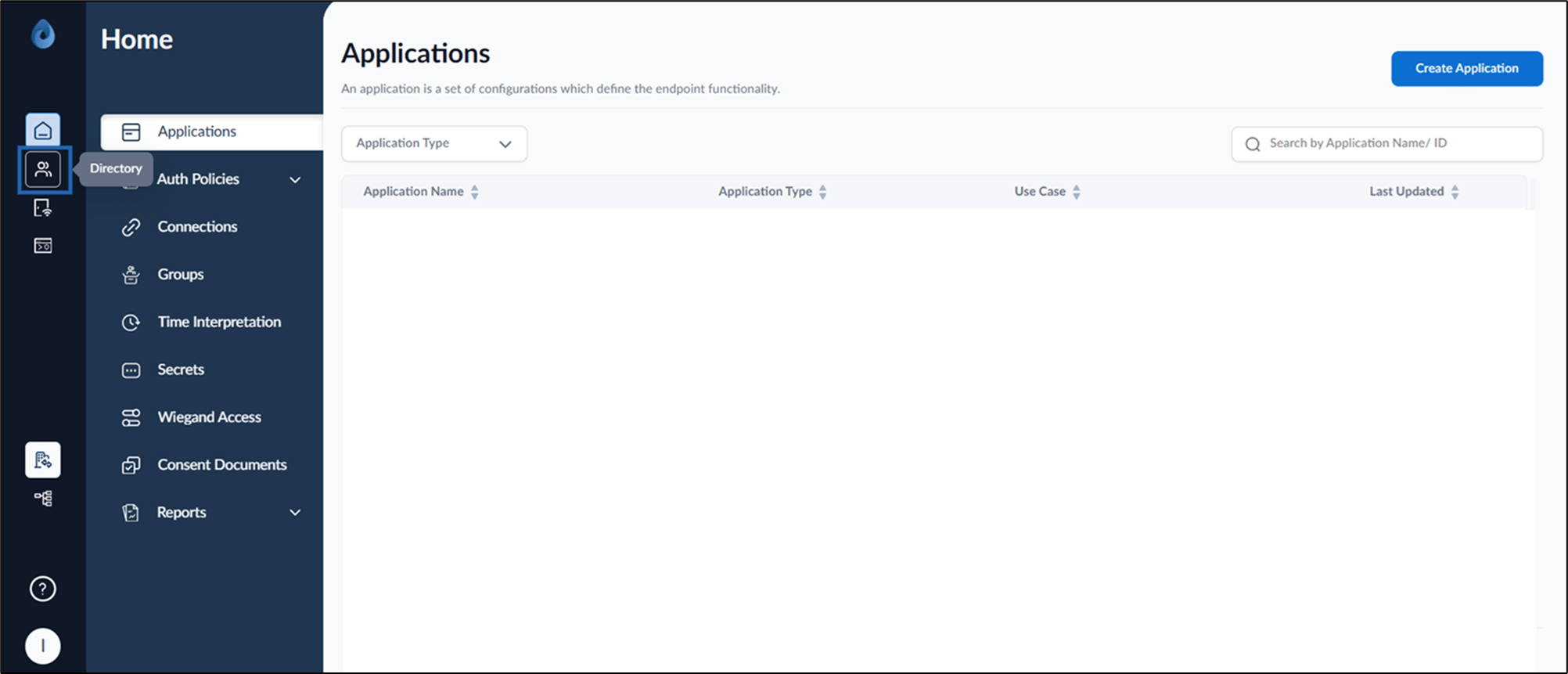
- On the home page of the portal, click Directory on the left menu panel.
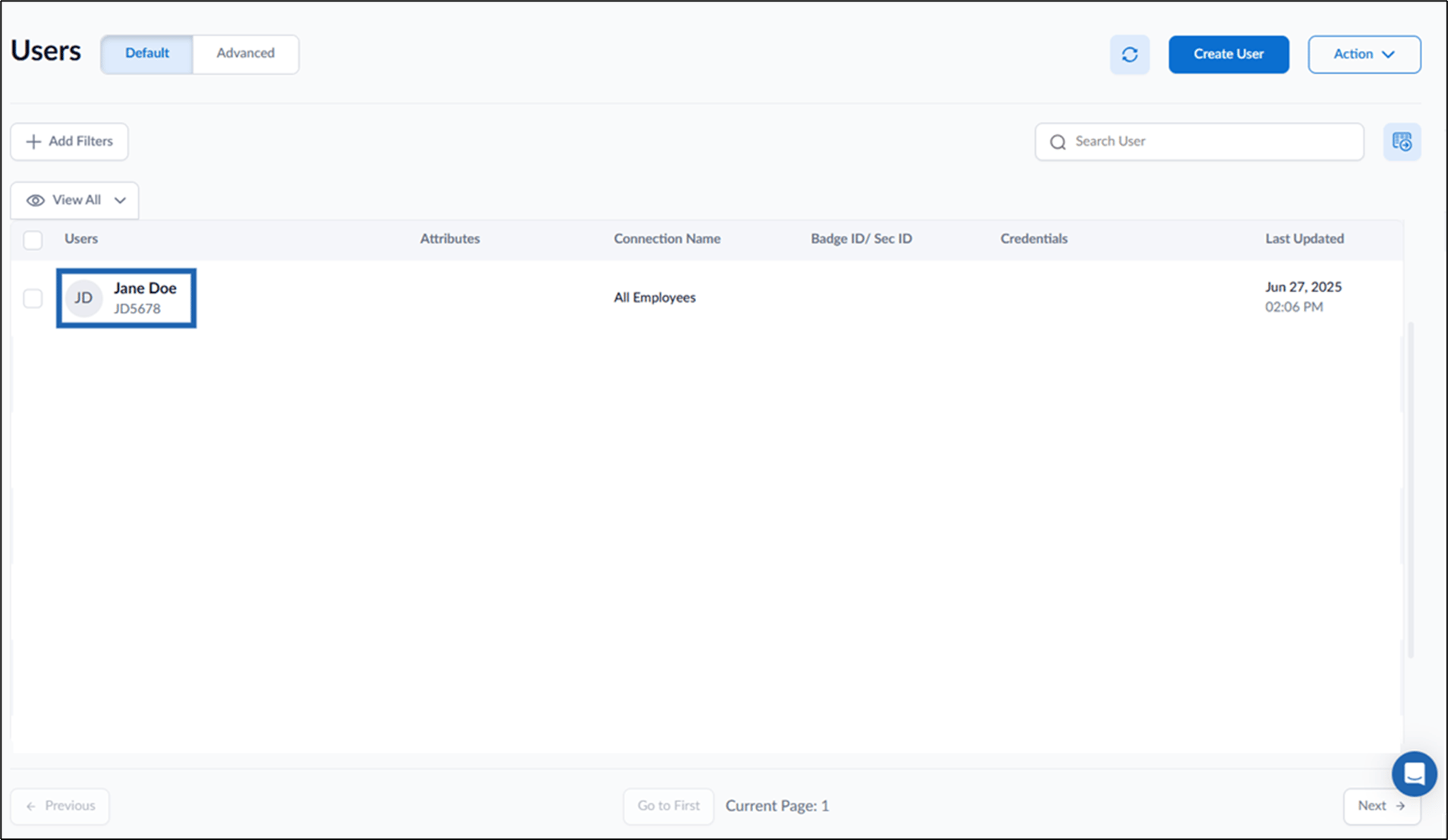
- Click Username to edit.
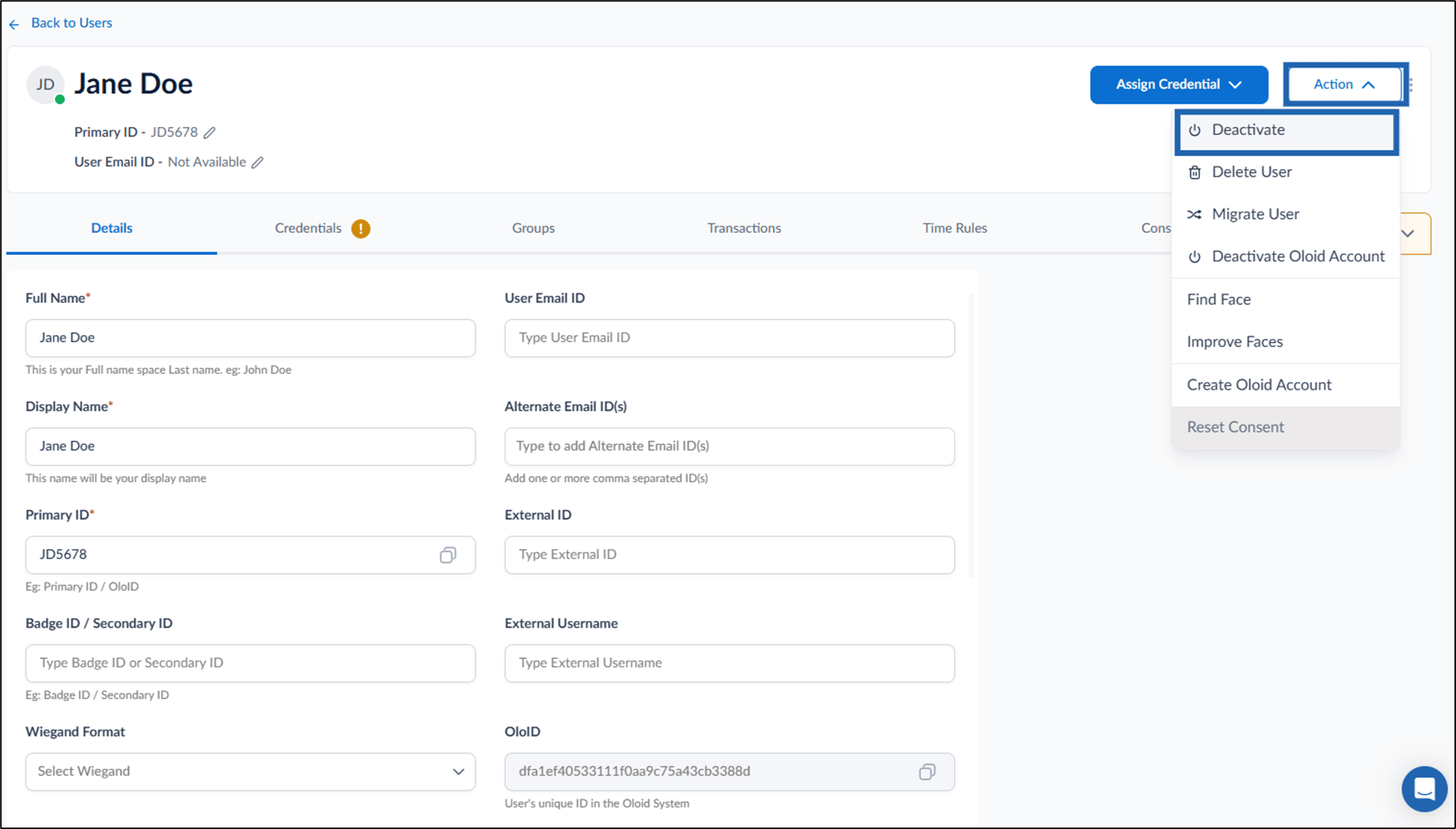
- On the top-right, go to Action > Deactivate.
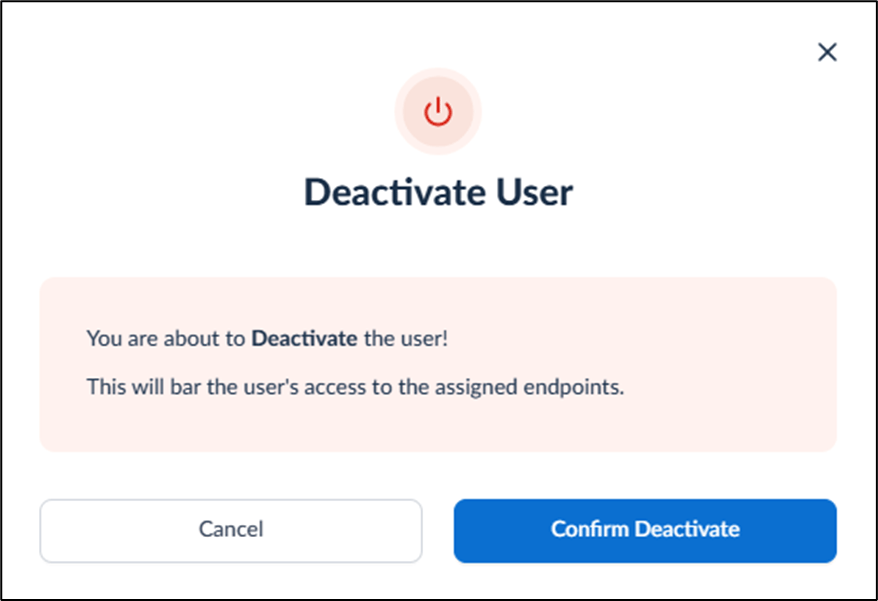
- Click Confirm Deactivate.
The user is deactivated successfully.
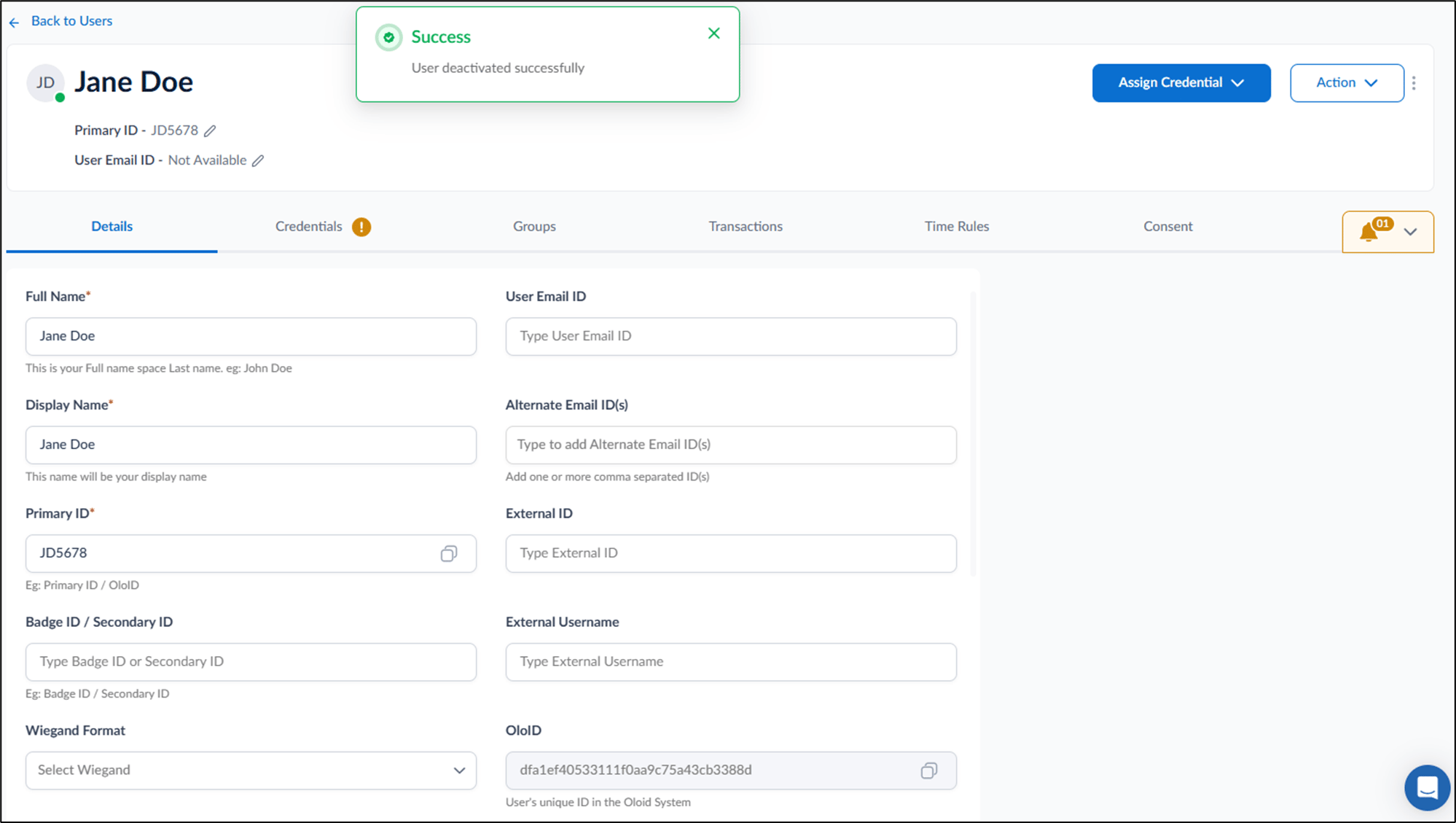
How to deactivate user in the Tenant Admin Portal
This document provides step-by-step instructions to deactivate user in the Tenant Admin Portal.
Steps to deactivate User:
⌘I