

Introduction
The User Matrix page in the Insights module provides a comprehensive view of user onboarding activity, credential enrollment, and growth trends across your organization. It allows Users to download Insight reports.Prerequisites
- You must have a Tenant Admin account.
- Users must be added to the tenant directory for onboarding data to appear.
Accessing the User Matrix
- Log in to the Tenant Admin Portal.
- From the left navigation panel, select Insights Icon.
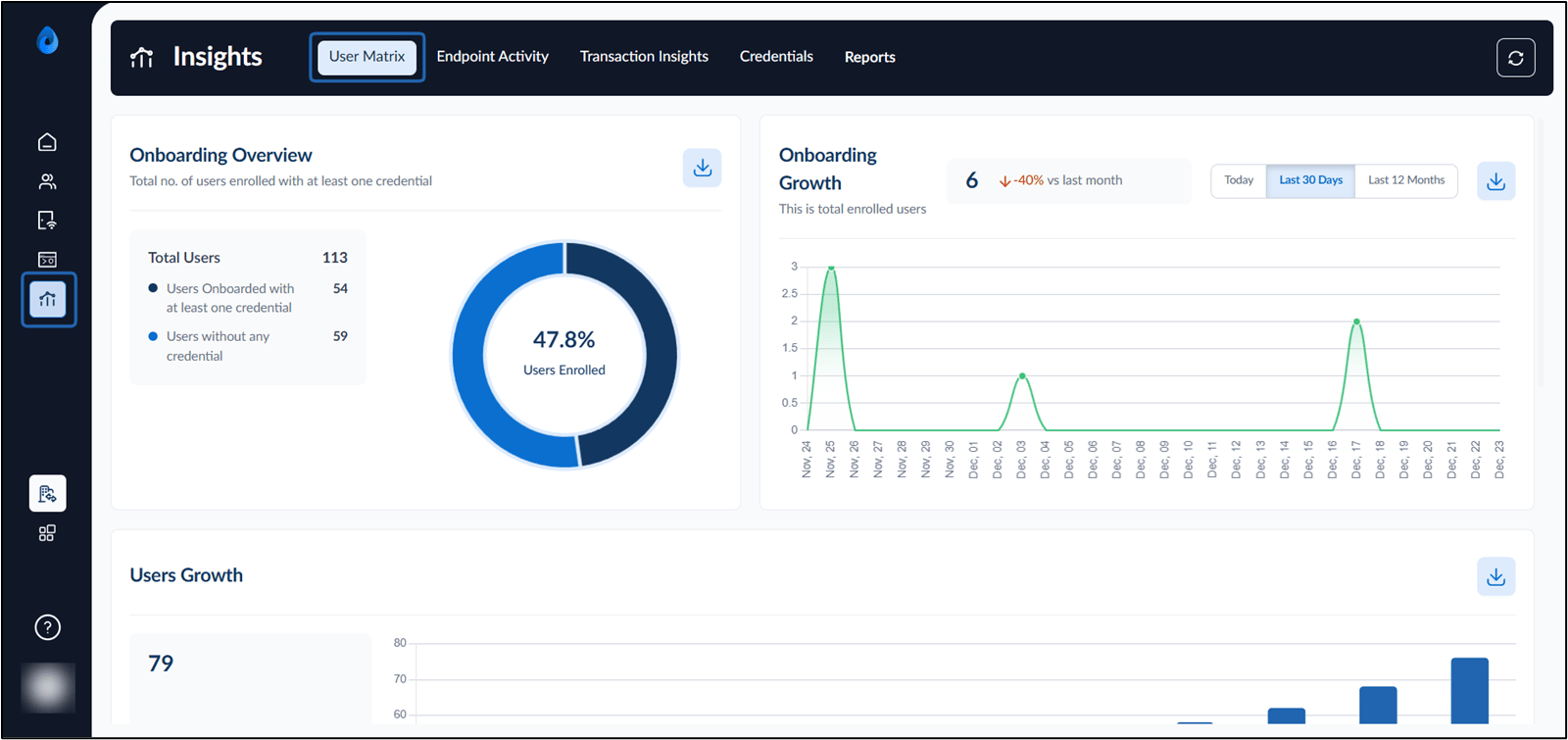
- Select the User Matrix tab. The User Matrix dashboard is displayed.
- Do the following:
Onboarding Overview
The Onboarding Overview section displays a high-level summary of the total users and their onboarding status.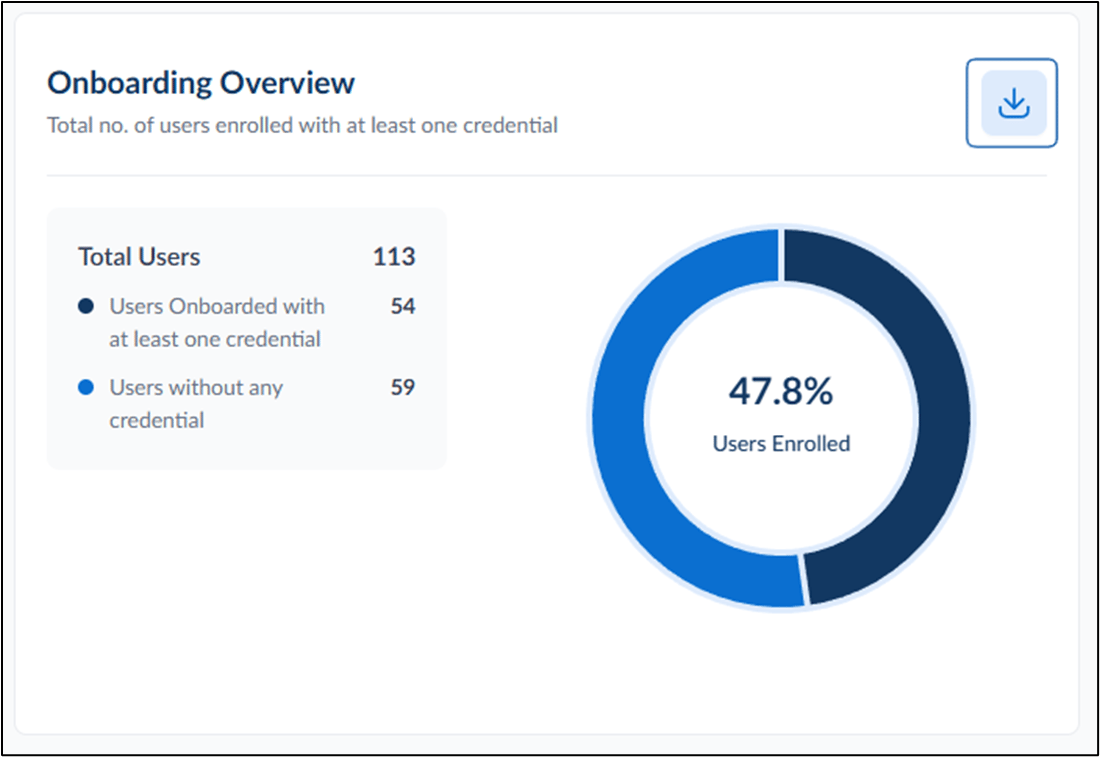
- The onboarding overview section displays the following details:
Total Users: The total number of users in the tenant.
- Users Onboarded with at least one credential: The number of users who have completed onboarding by adding at least one credential.
- Users without any credential The number of users who have not added any credentials.
- Onboarding Percentage Chart A circular chart that shows the percentage of onboarded users.
- Click download icon in this section to export a summary report of the onboarding data.
Onboarding Growth
The Onboarding Growth section tracks how many users have been onboarded within a selected time range.
- Filter the onboarding growth dashboard using time filters for:
- Today
- Last 30 Days
- Last 12 Months
- Click download icon to export onboarding growth data.
Users Growth
The Users Growth section displays the number of users added to the system and their growth patterns over time.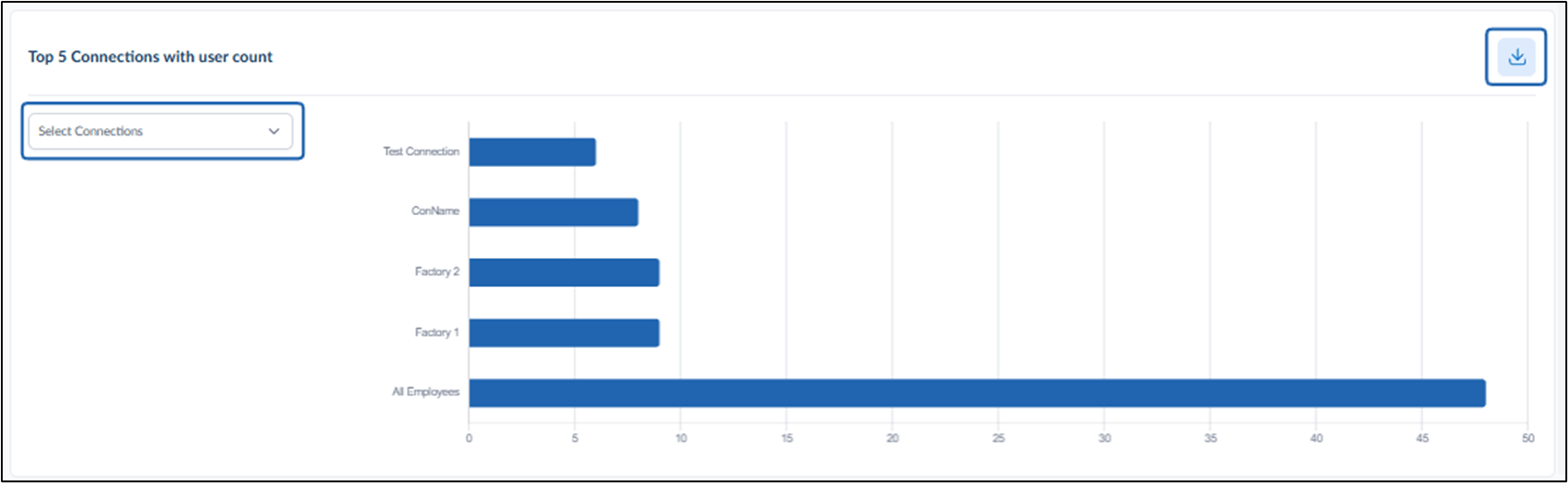
- The User Growth section displays the following details:
- Total Users Added: Shows the number of users added within the tracked period.
- Growth Chart: A bar chart visualizing user growth trends.
- Click download icon to export the users growth dataset.