

- Log in to the Tenant Admin Portal.
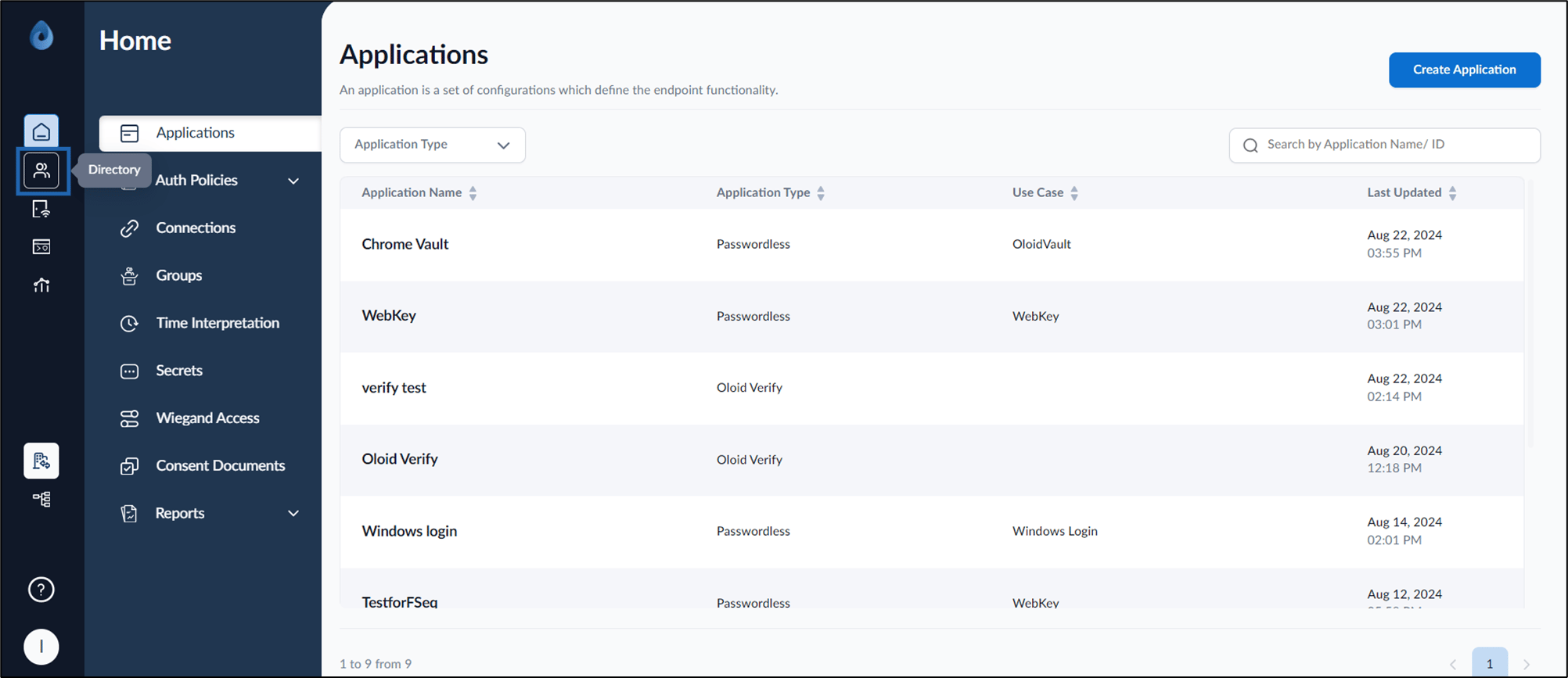
- On the home page of the portal, click Directory on the left menu panel.
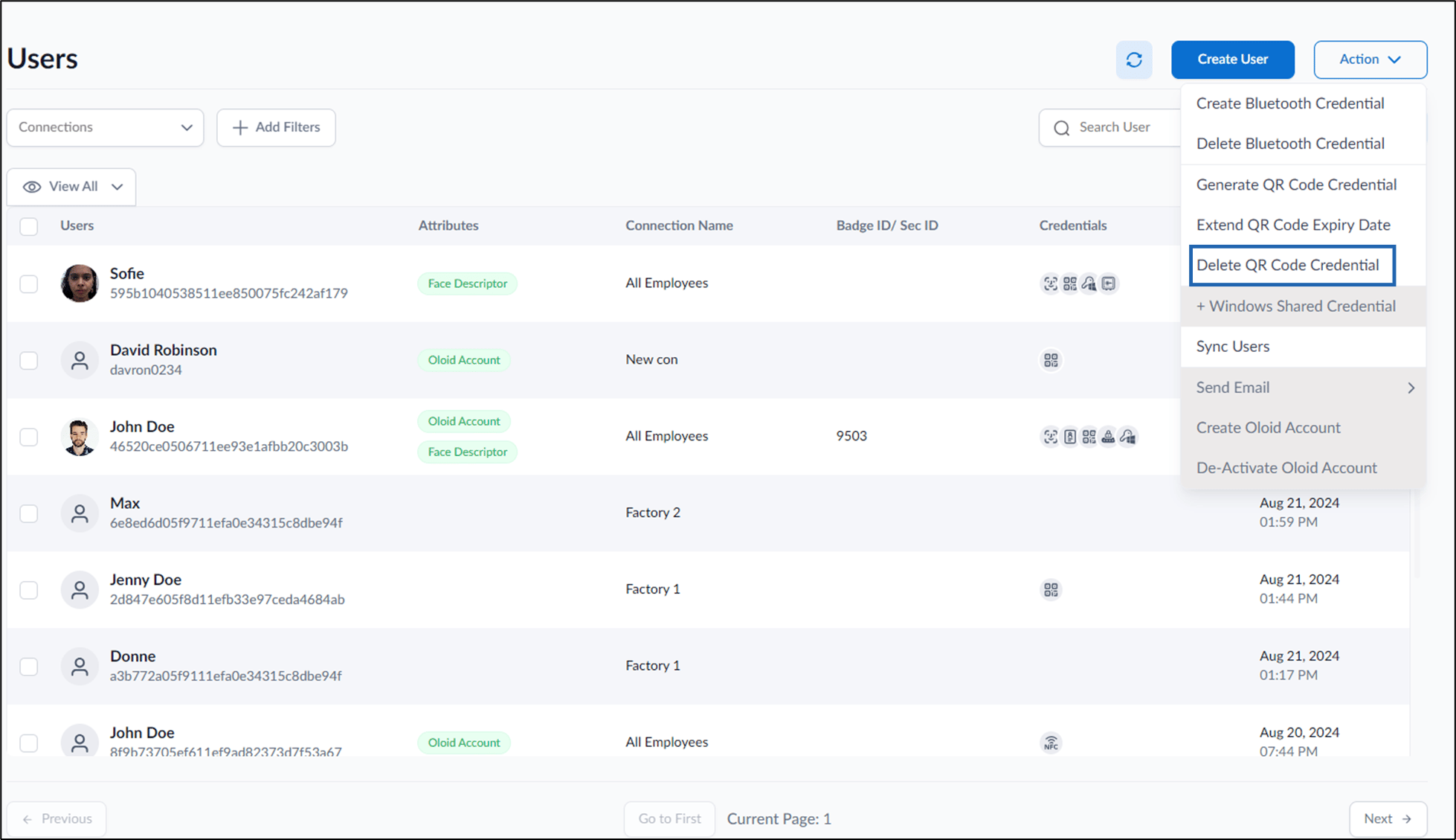
- Go to Action > Delete QR Code Credential.
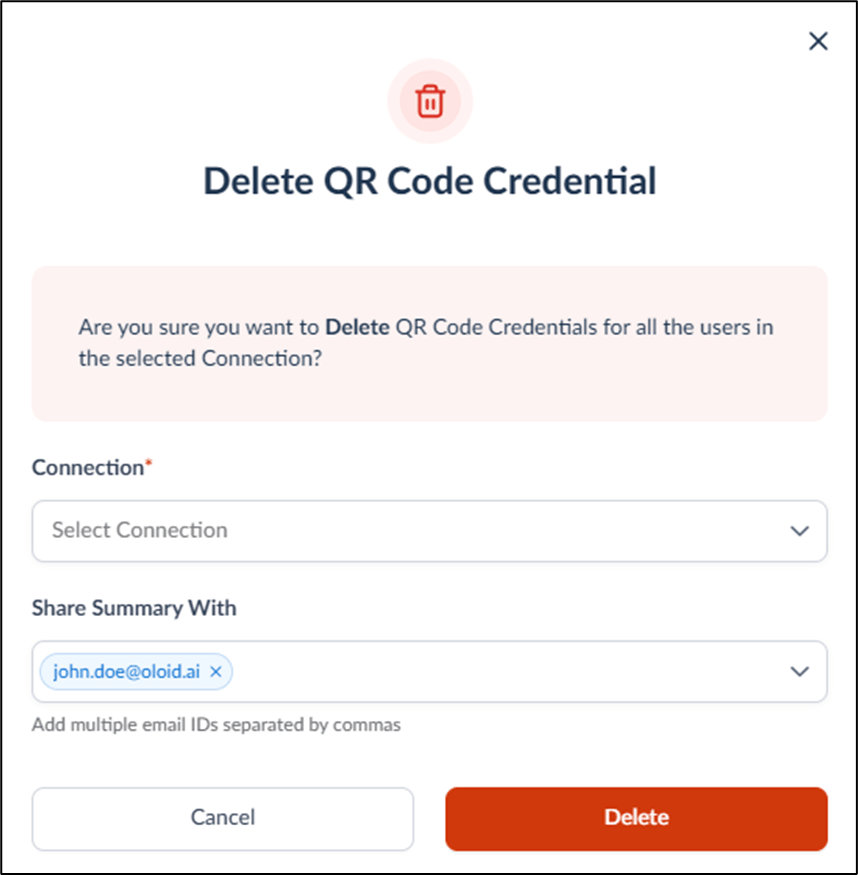
- On the pop-up box, do the following:
- Select the connection from the Connection dropdown list.
- Under Share Summary With field enter the email ID(s) with whom you want to share the QR Code summary. (optional)
- Click Delete.
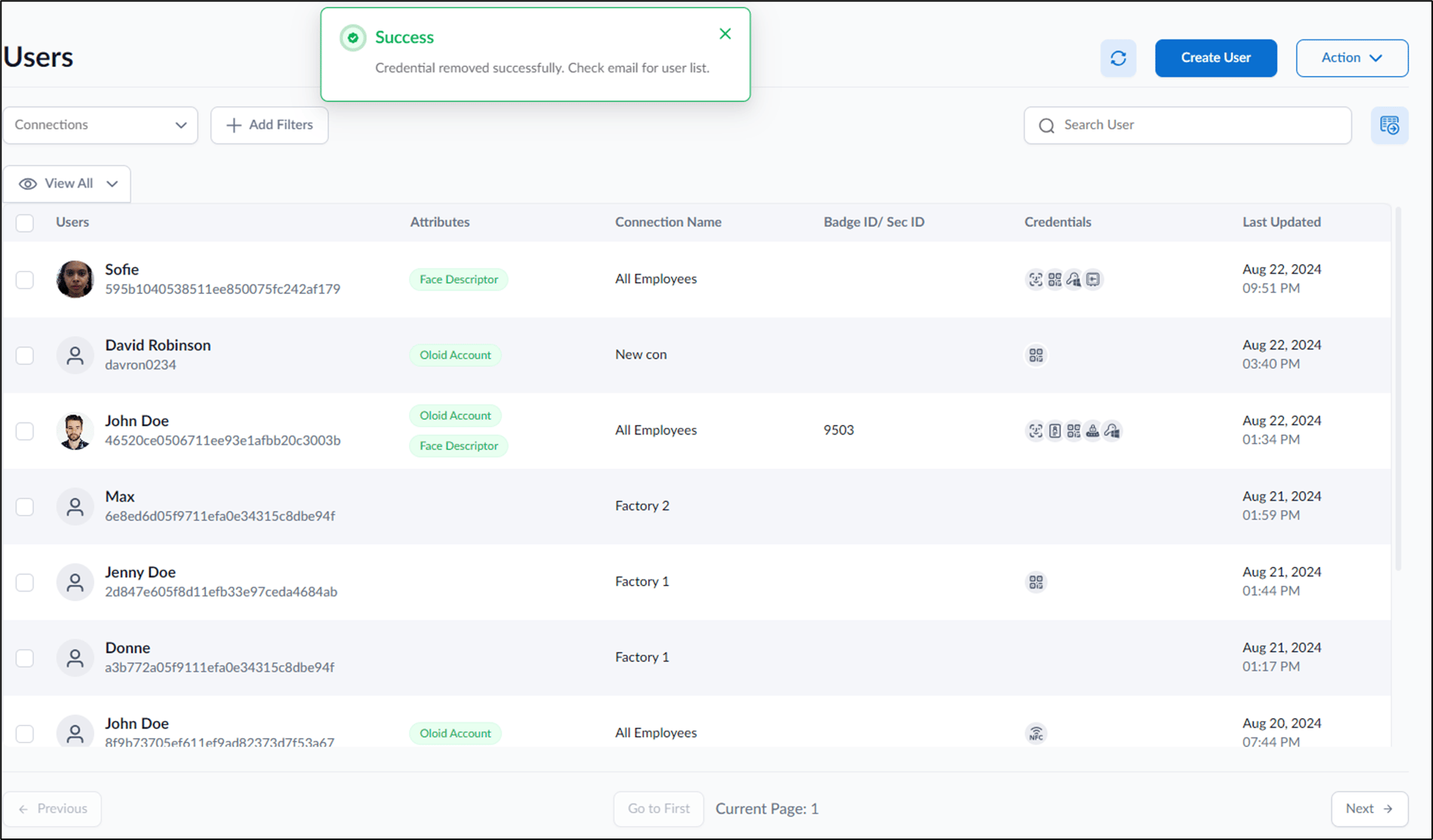
The QR Code is successfully deleted for users in the selected connection. The QR Code summary of these users is shared over email ID(s).
How to delete QR Code Credential of Users in a Connection
This document provides instructions to delete QR Code Credential of users in a connection in the Tenant Admin Portal.
Steps to delete QR Code Credential of Users in a Connection:
⌘I