Introduction
Adding Password Owners to a Vault Shared Password allows the Tenant Admin to assign specific users with ownership privileges for managing shared credentials.Prerequisites
- You must have access to a Tenant Admin account.
- The Vault Shared Password must be created. For more, refer: Chrome Vault - How to Create Shared Password in the Tenant Admin Portal
Steps to add Password Owners
- Log in to the Tenant Admin Portal.
-
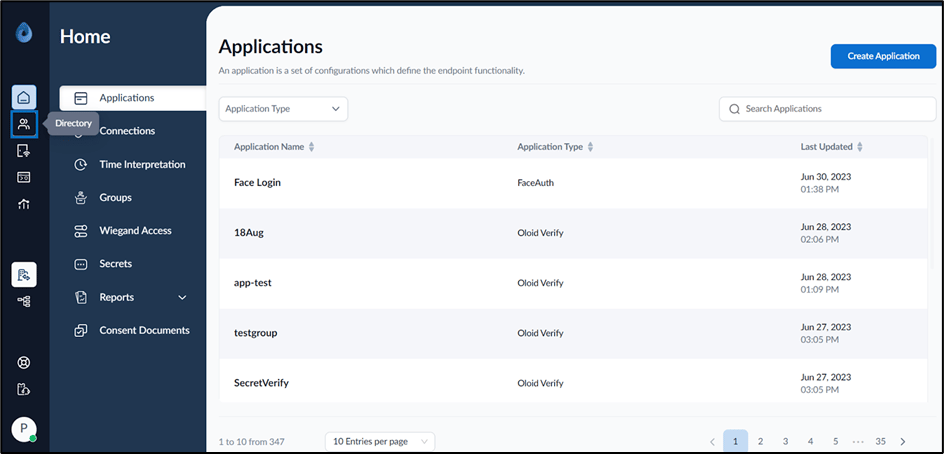
On the home page of the portal, click Directory on the left menu panel.
-
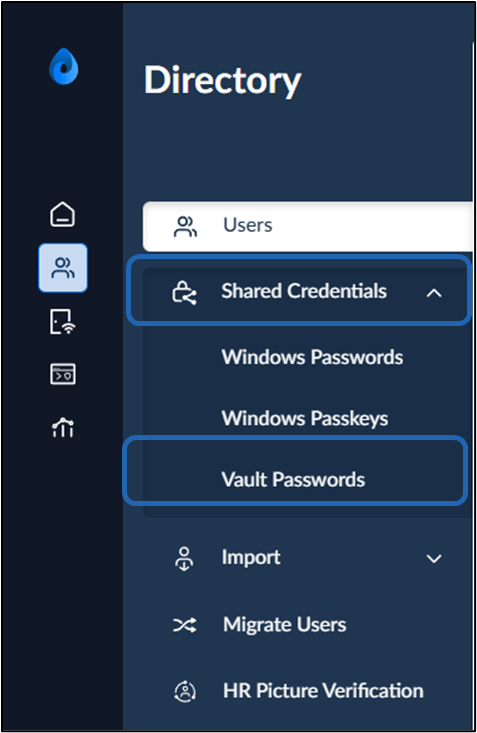
Select Shared Credentials > Vault Password on the left menu panel.
-
Select the preferred Vault Shared Password name to edit.
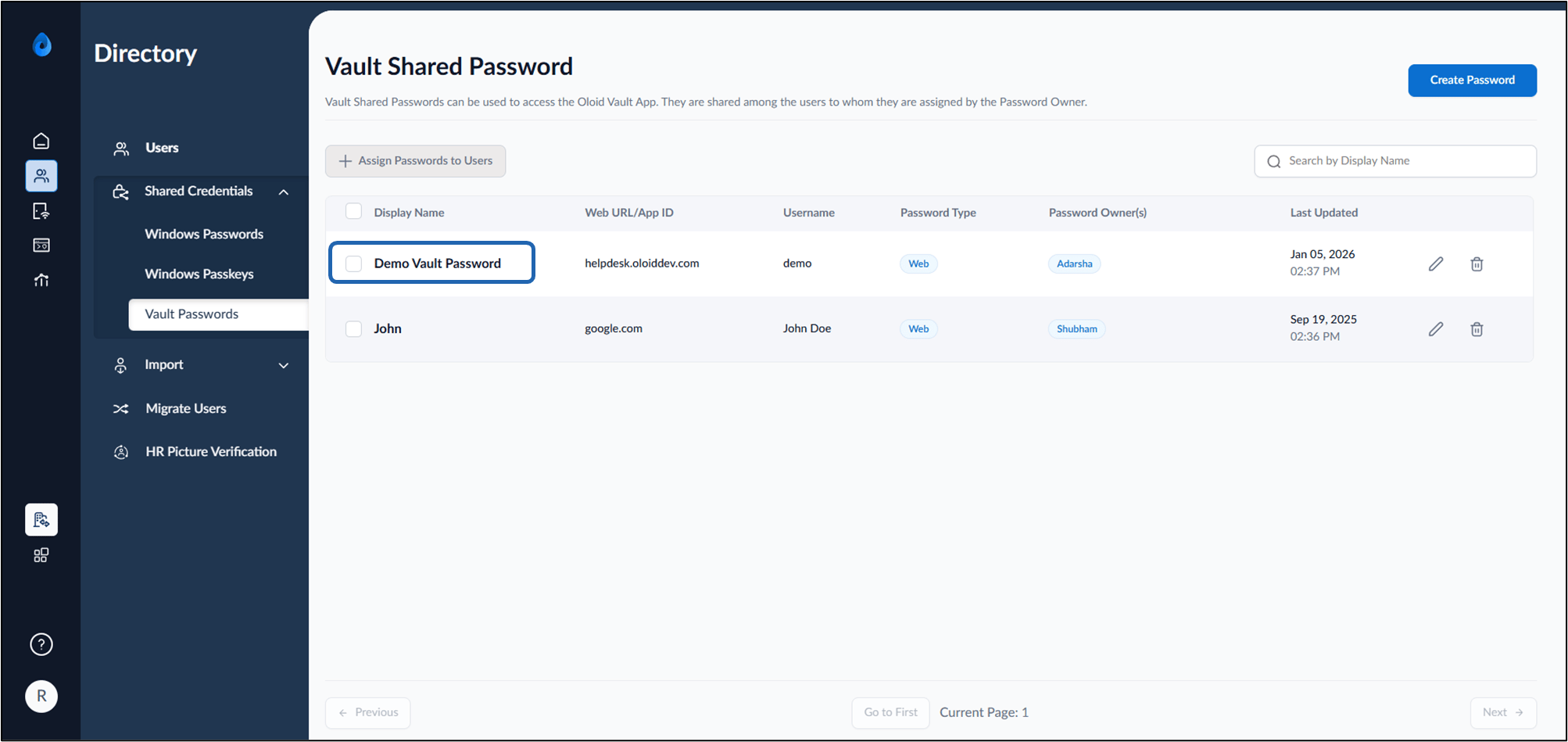
-
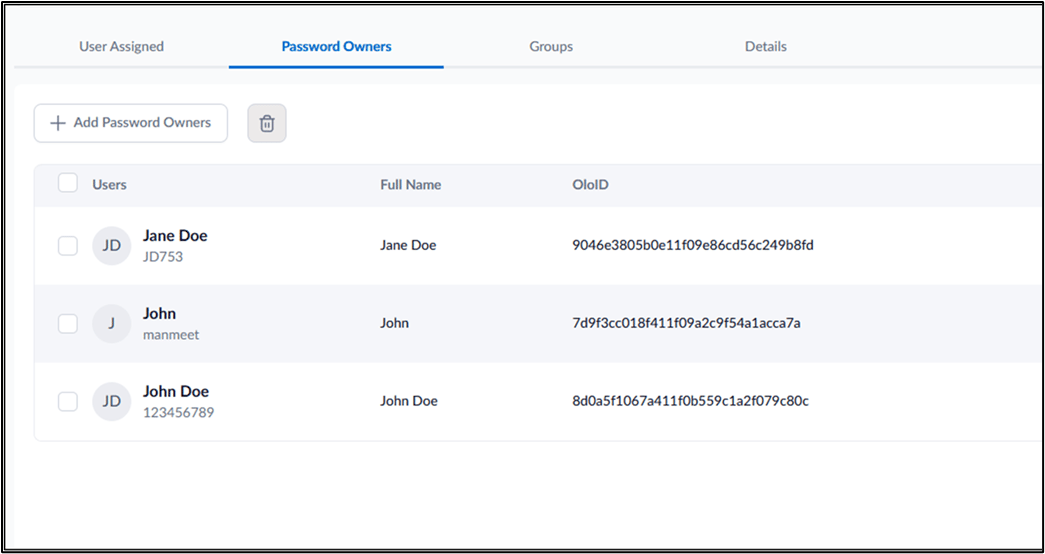
Go to Password Owners tab > + Add Password Owners.
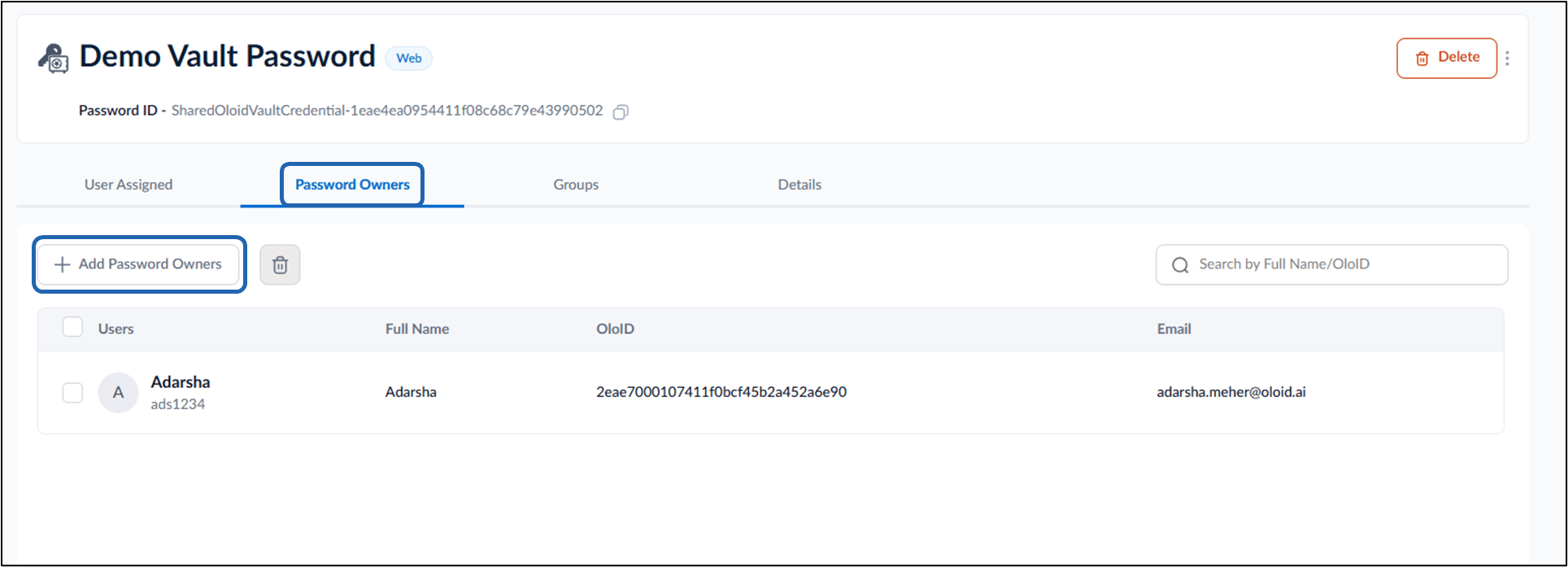
-
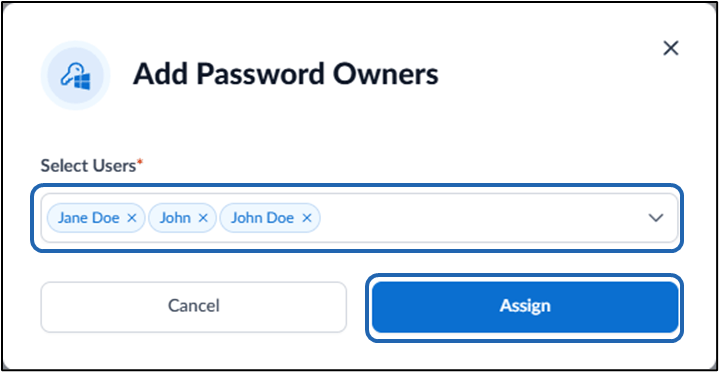
On the pop-up box, enter user name(s) in the Users dropdown list.
Note: Only users with Admin or Supervisor roles can be assigned as Password Owners.
- Click Assign.