

Introduction
The HR Picture Verification upload feature allows Admins to upload High Resolution facial images of users in bulk for identity verification.Pre-requisite
- You must have access to a Tenant Admin account.
- Ensure that the Image name is in the given format - “primaryID_username”
Steps to Import faces
- Log in to the Tenant Admin Portal.
- On the home page of the portal, click Directory on the left panel menu.
-
Click HR Picture Verification.
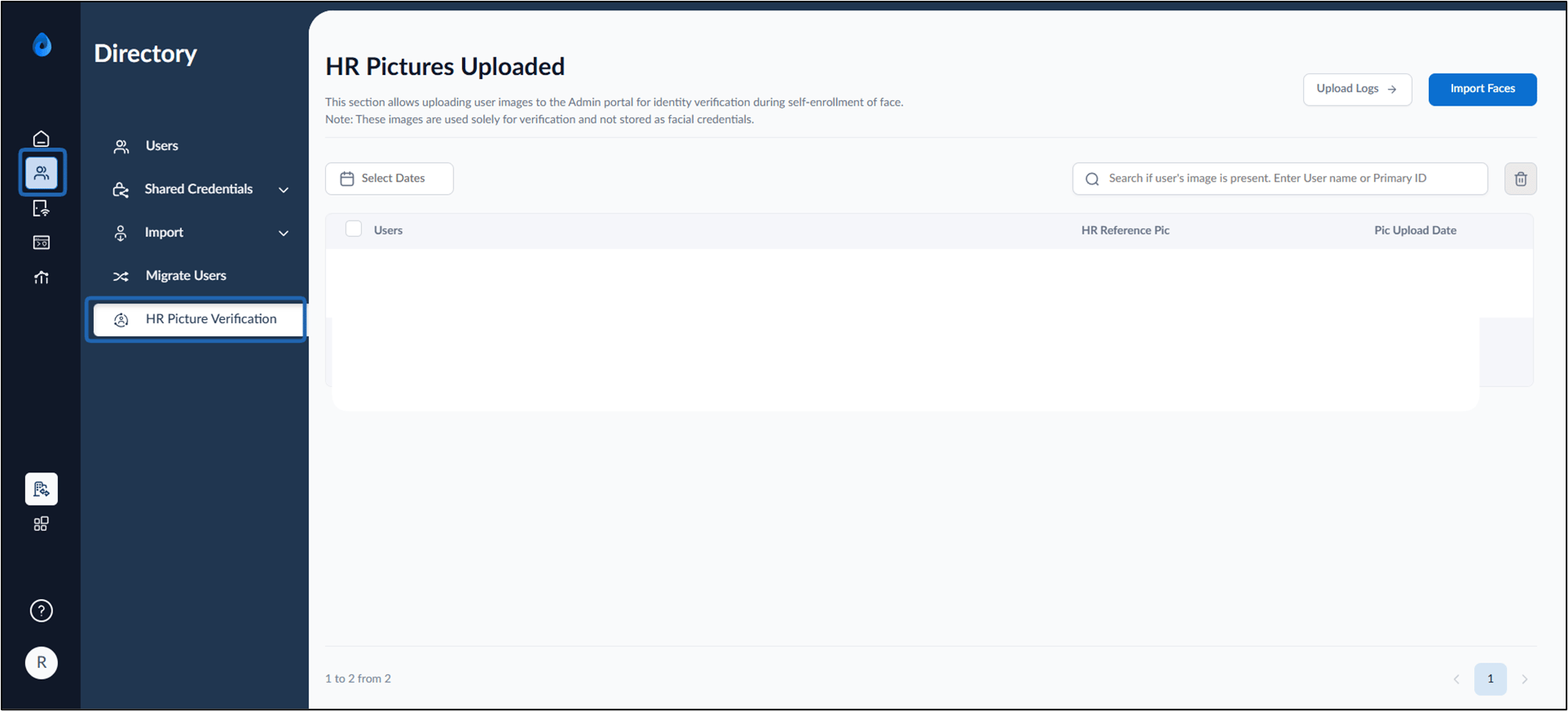
-
Click Import Faces.

-
Upload the image file of the users.

-
Click Import.
The images are uploaded and listed on Import Faces page.
Note: 1. To check the status of HR Picture Verification file upload check Upload Logs.
- Keywords | Import user faces| HR Picture Verification| Upload facial images in Oloid Portal| Bulk face upload for users