

Introduction
Tenant Admin Portal allows the Admin to assign shared credentials, such as Windows Passwords, to multiple users at once. This feature helps streamline access management by enabling several users to securely share the same credential for specific applications or systems.Prerequisites
- The Shared password must be created. To create shared password refer How to create shared Password for Windows login application in the Tenant Admin Portal.
- Users must be created. To create users refer How to add Users in the Tenant Admin Portal.
Steps to assign Shared Credential
- Log in to the Tenant Admin Portal.
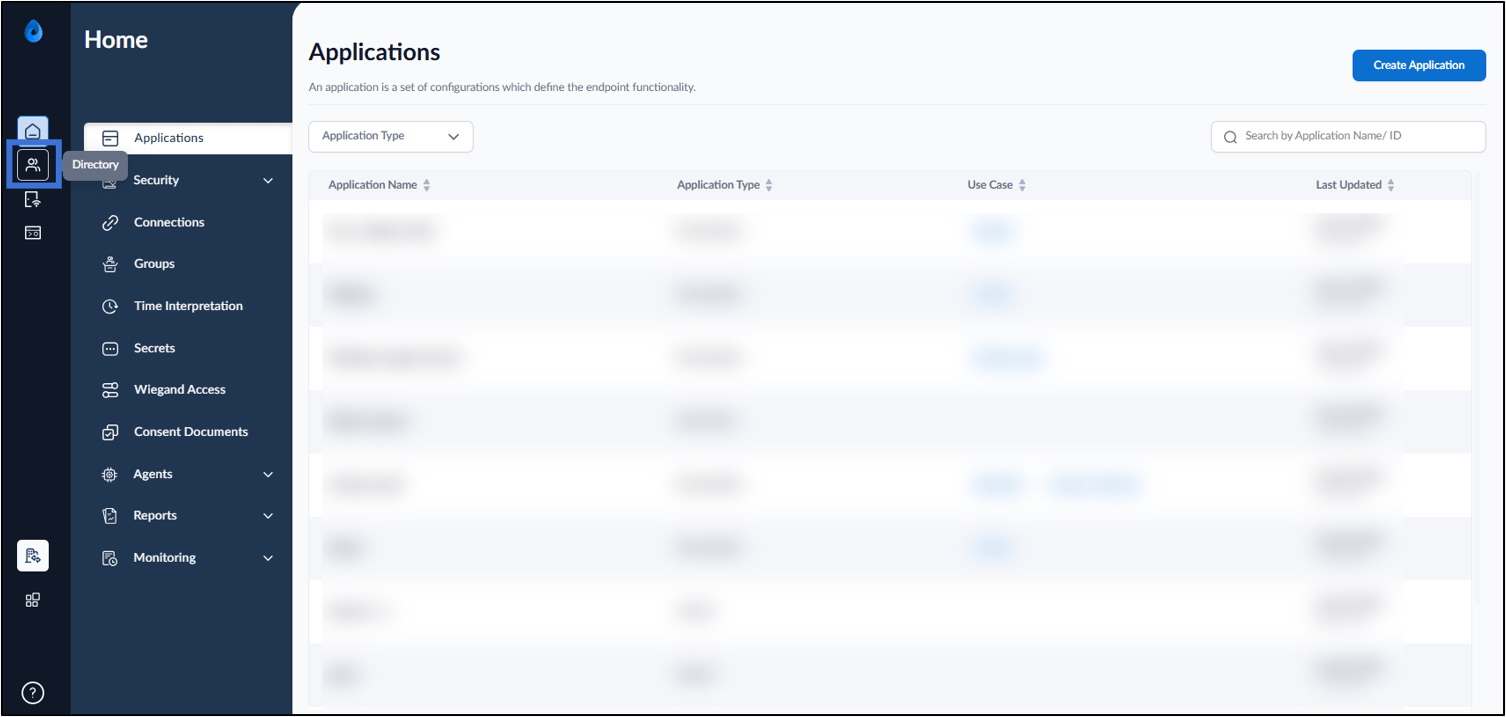
- On the home page of the portal, click Directory on the left menu panel.
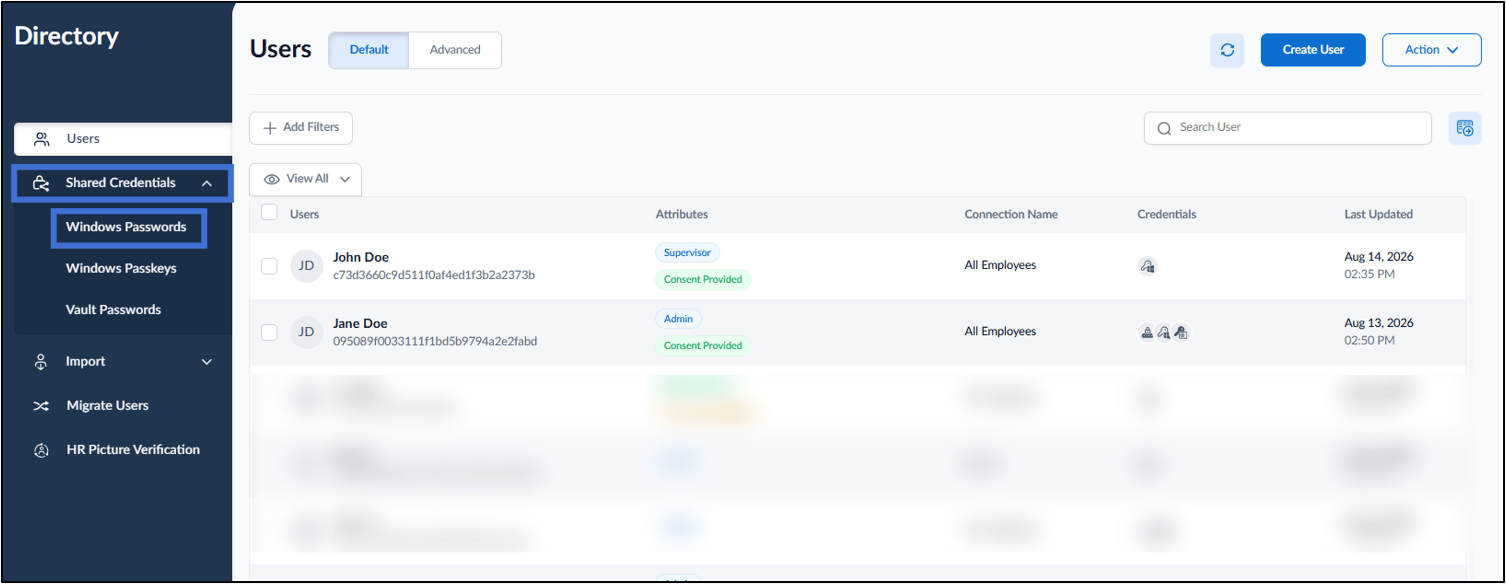
- Select Shared Credentials > select Windows Password on the left menu panel.

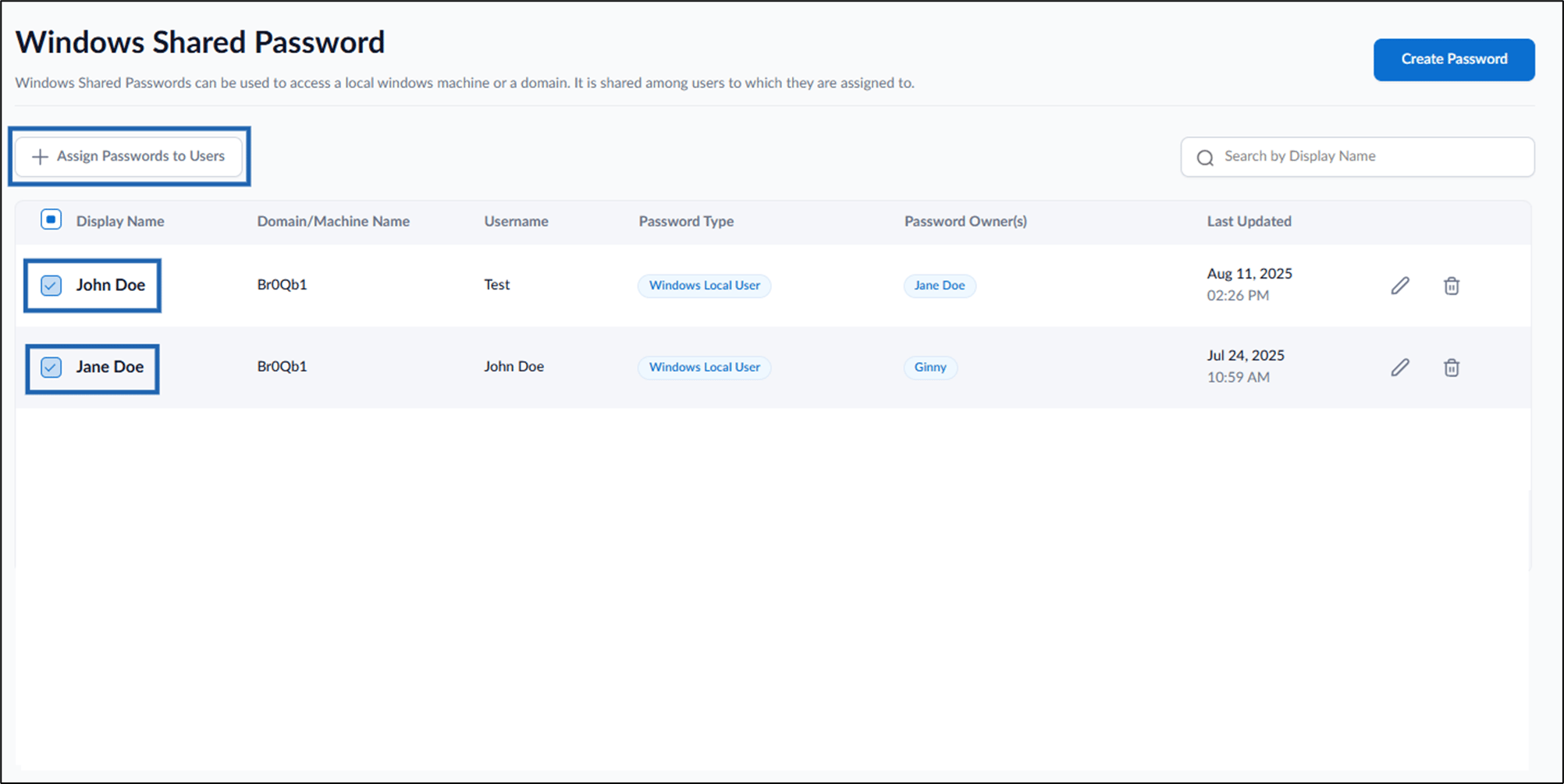
- Select password name(s) to assign users.
- Select + Assign Credentials to Users.
- On the pop-up box, enter user name(s) in the Users dropdown list.
- Select Assign.

