Introduction
A CloudKey endpoint represents a cloud-connected access point that links a CloudKey device to an application and, optionally, a workflow.Prerequisites
- You must have access to the Tenant Admin Portal.
- Ensure a CloudKey application is created. For more information, refer: How to Create an Application.
Steps to create a CloudKey endpoint
- Log in to the Tenant Admin Portal.
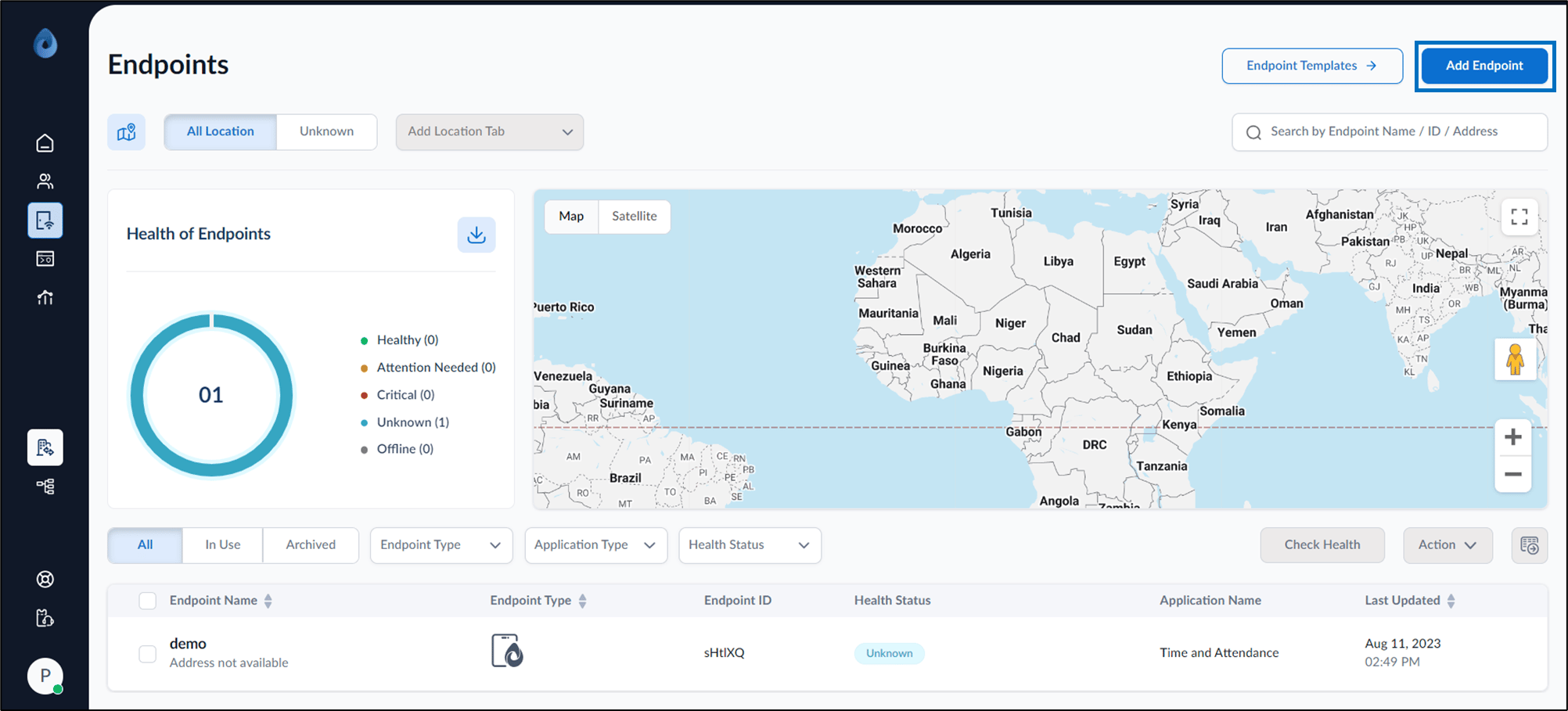
- On the homepage of the portal, click Endpoints on the left menu panel.

- Click Add Endpoint on the top right corner of the page.
- Select CloudKey > click Continue.

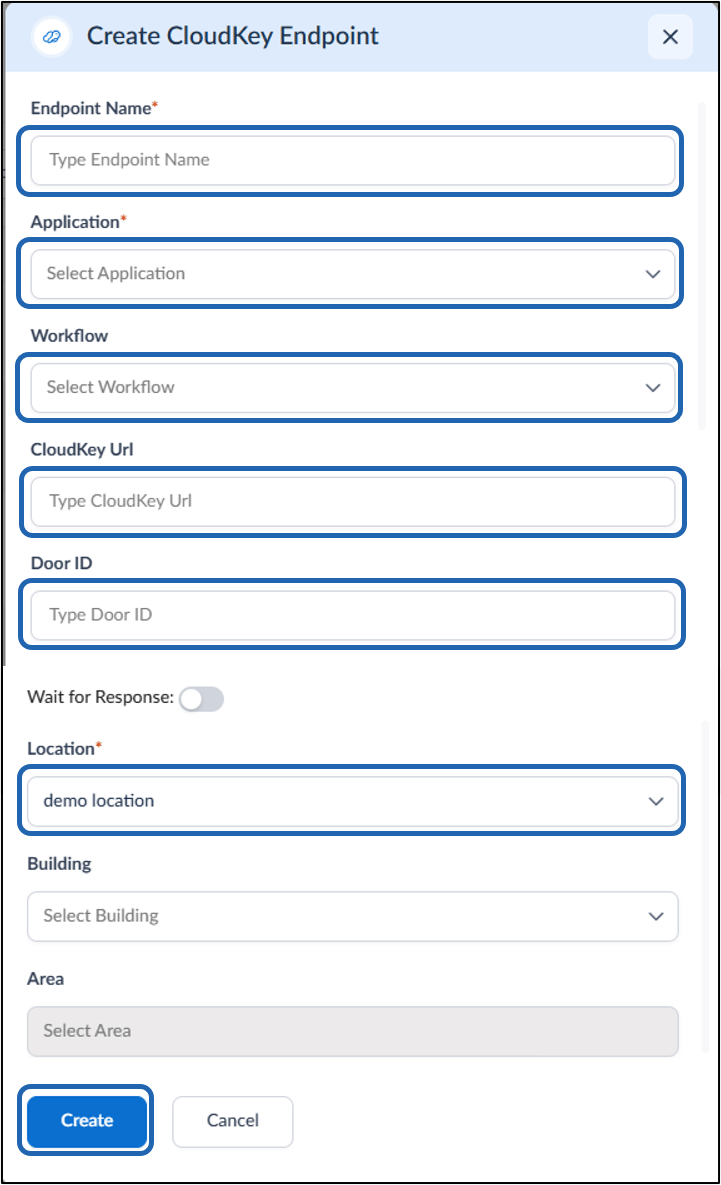
- On the pop-up box, do the following:
- Enter Endpoint name.
- Select Application from the application list.
- Select Workflow from the workflow list (optional).
- Enter CloudKey Url.
- Enter Door ID.
- Enable Wait for Response (optional).
- Select Location. (Mandatory)
- Select Building (optional).
- Select Area (optional).
- Click Create.