Introduction

This document explains how to assign a Windows shared credential to users in the Tenant Admin Portal.

Prerequisites

Steps to assign Shared Credential

  1. Log in to the Tenant Admin Portal.
  2. On the home page of the portal, click Directory on the left menu panel. How to associate users with Window... - screenshot 1 The Users page is displayed.
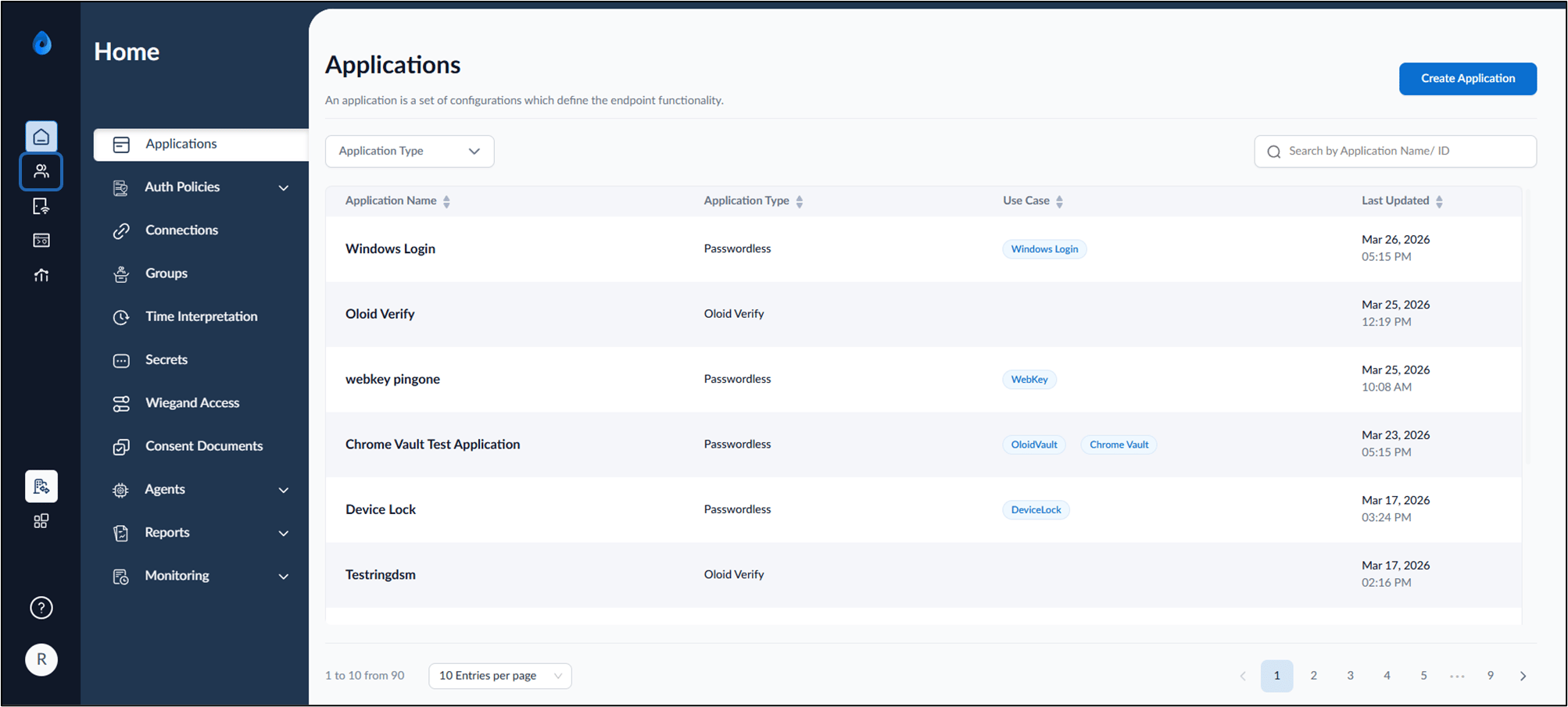
  3. Select Shared Credentials > Windows Password on the left menu panel. How to associate users with Window... - screenshot 2 The Windows Password page is displayed. How to associate users with Window... - screenshot 3
Do one of the following: Assign Shared Password. Assign Shared Password to Multiple Users The Windows shared password is successfully assigned to the selected users.

Assign Shared Password.

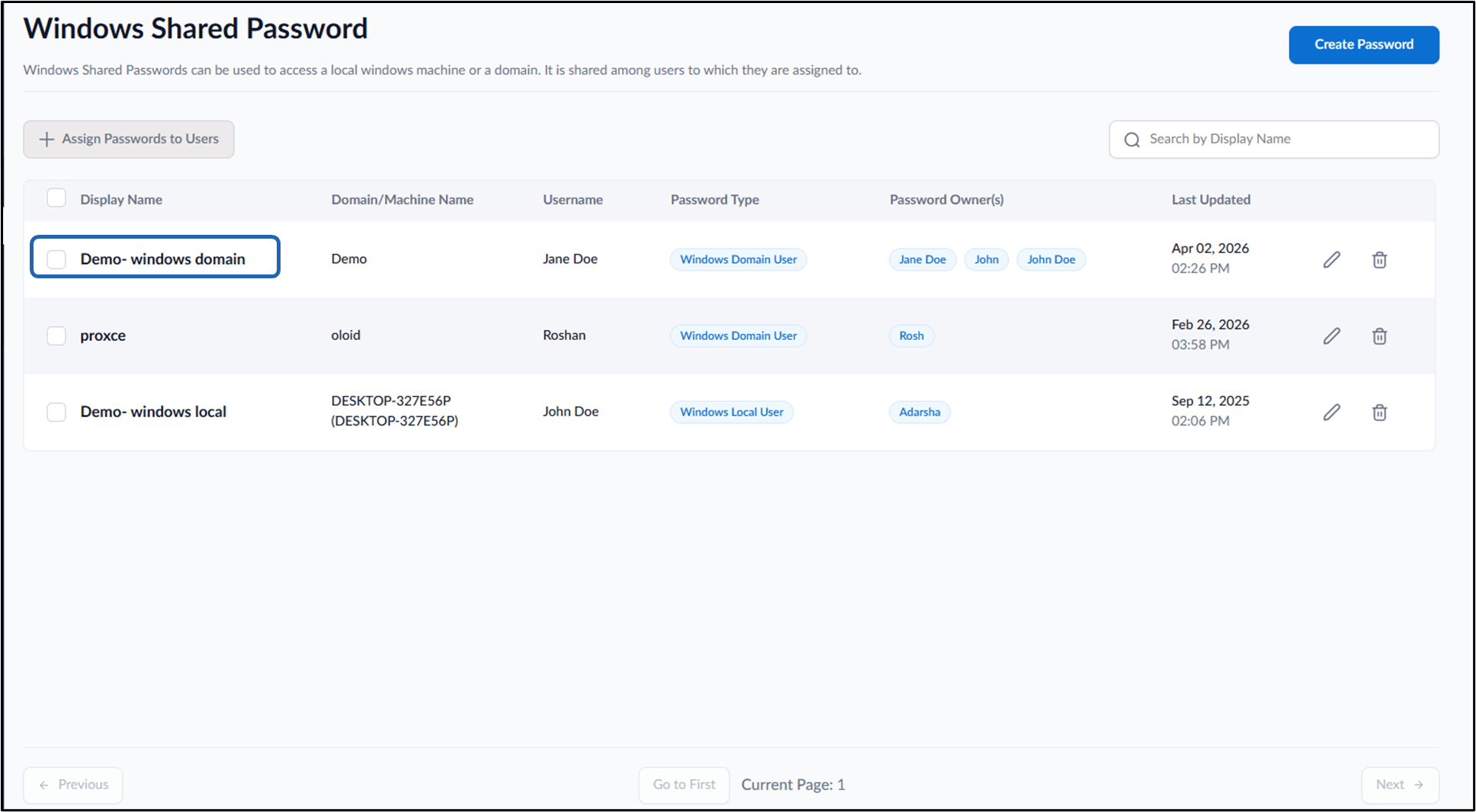
  1. Select credential name to assign. How to associate users with Window... - screenshot 4 The Windows Shared Passwords listpage is displayed.
  2. Click + Assign Shared Passwords to Users. How to associate users with Window... - screenshot 5 The Assign Shared Passwords to Users pop-up box is displayed.
  3. On the pop-up box, enter user name(s) in the Users dropdown list.
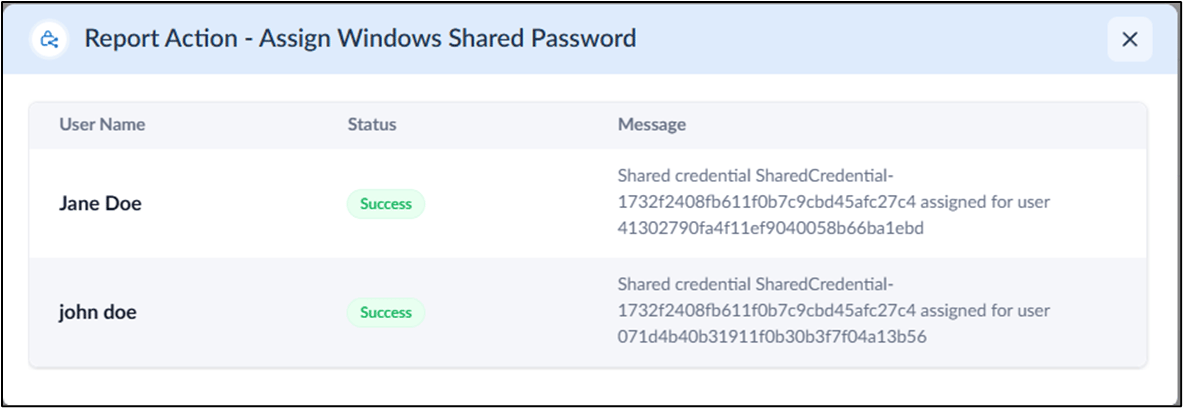
  4. Click Assign. How to associate users with Window... - screenshot 6 The Windows shared password is successfully assigned to the selected users. How to associate users with Window... - screenshot 7 The Users assigned to the shared password will be visible under the User Assigned section in the Windows shared password. How to associate users with Window... - screenshot 8

Assign Multiple Shared Password to User(s)

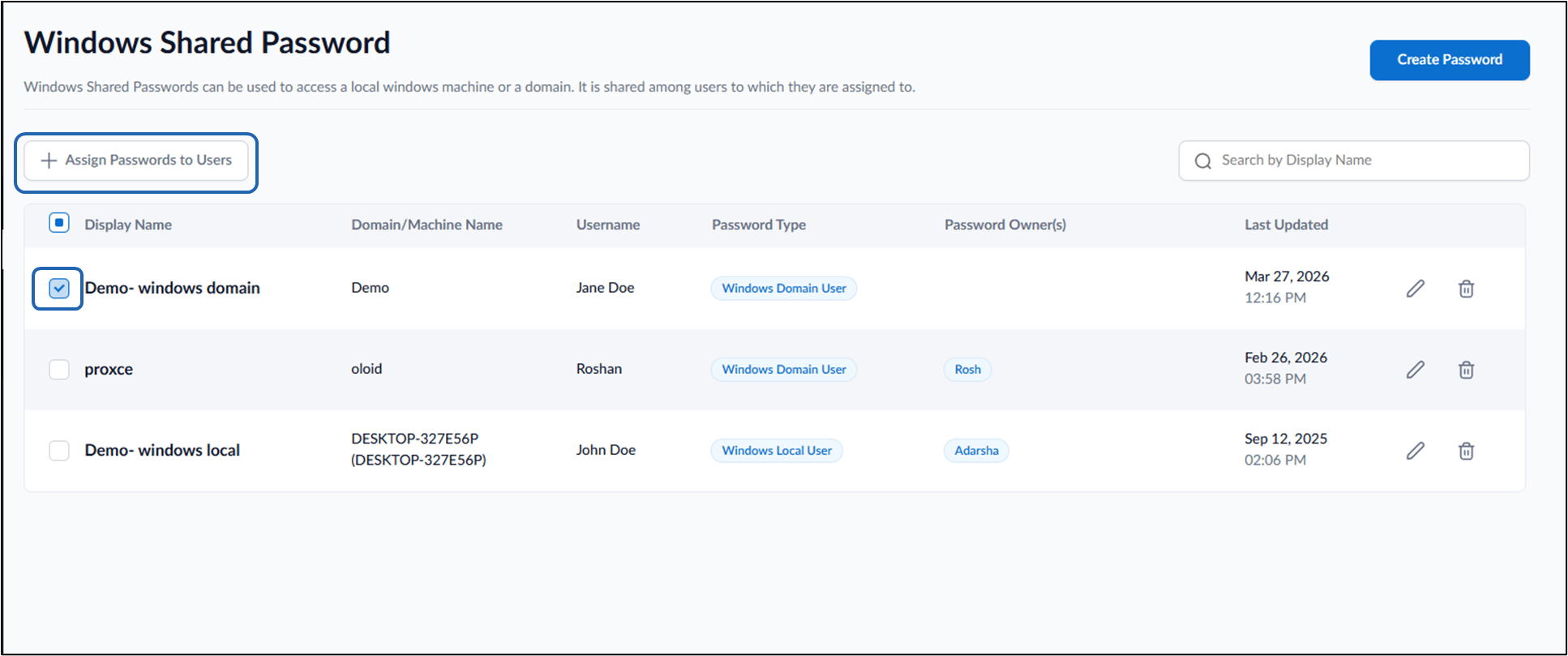
  1. Select credential name checkbox to assign.
    Note: Multiple Shared Passwords can be assigned to users. To assign multiple passwords select the checkbox next to the required shared password(s) to assign them to users.
  2. Click + Assign Passwords to Users. How to associate users with Window... - screenshot 9 The Assign Passwords to Users pop-up box is displayed.
  3. On the pop-up box, enter user name(s) in the Users dropdown list.
  4. Click Assign. How to associate users with Window... - screenshot 10
The Windows shared password is successfully assigned to the selected users. How to associate users with Window... - screenshot 11 The Users assigned to the shared password will be visible under the User Assigned section in the Windows shared password. How to associate users with Window... - screenshot 12
Video Tutorial
Watch the video Supervisor Portal - How to associate users with shared credentials