Introduction
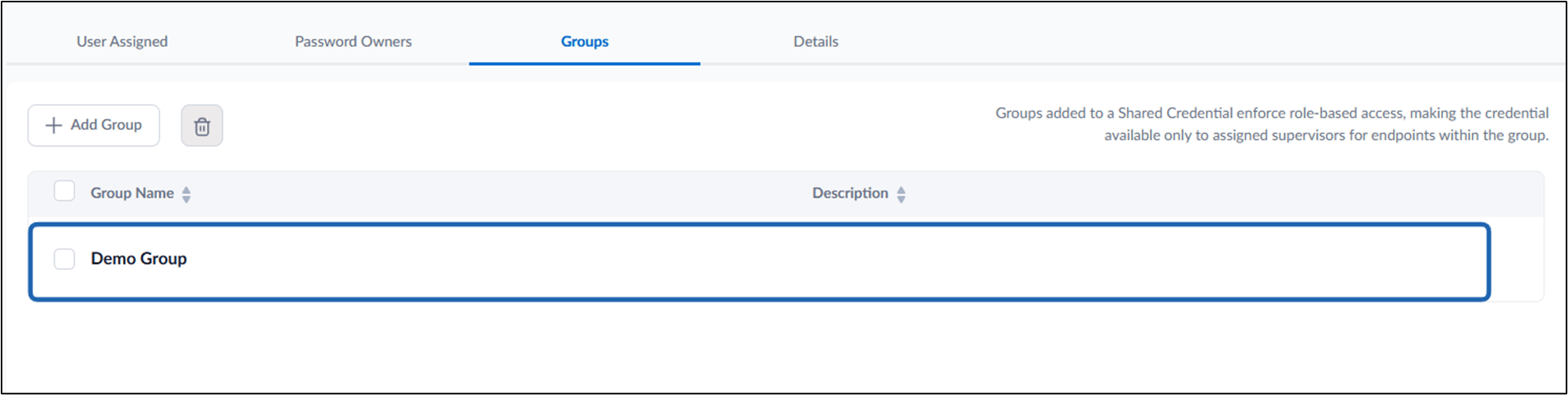
Adding a Group to a Vault Shared Password allows the Tenant Admin to grant access to shared credentials for multiple users at once. All users within the selected group will inherit access to the shared password based on the configured authentication workflows.Prerequisites
- You must have access to a Tenant Admin account.
- Vault shared password must be created. For more, refer: Chrome Vault - How to Create Shared Password in the Tenant Admin Portal
Steps to Add Group to Vault Shared Password
- Log in to the Tenant Admin Portal.
-
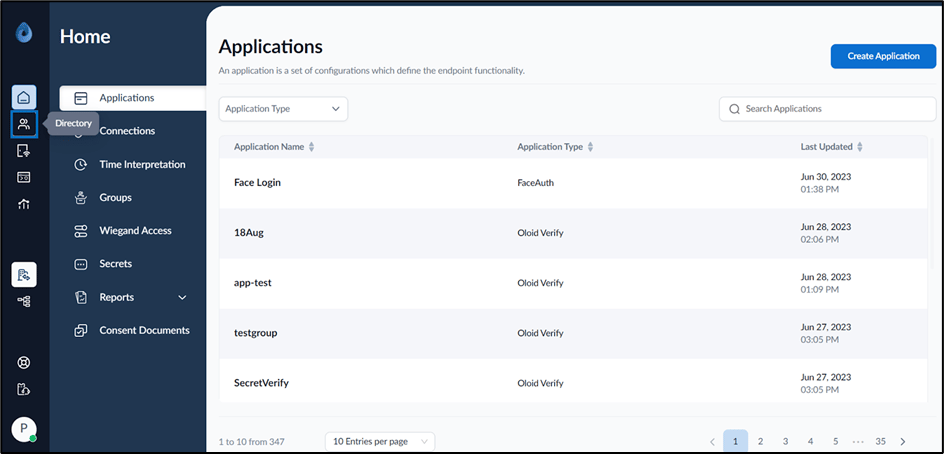
On the home page of the portal, click Directory on the left menu panel.
-
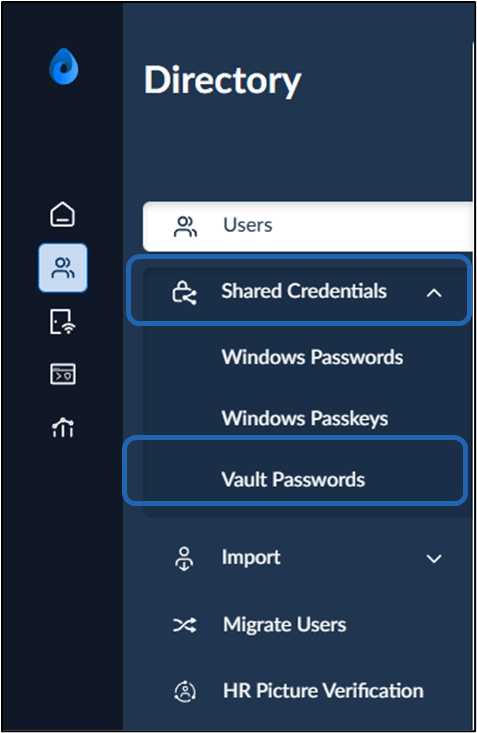
Select Shared Credentials > Vault Password on the left menu panel.
-
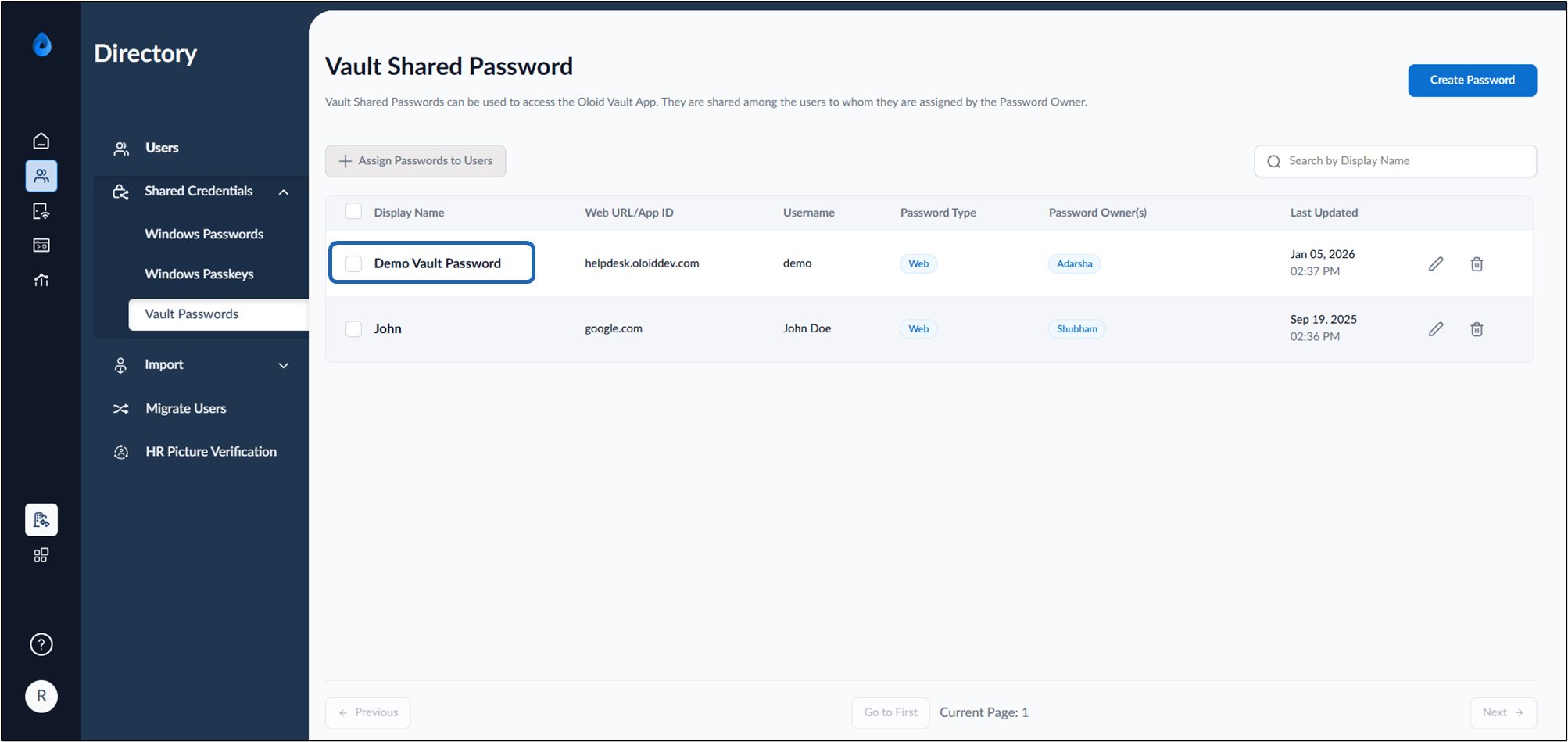
Select the preferred Vault Shared Password name to edit.
-
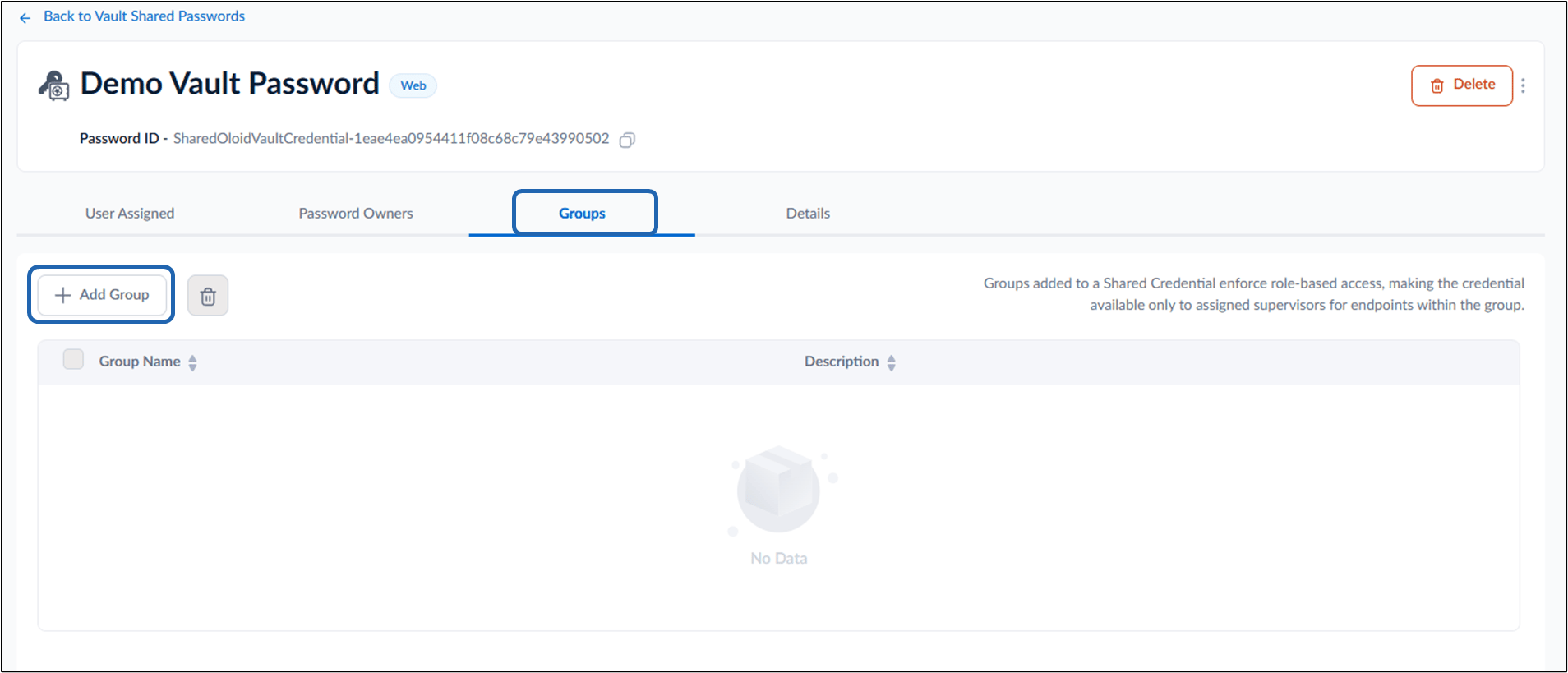
Select Groups tab > click + Add Group
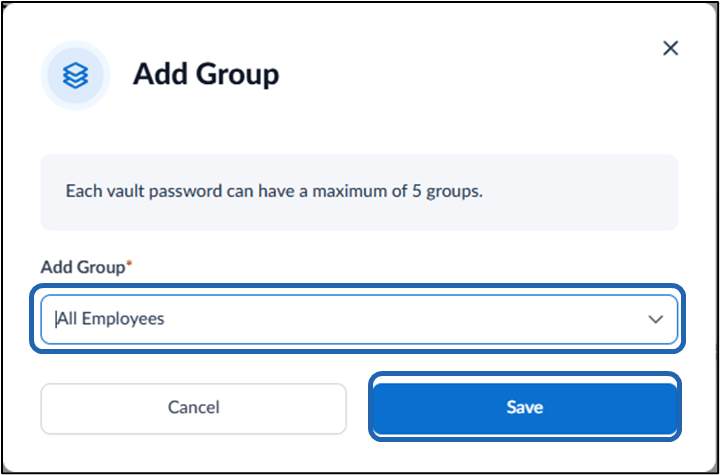
- Select Group from dropdown list.
-
Click Save.
Note: A maximum of five groups can be added to each vault shared password.