

Introduction
This document provides step-by-step instructions to create and download an Ad-Hoc Endpoint Details Report from the Tenant Admin Portal. The report provides endpoint details, including the associated application information.Prerequisite
You must have admin access to the Tenant Admin Portal.Steps to Create and Download Endpoint Details Report
- Log in to the Tenant Admin Portal.
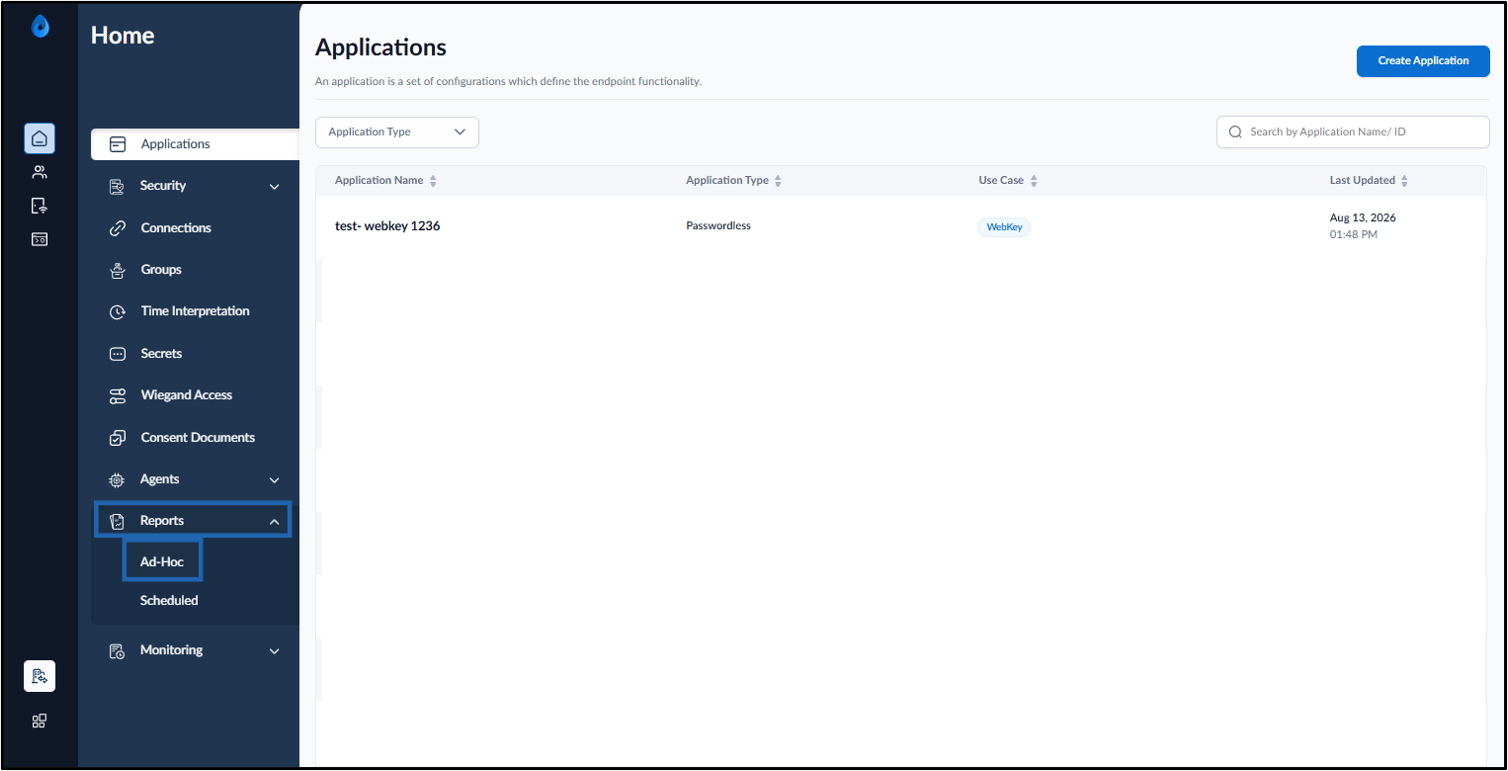
- On the homepage, click Reports > Ad-Hoc on the left menu panel.
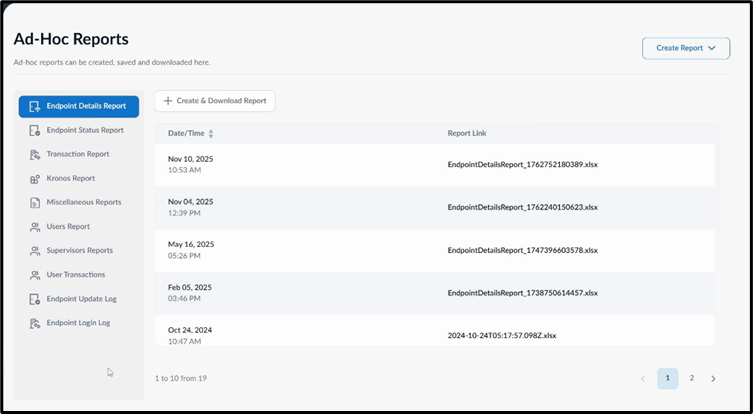
- Do one of the following:
-
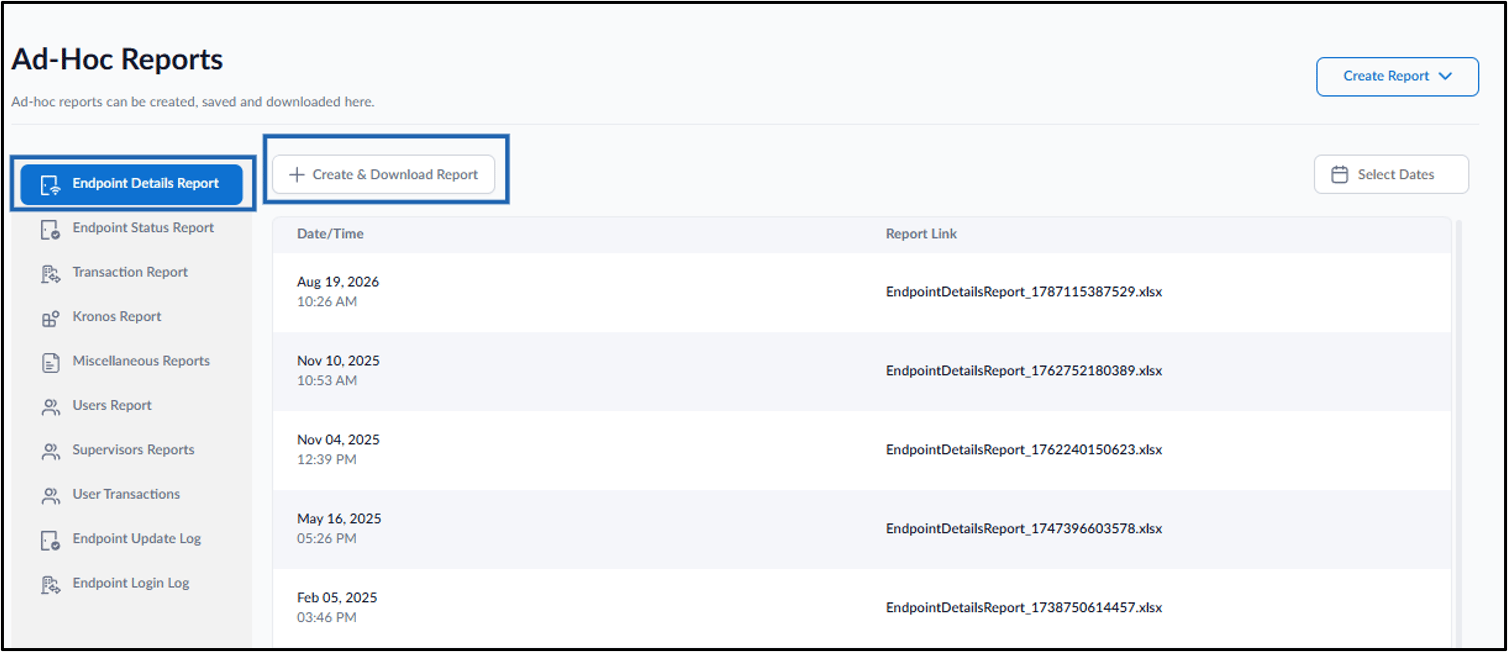
Select Endpoint Details Report from the left menu panel, and then click + Create & Download Report.
-
Click Create Report > Endpoint Details Report.
 Note: The downloaded file format for reports is XLSX.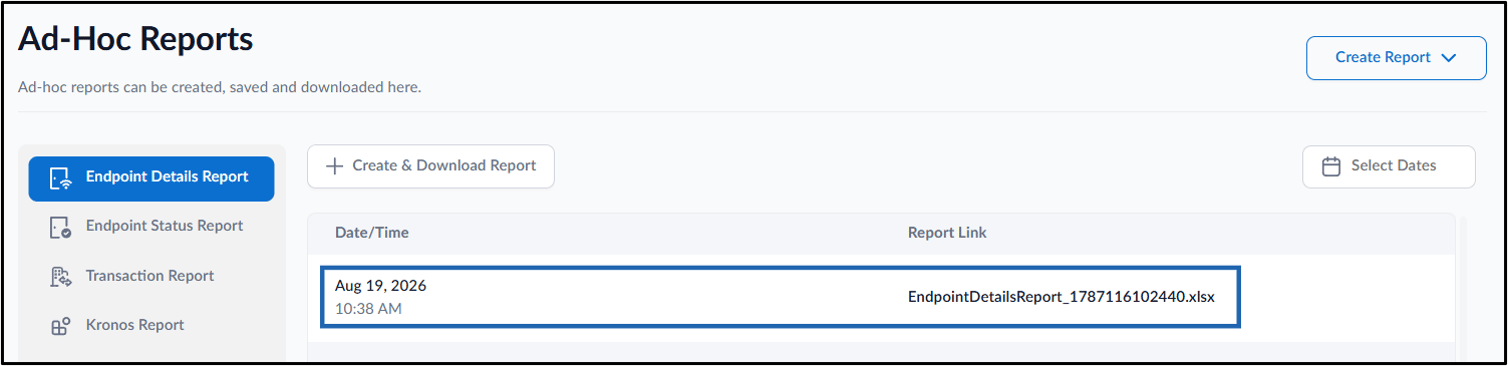
-
Select Endpoint Details Report from the left menu panel, and then click + Create & Download Report.