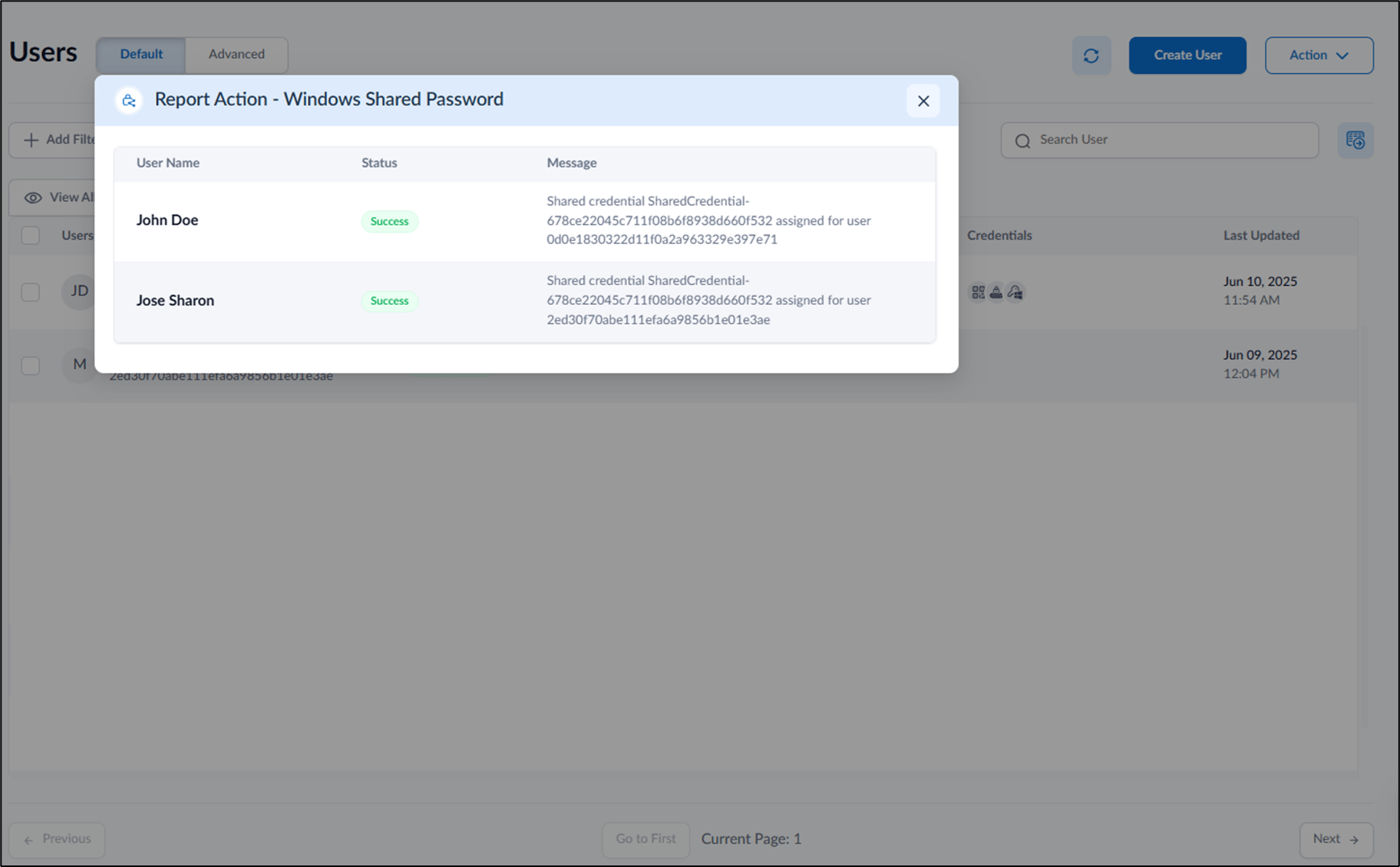
- Log in to the Tenant Admin Portal.
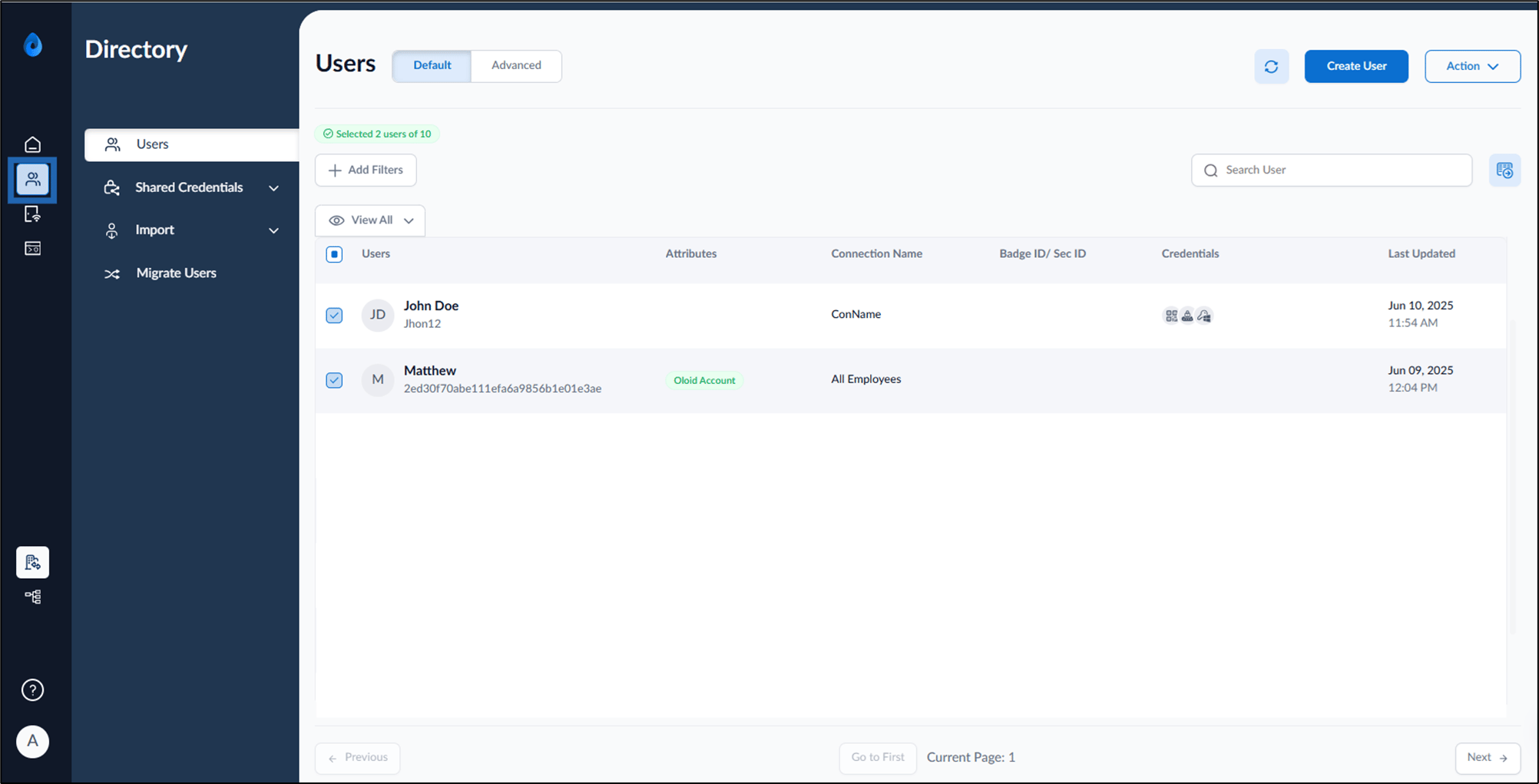
- On the homepage, select Directory from the left menu panel The Users page is displayed.
- Select user(s) to assign Windows Shared Passwords.
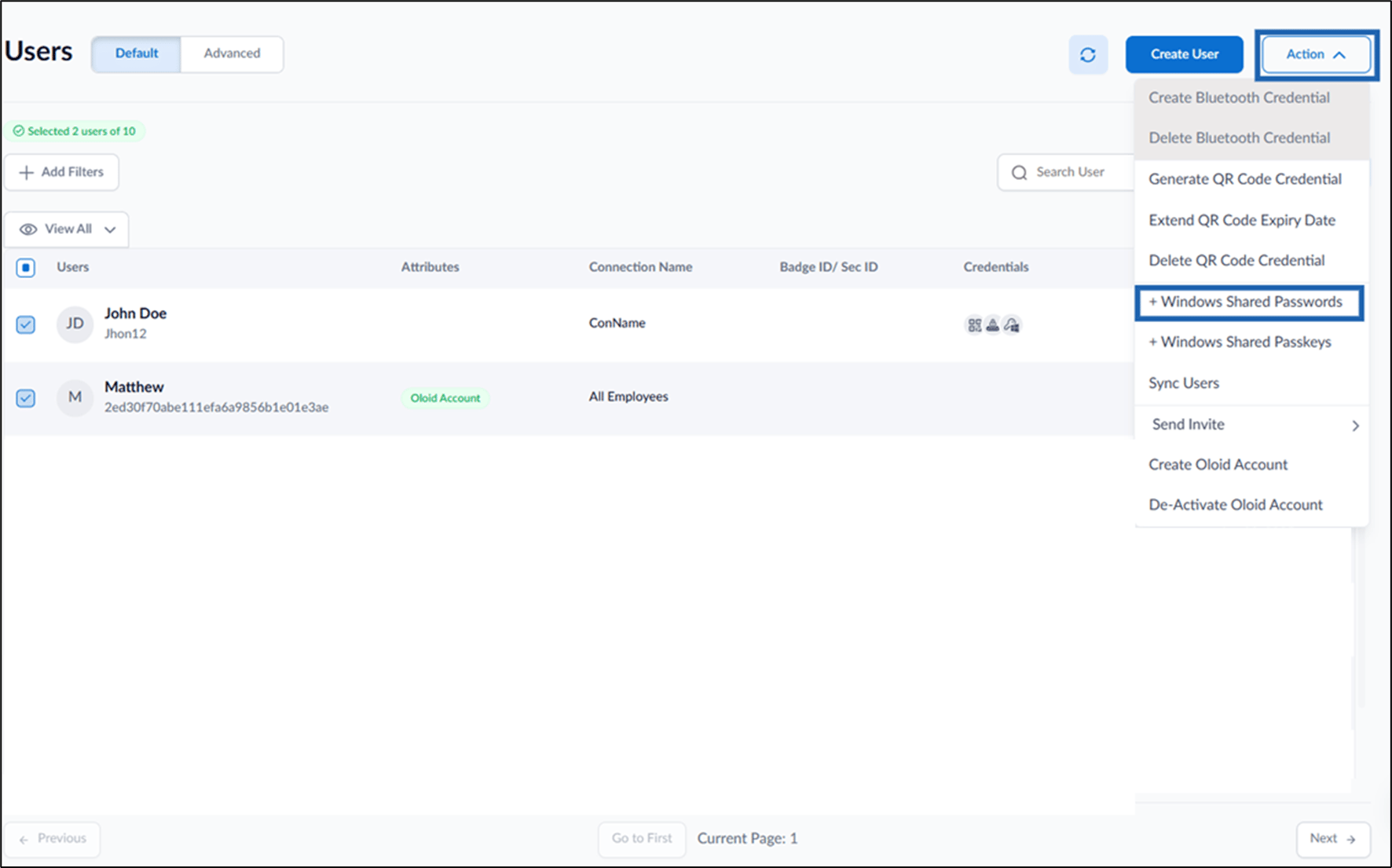
- Go to Action > + Windows Shared Passwords.
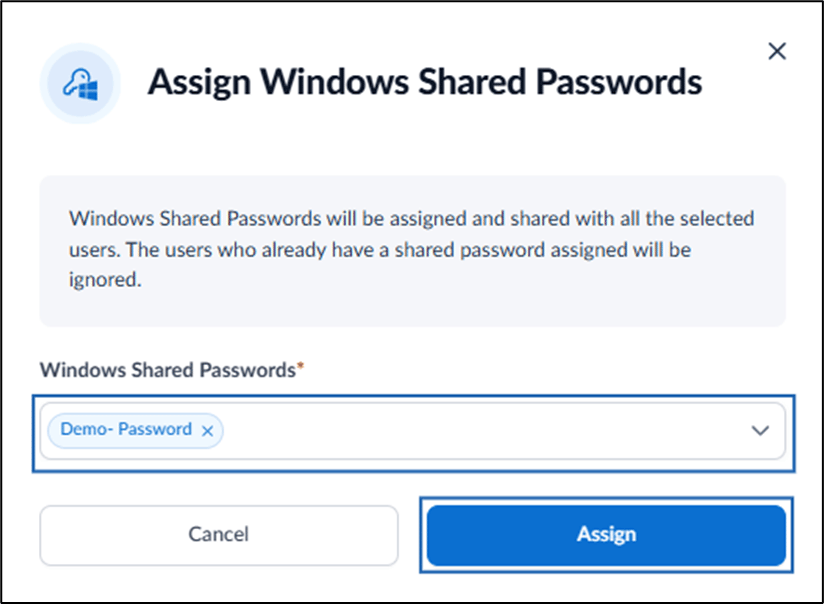
- On the pop-up box, do the following:
- Select Windows Shared Password(s) from Windows Shared Passwords dropdown list.
- Click Assign.