

- In the Admin Console, go to Applications > Applications > Create App Integration.
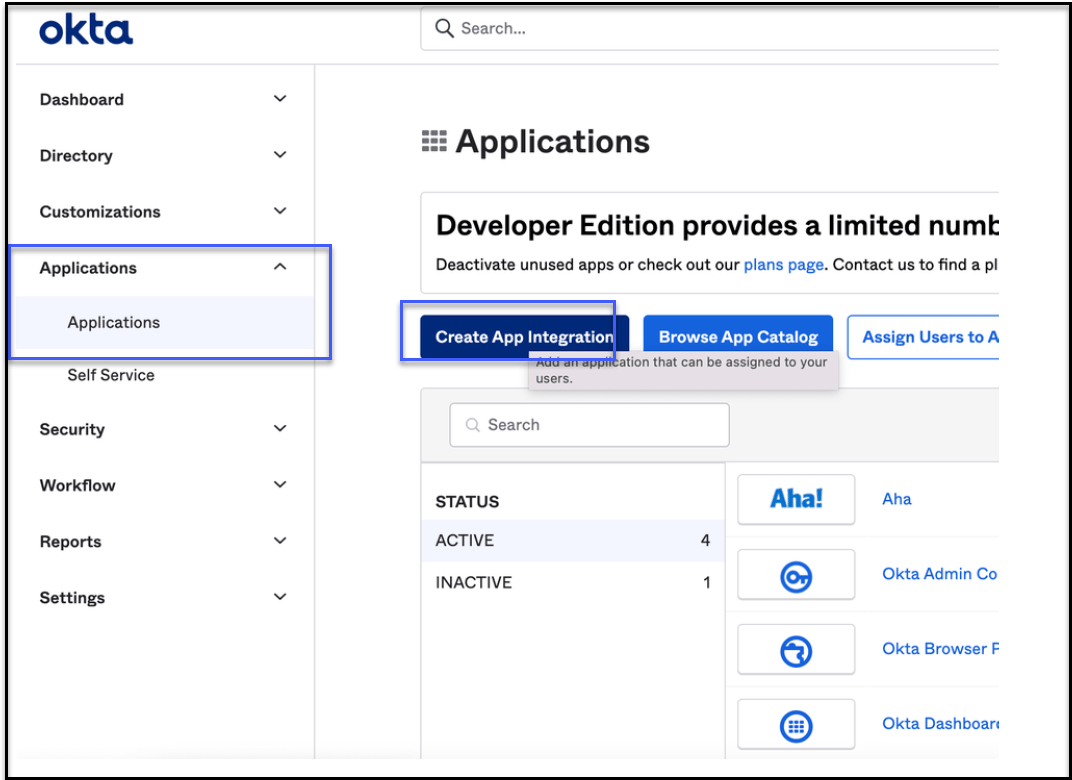
- Select OIDC - OpenID Connect as the Sign-in method and Native Application as Application type.

- Do the following the next screen( General Settings) to configure the application:
- Enter a name for the application in the App integration name field..
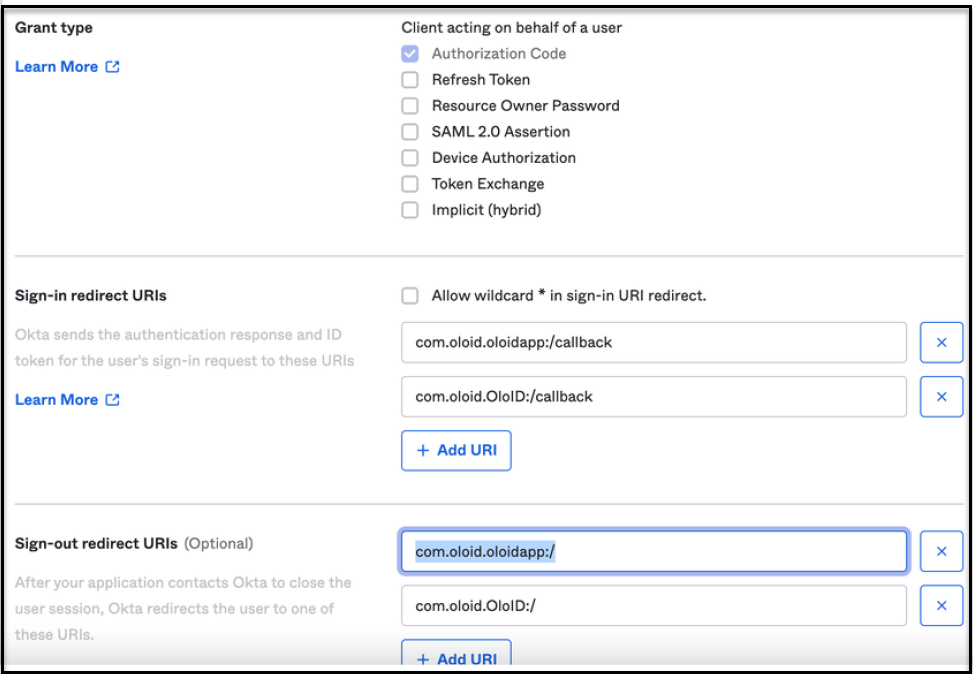
- Select Authorzation Code as Grant type.
- Add the following as Sign-in redirect URIs:
- com.oloid.oloidapp:/callback
- com.oloid.OloID:/callback
- Select Allow everyone in your organization to access under Assignments.
- Click Save.
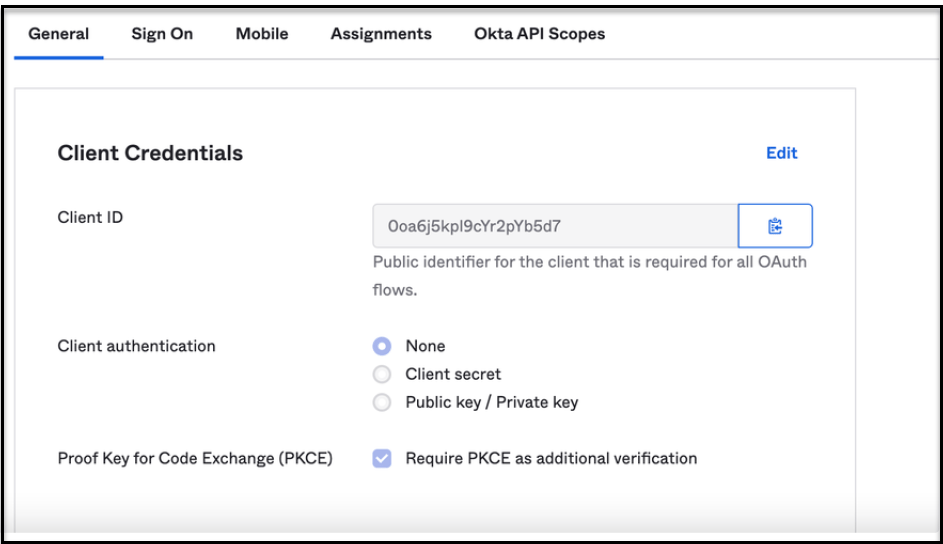
- Share the ClientID and Okta root domain of the new app with Oloid.
Enabling Okta SSO for Oloid Apps ( Verify/Connect/Device Lock/OloID App)
Follow these steps to add Client Application For Oloid Applications:
Follow these steps to add Client Application For Oloid Applications:
⌘I