Introduction
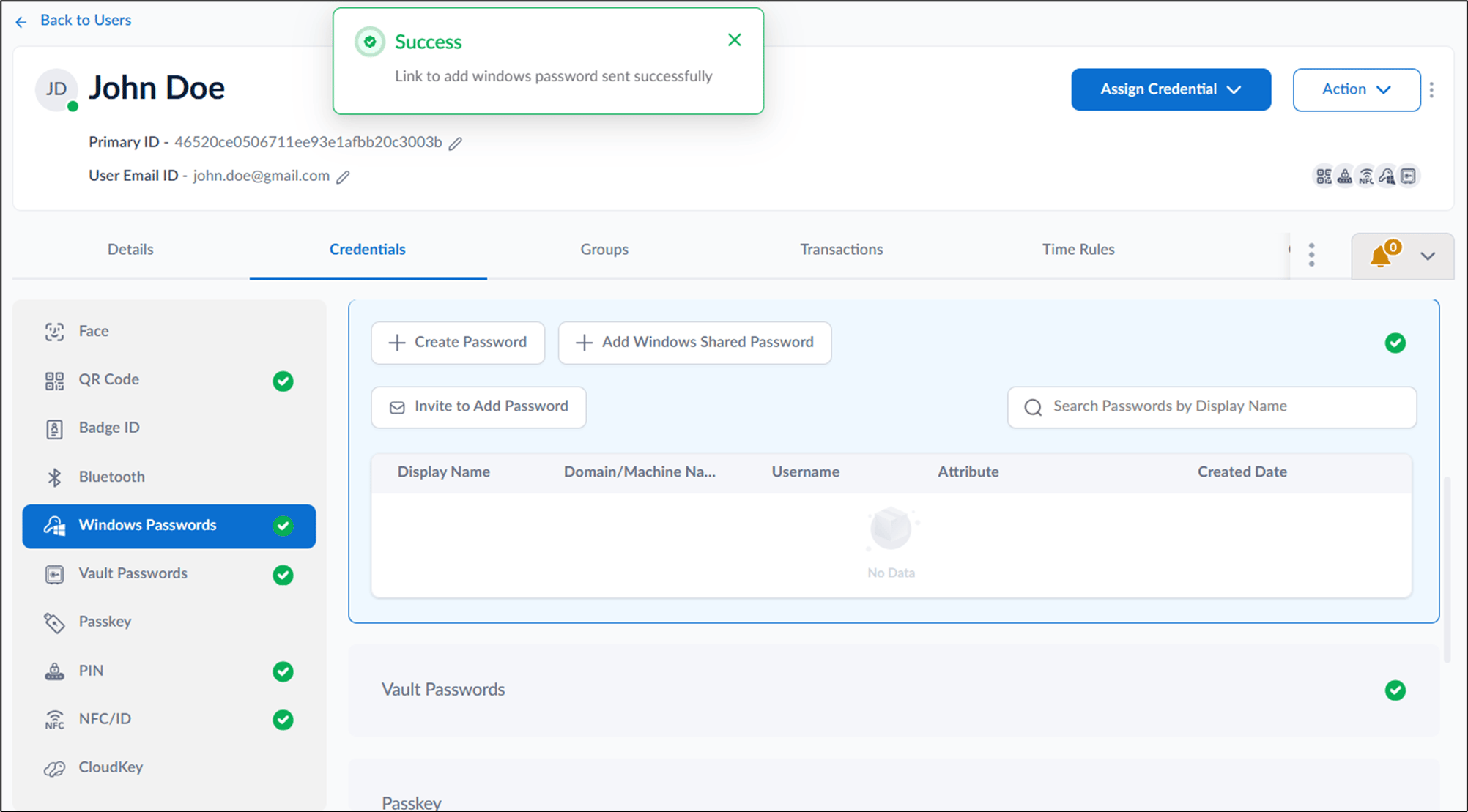
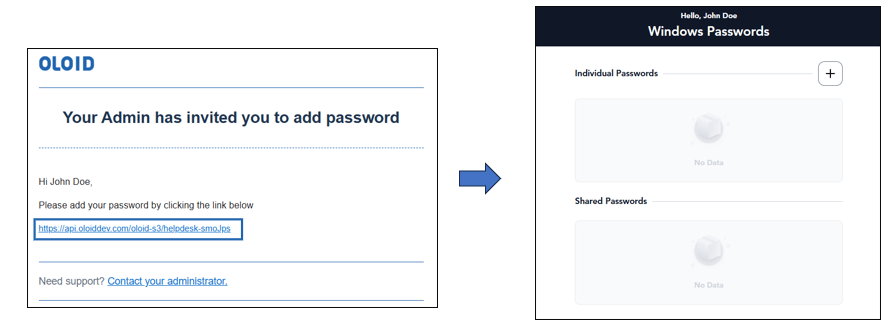
The Invite to Add Password feature allows the Tenant Admin to send an email invitation to users to securely add their Windows password through the User portal.Prerequisites
- You must have access to a Tenant Admin account.
- The registered email ID must be added to the user’s profile on the Tenant Admin Platform.
Steps to send invite to add password
- Log in to the Tenant Admin Portal.
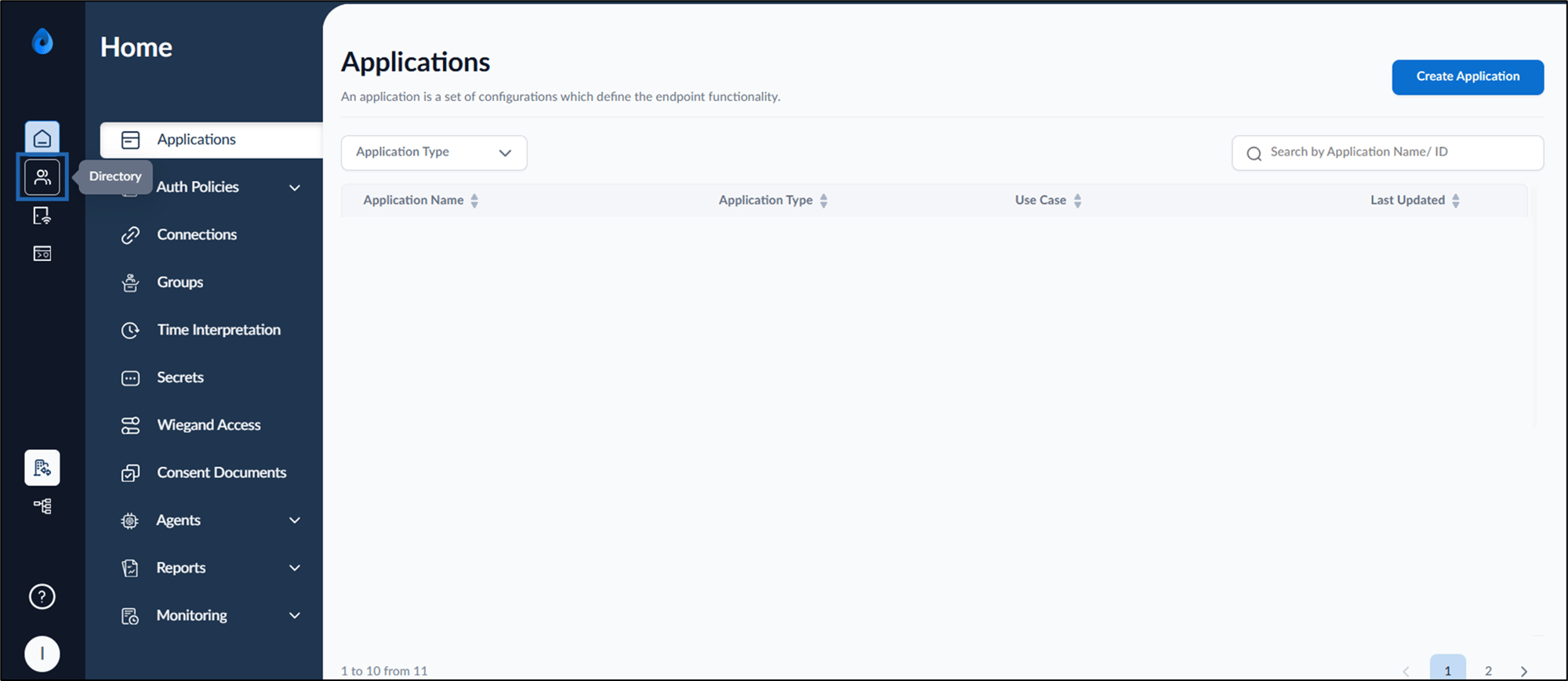
- On the homepage, click Directory from the left menu panel.
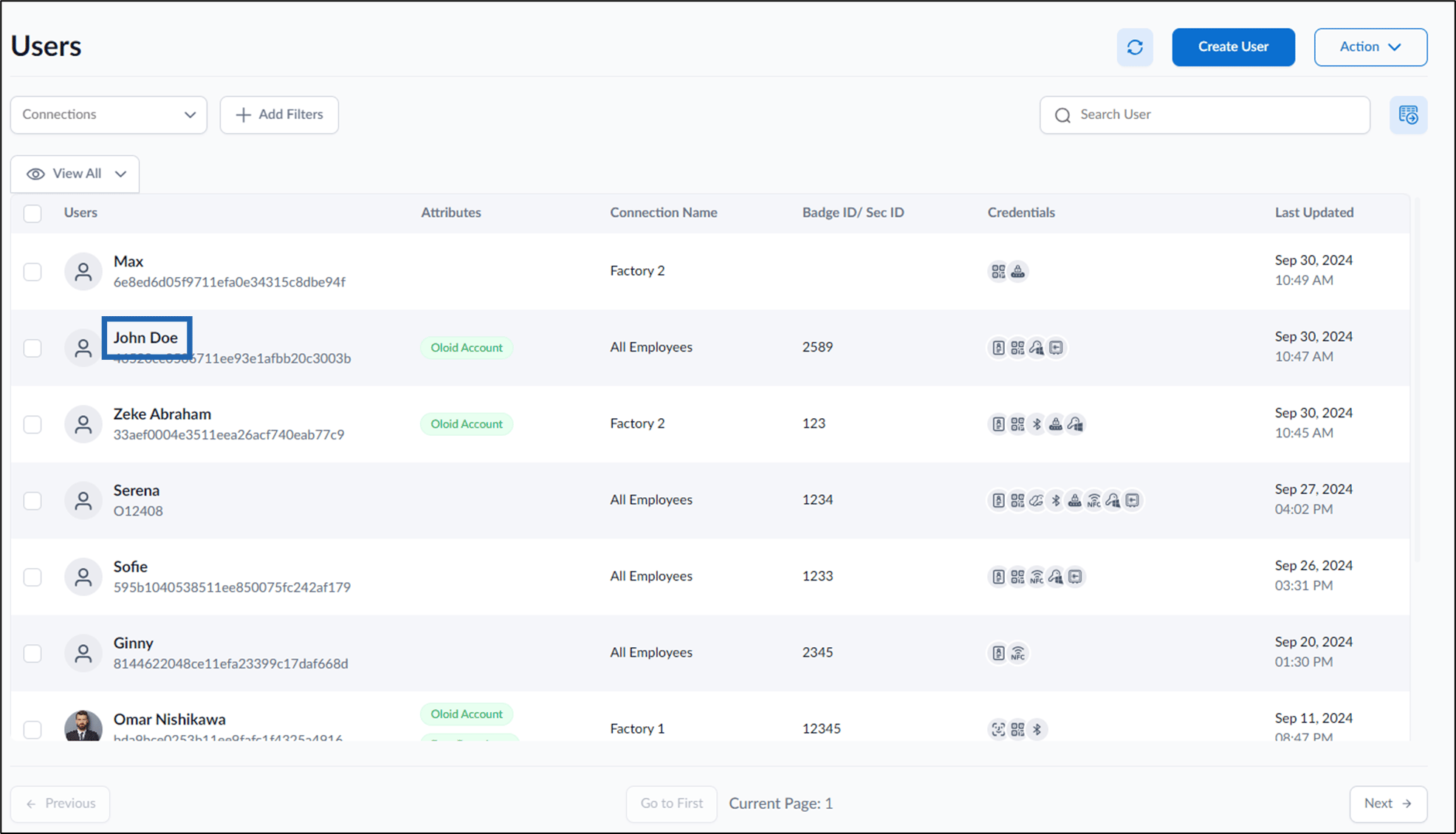
- Click username to edit.
- Go to Credentials tab > Windows Passwords > Invite to Add Password.
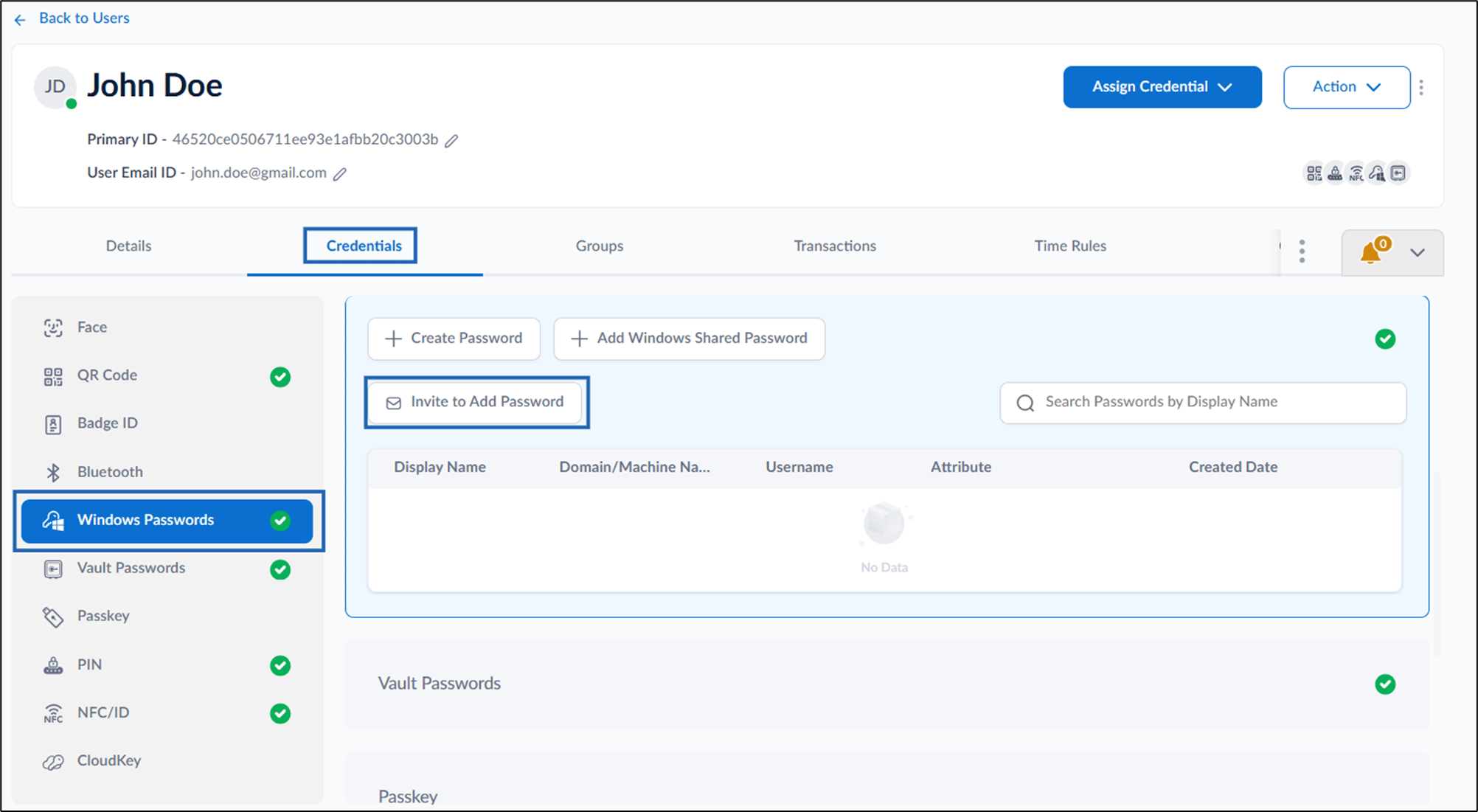
- Do the following:
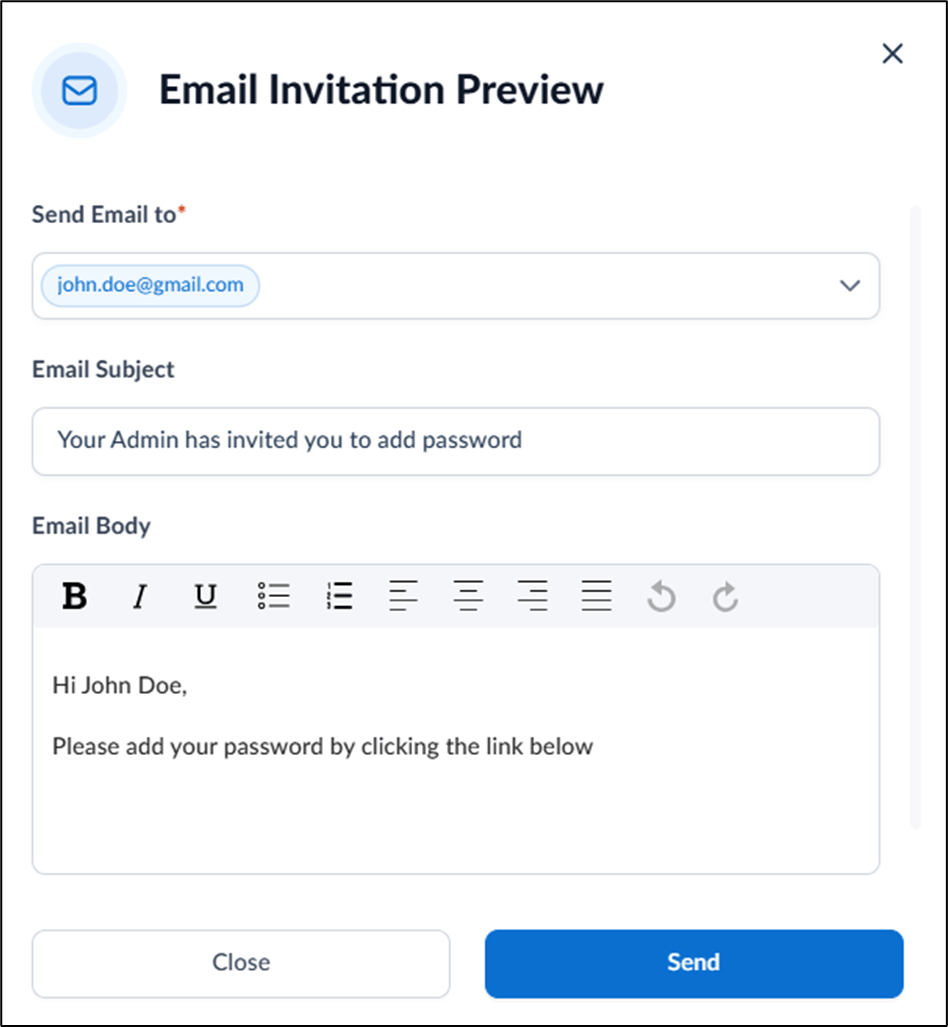
- Enter email ID(s) and select from the dropdown to whom you want to send the mail in Send Email to field.
- Enter subject in Email Subject field.
- Enter a message in the Email Body field.
- Click Send.