Introduction
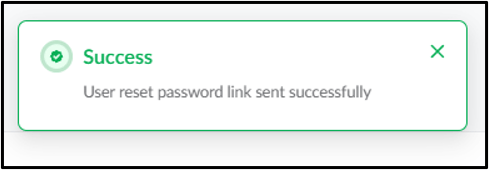
This document provides instructions to send a password reset link to a Supervisor from the Tenant Admin Portal.Prerequisite
You must have admin access to the Tenant Admin Portal.Steps to Send a Reset Password Link to a Supervisor
- Log in to the Tenant Admin Portal.
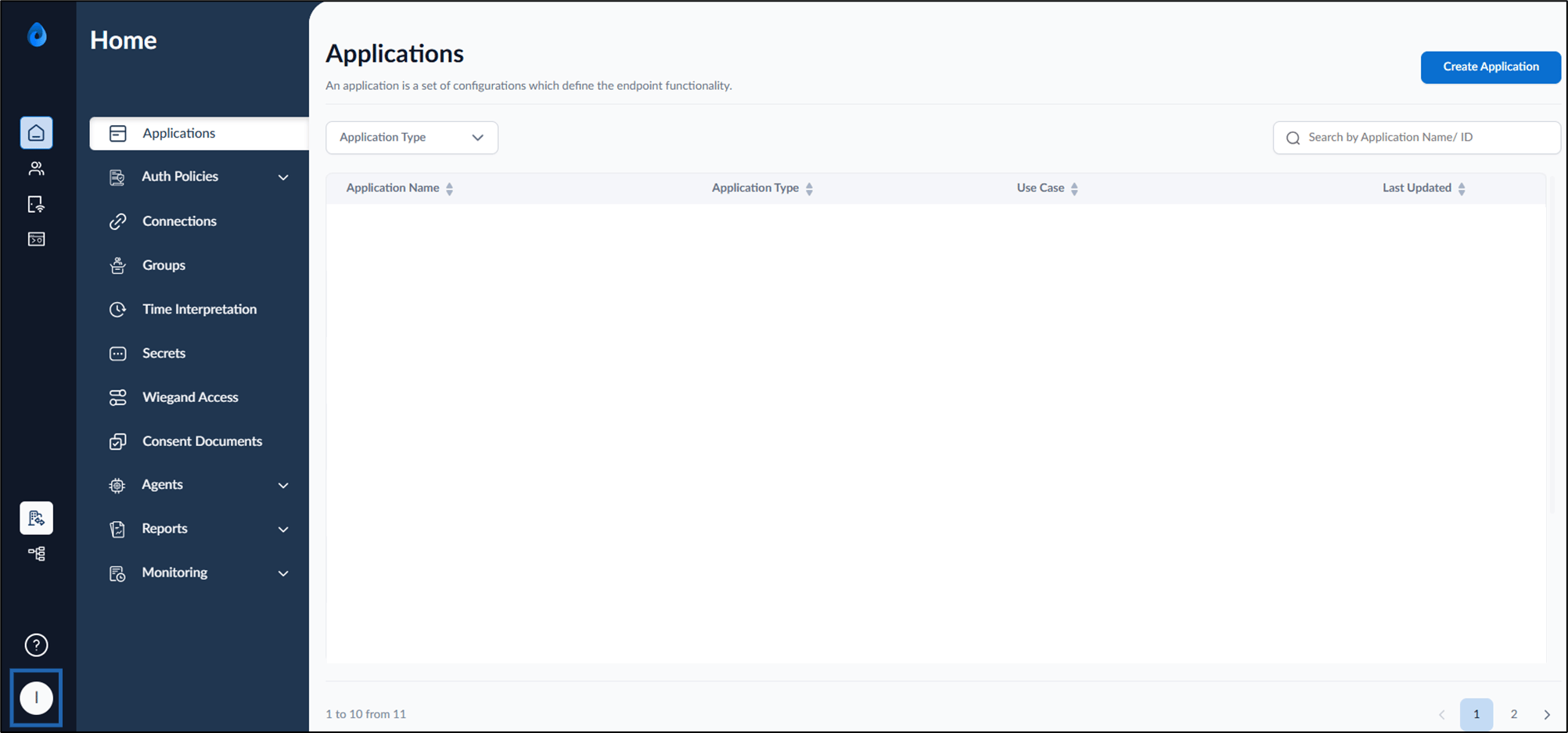
- On the home page, click the user profile icon on the bottom left.
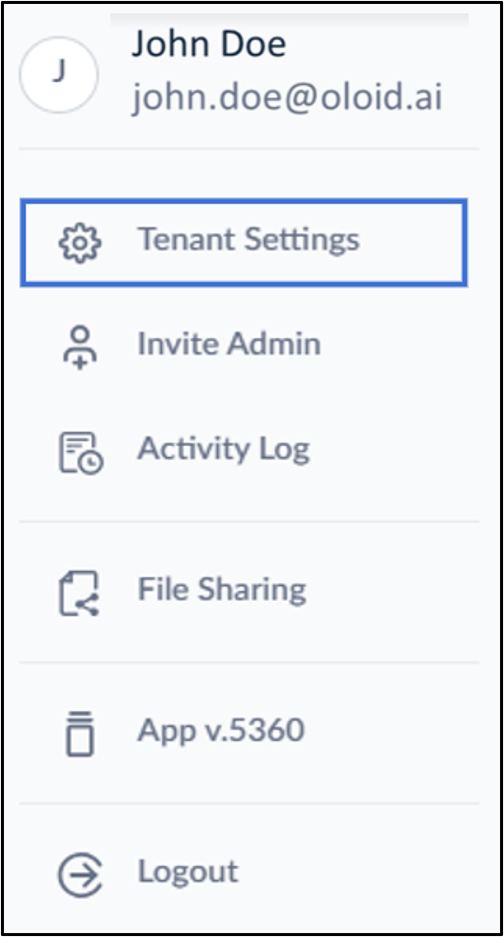
- Click Tenant Settings.
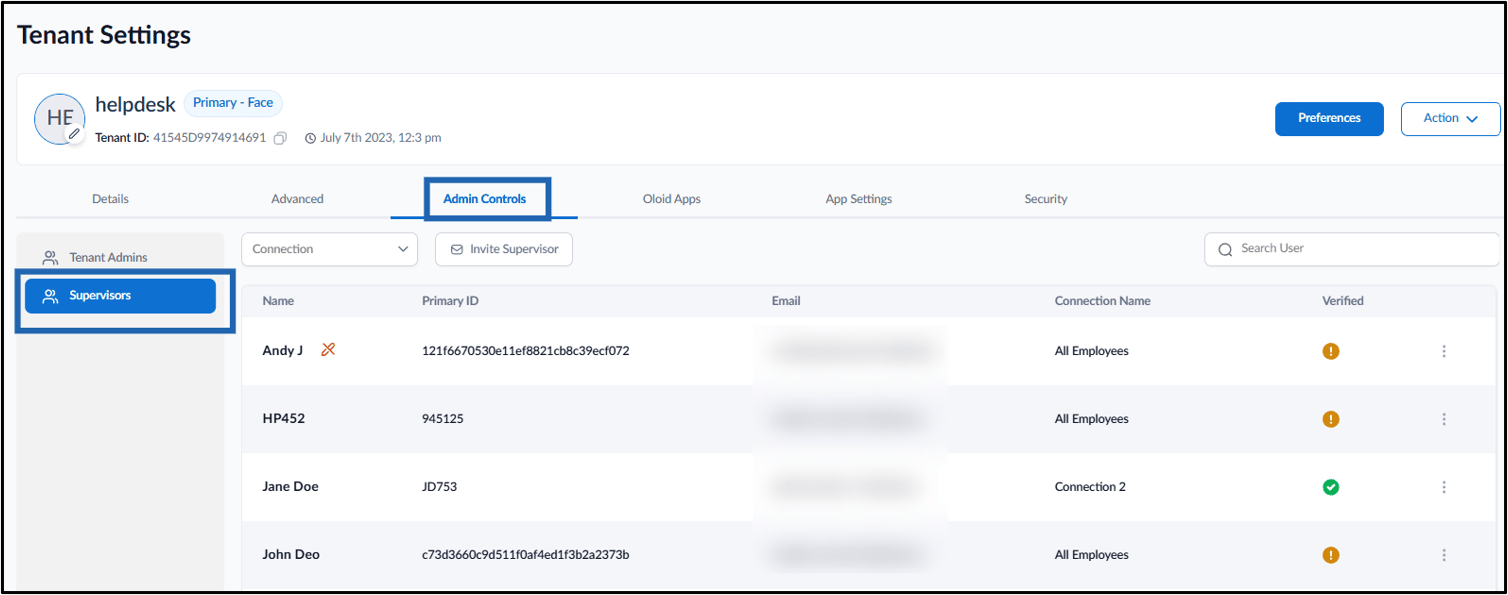
- Go to Admin Controls > Supervisors.
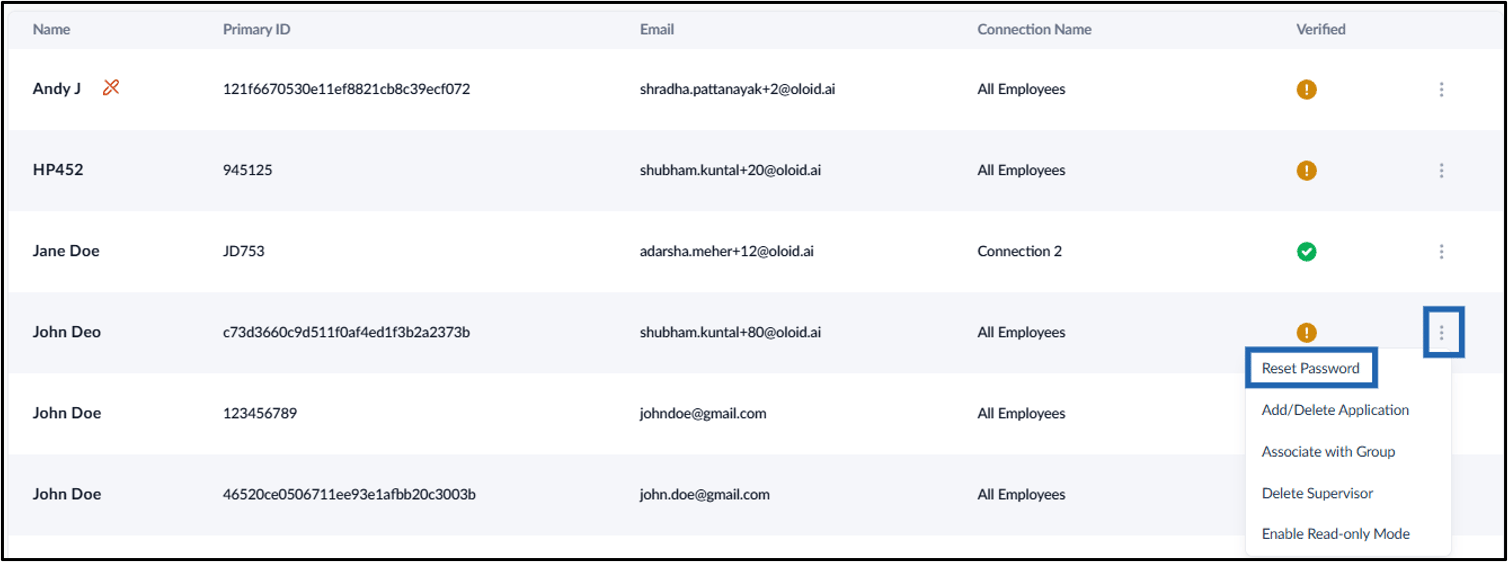
- Click kebab menu (three vertical dots) and select Reset Password.
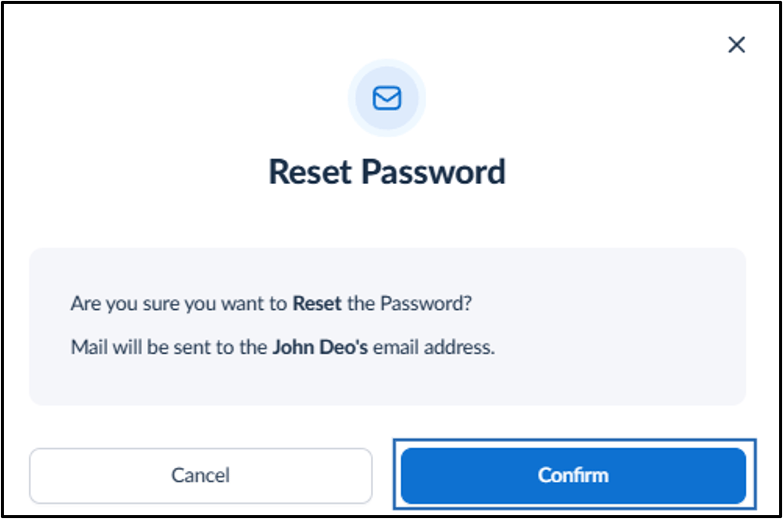
- Click Confirm.